
 Pipeline & Proposals
 Project Management
 Resource Planning
 Time & Costs
 WIP & Invoicing
 Commercial Reporting
 Consulting Engineers
 Architects
 Town Planners
 Building Designers
Project Management Software for Consulting Engineers: What It Needs to Do (2026)

Ben Walker
Written for Drum
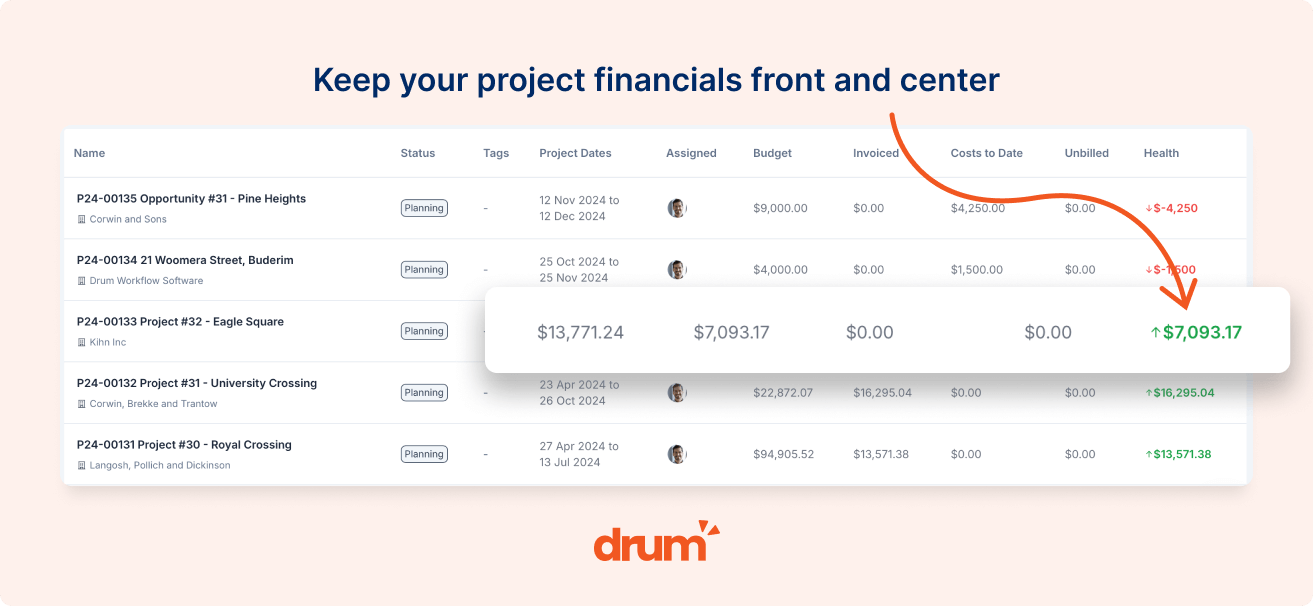
Project management software for consulting engineers has to manage money as well as tasks. It should carry your fee proposal into a staged project budget, track time and variations against each stage, prepare progress claims, and push invoices to Xero, MYOB or QuickBooks. Task boards do none of that.
Here’s a familiar picture. A 20-person structural practice wins a commercial fit-out. The fee proposal has five stages, two of them lump sum and three hourly. Three months in, the client adds a mezzanine, the site visits run long, and nobody can say whether the job is still making money until the accounts team rebuilds WIP in a spreadsheet at month-end.
This guide covers what software has to do to stop that happening, where generic tools fall down, and how to test a shortlist on your own work. We build Drum, so we’ll be clear about where it fits and where it doesn’t.
Why Generic Project Management Tools Fail Consulting Engineers
Tools like Asana, Monday and Trello are good at one thing: who’s doing what, by when. That’s useful, but it’s maybe a third of what a consulting engineering firm needs to manage. The rest is commercial.
Your work is sold as a fee proposal, delivered in stages, changed by variations, billed through progress claims and reconciled in your accounting system. A task board knows nothing about any of it. So the commercial picture lives somewhere else, usually in Excel, and it’s only as current as the last time someone updated it.
Construction project management software has the opposite problem. Platforms built for builders handle site diaries, RFIs and subcontractor payments well, but they’re designed around a contract sum and cost codes, not a consultant’s fee, timesheets and billable rates.
The cost of that gap is measurable. The 2026 SPI Professional Services Maturity Benchmark found average billable utilisation fell to 66.4% in 2025, against a 75% benchmark for high performers. Industry EBITDA sat at 9.9%. When a third of your team’s time isn’t billed and margins are that thin, a stage that quietly runs over can wipe out the profit on a whole job.
So what does software built for consulting engineers actually need to do?
Five Things Engineering Project Management Software Must Do
1. Turn the fee proposal into the project budget. The structure you quote should become the structure you deliver against: the same stages, the same fees and the same rates. If someone retypes the fee table into a second system, the two will drift, and your budget stops meaning anything.
2. Handle lump-sum and hourly stages on one project. Engineering commissions are rarely one fee type. Concept and detailed design might be fixed, construction phase services hourly, and a percentage-of-construction fee might sit alongside both. Good software keeps all of them on one project and one invoice. Many general job tools force you to split them into separate jobs, which is exactly where reporting falls apart.
3. Track variations as they happen. Variations are the most common reason engineering jobs lose money. The client asks for an extra level, your team does the work, and the extra fee never makes it onto an invoice. Your software should let a project engineer add the variation to the project fee in the moment, so the budget, WIP and next claim all reflect it.
4. Show WIP and fee burn live. A director should be able to open any project and see how much of each stage’s fee has been used, what’s been earned but not billed, and what’s ready to claim. If that number only exists after a month-end spreadsheet session, you’re finding problems weeks too late to fix them. Our guide to time tracking for engineering firms shows how timesheets feed that view.
5. Invoice through your accounting system, both ways. Progress claims should go from the project into Xero, MYOB or QuickBooks without re-keying, and payment status should flow back. That’s what lets project managers prepare claims and finance approve them, rather than finance building every invoice by hand.
Resourcing: The Problem That Arrives at 15 People
Below about 15 staff, a director can usually hold the resource plan in their head. Past that, it breaks. You have six or seven live projects per engineer, a few big bids in the pipeline, and no clear view of who’s free next month.
That’s when resource planning stops being a nice-to-have. You need to see each engineer’s allocation across projects, forecast demand from proposals you’re likely to win, and spot overload before it shows up as late drawings and unbilled overtime.
The SPI data backs this up. High-performing firms reached 75% billable utilisation against 64.9% for everyone else, and firms that adopted professional services automation lifted utilisation from 65.0% to 70.2% on average. On a 25-person practice, five points of utilisation is more than one extra engineer’s worth of billable time, without a new hire.
How to Choose Project Management Software for Your Engineering Firm
Feature lists won’t separate the options. Your own projects will. Before any demo, pick one real, messy job: a staged fee, at least one variation, some hourly site work and a sub-consultant. Then ask each vendor to run it live and watch for these moments:
- Proposal to project. Does the fee structure carry across without anyone retyping it?
- The variation. How many clicks does it take to add extra fee mid-project, and does it show up in WIP straight away?
- Month-end. Can the system produce a WIP report and a draft progress claim without anyone opening Excel?
- Migration. What history comes across? One engineering firm’s standard import into Drum brought over 2,665 projects, 3,738 opportunities and 136,400 time entries. Ask every vendor what they’ll move and what they’ll leave behind.
It also helps to know the field. Our comparison of project management software for architects and engineers sets out published prices and honest fit notes for the main Australian options, and the comparisons page has head-to-heads with Total Synergy, Projectworks, WorkflowMax and others.
Where does Drum fit? It’s engineering project management software built in Australia for consulting engineers and other built-environment consultancies. Fee proposals become staged budgets, lump-sum and hourly stages sit on one project, and variations are added to the project fee as the work changes. WIP, resourcing and two-way Xero, MYOB and QuickBooks invoicing are part of Drum Complete, which is $225 a month for your first five seats and $45 per extra seat, excluding onboarding. As Sean Price, Director at Metiri, put it after moving from WorkflowMax: “Drum’s clean interface and intuitive layout have significantly improved our time sheeting, quoting, project performance visibility, and billing processes.”
The right project management software for consulting engineers gives you one place where the fee, the work and the money agree. See how Drum works for consulting engineering firms, or book a demo and bring that messy project with you.
Frequently Asked Questions
What is the best project management software for consulting engineers? The best project management software for consulting engineers handles the commercial side as well as tasks: fee proposals, staged budgets, variations, WIP, progress claims and accounting integration. In Australia, firms usually compare Drum, Total Synergy, Projectworks and WorkflowMax. Generic task tools such as Asana or Monday don’t track fees or WIP, so they’re rarely enough on their own.
Can engineering project management software handle lump-sum and hourly fees on one project? Specialist tools can. Drum keeps lump-sum, hourly and percentage-based stages on one project and one invoice, with variations added to the project fee as they’re approved. Some general job management tools require separate jobs for each fee type, which makes project reporting harder.
How much does project management software for engineers cost? Drum Complete is $225 AUD a month for five seats plus $45 per extra seat, excluding onboarding. Projectworks costs $39 to $55 AUD per user per month with a 10-user minimum, WorkflowMax costs $12.22 to $37.78 AUD per user, and Total Synergy prices on request. Compare the cost of the admin each tool removes, not only the licence.