
 Project management
 Sales & Proposals
 Time tracking
 Invoicing
 Financial Performance
 Consulting Engineers
 Architects
 Town Planners
 Building Designers
CRM for Professional Services: Why Generic CRMs Cost You Clients

Ben Walker
Written for Drum
In This Article
Your Ultimate Guide to CRM for Professional Services
A Customer Relationship Management (CRM) system built for professional services is so much more than a digital address book. Think of it as your firm’s central nervous system, a specialized platform designed to oversee the entire client lifecycle, from the very first chat and proposal right through to project delivery and getting paid.
Unlike a generic CRM that’s laser-focused on sales, a professional services CRM brings together project management, resource planning, and time tracking in one place. The goal is to create a single source of truth for firms that run on relationships and billable hours.
Why Generic CRMs No Longer Work for Services

If your firm is trying to get by with a generic, off-the-shelf CRM, you’re probably feeling the friction. It’s like trying to run a high-end restaurant using a standard home kitchen. You have the basic tools, sure, but they aren’t built for the complex, fast-paced workflow your business actually runs on. You end up creating clunky workarounds, juggling spreadsheets, and losing critical details somewhere between disconnected systems.
This mismatch happens because traditional CRMs are built around a simple, linear sales funnel: lead, opportunity, sale. But for a consulting, engineering, or marketing agency, the “sale” is just the starting line. The real work, the stuff clients pay you for, happens after the contract is signed. It involves complex projects, multiple stakeholders, and long-term relationships that need careful nurturing.
The disconnect between product sales and service delivery. A generic CRM sees customers as transactions. A CRM for professional services, on the other hand, understands that clients are partners you’re guiding through complex engagements. It’s a fundamental difference that creates a whole host of pain points for firms trying to shoehorn their operations into standard software.
Think about it: a typical CRM can track a lead from a company, but can it map out the complex web of stakeholders inside that client’s organization? Can it tell the difference between the project sponsor, the person in accounts payable, and the technical lead who needs daily updates? For example, your engineering firm needs to know that Jane in Finance approves the invoices, but it’s David in Operations who signs off on the project milestones. A generic CRM struggles with this, but for you, that distinction is crucial. Without that clarity, communication quickly breaks down and opportunities get missed.
This gap forces your team to manage crucial project details outside the CRM, which leads to some predictable problems:
- Scattered Information: Project plans are in one system, time tracking is in another, and client communication is buried in a dozen different email inboxes. This creates data silos that make getting a complete picture of a client’s health impossible.
- Manual Workflows: Your team wastes valuable, billable hours manually copying and pasting data between tools. For example, an account manager might spend an hour every Friday manually pulling timesheet data to update a project budget spreadsheet. This not only invites human error but also delays everything from invoicing to monthly reporting.
- Poor Visibility: Without a central hub, it’s nearly impossible to get a quick, accurate answer to basic questions like, “Are we on budget for this project?” or “Who has the bandwidth to start a new engagement next month?”
The growing need for specialized systems. The market is catching on to this need. The global CRM software market is valued at around $101.4 billion and is expected to hit $262.74 billion by 2032, with 91% of companies with over 10 employees now using a CRM, according to CRM.org’s latest industry analysis. This growth isn’t just about selling more licenses; it’s driven by firms demanding more than just contact management. Businesses using CRM systems also see about 27% higher customer retention, which for a services firm translates directly into more repeat work and referrals.
A specialized CRM isn’t just a database; it’s an operational backbone. It connects the dots between business development, project execution, and financial performance, giving you a unified view of the entire client journey.
Sticking with a generic system means you’re operating with blind spots. You’re missing the deep, contextual insights that allow you to manage projects profitably, allocate your team effectively, and build the kind of lasting client relationships that fuel sustainable growth. The shift to a purpose-built system is no longer a luxury; it’s a necessity for staying competitive.
Driving Real Growth with a Services-Focused CRM
Let’s move past the idea of a CRM as a simple digital Rolodex. For a professional services firm, a specialized CRM is the central engine for growth. But what does that actually look like day-to-day? It’s all about turning features into real business outcomes and connecting the dots between your team’s activities and the bottom line.
Instead of just storing a client’s phone number, a CRM for professional services gives you the full story of the entire relationship. You can see past projects, current engagements, who the key stakeholders are, and what future opportunities might be brewing, all in one place. This complete visibility is the bedrock of real, sustainable growth.
From better data to bigger wins. The right CRM doesn’t just hold information; it makes it actionable. It helps you build a healthier, more predictable sales pipeline by bringing clarity to every stage of your business development process. You know exactly where a potential client is in their journey, from that first discovery call all the way to negotiating the final proposal.
This clarity means you can focus your energy where it actually counts. For instance, a consulting firm can use its CRM to automate the complex follow-up sequences that are so easy to forget. Let’s say a proposal has been sent but isn’t viewed for three days. The system can automatically fire off a polite reminder email or create a task for the account manager to pick up the phone. Nothing falls through the cracks.
A purpose-built CRM doesn’t just manage relationships; it actively helps you build them by turning scattered data into strategic insights that fuel smarter business decisions.
Similarly, a marketing agency can use integrated resource planning to boost project profitability before a new client even signs on the dotted line. Before committing to a tight deadline, the project lead can quickly see that her top graphic designer is booked solid for the next two weeks but her senior copywriter has availability. This allows her to set realistic timelines with the client from day one, which protects both your margins and your team’s well-being.
The measurable impact on your bottom line. When you get a CRM that’s actually built for your workflow, the results are clear and you can measure them. CRM applications can help increase sales by up to 29%, boost sales productivity by up to 34%, and improve sales forecast accuracy by 42%, according to data compiled by Nutshell. And because professionals are often on the move, mobile access is critical; around 65% of mobile CRM users hit their sales quotas because they have key information right at their fingertips.
These impressive numbers really come down to a few core improvements:
- Faster Sales Pipelines: Clear stages and automated follow-ups lead to shorter sales cycles and better conversion rates.
- Enhanced Client Visibility: Understanding the complete history of every relationship lets you provide better service and proactively find upsell opportunities.
- Improved Resource Management: Matching the right people to the right projects maximizes billable hours and prevents team burnout.
A lot of these functions overlap with what’s known as Professional Services Automation (PSA). While a CRM is focused on the client relationship and the sales journey, PSA tools often handle the project delivery and financial side of things. Many modern platforms blend these capabilities, and it’s helpful to understand what is PSA software to see how these systems can work together to create a single, powerful operational hub for your firm.
Must-Have Features in Your Professional Services CRM
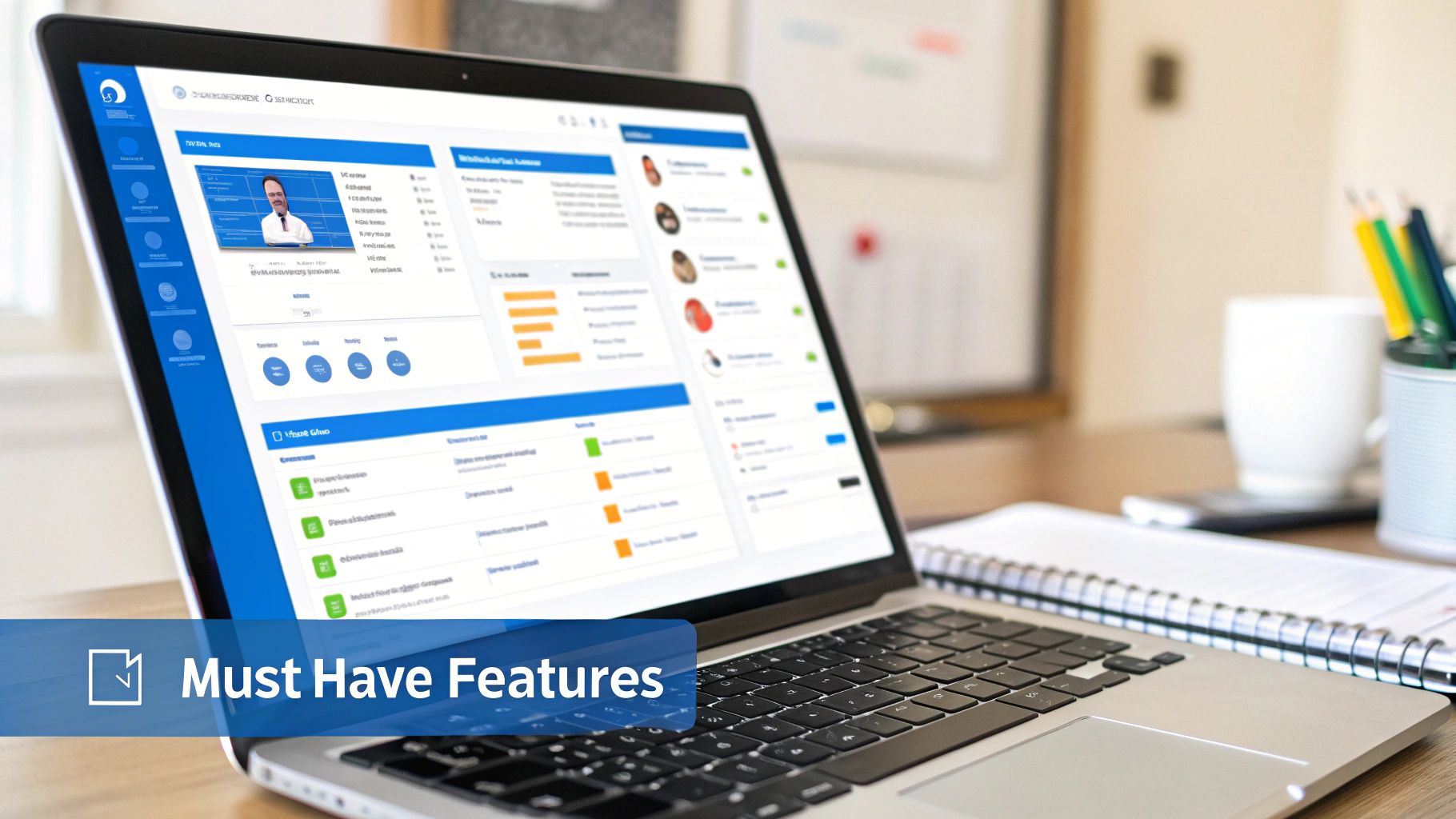
It’s easy to get lost in a sea of software features when you’re hunting for a CRM. But for a service-based business, some capabilities are just non-negotiable. A generic CRM might scream about its email marketing tools, but if it can’t track billable hours against a project budget, it’s completely missing the point.
Choosing the right CRM for professional services isn’t about finding the longest feature list. It’s about zeroing in on the tools that directly support how you actually work: selling expertise, managing complex projects, and building client relationships that last. You need a system built for your workflow, not a one-size-fits-all box that forces you into endless workarounds.
Let’s cut through the noise and look at what really matters.
Integrated project and task management. The most important capability is connecting your sales pipeline directly to project delivery. The moment a proposal gets the green light, your CRM should instantly convert that opportunity into an active project, fully loaded with milestones, tasks, and budgets. This simple step kills the chaos that often happens between winning a deal and starting the work.
Imagine a new client signs on for a six-month consulting gig. With a single click, your CRM should automatically spin up the project workspace. Tasks for the kickoff meeting are assigned, deadlines for the first-phase deliverables are set, and every bit of client communication from the sales process is logged right there. No more “black hole” where crucial details vanish before the project team even sees them.
This tight integration means everyone, from the account manager to the project lead, is working from the same playbook.
Sophisticated contact and relationship mapping. In professional services, you’re never just dealing with one person. You’re working through a complex web of stakeholders: the person who signs the checks, the technical lead, the project champion, and the folks in procurement. A generic CRM just lumps them all under one company name. A specialized system lets you map these relationships intelligently.
For example, you can visually chart that the CIO is your project champion, but the CFO is the ultimate budget holder, and the Head of IT is a potential blocker you need to win over. This isn’t just a nice-to-have; it’s critical for managing client politics, spotting decision-makers for future work, and making sure your message always hits the right person. It turns a flat contact list into a strategic map of your client’s world.
The real power of a services CRM lies in its ability to manage the entire client journey, not just the sale. It connects who you’re talking to with the work you’re doing for them, providing a single, unified view of the relationship.
Time tracking and resource planning. Let’s be blunt: profitability in a service business lives and dies by how well you manage your team’s time. Your CRM must have built-in time tracking. Every team member should be able to log hours directly against specific projects and tasks, including non-billable work like business development. The SPI Research 2025 Benchmark found that billable utilization has slipped to 68.9% across the industry, highlighting just how much revenue is being left on the table when time isn’t tracked effectively.
This data is the fuel for two other critical functions:
- Project Budgeting: You can watch budget vs. actuals in real-time, giving you a heads-up on at-risk projects before they go off the rails. You can see at a glance that “Project Phoenix” has used 75% of its budgeted hours but is only 50% complete.
- Resource Planning: Managers get a crystal-clear view of team capacity. This helps forecast future availability and, just as importantly, prevents burnout by spreading the workload evenly.
Trying to get this level of insight from a separate spreadsheet is a recipe for disaster. It has to be connected.
Powerful quoting and proposal generation. Crafting a compelling proposal is a core part of your sales process, but it can be a massive time sink. A great CRM makes it painless by letting you build sharp, professional-looking quotes and proposals right inside the platform. It pulls in client details, project scope, and pricing so you can generate documents in minutes, not hours.
For instance, your team can use pre-built templates for different service offerings, like a “Brand Strategy Package” or a “Phase 1 Discovery Project.” The system auto-populates the client’s name and address, pulls in your standard rates, and lets you add custom scope items. This turns a tedious administrative chore into a faster, smoother part of your growth engine. And by keeping everything in one place, you guarantee every proposal reflects your firm’s most current information and best practices. As you grow, you’ll find that managing sales and proposals with powerful automation can dramatically shorten your sales cycle and boost your win rate.
The real win is landing the right work, more efficiently.
Core CRM Features for Professional Services. Not all CRM features are created equal, especially for firms that sell expertise. The table below breaks down what separates a must-have tool from a generic “nice-to-have” and why it matters for your bottom line.
| Essential Feature | Why It’s Critical for Professional Services | Impact on Business |
|---|---|---|
| Integrated Project Management | Connects the sales win directly to project delivery, ensuring a smooth handover. | Reduces errors, improves client onboarding, and aligns sales and delivery teams. |
| Relationship Mapping | Visualizes complex client organizations and identifies key influencers and decision-makers. | Deepens client relationships, uncovers new opportunities, and improves strategic account management. |
| Built-in Time Tracking | Captures billable and non-billable hours directly against projects and tasks. | Provides real-time budget tracking, improves project profitability, and enables accurate resource planning. |
| Proposal Generation | Creates accurate, professional proposals using data already in the CRM. | Speeds up the sales cycle, ensures proposal consistency, and increases win rates. |
Focusing on these core capabilities ensures you’re investing in a system that doesn’t just store data but actively helps you deliver better projects, manage relationships more strategically, and ultimately, grow a more profitable business.
How to Choose the Right CRM Partner for Your Firm
Picking a CRM provider feels a lot like hiring a key team member. You’re not just buying a piece of software; you’re starting a long-term partnership that will shape your daily work, how you talk to clients, and where your firm is headed. With so many options available, finding the right fit takes a clear head and a bit of homework.
The whole process can feel like a lot, but it really comes down to one thing: finding a partner whose tech and philosophy just click with how your firm works. That means looking past the slick sales demos and zeroing in on the fundamentals that will actually help your team day-in and day-out.
Giants vs. specialists: What to consider. One of the first forks in the road is deciding between an industry giant (those massive, do-it-all platforms) and a specialized provider that lives and breathes professional services. Both have their upsides, and the right call really depends on how complex your firm’s needs are.
The big names offer huge ecosystems with endless ways to customize them. But that flexibility can be a trap, often leading to hefty setup costs, the need for specialized consultants, and constant tweaking just to make it fit a service-based workflow.
On the other hand, a specialized CRM for professional services is built for your business model from day one. It already speaks your language, with features for project management, time tracking, and resource planning baked right in. This usually means a faster, smoother rollout and people actually using the system because it intuitively matches what they do every day.
Core criteria for evaluating potential partners. As you start making a shortlist, think of it less as a feature comparison and more as interviewing a potential partner. Your goal is to find a company that’s going to be in your corner, ready to help as you grow.
Use these points as your scorecard:
- Scalability: Can this platform grow with you? Make sure it can handle more people, projects, and data without forcing you into a painful and expensive migration down the line.
- Integration Capabilities: Your CRM has to talk to the other tools you depend on. Look for clean, out-of-the-box integrations with your accounting software (like QuickBooks or Xero), email, and calendars.
- Customer Support: When you hit a snag, what happens next? You want a vendor with real, knowledgeable humans you can actually talk to, not just an endless FAQ page.
- Industry Expertise: Does this vendor get what it’s like to run a professional services firm? A partner with deep industry experience won’t just sell you a better product; they’ll give you smarter advice.
Your step-by-step evaluation plan. A bit of structure will help you cut through the marketing fluff and make a decision you feel good about. Don’t cut corners here.
- Define Your Core Needs: Before you watch a single demo, get your team in a room and hammer out a prioritized list of “must-haves” and “nice-to-haves.” What are the biggest headaches you’re trying to solve? For instance, is your biggest pain point inaccurate project budget tracking, or is it a slow proposal process?
- Run Scripted Demos: Don’t let vendors drive. Give them real-world scenarios from your business and ask them to show you exactly how their system solves those specific problems. A great scenario is: “Show me how we would take a new lead, create a proposal for a multi-phase project, win the deal, and then immediately see that project’s budget and tasks in the system.” This is where you see if the talk matches the reality.
- Check Vendor References: Always ask to speak with current customers who look like your firm: same size, same industry. Get on the phone and ask them the tough questions about the product, the setup process, and what happens when they need help.
The CRM provider industry is massive for a reason. In the United States alone, the market is pegged at $45.3 billion, with growth being pushed by the move to cloud solutions that put powerful tools within reach of more firms. While giants like Salesforce and Microsoft own a big piece of the pie, there are tons of fantastic specialized providers out there. And the push toward AI is accelerating this shift, with 83% of companies already using AI features in their CRM for smarter automation and personalized interactions.
Choosing a CRM partner is a strategic business decision, not an IT purchase. Prioritize a partner who demonstrates a genuine understanding of your firm’s challenges and presents a clear vision for helping you succeed.
The best CRM partner feels like an extension of your own team, a reliable expert who’s genuinely invested in seeing your firm win. By taking a thoughtful, strategic approach to your search, you can forge a partnership that will pay off for years to come.
Your practical roadmap to a smooth rollout. Choosing a powerful CRM for professional services is a huge step, but let’s be honest, the real work starts the moment you decide to bring it into your firm. Even the slickest platform is just expensive shelfware if your team doesn’t actually use it. We’ve seen it time and again: success hinges less on the technology itself and more on the people and processes you build around it.
A smooth rollout isn’t magic. It’s the result of a clear, thoughtful plan. Think of it like building a house. You wouldn’t just show up with a pile of lumber and start hammering, right? You need a detailed blueprint, a solid foundation, and a step-by-step process to make sure everything comes together perfectly. This roadmap will guide you through that process with confidence.
Phase 1: Laying the groundwork. Before you even think about migrating a single contact, you need to establish a rock-solid foundation for the project. If we had to pinpoint the single most common reason CRM projects fail, it’s because this phase was rushed or skipped entirely. Without clear goals and strong leadership, even the most promising implementation can drift off course and fizzle out.
Your first move? Appoint a project champion. This isn’t just a title to hand out; it’s a critical role. This person needs to be genuinely passionate about the project, understand its value inside and out, and be able to advocate for it across different teams. They’ll be the go-to person for questions, feedback, and keeping the momentum high when things get tricky.
Next, get your key stakeholders in a room and hammer out what success actually looks like.
- Set Clear, Measurable Goals: What specific problems are you really trying to solve? Vague goals won’t cut it. Are you aiming to slash proposal creation time by 25%? Maybe you want to increase your project win rate by 10%? Concrete goals give everyone a target to aim for.
- Map Your Current Processes: It’s time for some brutal honesty. Document exactly how you work now. Where are the bottlenecks? For example, map out every single step from a new client inquiry to a paid invoice. What are the biggest headaches for your team in that process? This exercise is crucial for configuring the new CRM to solve real-world problems instead of just digitizing old, inefficient habits.
Phase 2: Preparing for launch. With your goals and leadership in place, it’s time to roll up your sleeves. This phase is all about prepping your data and your team for the switch. And let us tell you, data cleanup is easily the most underestimated part of a CRM rollout, but it’s absolutely critical for building trust in the new system from day one.
Start by auditing all your existing client information. This means hunting down and merging duplicate contacts, updating outdated phone numbers and emails, and standardizing how data is entered. A clean dataset ensures your team gets accurate reports and reliable insights right out of the gate. It’s tedious work, but the payoff is immense.
A CRM is only as good as the data inside it. A messy, unreliable database will instantly erode user trust and derail adoption, no matter how great the software is.
This is also the time to configure the CRM to mirror your firm’s unique workflow. Customize your sales pipeline stages to match how you actually sell, set up project templates for your common engagement types (like a “Website Audit” or “Q3 Retainer”), and define user roles and permissions. The goal is to make the system feel like it was built just for you, which makes the upcoming training far more effective.
Phase 3: Empowering your team. Now for the main event: bringing your team into the fold. A successful rollout lives and dies by user adoption, and that journey begins with great training. Don’t just show them which buttons to click. You have to explain the “why” behind the new system. Show them exactly how it will make their day-to-day work easier, remove frustrating tasks, and help the firm hit its goals.
- Conduct Role-Based Training: A project manager needs to know different things than someone in business development. Tailor your training sessions to specific roles to keep them relevant, focused, and engaging. For example, show your sales team exactly how to create a proposal from a template, and show your project managers how to track budget vs. actuals in real-time.
- Provide Ongoing Support: Launch day is the starting line, not the finish. Make sure your team knows exactly who to turn to for help. A combination of a dedicated internal champion and responsive support from your CRM partner is a powerful recipe for success.
After the launch, be sure to schedule regular check-ins to gather feedback and identify areas for improvement. A CRM isn’t a “set it and forget it” tool. It should be a living system that evolves with your firm as you grow and your processes mature.
See How a Services CRM Works in The Real World

Theory and feature lists are one thing, but the real “aha!” moment comes when you see how a CRM for professional services actually works on the ground. Let’s make this tangible.
We’ll step into the shoes of three different firms to see how a purpose-built system untangles their everyday knots. These aren’t just hypotheticals; they’re stories about how the right tool translates into real-world wins.
A day at a fast-growing consulting practice. Meet Sarah. She’s a partner at a consulting firm that’s growing like a weed, and her team is juggling five major client projects at once. Before they got their services CRM, her mornings were a frantic scramble through emails and spreadsheets, trying to figure out which projects were on track and which were about to go off the rails.
Now, her day starts with a single dashboard. She immediately spots that Project Alpha is creeping close to its budget limit—the dashboard shows it’s at 85% of its hours with key deliverables still outstanding, so she can have a proactive chat with the client before it becomes a problem. The CRM also flags that a key proposal sent last week still hasn’t been opened by the prospect. That’s her cue to pick up the phone.
This single pane of glass turns reactive fire-fighting into proactive, strategic management. For firms like Sarah’s, this kind of visibility is transformative. You can explore the specific tools that make this possible with specialized consulting project management software.
Optimizing resources at an architectural firm. Next, let’s pop over to an architectural firm run by Mark. His biggest headache? Resource allocation. It was a constant battle. He’d often find his best drafters were either double-booked or sitting on the bench, which absolutely killed profitability.
His firm’s new CRM has a resource planning module that changed everything.
This morning, a new commercial building project got the green light. Instead of guessing who’s free, Mark just pulls up a capacity report. In seconds, he can see which architects have bandwidth over the next three months, their specific skill sets, and their current utilization rates. He sees that his lead structural engineer is overbooked in July but has open capacity in August, so he staffs the entire project in minutes, completely confident he’s using his team effectively without burning anyone out.
By connecting people, projects, and financials, a services CRM gives firm leaders the clarity they need to make smarter, more profitable decisions every single day.
Elevating client communication at a law office. Finally, picture a boutique law office specializing in intellectual property. For them, client communication and having a perfect document trail is non-negotiable. One missed deadline or a lost email could have massive consequences. Their CRM essentially acts as a fortified, central client file.
When a client calls with a question about their patent filing, any paralegal can pull up their record and see the entire story: every email, every call note, every single document version. The system shows that an updated draft was sent to the client two days ago and is awaiting their review. It means the client gets consistent, informed service no matter who picks up the phone.
That’s how you build the kind of trust and confidence that keeps clients coming back.
Answering your top CRM questions. Jumping into a new CRM for professional services always brings up a few big questions. We’ve heard just about all of them from firms just like yours, so we’ve pulled together the most common ones to give you some clear, straight-ahead answers.
Let’s get into it.
How long does a CRM implementation typically take? This is the big one, and the only honest answer is: it depends. A smaller firm with clean data and simple processes might be up and running in a few weeks. But a larger organization with complex needs and messy data? You could be looking at a multi-month project.
That said, a good rule of thumb for a specialized services CRM is somewhere between 4 to 12 weeks. The two biggest things that stretch out this timeline are data cleanup and defining your internal processes. If you invest the time upfront to get your contacts in order and map out your workflows, you’ll have a much smoother, faster launch. It pays off, trust us.
How do we ensure our team actually uses the new system? User adoption is everything. If the team doesn’t use it, even the best software is worthless. The secret is to involve them from the very beginning. Don’t just drop a new system on their desks one Monday morning.
Ask for their input during the selection process. What are their biggest day-to-day frustrations? What would actually make their jobs easier?
When your team sees the CRM as a tool that solves their problems, not just another task from management, they are far more likely to embrace it. Make training role-specific and highlight the “what’s in it for me” for each person.
For example, show your project managers how they can get real-time budget updates without having to hunt down three different spreadsheets. Show your business development team how they can generate a polished proposal in minutes, not hours. When they feel the personal benefit, adoption becomes natural.
What is the difference between a CRM and a PSA tool? This is a fantastic question because the lines between these tools can get pretty blurry.
Here’s a simple way to think about it:
- A CRM is mostly about the “front office”—it’s for managing client relationships, tracking leads, and nurturing opportunities through your sales pipeline. Its main job is to help you win work.
- A Professional Services Automation (PSA) tool is for the “back office”—managing project delivery, resource planning, time tracking, and invoicing. Its main job is to help you deliver work profitably.
The real magic happens when these two worlds come together. Modern platforms, like Drum, blend these capabilities into a single, unified system. They manage the entire client lifecycle, from the very first conversation all the way through to the final payment. This tight integration is what makes a true CRM for professional services so powerful.
Ready to transform your firm's operations with a system designed for architects?
Start your free 14-day trial and see how it works.(https://getdrum.com) and take the first step toward a more connected business.