- Mastering Document Workflow Management for Pro Services
- Moving Beyond the Chaos of Manual Documents
- From Digital Storage to Intelligent Pathways
- Why Modern Firms Run on Automated Workflows
- Unlocking Efficiency and Slashing Risk
- Manual vs Automated Document Workflow Comparison
- Enhancing the Client and Team Experience
- Essential Features of a Winning Workflow System
- Automated Routing and Approval Chains
- Version Control and Audit Trails
- Custom Templates and Seamless Integrations
- Real-World Workflow Examples in Action
- Consulting Firm Client Onboarding
- Accounting Practice Invoice Processing
- Law Firm Legal Case File Management
- How to Implement Your First Document Workflow
- Pinpoint Your First Workflow
- Map the Process and Set Clear Goals
- Choose the Right Tools and Manage the Change
- Still Have Questions About Document Workflow Management?
- Document Management Versus Workflow Management
- How Much Technical Skill Is Needed to Set This Up?
- Is This Practical for a Small Professional Services Firm?
- How Can I Measure the ROI of a New Workflow System?
Mastering Document Workflow Management for Pro Services
Document workflow management is a friendly term for a structured, automated way of handling how documents get from point A to point B in your business. It’s about taking the messy, manual processes we’re all too familiar with—like chasing down signatures or finding the latest draft—and turning them into smooth, predictable routes for approvals, reviews, and client tasks. The result? You get a ton of time back and slash those costly, frustrating errors.
Moving Beyond the Chaos of Manual Documents

Think about your day. How much of it is spent chasing down a signed contract, nudging a colleague for a project brief approval, or just hunting for the latest version of a client file? For most professional services firms, this administrative scramble is a daily reality. Documents get buried in email threads, approvals stall for days, and version control becomes a complete nightmare. All of this friction slows down client work and creates stress within the team.
This disorganization isn’t just a minor headache; it’s a major drag on your operations. Imagine a Michelin-star restaurant trying to function with a completely disorganized kitchen. It doesn’t matter how brilliant your chefs are—the chaos behind the scenes will eventually ruin the meal. It’s the same for your firm. Even the most talented consultants, lawyers, or architects get bogged down by clunky, manual document processes.
From Digital Storage to Intelligent Pathways
Look, just dumping files into a cloud drive isn’t the answer. Sure, it’s better than a physical filing cabinet, but without a real system, it just becomes a “digital junk drawer.” This is where document workflow management is a complete game-changer. It’s not about where your documents are stored; it’s about how they move, who needs to act on them, and what happens next—all automatically.
This shift is a huge reason why the global market for this kind of automation is expected to hit USD 22.3 billion in 2026 and grow to USD 26.8 billion by 2027. Businesses are quickly realizing that smart workflows are essential for staying efficient and competitive.
A document workflow management system acts as the central nervous system for your firm’s administrative tasks, ensuring information gets to the right person at the right time, every time.
By setting up these intelligent, automated pathways for your documents, you can immediately:
- Slash Errors: Automated rules stop documents from going to the wrong person or getting stuck waiting for an approval that never comes.
- Reclaim Countless Hours: Your team can finally stop chasing paperwork and focus their energy on the high-value, billable work that actually matters.
- Empower Your Team: Clear, automated processes get rid of the confusion and give employees the confidence to get tasks done on their own.
This kind of thinking is foundational to running a modern, effective firm. It’s the same principle behind using specialized software to bring together different parts of your business. If you want to see how this applies on a broader scale, you might find our guide on https://getdrum.com/what-is-psa-software helpful. Getting your document workflows in order is the first real step toward building a more resilient, profitable, and client-focused business.
Why Modern Firms Run on Automated Workflows
In any professional services firm, documents are the lifeblood of your business. Contracts, proposals, invoices, compliance forms—this isn’t just paperwork. It’s the tangible result of your expertise and the very foundation of your client relationships.
When these documents flow smoothly, your firm operates with precision. But when they don’t, the entire business feels the drag.
Manual, disorganized workflows are more than just a nuisance; they actively sabotage your firm’s success. For instance, picture a crucial client proposal sitting unapproved in a partner’s inbox for days. Or a team member burning billable hours just trying to find the correct version of a project brief. These little delays and moments of friction pile up, leading to blown deadlines, frustrated clients, and a team that’s always playing catch-up.
This is exactly why modern firms are ditching manual methods for automated workflows. It’s a strategic move away from reacting to administrative chaos and toward proactively designing a system for success.
Unlocking Efficiency and Slashing Risk
The most immediate win from adopting a document workflow management system is the massive gain in operational efficiency. When you automate a document’s path, it moves from one step to the next without someone having to nudge it along. This means no more manually emailing files, setting calendar reminders, or literally walking down the hall to chase down a signature.
Instead of your team sinking valuable time into low-value admin, automation handles the routing, notifications, and archiving. This frees up your experts to do what they do best: deliver exceptional client work. The result is a faster, more productive operation that can handle a higher volume of work without adding headcount.
But it’s not just about speed. Automated workflows bring a powerful layer of security and compliance to the table.
- Access Control: You can set precise permissions, ensuring only the right people can view or edit sensitive client information. For example, you can ensure that only partners can see financial projections in a proposal.
- Audit Trails: Every single action taken on a document—from creation to approval to final storage—is automatically logged. This creates a clear, defensible record for any compliance questions that might come up.
- Consistency: With automated templates and predefined steps, every process is followed the exact same way, every time. This dramatically reduces the risk of human error that can lead to costly compliance violations or legal headaches.
This structured approach transforms document handling from a potential liability into a secure, controlled, and reliable part of your business.
Before we move on, let’s look at a clear breakdown of the differences. It really highlights the gap between the old way and the new.
Manual vs Automated Document Workflow Comparison
This table puts the stark differences in efficiency, security, and cost between traditional manual processes and modern automated document workflows into sharp focus.
| Aspect | Manual Workflow | Automated Workflow |
|---|---|---|
| Speed | Slow, dependent on human availability and response times. | Instantaneous routing, notifications, and approvals. |
| Accuracy | High risk of human error (e.g., wrong versions, typos). | Consistent, template-driven processes minimize mistakes. |
| Security | Vulnerable to unauthorized access, data loss. | Granular access controls and encrypted storage. |
| Compliance | Difficult to track; audit trails are manual and often incomplete. | Automatic, comprehensive audit trails for every action. |
| Visibility | Opaque; hard to know a document’s status without asking. | Real-time dashboards provide full visibility for everyone. |
| Cost | High hidden costs from wasted time and inefficiency. | Reduces administrative overhead and boosts productivity. |
As you can see, the shift to automation isn’t just an upgrade—it’s a fundamental change in how work gets done, plugging leaks you might not even know you have.
Enhancing the Client and Team Experience
Believe it or not, your internal processes have a direct impact on your clients. When your workflows are clunky and slow, clients feel it through delayed responses and longer turnaround times. A slick document workflow, on the other hand, creates a far better client experience. Onboarding is quicker, approvals happen in hours instead of days, and invoices are consistently accurate and on time.
Think of it this way: your workflow is an invisible part of your service delivery. A smooth, professional process reinforces the message that your firm is organized, competent, and values the client’s time.
This focus on structure is also a game-changer for your team, especially in today’s remote and hybrid work environments. A centralized workflow system means everyone knows the status of a document, who’s responsible for the next step, and where to find the latest version. It cuts out the confusion and empowers seamless collaboration, no matter where your team members are.
The market is certainly reflecting this growing need. The global document management system market was valued at USD 7.68 billion in 2024 and is projected to hit USD 18.17 billion by 2030—a clear indicator of its rising importance. By connecting your processes directly to profitability and client satisfaction, document workflow management becomes more than a tool. It becomes a core pillar of your firm’s strategic growth.
Essential Features of a Winning Workflow System
Picking the right document workflow management platform can feel like a huge task, but it really doesn’t have to be. Not all systems are created equal, and knowing what to look for is the key to finding a tool that genuinely helps your firm instead of just adding another layer of complexity. Think of it like hiring a key team member—you need a clear checklist of the core skills and capabilities they need to get the job done right.
A winning system goes way beyond simple file storage. It should actively work for you, automating the tedious steps, giving everyone crystal-clear visibility, and connecting with the other tools you already rely on every single day. Let’s break down the must-have features that professional services firms should be looking for.
Automated Routing and Approval Chains
At its heart, document workflow is all about movement. The best systems let you build automated routes for your documents, so they land on the right desk at the right time, every single time. This means you can create a simple rule: once a proposal is marked “Ready for Review,” it automatically zips over to the managing partner for approval.
And when they sign off? It instantly moves to the client for their signature. No more manually forwarding emails or chasing people down in the hallway. This single feature knocks out the most common bottleneck in any firm: the dreaded approval process.
The goal of automated routing isn’t just about speed; it’s about creating a predictable, reliable process that runs on its own, freeing up your team’s mental energy for more important client work.
For example, an architectural firm could set up a workflow where new blueprints are first sent to the lead architect, then to the structural engineer, and finally to the project manager. Each person gets notified automatically when it’s their turn to review, ensuring a smooth, sequential approval chain without anyone having to lift a finger.
Version Control and Audit Trails
Have you ever wasted precious hours working on an outdated version of a document? It’s a frustrating—and surprisingly common—problem. A robust document workflow management system completely solves this with version control. Every time a document gets edited, a new version is created and logged, giving you a complete history of every change.
This ensures everyone is always working from the most current file, which eliminates confusion and costly rework. It’s the ultimate “single source of truth” for all your important client and project files.
Alongside this, a comprehensive audit trail is non-negotiable, especially for firms dealing with compliance and regulatory headaches. This feature automatically records every single action taken on a document: who viewed it, who edited it, who approved it, and when.
- For a legal firm: This provides an unbreakable chain of custody for evidence and client files.
- For an accounting firm: It offers a clear, defensible record of invoice approvals for auditors.
- For a consulting firm: It tracks every change made to a client’s strategic plan, providing total clarity and accountability.
Custom Templates and Seamless Integrations
Consistency is the hallmark of a professional firm. The ability to create customizable templates for common documents—like proposals, contracts, or client onboarding forms—is a massive time-saver. It makes sure that every document your firm produces maintains the same high standard of quality and branding.
But your workflow system can’t live on an island. It has to play nicely with the other software that runs your business. This is arguably one of the most important features to look for. Your workflow tool should connect seamlessly with your:
- CRM: To automatically pull client data into new contracts.
- Accounting Software: To trigger invoice creation once a project milestone is approved.
- Project Management Tools: To link documents directly to specific tasks and deadlines.
These integrations prevent the soul-crushing task of double data entry and ensure that information flows freely between your core business systems. If you’re looking to unify your operations, check out how comprehensive professional services project management tools can serve as the central hub for this kind of integration.
Finally, look for advanced capabilities like AI-powered data extraction, which can automatically read information from invoices or forms and plug it right into your system. And don’t forget powerful analytics. A great system will have dashboards that show you where documents are getting stuck, helping you spot and fix bottlenecks to continuously improve your firm’s efficiency.
Real-World Workflow Examples in Action
It’s one thing to talk about the features of a document workflow management system, but seeing how they actually solve real-world problems is where the lightbulb really goes on. So, let’s move from theory to practice and walk through a few tangible, step-by-step examples from different professional services firms. These scenarios bring automation and control to life, showing exactly how these digital pathways can change your daily operations.
This infographic gives a great visual of a modern workflow’s core job: automating the repetitive stuff, locking down access and compliance, and plugging into the software you already use.
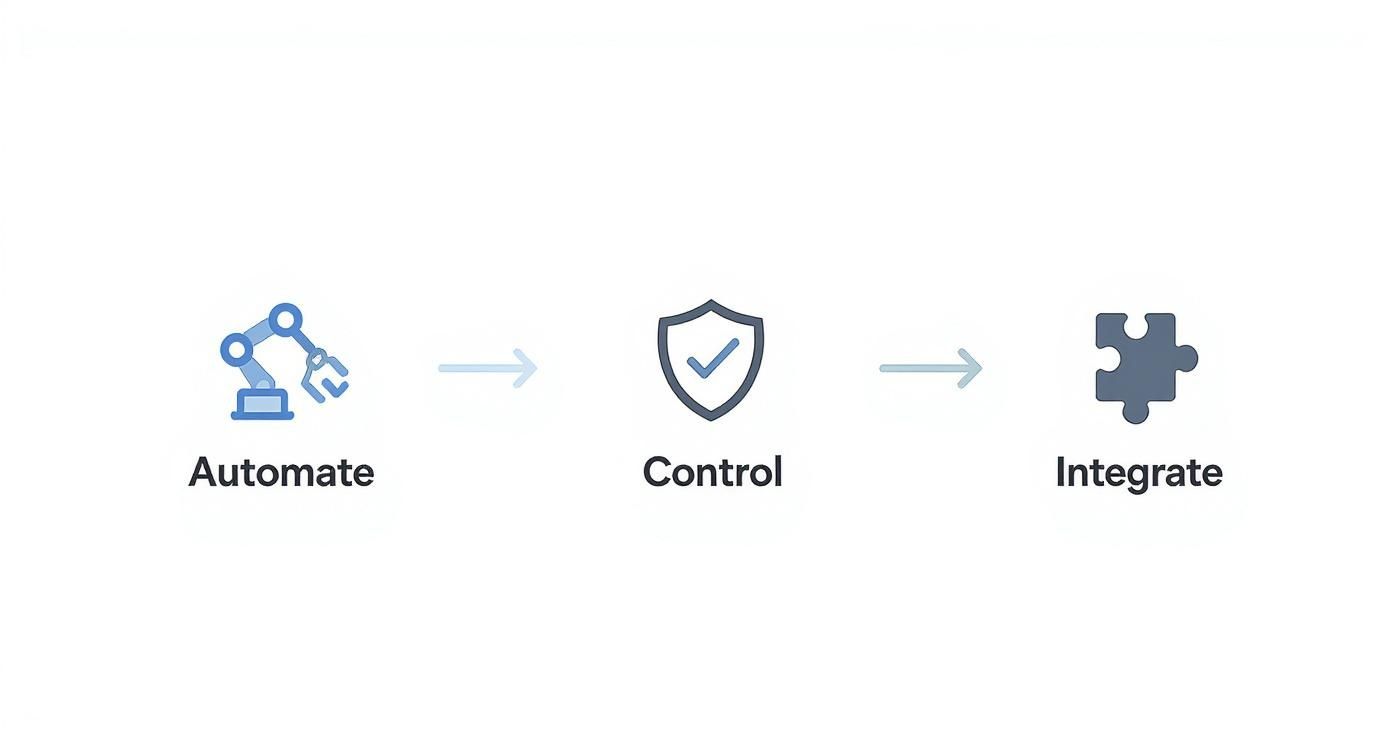
As the flow shows, a successful system isn’t about one single feature. It’s about how automation, security, and connectivity all work together to create a powerful operational engine for your firm.
Consulting Firm Client Onboarding
For any consulting firm, a clunky onboarding process can set a poor tone for the entire client relationship. On the flip side, a smooth, automated workflow shows efficiency and professionalism from the very first interaction. It tells the client you’re organized and you value their time.
Here’s what that automated onboarding workflow might look like:
- Trigger: A deal gets marked as “Won” in the firm’s CRM.
- Automated Action: The system instantly generates a standard engagement letter and NDA from pre-approved templates. It pulls the client’s information from the CRM and populates the documents automatically.
- Routing: The documents are fired off to the client for an e-signature. If they haven’t signed within 48 hours, the system gives them a gentle, automatic nudge.
- Next Step: Once signed, the workflow pings the project manager, who gets an automated task to schedule the kickoff meeting.
- Finalization: The signed documents are filed away into the correct client folder, and the finance department gets a notification to create the first invoice.
This hands-off process makes sure no steps are missed, gets projects started faster, and lets your team focus on preparing for the actual work instead of chasing down paperwork.
Accounting Practice Invoice Processing
Invoice processing is a classic document-heavy task just begging for manual errors and delays. An accounting practice can use document workflow management to make this whole process faster, more accurate, and completely transparent for everyone involved.
Think about how an automated accounts payable workflow functions:
- Step 1 Document Capture: A vendor invoice arrives in a dedicated email inbox and is automatically pulled into the system.
- Step 2 Data Extraction: AI-powered tools scan the invoice and extract key data points like vendor name, invoice number, due date, and the total amount. This kills manual data entry, which studies show can have an error rate as high as 4%.
- Step 3 Approval Routing: The system intelligently routes the invoice to the right manager for approval based on the amount. For instance, invoices under $1,000 go to a team lead, but anything over $5,000 requires a partner’s sign-off.
- Step 4 Payment and Archiving: Once approved, the invoice is pushed to the accounting software (like Xero or QuickBooks) for payment. A copy is then automatically archived with a full audit trail attached.
By automating invoice processing, accounting firms don’t just save a ton of admin time. They also get real-time visibility into cash flow and liabilities, which seriously strengthens their financial management.
Law Firm Legal Case File Management
In the legal world, document integrity and chain of custody aren’t just nice-to-haves—they’re professional obligations. A single misplaced document or the wrong version of a file can have huge consequences for a case. This is why document workflow management is such a critical tool for mitigating risk and running a tight ship.
Here’s a simple workflow for managing new evidence in a legal case:
- Secure Upload: A paralegal securely uploads a new piece of digital evidence—maybe a signed affidavit or a set of photos—into the specific case file within the system.
- Tagging and Classification: The workflow immediately prompts the user to apply mandatory metadata tags, like “Evidence,” the date it was received, and the deponent it’s associated with. This makes the document instantly searchable.
- Notification and Review: The lead attorney on the case gets an automatic notification that new evidence is ready. They can then review the document, add comments, or assign a task to an associate for deeper analysis.
- Version Control and Audit: Every single time someone accesses, views, or annotates that document, it’s logged in an unchangeable audit trail. If the document is ever updated, strict version control makes sure all previous versions are saved, preventing any accidental overwrites.
This kind of structured process guarantees that all case files are organized, secure, and completely auditable. It gives the legal team the confidence and defensibility they absolutely need.
How to Implement Your First Document Workflow
Jumping into new technology can feel like a massive project, but I promise, setting up your first automated workflow is much easier than you think. The trick is to start small. Don’t try to boil the ocean and automate every single process on day one.
The goal here is a quick, high-impact win. Pick one process, fix it, and use that success to build momentum and get your team genuinely excited about what’s possible. Think of it less like a daunting IT overhaul and more like mapping out a smarter way to work, one step at a time.
Pinpoint Your First Workflow
Before you even glance at a piece of software, you need to figure out what to fix first. The perfect candidate for your first workflow is a process that’s both painfully repetitive and a constant source of frustration.
Get your team in a room with a whiteboard (or a virtual one) and ask some simple questions:
- Where are our biggest bottlenecks?
- What process consistently causes delays or mistakes?
- Which manual task makes everyone groan when it’s their turn?
Processes like client onboarding, invoice approvals, or proposal generation are often perfect starting points. They’re predictable, and the time saved from automating them is huge.
The goal is to choose a workflow where success is easy to measure and the benefits are immediately obvious to everyone involved. A quick win is the best change management tool you have.
Once you’ve zeroed in on your target, the next step is to map it out exactly as it is today. Don’t skip this! You have to understand the current mess, warts and all, to design a better future.
Map the Process and Set Clear Goals
With your chosen workflow in mind, document every single step from beginning to end. Who touches the document? What do they do? Where does it go next? This simple visual map will instantly shine a light on redundant steps and obvious areas for improvement.
Next, you need to define what success actually looks like. Vague goals like “improve efficiency” just won’t cut it. You need specific, measurable Key Performance Indicators (KPIs).
- For client onboarding: Maybe your goal is to slash the time from a signed contract to project kickoff from 5 days down to just 24 hours.
- For invoice approvals: You could aim to cut the average approval time from one week to two days.
Having these clear, hard numbers proves the value of your new document workflow management system and gives you a rock-solid case for rolling it out across the entire firm.
Choose the Right Tools and Manage the Change
Okay, now it’s time to pick your software. Look for a platform with an intuitive, visual workflow builder that your team can use without needing a computer science degree. The best tools also play nicely with the software you already use every day, like your CRM or accounting system.
Our guide to consulting project management software offers some great insights into how these integrated platforms can become the central hub for your operations: https://getdrum.com/consulting-project-management-software
But remember, technology is only half the battle—the other half is your people. Getting buy-in from your team is non-negotiable. Clearly explain the “why” behind this change, focusing on how it will make their jobs easier, not just different. Offer hands-on training and make a big deal out of the success of your first pilot workflow.
When your team sees firsthand how automation erases their most tedious tasks, they’ll become your biggest champions. As you grow, you might even look into technologies like Intelligent Document Processing (IDP). Companies using IDP see document processing speeds that are an average of 4 times faster. It’s a fast-growing field, and by 2025, over 75% of enterprises are expected to have it integrated into their core systems. It’s worth understanding what’s possible as you start your journey.
Still Have Questions About Document Workflow Management?
Even when the benefits are clear, it’s completely normal to have a few questions before you jump into a new way of working. Shifting to a document workflow management system is a big step, and it’s smart to get all your concerns ironed out first.
We’ve pulled together some of the most common questions we hear from professional services firms. Here are some straightforward answers to help you feel confident about making the move.
Document Management Versus Workflow Management
This is probably the first—and most important—question people ask. What’s the real difference between a document management system (DMS) and document workflow management? It’s a great question, and the distinction is critical.
Think of a Document Management System (DMS) as your firm’s super-organized, ultra-secure digital library. It’s the perfect place to store, categorize, and find your documents. At its core, it’s about static storage and retrieval.
Document Workflow Management, on the other hand, is the action-oriented layer you build on top of that library. It’s the system of digital couriers and automated rules that actually moves documents through a process from start to finish.
A DMS is where the final, signed contract lives. The document workflow is what got it there—routing it for internal review, sending it for an e-signature, notifying the finance team once it was signed, and then automatically filing it into the DMS. You need both, but the workflow is what brings your documents to life and gets the work done.
How Much Technical Skill Is Needed to Set This Up?
This is a huge concern for many, but the answer is almost always “a lot less than you think.” Modern workflow automation platforms are built for the people who actually use them—your team—not just your IT department. You definitely don’t need to know how to code to build a smarter process.
Most of these tools feature intuitive, visual drag-and-drop builders. You can literally map out your process on the screen just as you would on a whiteboard, creating steps and rules with a few clicks. While the initial setup might require a little help from IT to connect integrations with your other core software, the day-to-day creation and tweaking of workflows are designed to be handled by the people who know the processes best. The whole point is to empower your staff to automate their own work.
Is This Practical for a Small Professional Services Firm?
Absolutely. In fact, you could argue that smaller firms often see the most dramatic and immediate impact.
In a small firm, every single minute spent on manual paperwork is a minute not spent on billable client work or drumming up new business. There’s simply less room for inefficiency.
Automating even a single, high-volume process—like client onboarding or invoice approvals—can free up a shocking amount of time for a small team. Modern cloud-based solutions are also affordable and scalable, so you don’t need a huge upfront investment in servers or infrastructure. It’s all about working smarter, and for a small business trying to punch above its weight, that’s a massive competitive advantage.
How Can I Measure the ROI of a New Workflow System?
Measuring the Return on Investment (ROI) is key to proving the value of any new tool. The good news is that the impact of document workflow management can be measured both with hard numbers and in terms of overall business health.
Quantitative Metrics (The Hard Numbers):
- Faster Turnaround: Track the average time it takes for a document to complete its journey. For instance, does your invoice approval time drop from 5 days to just 1 day?
- Fewer Errors: Monitor the reduction in mistakes that lead to costly rework, like data entry typos or using an outdated document version.
- Lower Material Costs: Calculate your savings from printing less, buying less paper, and needing less physical storage.
- Billable Hours Reclaimed: Estimate the hours your team gets back now that they aren’t chasing signatures or manually filing documents.
Qualitative Metrics (The “Soft” Benefits):
- Happier Clients: Faster responses and quicker turnarounds almost always lead to higher client satisfaction.
- Better Employee Morale: Taking tedious, repetitive tasks off your team’s plate is a huge boost for job satisfaction and helps prevent burnout.
- Stronger Compliance: The peace of mind that comes from having secure, auditable processes is invaluable, especially when regulations are tight.
When you combine these concrete numbers with the clear improvements in experience for both your clients and your team, you can build a powerful case for the system’s positive impact on your bottom line.
Ready to stop chasing paperwork and start focusing on what truly matters? **Drum** provides an all-in-one platform to manage your projects from proposal to invoice, with built-in tools to keep your workflows moving smoothly. See how you can unify your firm’s operations by starting a free trial today.
Start your free 14-day trial and see how it works.