
 Project management
 Sales & Proposals
 Time tracking
 Invoicing
 Financial Performance
 Consulting Engineers
 Architects
 Town Planners
 Building Designers
Resource Planning and Management: How to Staff Projects Without Burning Out Your Best People

Ben Walker
Written for Drum
In This Article
Resource Planning and Management: A Guide
Resource planning management is all about getting the right resources (your people, tools, and budget) lined up to get projects over the finish line. Think of it as the strategic game of making sure the right person, with the right skills, is on the right task at exactly the right time.
Simple in theory, but as you probably know, it can be tricky in practice. Let’s walk through it and make it easier.
What Is Resource Planning Management Anyway?

Forget the dry, textbook definitions for a second. Imagine you’re the conductor of an orchestra. You have a room full of talented musicians (your team), a complex piece of music to perform (the project), and a firm showtime (the deadline).
Your job is to make sure every musician knows their part and when to play it. Without you, you’d just have a room of skilled people making a whole lot of noise. With your guidance, you get a masterpiece.
That’s what resource planning management does for a business. It transforms a group of talented individuals into a coordinated, high-performing team that delivers projects smoothly, bridging the gap between ambitious goals and the people you have on hand to hit them.
More than just a schedule. Let’s be clear: effective resource planning management is so much more than just dropping names onto a calendar. It’s a living, breathing process of forecasting what you’ll need, keeping an eye on how things are going, and, most importantly, adapting when things inevitably change.
Imagine a marketing agency planning a big campaign six months out. The initial plan has a graphic designer, Sarah, booked for 80 hours in May. But then the client throws a curveball: they want an animated video, a skill Sarah doesn’t have.
Solid resource planning lets the manager see this shift coming, find an available animator like Mike, and adjust the plan smoothly without the whole campaign going off the rails. It’s about being prepared, not just being organized.
Resource planning management comes down to a simple but critical goal of getting the right people, with the right skills, on the right work, at the right time. Mastering this is the key to preventing burnout and delivering consistently successful projects.
This is what separates the pros from the amateurs. Instead of constantly reacting to fires, you’re making calculated moves to keep everything on track, anticipating bottlenecks before they become full-blown crises.
The core goals of planning. When you strip it all back, every resource planning activity is really about achieving a few key outcomes that bring stability and predictability to your business.
- Maximizing Efficiency: It’s about making sure everyone’s time is put to good use. You want to minimize idle time and keep your team focused on the tasks that actually move the needle.
- Preventing Team Burnout: By having a clear view of who’s working on what, you can spread the load evenly. This helps you avoid the classic trap of piling all the critical work onto your top performers until they burn out.
- Improving Project Predictability: A good plan is a good roadmap. It makes it infinitely easier to forecast timelines, give clients realistic expectations, and actually hit your deadlines.
- Increasing Profitability: This is the bottom line. When resources are managed well, projects stay on budget, clients are happier, and you avoid costly delays. It all flows directly to your profitability.
The Pillars of a Strong Resource Plan
A solid resource plan isn’t built on guesswork. It’s built on a few core pillars that work together to create a system that’s predictable, efficient, and keeps your projects humming along. Think of it like building a house. Without a solid foundation, even the most impressive structure is doomed to fail.
These pillars are what turn abstract goals into a real, practical toolkit. When you understand each one, you stop reacting to problems and start proactively managing your resources.
Let’s break them down.
Forecasting future needs. The first pillar is all about looking ahead. Forecasting is your ability to anticipate the resources you’ll need for upcoming projects. This isn’t about gazing into a crystal ball; it’s about using historical data and your sales pipeline to make smart, educated predictions about what’s coming down the track.
For example, a digital agency knows its busiest quarter is always Q4, thanks to the holiday campaign rush. By looking at last year’s projects, they can forecast the need for two extra freelance copywriters and a part-time video editor. This lets them lock in that talent before the chaos begins, avoiding any last-minute scrambles.
This is a huge challenge for businesses. A recent survey found that two-thirds of organizations see forecasting as one of their biggest resource management hurdles. Even more telling, only 13% rate their forecasting as ‘extremely effective,’ which shows just how much room for improvement there is, according to the 2025 Resource Management Unfiltered Survey.
Understanding your true capacity. Next up is capacity planning. This is where you get brutally honest about your team’s actual bandwidth. It’s not just about counting the number of hours people are available; it’s about understanding their real capacity after you subtract meetings, admin work, training, and paid time off. A classic mistake is assuming a 40-hour workweek means 40 hours of project availability. The reality is usually closer to 30-32 hours.
Capacity planning is the reality check that prevents you from overcommitting your team. It’s the difference between a plan that looks good on paper and one that actually works in the real world.
Take an engineering firm, for instance. A capacity plan might show that while they have enough engineers for a new project, their lead structural engineer, Maria, is already at 95% capacity for the next three months. This insight allows them to either shift the project timeline or bring in another senior engineer to share the load, neatly sidestepping a bottleneck before it even forms.
Managing skills and talent. Knowing who’s on your team is one thing. Knowing what they can actually do is another entirely. Skills management is the process of identifying, tracking, and developing the specific competencies within your crew. It’s about building an internal database of talents so you can match the right person to the right task with surgical precision.
Good skills management involves a few key things:
- Skill Inventories: A clear list of who knows what, from specific programming languages (like Python or Java) to different design software (like Figma or Adobe Creative Suite).
- Proficiency Levels: Rating skills from beginner to expert to make sure the right level of experience is assigned to a task.
- Identifying Gaps: Spotting which skills are in short supply and making a plan for training or hiring.
Allocating resources with confidence. Finally, we have resource allocation. This is where the plan springs to life. It’s the simple act of assigning your resources (people, equipment, budget) to specific tasks. With solid forecasting, capacity planning, and skills management already in place, allocation becomes a confident, data-driven decision instead of a shot in the dark.
Getting this right is everything, which is why having an accurate time tracking tool is so critical.
Imagine a software company launching a new feature. The project manager uses their resource plan to allocate a senior back-end developer for the database work, a mid-level UI designer for the interface, and a junior QA tester for bug hunting. Each assignment is made with total visibility into their skills, availability, and current workload.
That’s how you set a project up for success from day one.
Why Great Resource Planning Changes Everything
Thinking about resource planning as just another box to tick is a huge mistake. It’s not about just hitting deadlines. It’s a strategic move that pays real dividends across your entire business, acting as the engine for steady growth and a much healthier work culture.
When you treat planning as a core business function instead of some dull admin task, the game completely changes. Your team shifts from being constantly reactive, putting out fires, to being proactively in control. The ripple effects are massive, touching everything from morale and profitability to your relationships with clients.
Boosting team morale and preventing burnout. One of the first places you’ll see the impact of solid resource planning is with your people. It’s almost immediate. Without a clear plan, it’s dangerously easy to keep throwing urgent tasks at your best performers, overloading them again and again until they hit a wall.
A proper plan gives you a bird’s-eye view of who’s doing what. It lets you spread the work out fairly, making sure no single person is carrying the weight of the world on their shoulders. This foresight kills the frantic, last-minute scrambles that drain energy and cause needless stress.
For instance, at a design agency, the star designer, Alex, often gets pulled into every “five-alarm-fire” project. With good resource management, his manager can see he’s already booked at 90% capacity for the next month. Instead of piling more on, they can assign a promising junior designer who needs the experience. This protects their top talent and develops the skills of the wider team. It’s a win-win.
A well-managed workload is a direct investment in your team’s well-being. It replaces a culture of burnout with one of balance, leading to higher engagement, better retention, and more consistent high-quality work.
Driving profitability through efficiency. Every hour your team spends sitting idle or overstaffing a project is a direct shot to your bottom line. There’s no way around it. Strong resource planning tackles this head-on by maximizing utilization—a simple metric that tracks how much of your team’s available time is spent on actual, billable work.
The SPI Research 2025 Professional Services Maturity Benchmark paints a clear picture here: billable utilization across the industry has fallen to just 68.9%, down from 73.2% in 2021, and revenue per consultant dropped to $199K in 2024. That declining trend shows how much revenue is being left on the table when firms don’t have a handle on their resource utilization. By lining up your people with your project pipeline, you make sure everyone is focused on revenue-generating tasks as much as possible. This isn’t abstract; it translates directly into healthier project margins and a more profitable business overall. Good planning is also the secret to accurate financial forecasting. You can see how this all connects in our guide on project management and accounting.
I once worked with a consulting firm that used to staff projects based on gut feeling. After getting a real resource plan in place, they discovered two of their senior consultants were only 50% utilized over the last quarter. By shifting them to new client work they had waiting in the sales pipeline, they immediately boosted their billable hours and added a significant chunk of revenue without hiring a single new person. That’s the power of visibility.
Enhancing client satisfaction and trust. When it comes down to it, clients value predictability more than almost anything else. If you can give them accurate timelines and then actually meet them, you build incredible trust. Resource planning is the bedrock of that predictability. According to the Deltek 2025 Professional Services Benchmarks, on-time project delivery has dropped from 80.2% to a concerning 73.4%, even as deal pipelines expanded by 8%. This gap suggests many firms are taking on work without the resourcing clarity to deliver it well.
It lets you commit to deadlines based on real data about your team’s availability, not just wishful thinking. This kind of transparency stops you from overpromising and under-delivering, which is probably the number one reason clients get frustrated and leave.
- Reliable Delivery: Clients learn they can count on you to do what you say you’ll do.
- Proactive Communication: You can spot potential delays weeks in advance and come to the client with a solution already in hand.
- Improved Quality: Teams that aren’t rushed or stretched thin simply produce better work.
When you consistently deliver on your promises, you stop being just another vendor. You become a trusted partner. This is how you build long-term relationships, get repeat business, and generate the kind of word-of-mouth referrals that create a powerful cycle of growth.
Real-World Scenarios and Finding the Right Tools
Theory is a fine place to start, but the real test of any business process is how it holds up when things get messy. To really get a feel for the power of resource planning management, let’s step away from the abstract concepts and into the daily grind of two very different businesses, and then look at how to pick the right tools to support them.
Scenario One: The Software Development Agency. Picture a bustling software development agency, “CodeCrafters,” trying to juggle a dozen client projects at once. A project manager, Sarah, just got the go-ahead for a massive new feature for a top client. The catch? The deadline is a tight six weeks away. Without a solid plan, this is a recipe for burnout and missed deadlines.
Sarah’s first move is to open her resource planning tool. She needs to build a team with a specific cocktail of skills: one senior back-end developer (preferably with Python chops), one front-end developer (who lives and breathes React), a UI/UX designer, and a part-time QA specialist.
Her dashboard gives her an immediate, bird’s-eye view of everyone’s availability.
-
The Back-End Developer: She sees that Mark, her go-to Python guy, is wrapping up a project in three days. But here’s the crucial detail: he’s only at 70% capacity for the next month because of pre-booked training. This insight is gold. She can’t just pencil him in for 40 hours a week. Instead, she allocates him for 28 hours per week, knowing she either needs to tweak the project timeline or find someone to cover the other hours.
-
The Front-End Developer: Her best React developer, Anna, is completely slammed for the next two weeks. Panic? Not with a plan. Sarah filters by “React skills” and finds that a junior developer, Ben, has 50% availability. She pairs Ben with Anna for the first two weeks to tackle the initial setup, which means Anna can jump on the more complex stuff as soon as she’s free. This move single-handedly prevents a two-week delay and gives Ben some fantastic mentorship.
-
The Designer and QA Specialist: The designer, Chloe, has a wide-open schedule, so Sarah books her for the initial design phase. Easy. The QA specialist, Tom, is booked solid, but his calendar clears up in week four. That’s perfect timing for when the first version is ready for testing.
By using a visual resource plan, Sarah dodges several bullets. She doesn’t overbook her star developer, she sidesteps a major bottleneck on the front-end, and she perfectly times her QA resources to align with the project’s natural rhythm. The project kicks off without a hitch, not because of good luck, but because of smart, data-driven resource planning management.
This kind of visibility is what separates proactive management from reactive firefighting. Sarah isn’t just throwing tasks at people; she’s strategically matching skills, respecting capacity, and sequencing work to create the smoothest path to the finish line.
Scenario Two: The Marketing Agency Campaign Launch. Now, let’s switch gears to a marketing agency, “GrowthSpark,” which is launching a multi-channel campaign for a new consumer product. The campaign is split into three phases over two months: Awareness, Engagement, and Conversion. The agency director, David, needs to allocate his team of content creators, ad specialists, and social media managers effectively.
David’s resource plan is built around these phases, making sure the right people are on deck at exactly the right time.
Phase 1: Awareness (Weeks 1-3) – The goal here is to make a lot of noise. David allocates his team to maximize reach: his lead copywriter gets 60% of their time for blog posts, his top Google Ads specialist is booked for 40 hours a week, and the social media manager gets 15 hours a week for organic content.
Phase 2: Engagement (Weeks 4-6) – With awareness building, the mission shifts to starting conversations. The copywriter scales back to 20% for ad copy tweaks, while the video editor ramps up to 80% for social video clips. The social media ads expert moves to 75% capacity for retargeting campaigns, and the social media manager jumps to 30 hours a week for community management.
Phase 3: Conversion (Weeks 7-8) – Finally, it’s all about driving sales. The email marketing specialist goes to 100% capacity for a promotional series, both ad specialists are all-in on bottom-of-funnel ads, and the social media manager winds down to maintenance level.
In both of these stories, success isn’t an accident. It’s the direct result of thoughtful, forward-looking resource planning management. The managers could see the entire playing field, anticipate what was coming next, and make smart decisions that kept their teams productive and their projects right on track.
Choosing the right tools for your team. Relying on a simple spreadsheet for resource planning can feel like finding your way through a busy city with a hand-drawn map. It might get you started, but you’re bound to get stuck. The right software, on the other hand, can completely transform your approach, turning resource planning from a constant headache into a genuine strategic advantage.
Instead of getting bogged down in brand names, it’s far more useful to think about the software landscape in categories. Each one is built to solve a different set of problems for teams of different sizes and complexities.
Comparison of Resource Planning Tool Categories
| Tool Category | Best For | Key Features | Example Use Case |
|---|---|---|---|
| Simple Visual Planners | Small teams (2-15 people), agencies with straightforward projects, or departments needing a quick workload overview. | Visual timelines (Gantt-style charts), capacity overviews, and basic task assignments with drag-and-drop functionality. | A small design studio uses a visual planner to see their lead designer is booked for the next three weeks, allowing them to quickly assign a new client request to an available team member. |
| Integrated PM Suites | Growing teams that have outgrown simple schedulers and need to connect resource planning with project budgets, time tracking, and profitability. | Resource scheduling, time tracking, budget management, task management, and basic financial reporting, all in one place. | A digital marketing agency links a content writer’s time directly to a specific campaign’s budget, tracking profitability in real-time as tasks are completed. |
| Enterprise-Level Systems | Large organizations (100+ employees) coordinating hundreds of people across multiple departments, locations, and complex, long-term projects. | Deep analytics and forecasting, enterprise-wide resource pools, skills matching, and integration with finance, HR, and supply chain systems. | A multinational engineering firm uses its ERP to forecast the need for specialized civil engineers six months in advance for a major infrastructure project. |
Each category serves a purpose, from bringing simple clarity to a small team to orchestrating complex operations across a global enterprise. Your job is to match the tool to your current reality and future goals.
For small teams, a simple visual planner is a fantastic first step—masters of drag-and-drop scheduling, tracking team availability, and preventing common overbooking headaches. As your business grows, integrated project management suites combine resource scheduling with broader project management functions, creating a connected system where you can see how resource allocation impacts timelines and profitability. Many businesses at this stage also explore Professional Services Automation (PSA) software, which takes this integration a step further for service-based companies.
These platforms are designed for teams that have outgrown simple schedulers. They provide the context needed to make smarter decisions, linking people’s time directly to project health and financial outcomes.
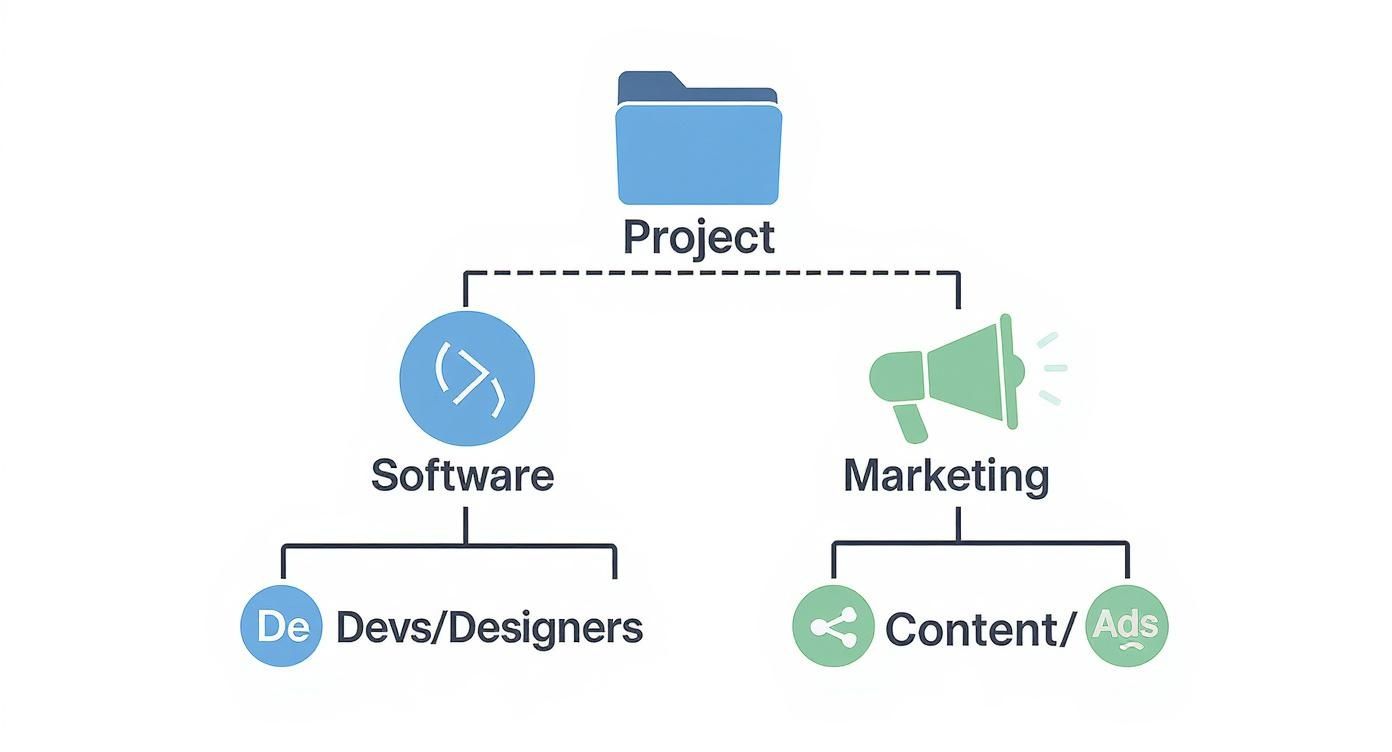
This infographic shows how different types of agencies, like software and marketing firms, structure their project resources.
For large organizations, Enterprise Resource Planning (ERP) systems are the heavyweights, built to be the single source of truth for the entire organization. The global PSA software market was valued at USD 14.46 billion in 2025 and is projected to reach USD 50.51 billion by 2034, growing at nearly 15% annually, which signals just how strongly the industry is investing in more connected, intelligent resource management tools.
Choosing the right tool is really about an honest assessment of your team’s current needs and future ambitions. Start with what solves your biggest problem today, and you’ll build a solid foundation for more predictable and efficient success tomorrow.
Common Resource Planning Mistakes to Avoid
Even the most carefully crafted resource plan can go sideways. A plan might look perfect in a spreadsheet, but the moment it meets reality, it starts to crumble.
The good news? Most failures aren’t unique catastrophes. They usually stem from a few classic mistakes that are surprisingly easy to sidestep once you know what to look for. Let’s walk through the biggest pitfalls so you can steer clear of them.
Over-allocating your top performers. It’s tempting, isn’t it? You have a critical, high-stakes project, and your immediate instinct is to throw your best people at it. While it feels like the safest bet, it’s a direct path to burning out your stars.
When one or two people consistently get the lion’s share of the toughest work, they become a bottleneck, a single point of failure. Their own well-being suffers, and you miss a huge opportunity to develop the rest of your team.
The Fix: Spread the opportunity. Use your resource plan to get an honest look at everyone’s workload. For example, instead of giving a tough client report to your senior analyst again, pair a mid-level analyst with them to co-lead the project. This protects your A-players and makes your entire team stronger. Kantata’s 2026 predictions for professional services highlight this shift, noting that firms are increasingly focused on deploying the right expertise at the right moment rather than simply chasing utilization targets in isolation.
A great resource plan isn’t about squeezing every last drop of productivity from one person. It’s about elevating the entire team’s capacity and building a more resilient organization where skills and responsibility are shared.
Forgetting about non-project work. This is probably the most common oversight. We look at a 40-hour work week and assume that means we have 40 hours of project availability. Anyone who’s ever worked in an office knows that’s a fantasy. This thinking ignores all the “invisible” work that quietly eats up the day.
- Administrative Overhead: Answering emails, jumping into department meetings, and filling out timesheets.
- Training and Development: It’s crucial for growth, but it pulls people away from their project checklists.
- Unplanned Fire Drills: An urgent client call or a last-minute request from leadership.
The Fix: Be realistic. A good rule of thumb is to assume only 70-80% of someone’s time is available for dedicated project work. If someone has a 40-hour week, schedule them for no more than 28-32 hours of project tasks. Budgeting for that non-project time will suddenly make your timelines feel much more achievable.
Relying on outdated information. Finally, a resource plan is only as good as the data it’s built on. Making decisions based on old information is like trying to find your way around a new city with a map from 1995. You’re going to end up in the wrong place. Only 20% of organizations report having a sophisticated forecasting process, with most citing limitations in data accuracy and integration. As a result, leadership and teams often find themselves reacting to capacity needs rather than planning proactively.
This happens all the time. A team member learns a new skill, but the skills inventory is six months old. A project’s deadline gets pushed, but the resource schedule is never updated to reflect the change.
The Fix: Treat your plan as a living document. It’s not a “set it and forget it” exercise. Schedule brief, regular check-ins—a 15-minute huddle at the start of the week works wonders—to update availability, track real-world progress, and make adjustments on the fly. This is where a modern resource planning management tool becomes invaluable, automating updates and giving everyone a single source of truth.
Jumping into resource planning can feel like you’re trying to solve a puzzle with moving pieces. It’s totally normal, especially if you’re shifting from a “figure it out as we go” approach to something more structured. You’ve got questions, and that’s a good thing.
We’ve rounded up some of the most common ones we hear from firms just like yours. Think of this as your friendly FAQ for building a smarter, less chaotic planning process.
Where do I start if my team has no system? Starting from a blank slate can feel massive, but it’s actually a golden opportunity to build good habits from the ground up. Don’t try to boil the ocean.
Your first step is stunningly simple: track who is working on what and how much time they’re spending on it.
You don’t need a fancy tool for this. A shared spreadsheet or a simple Kanban board will work just fine to get the ball rolling. The goal is to create an inventory of your projects and see who’s assigned to what. This one act creates visibility, giving you an instant baseline of your team’s workload and letting you spot obvious conflicts right away.
How is this different from project management? Great question. They’re two sides of the same coin, but they focus on different things. They absolutely have to work together, but they aren’t the same discipline.
Here’s a simple way to think about it:
Project management is all about the project—the tasks, the deadlines, and the final deliverable. It’s asking, “What steps do we need to take to get this done?”
Resource planning management is all about the people—their skills, their availability, and their capacity across all projects. It’s asking, “Who’s the right person for this work, and do they actually have the time?”
A project manager can build the most beautiful project plan in the world. But a resource manager makes sure they have the right people available to actually execute that plan without burning everyone out. One is tactical, the other is strategic.
How do I handle urgent requests that disrupt my plan? First, accept that they’re going to happen. Last-minute requests are a fact of life in professional services, but they don’t have to be a crisis every time. The secret is having a process to evaluate them instead of just reacting.
When that “urgent” email lands, your resource plan becomes your best friend. It lets you assess the true impact of saying yes.
You can start asking the right questions: “If we take this on, what existing work gets pushed back?” or “Do we have anyone with the right skills and the bandwidth to tackle this without derailing other critical projects?” Your plan transforms this from a gut-reaction decision into a clear, data-informed trade-off. It empowers you to have a real conversation with stakeholders about the consequences, protecting both your plan and your team’s sanity.
Ready to move beyond spreadsheets and manage your resources with clarity and confidence?
Drum is the all-in-one platform built for professional services firms to unify proposals, projects, time tracking, and invoicing.
Start your free 14-day trial and see how it works.