
 Pipeline & Proposals
 Project Management
 Resource Planning
 Time & Costs
 WIP & Invoicing
 Commercial Reporting
 Consulting Engineers
 Architects
 Town Planners
 Building Designers
The Best Timesheet App for Xero: A Buyer's Guide for Service Firms

Ben Walker
Written for Drum
In This Article
The best timesheet app for Xero records billable hours against project phases and pushes them straight into Xero, so you stop re-keying spreadsheets at month end. That single capability separates a genuine time-and-billing tool from the dozens of clock-in apps that crowd the Xero App Store. Most firms run their accounts in Xero already, track time somewhere else, then spend the last week of every month copying numbers between the two. Your timesheet app should close that gap, not widen it.
So before you compare logos and price points, get clear on what you actually need the tool to do for a built environment consultancy.
Payroll Timesheets and Billable Time Tracking Are Not the Same Thing
Search “timesheet app for Xero” and you will mostly find payroll tools. Clock in, clock out, geofencing, fingerprint scanners, award interpretation. Apps like ClockOn and Deputy do this well, and if you run shift workers on Xero Payroll they are a sensible pick. Browse the Xero App Store time tracking collection and you will see the same pattern repeated: most apps exist to feed payroll, not to bill clients.
That is a different job from yours. An architecture practice or an engineering consultancy does not need to know when someone swiped in. You need to know how many billable hours went against the DA stage of a project, who did them, at what rate, and whether the project is still in front of its fee. Even Xero’s own project time tracking leans toward simple job costing rather than the layered fee structures a consultancy runs on. Our Xero Projects review covers where that built-in option fits and where firms outgrow it.
Off-the-shelf trackers struggle here because they were never built for the commercial reality of Australian consulting firms. They treat time as a flat list of hours, with no concept of a project’s true commercial structure underneath. So the data looks tidy until you try to turn it into an invoice, and then the manual work begins.
The cost of that gap is real money. Industry research consistently puts professional services revenue leakage from poor time capture and manual billing in the 10 to 15 percent range. On a firm billing $2 million a year, that is up to $300,000 walking out the door because hours were logged late, logged wrong, or never connected to a fee at all.
What the Best Timesheet App for Xero Actually Does
Strip away the marketing and a strong Xero timesheet app does five things well.
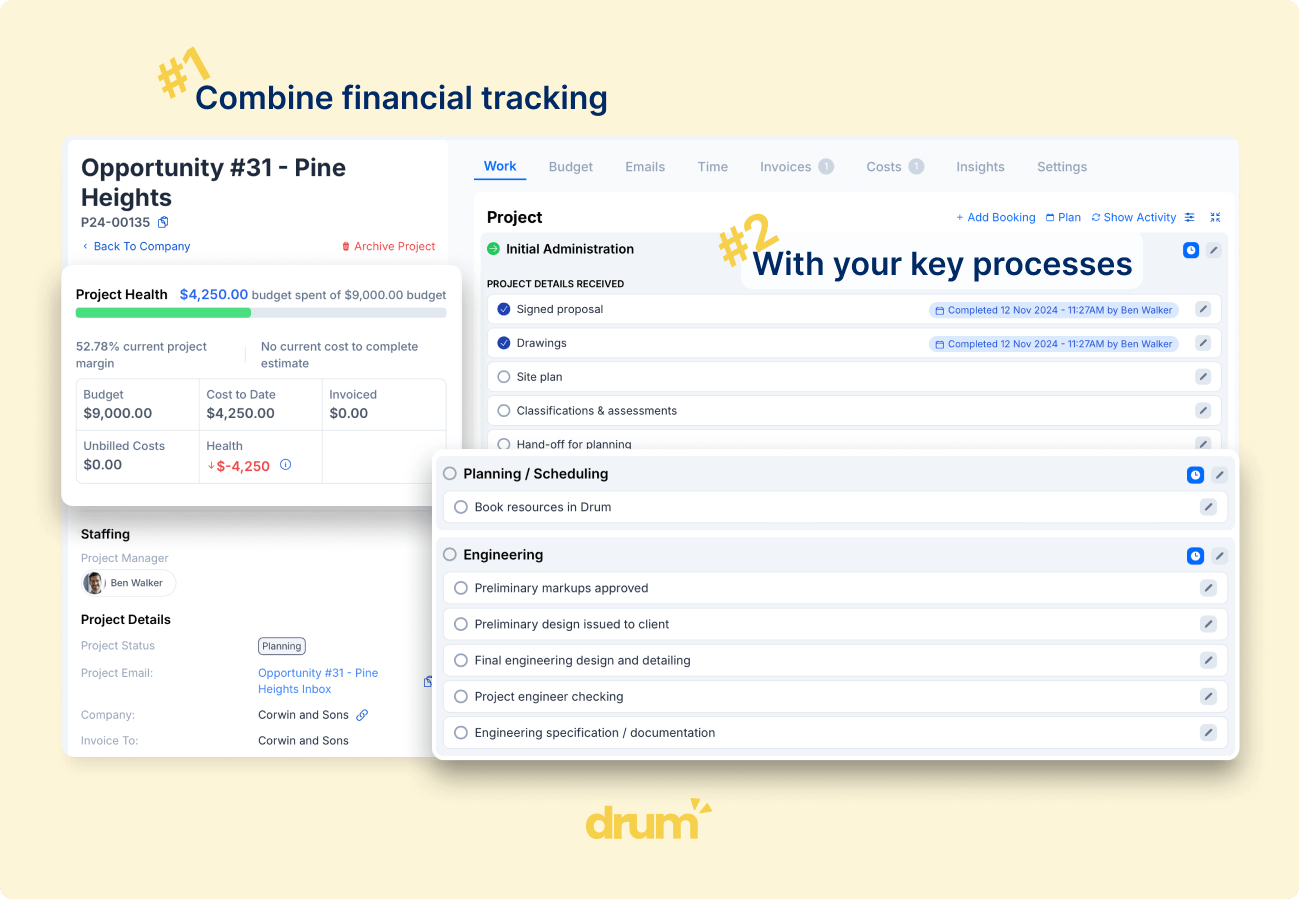
It records time against project phases, not just clients. A council submission, a concept design, and a construction certificate are separate beats of work with separate budgets, and your tool needs to see them that way.
It separates billable from non-billable so you can measure utilisation honestly. It carries multiple rate cards, because a graduate and a principal do not bill at the same rate, and the same person may bill differently across projects. Generic trackers force one rate per person and quietly distort every margin you calculate.
It captures time fast, on mobile and desktop, with approval flows your directors can actually rely on. And it syncs two ways with Xero. This is the line most apps quietly cross. A one-way push sends an invoice to Xero and stops. A genuine two-way connection keeps contacts, tax rates, and tracking categories aligned in both systems, so a project in your timesheet app lands as a correctly coded invoice in Xero without anyone retyping a GST rate.
That depth is what turns recorded hours into a real-time picture of profitability. When time carries the context of the project, you can see margin as work happens, not three weeks after the fact.
Standalone Trackers Versus an Integrated PSA Platform
Here is the decision that actually matters when you choose the best timesheet app for Xero: a standalone tracker, or an integrated platform that includes time tracking as one part of the whole.
Standalone tools are the familiar names. Harvest, Toggl, MinuteDock, Clockify. They are quick to set up, friendly to use, and most offer a tidy Xero connection for around $10 to $20 per user each month. MinuteDock, for instance, starts at $19 per month and earns warm reviews for making invoicing from timesheets painless. For a small studio that bills simple hourly work, that can be enough.
The limit shows up as you grow. Because these tools are standalone, the time data still has to leave the system to become an invoice, and anything that lives outside Xero eventually gets exported into Xero by hand. That manual step is where errors creep in and where your month end balloons. You also lose the wider context. A standalone tracker does not know your fee proposal, does not track work in progress, and cannot tell you what is invoiced versus what is still outstanding.
An integrated Professional Services Automation (PSA) platform takes a different path. Tools like Avaza, and Drum for built environment firms, fold time tracking into the full commercial lifecycle, from enquiry and fee proposal through active project management to invoicing. Time is not a separate island. It sits against the same project budget, the same rate cards, and the same WIP that your directors review every week. Integrated platforms typically run $25 to $60 per user each month, and the maths only works if the platform genuinely fits how your firm operates.
If you are weighing these two paths, it is worth booking a quick demo to see how the pieces connect, because the depth of a Xero integration is almost impossible to judge from a pricing page. The question to ask is simple. Does the tool just store hours, or does it turn those hours into a coded invoice and a live profit number without you touching a spreadsheet?
From Tracked Time to a Xero Invoice in Two Clicks
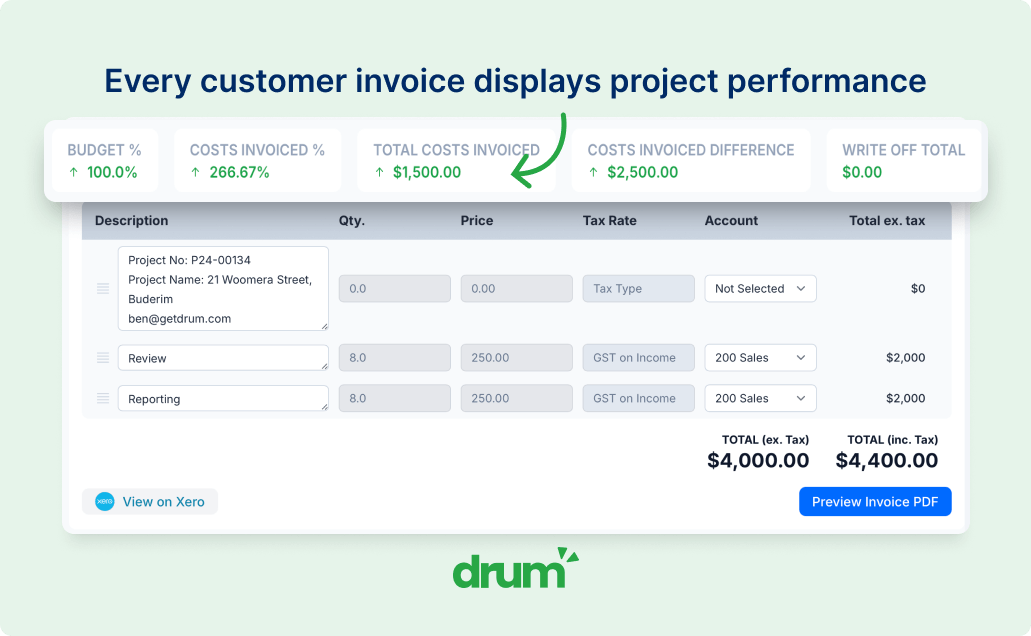
This is where the best timesheet app for Xero earns its place. With Drum, converting tracked time into an invoice against a time-and-materials project, or reconciling it against a fixed-price fee, takes two clicks. The data already carries the project, the phase, the rate, and the tax treatment, so the invoice arrives in Xero ready to send.
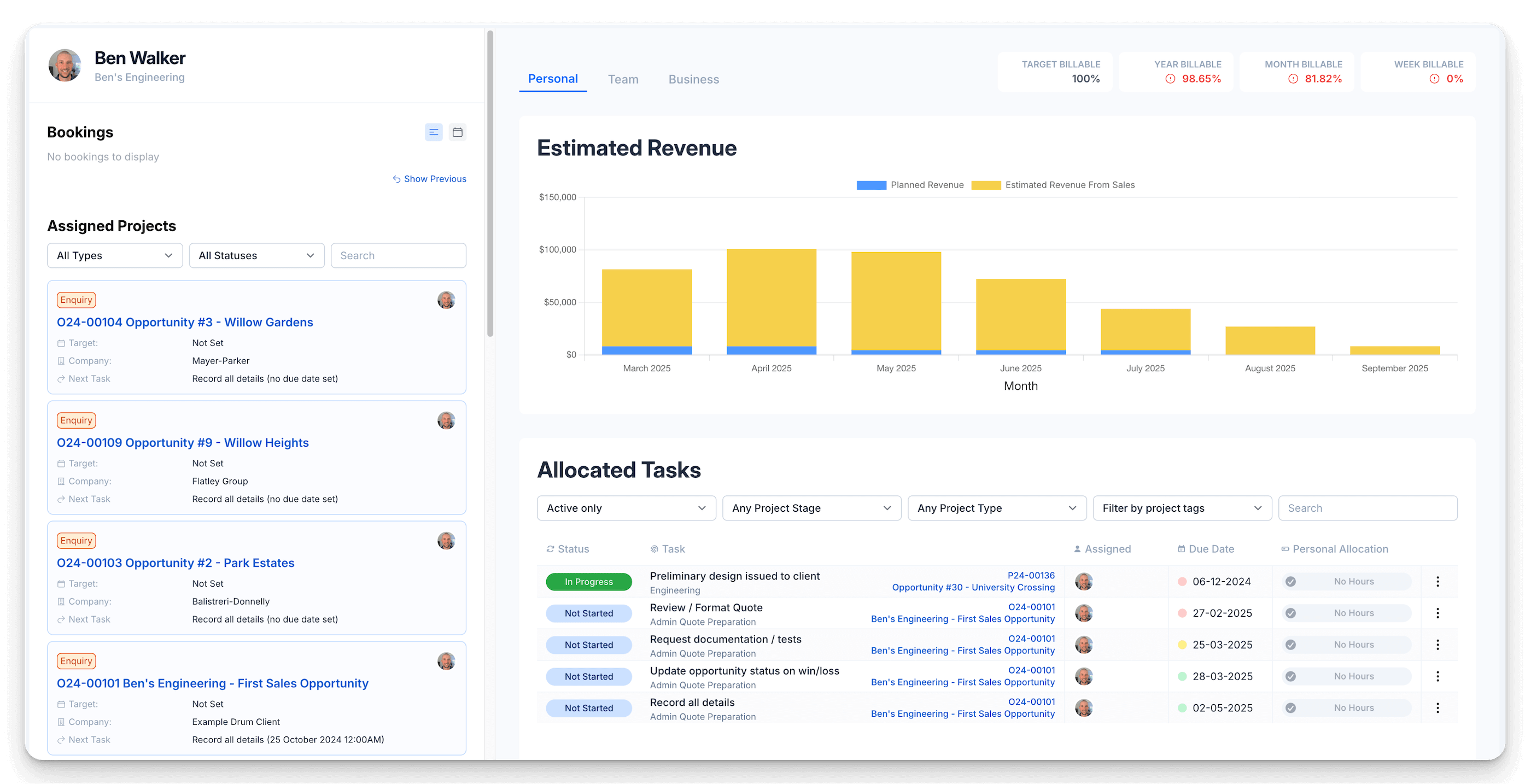
The payoff goes beyond saved admin. You can see how every project tracks in real time against the hours allocated to it, and you can see exactly what has been invoiced and what is still outstanding. That outstanding figure is future cash flow for the business, visible today rather than discovered after the end-of-month scramble.
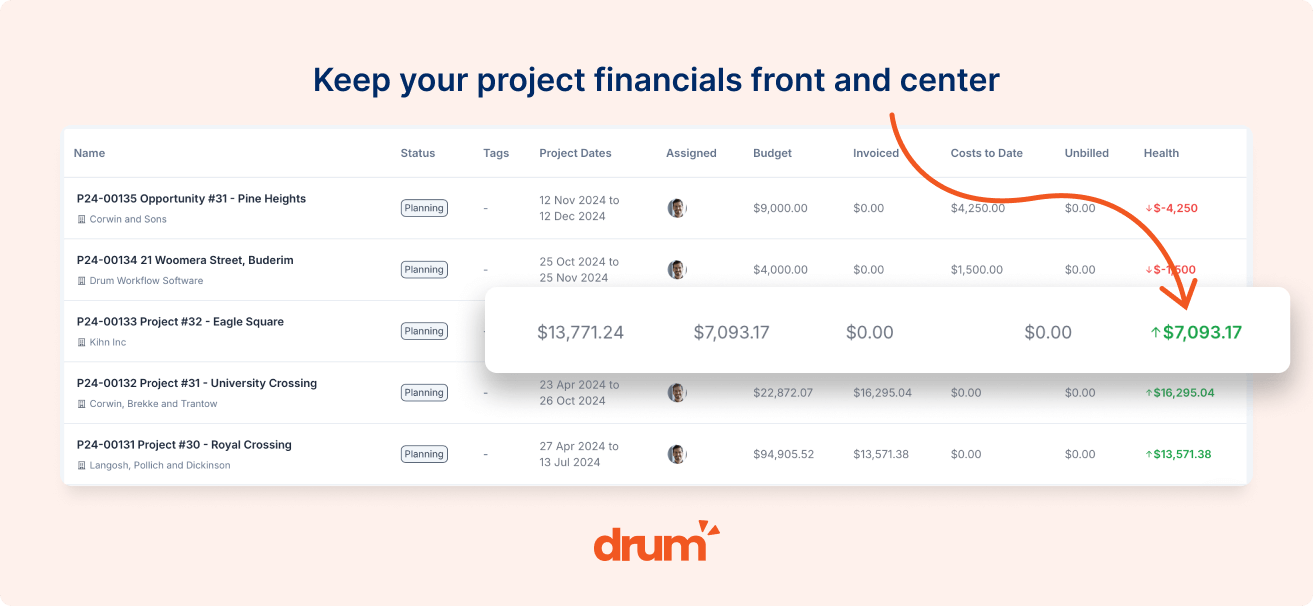
Picture a fifteen-person engineering consultancy that used to spend the better part of a week each month pulling time out of a spreadsheet, matching it to projects, and rebuilding invoices in Xero by hand. Once time flowed straight through to Xero, that week became an afternoon. The directors stopped chasing data and started reading it, catching two projects drifting over fee while there was still time to have the conversation. That is the difference between a tool that records the past and one that protects the next invoice.
For a closer look at how this works alongside your accounts, our guides on Xero project management software and invoicing with Xero walk through the connected workflow in more detail.
Getting Your Team to Actually Use It
None of this matters if the timesheets stay empty. The hardest part of time tracking is rarely the software. It is convincing a team that has never logged time to start, and to keep going.
That is why the best timesheet app for Xero has to be fast and obvious before it is clever. If logging an hour takes more than a few seconds, or if a junior has to guess which project a task belongs to, the entries stop and the data rots. A beautiful profitability report built on half-finished timesheets tells you nothing.
So weight ease of use heavily in your decision. Look for fast time entry on mobile for site visits and council meetings, sensible defaults, and a layout your team can read without training. The tool that your staff will actually use beats the tool with the longest feature list, every time. If you want to go deeper on building habits that stick, our consultants’ guide to time tracking software covers the adoption side in detail, and the consulting engineering page shows how Drum maps to the way technical firms work.
The criteria, then, are not complicated. Pick a tool that tracks billable time against project phases, carries real rate cards, syncs two ways with Xero, turns hours into invoices without re-keying, and is simple enough that your team keeps it current. Get those right and the best timesheet app for Xero stops being an admin chore and becomes the clearest view you have of how your firm is actually performing.
Frequently Asked Questions
How much does the best timesheet app for Xero cost? Standalone time trackers that connect to Xero, such as Harvest, Toggl, or MinuteDock, generally cost between $10 and $20 per user each month, with MinuteDock starting around $19 per month. Integrated PSA platforms that include time tracking, project budgets, fee proposals, and two-way invoicing usually sit in the $25 to $60 per user range. The higher figure replaces several standalone subscriptions and the manual admin between them, so compare the total cost of your current stack, not just the line item.
How is this different from Xero’s own timesheets or Xero Me? Xero’s built-in timesheets and the Xero Me app are designed for payroll. They record hours so staff get paid correctly, not so you can bill a client against a project phase or measure margin. A dedicated billable time tracking app for Xero adds project structure, multiple rate cards, work in progress, and the two-click path from tracked time to a sent invoice. The two work together rather than competing.
Does it sync two ways with Xero, and can staff log time on mobile? This is the question worth pressing every vendor on. Many apps only push an invoice one way into Xero. A true two-way sync keeps contacts, tax rates, and tracking categories aligned across both systems, so nothing is retyped. Drum offers this deep two-way integration with Xero, MYOB, and QuickBooks, and staff can log time on mobile from a site visit or council meeting in seconds.
See how the best timesheet app for Xero turns hours into invoices.
Drum records billable time against your project phases and syncs two ways with Xero, so month-end invoicing takes minutes, not a week.
Start your free 14-day trial of Drum today.