
 Pipeline & Proposals
 Project Management
 Resource Planning
 Time & Costs
 WIP & Invoicing
 Commercial Reporting
 Consulting Engineers
 Architects
 Town Planners
 Building Designers
Xero Project Management Software: What Your Firm Actually Needs

Ben Walker
Written for Drum
In This Article
Most Xero project management software claims to “integrate” with your accounting, but the reality for many tools is a one-way invoice push and not much else. For Australian consulting firms that run on progress claims, monthly billing cycles, and multi-phase project budgets, that gap between what’s promised and what actually syncs creates real problems.
Your bookkeeper re-keys line items. Your project managers can’t see whether a client has paid without switching systems. Every month, someone burns half a day reconciling two sets of numbers that were supposed to match.
The root cause is simple: Xero is excellent accounting software, but it wasn’t designed to manage projects. It has no native concept of project allocation, no support for phased billing, and no way to tie time tracked by your team back to specific budgets and fee proposals. So firms add a project management layer. The question is whether that layer genuinely talks to Xero, or just shouts in one direction.
This guide breaks down what “integration” should actually mean, how to evaluate what’s available in Australia, and what built environment firms are doing to solve the problem right now.
Why Xero Alone Isn’t a Project Management Tool
Xero’s built-in offering, Xero Projects, is bundled into the Ultimate plan at $143 AUD/month (including GST) for up to 10 users, with additional users at $7 each. It covers basic time tracking, expense allocation, and simple project-level profitability. For a sole trader or a team of three, it gets the job done.
For built environment consulting firms, the ceiling arrives fast. Xero Projects doesn’t support project phases or stages, which is how architecture and engineering work is actually structured. There’s no concept of progress claims. No WIP (work in progress) reporting, the metric directors rely on to spot projects quietly bleeding money. As Darcy Bookkeeping’s independent review notes, Xero Projects is best suited to businesses with fewer than five staff.
The deeper issue is scope. Xero tracks invoices, bank transactions, and contacts. A project manager needs budgets by phase, time allocation by team member, fee proposals versus actuals, and the relationship between this week’s logged hours and the remaining project fee. Trying to force both data sets into Xero’s accounting framework is like running your resource plan inside a general ledger. The structure doesn’t fit.
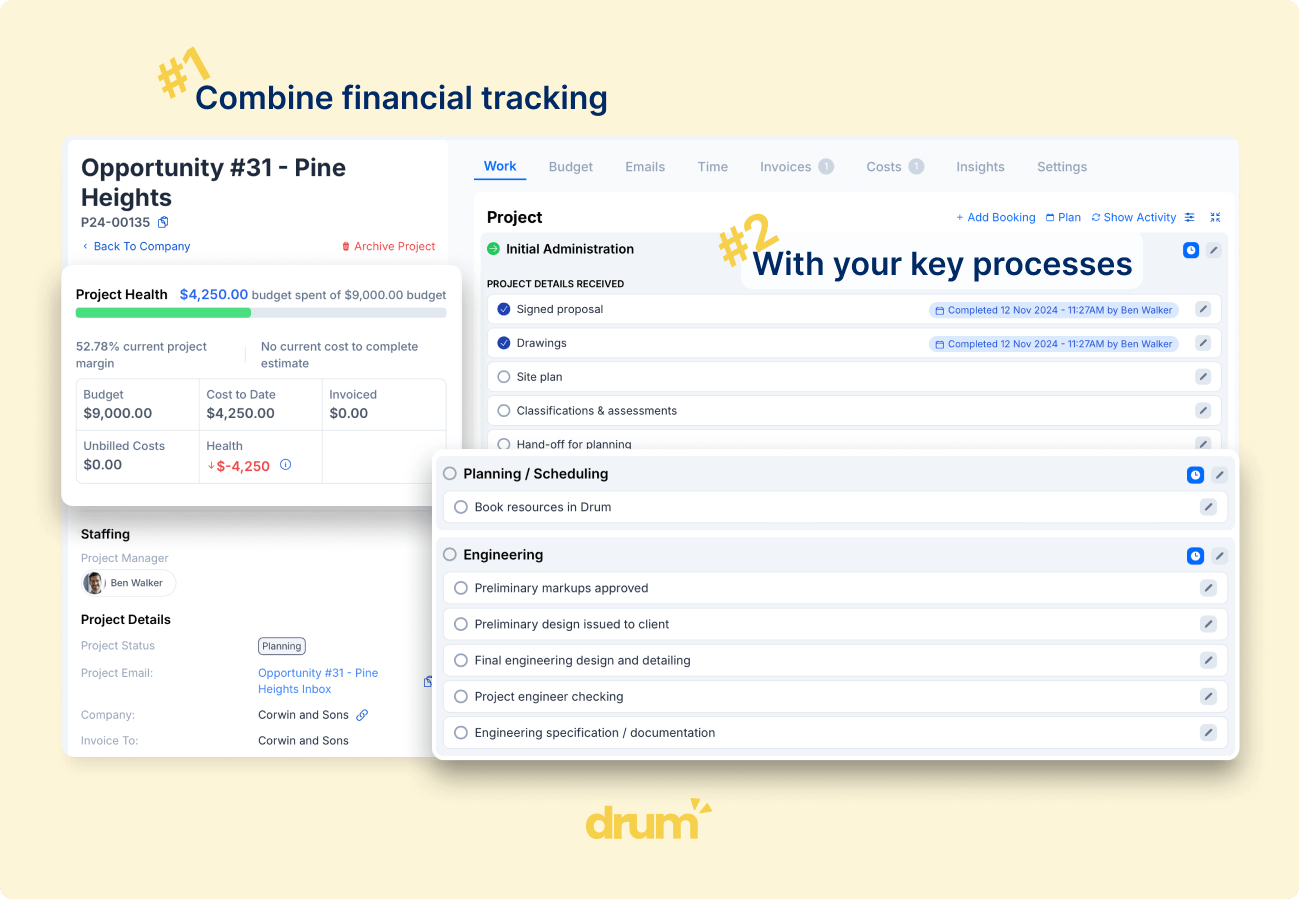
A dedicated project management tool sits above Xero and owns everything that happens before an invoice hits your accounting system. Your team logs time and costs in the project tool. That tool tracks them against phases, budgets, and fee proposals. When it’s time to bill, the tool builds the invoice from real data and pushes it to Xero, where your bookkeeper takes over. Many Xero add-ons for project management in Australia target trades and field service (the Xero App Store is packed with options like ServiceM8, Tradify, and Fergus). Far fewer are built for how professional services firms actually operate.
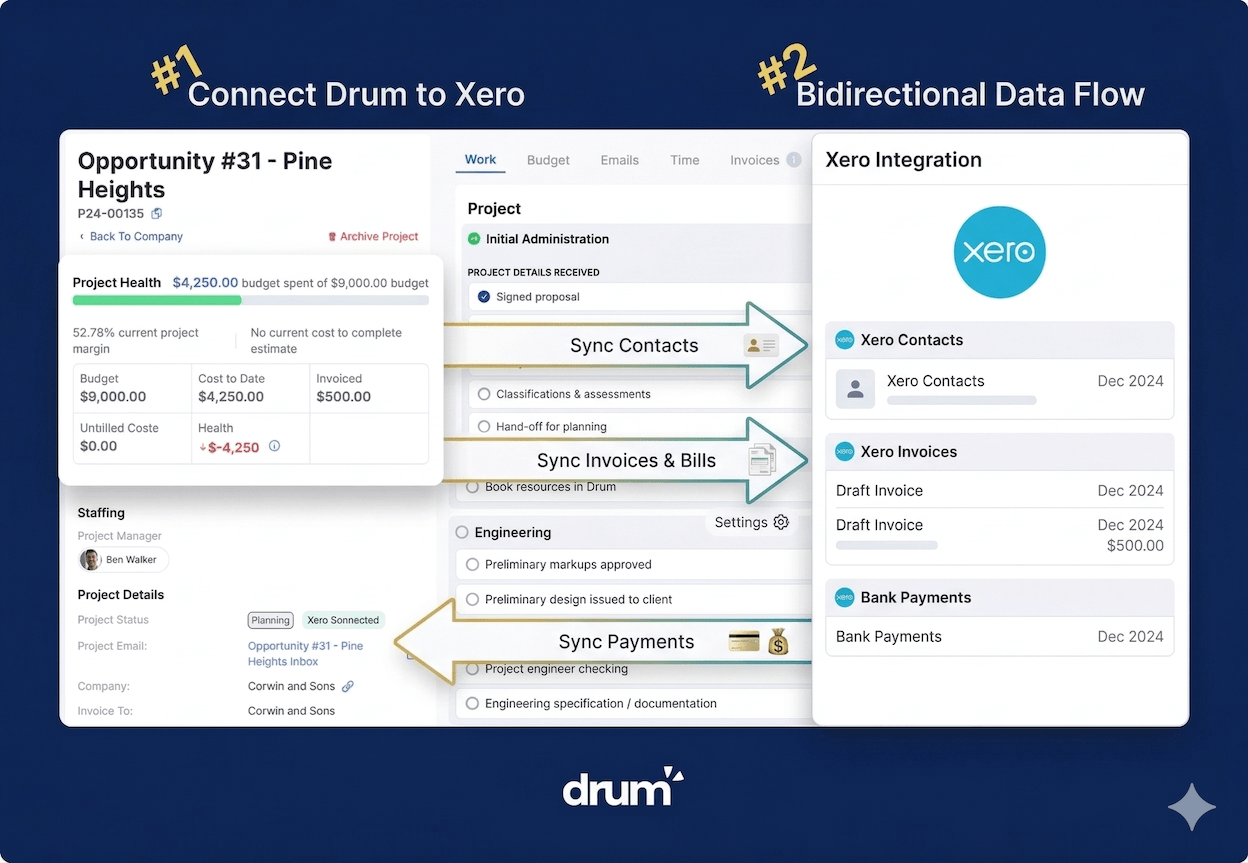
What a Genuine Two-Way Xero Integration Looks Like
Nearly every project management tool for consultants claims Xero integration. Evaluating a Xero project management integration, though, means looking well beyond whether the logo appears on a partner page.
A shallow integration works in one direction. You create an invoice in the project tool, it lands in Xero as a draft, and the two systems stop talking. If a client pays and Xero records the payment, your project team won’t know unless someone checks manually. Contact details updated in Xero don’t flow back. You end up with two versions of the truth, and neither is complete.
A deep integration is two-way. Invoices, contacts, payments, tax rates, tracking categories, and account codes all sync in both directions. When Xero marks an invoice as sent or paid, that status appears in the project tool automatically. For repeat clients, you can check whether they’ve settled previous invoices before your firm commits to new work.
This distinction hits hardest in how Australian firms actually bill. Consider progress claims: a firm invoices a client based on the percentage of a project phase completed. The project tool needs to track the original fee, the percentage done, the amount already claimed, and the remaining balance. It then creates an invoice in Xero with the correct GST rates, account codes, and tracking categories already applied. A one-way push can’t handle this properly, because the project tool never finds out what happened to that invoice after it left.
Monthly billing creates the same friction. Firms that invoice for all unbilled time and costs accrued in a given period need the project tool to know exactly what’s been billed, paid, and outstanding. Without the return loop from Xero, someone cross-references manually every single month.
Your project management tool should treat Xero’s tax rates, account codes, line item codes, and tracking categories as fundamental data, built into the project setup from day one. When every time entry and cost allocation carries the right Xero codes from the start, invoices land correctly the first time. Your bookkeeper isn’t correcting line items after the fact.
How Australian Consulting Firms Actually Invoice Through Xero
Understanding how your firm already interacts with Xero is the starting point for choosing the right project management software. Most comparison articles skip this entirely and jump to feature lists.
Australian firms in the built environment, including architects, consulting engineers, surveyors, and town planners, typically invoice in one of two patterns. The first is progress claim billing, where the firm bills a percentage of the total fee at agreed milestones or project phases. The second is periodic billing, where the firm invoices for all time and costs logged during a monthly cycle.
Both patterns demand that the project management tool acts as the single source of truth for billable data. The tool tracks time against project phases. It holds the original fee proposal, the agreed phase breakdowns, and a running tally of what’s already been billed. Xero handles the accounting on the other end: sending invoices to clients, recording payments, and preparing BAS returns.
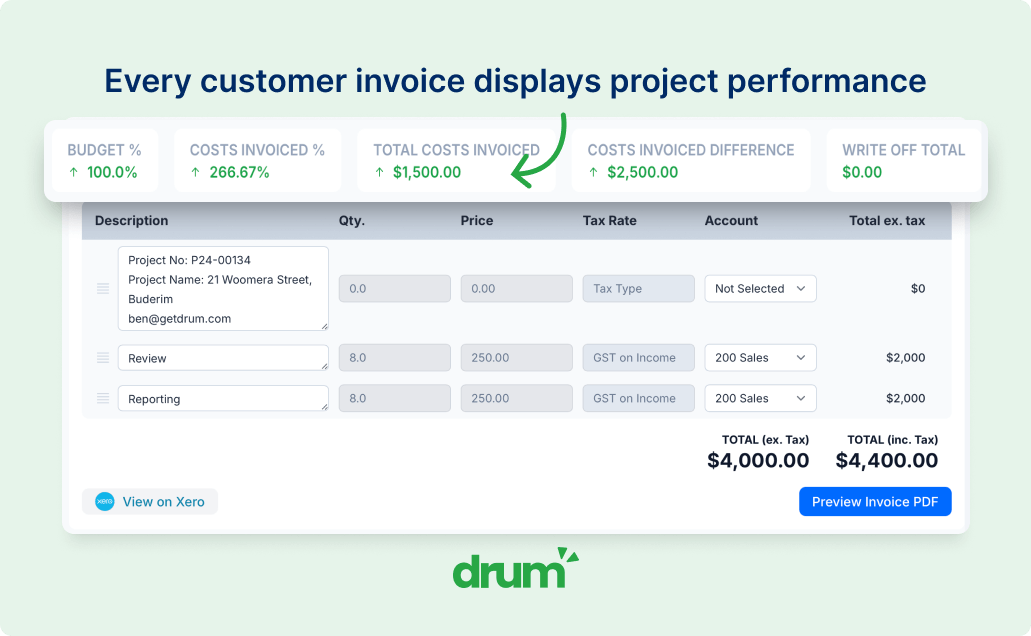
This division of labour is what separates firms that invoice cleanly from firms that spend days each month reconciling. The project tool should create invoices from actual data (hours logged, phases completed, disbursements incurred) rather than requiring someone to assemble an invoice from a timesheet export.
One detail that gets constantly overlooked: the payment feedback loop. When a client pays in Xero, that information needs to reach the project team. Not only for cash flow visibility, but for client relationship decisions. Picture a regular client with three overdue invoices stretching back six months. The director needs that context before signing off on the next engagement. A genuine two-way Xero project management integration surfaces this automatically. Without it, the project team operates blind to the financial health of each client relationship.
Professional Services Automation (PSA) platforms handle this natively. They connect the sales pipeline, project delivery, time tracking, invoicing, and financial reporting in one system, with Xero managing the accounting. The gap between a PSA and a standalone project tool bolted onto Xero is scope: the PSA covers the full lifecycle from enquiry to final payment, while the standalone tool sees only part of the picture.
From Xero Projects to Full PSA: Your Options Compared
The market for Xero project management software in Australia breaks into three tiers. Knowing where each one sits saves you from buying the wrong tool.
Xero Projects is bundled into Xero’s Ultimate plan. It offers basic time tracking, expense allocation, and project profitability views. Best for sole traders and firms under five people. No phases, no progress claims, no WIP reporting. If your firm has grown past the point where the director tracks every project by memory, you’ve probably outgrown it. Our full Xero Projects review goes through what it does well and where it stops.
Standalone project management tools include WorkflowMax (Standard from $36/month for one user, scaling to $145/month for 10 users), Scoro ($79.90/user/month on the Performance plan), Projectworks, and Total Synergy. These layer job management, quoting, scheduling, and invoicing on top of Xero. WorkflowMax sits inside the Xero ecosystem and is popular with trades and professional services firms alike. Scoro is a broader work management platform used globally. Projectworks targets professional services specifically. Total Synergy focuses squarely on AEC (architecture, engineering, construction) firms. Each offers a different depth of Xero integration, and that depth matters far more than the feature count on a comparison page.
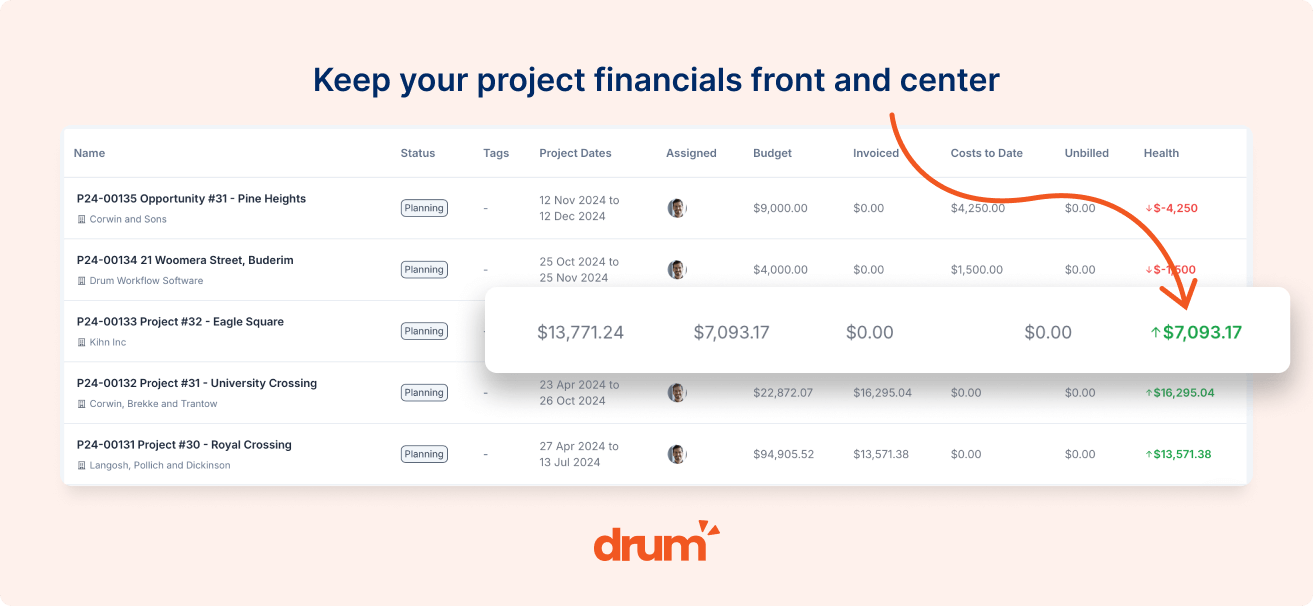
Integrated PSA platforms span the full practice lifecycle: pipeline, proposals, project management, time tracking, WIP, invoicing, and financial reporting. For firms of 10 to 50+ staff, a PSA replaces three or four disconnected tools with a single system. Drum sits in this tier at $225/month all inclusive for your first 5 seats, then $45 per extra seat, with a two-way Xero integration that syncs invoices, contacts, payments, tax rates, tracking categories, and account codes as core data.
The right tier depends on your firm’s size, billing complexity, and appetite for maintaining multiple systems. A five-person outfit doing straightforward hourly billing might manage with Xero Projects. A 20-person engineering firm running progress claims across multiple phases needs something that understands those workflows natively, not a tool that forces workarounds.
If you’re comparing options, it’s worth booking a quick demo to see how the integration works in practice. Depth of Xero connection is nearly impossible to judge from a marketing page alone.
How to Choose the Right Xero Project Management Software
The firms that get this right share a common starting point. They don’t begin with a feature comparison. They begin with how they already work.
Start by mapping how your firm currently invoices in Xero. Progress claims? Monthly unbilled time? Fixed-fee milestones? The right project management tool matches those existing workflows rather than forcing you to rebuild them.
Then ask the questions that reveal real integration depth. Does the tool sync two-way with Xero? Does it pull in your tax rates, account codes, and tracking categories automatically? Can your project managers see payment statuses without opening Xero? Does it build invoices from live project data, or does someone still piece them together by hand?
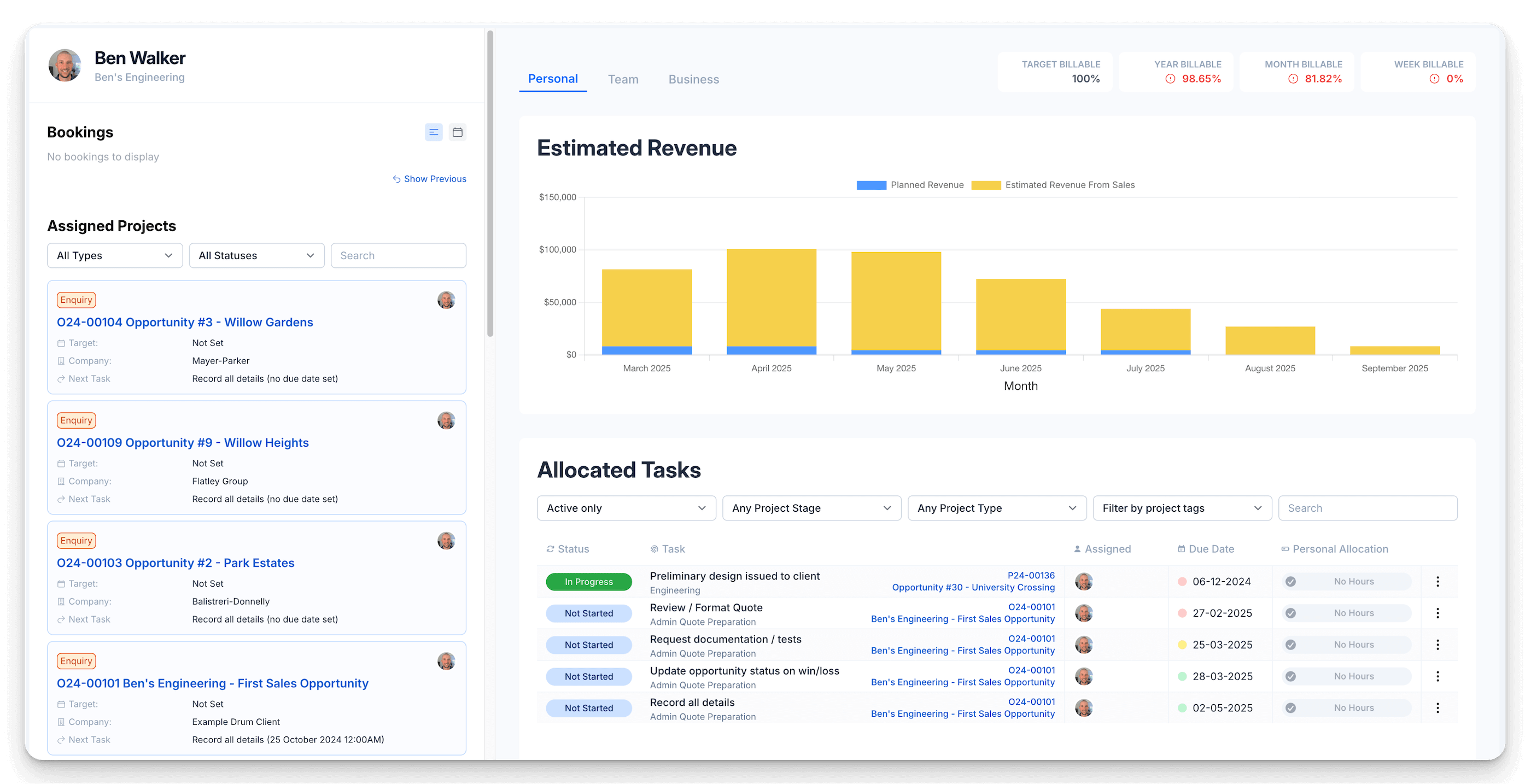
For Australian built environment firms, there’s one more filter: does the tool understand your industry? Project phases, sub-consultant coordination, fee proposals and enquiry management, DA lodgements, council submissions. These aren’t niche requirements. They’re the daily reality of running an architecture, engineering, or planning practice.
The best Xero project management software isn’t the tool with the longest feature list. It’s the one where the integration runs deep enough that your team stops thinking about it. Xero handles your accounting. The project tool handles everything else. And data flows between them without a single re-keyed number.
Frequently Asked Questions
How much does Xero project management software cost?
Drum is a $225/month platform fee that covers your first 5 seats, with additional seats at $45 each per month, all inclusive. That covers pipeline, projects, time tracking, invoicing, and two-way Xero sync. For comparison, Xero’s built-in Projects feature comes with the Ultimate plan at $143 AUD/month including GST for up to 10 users ($7 per additional user). Standalone tools like WorkflowMax start at $36/month for a single user but scale in tiers, reaching $145/month for 10 users on Standard or $206/month on Premium. Scoro’s Performance plan runs $79.90/user/month. The deciding factor isn’t the subscription price alone. It’s the hours your team currently spends re-keying data, chasing payment statuses, and reconciling numbers between disconnected systems. A tool that costs more per seat but eliminates that admin is the cheaper option.
Can I use Xero Projects for progress claims and monthly billing?
Not natively. Xero Projects handles basic time tracking and expense allocation, but it doesn’t support progress claim billing, phased invoicing, or monthly unbilled time calculations. These billing patterns need a project management tool that tracks fee proposals, phase budgets, and claim history, then creates the correct invoice in Xero from that data. If your firm bills using progress claims or monthly cycles, you need a tool above Xero that manages the billing logic before pushing invoices through.
Should I pick a standalone tool or an integrated PSA platform?
It depends on firm size and billing complexity. Firms under 10 staff with simple hourly or fixed-fee billing often do well with a standalone tool like WorkflowMax or Projectworks. Firms of 10 to 50+ people, particularly those managing progress claims, multiple project phases, and sub-consultants, benefit from a PSA that covers the full cycle from enquiry to final payment. A useful test: count how many separate systems your team touches to get from a new project to a paid invoice. If the answer is more than two, a PSA will likely save more time than adding another standalone tool.
Stop re-keying data between your projects and Xero.
Drum's two-way Xero integration syncs invoices, contacts, payments, tax rates, and tracking categories automatically, so your team can focus on delivering projects instead of reconciling spreadsheets.
Start your free 14-day trial of Drum today.