
 Pipeline & Proposals
 Project Management
 Resource Planning
 Time & Costs
 WIP & Invoicing
 Commercial Reporting
 Consulting Engineers
 Architects
 Town Planners
 Building Designers
Invoicing with Xero: How Consultants Can Get Paid Faster and Reduce Admin

Ben Walker
Written for Drum

In This Article
Invoicing with Xero: A Consultant’s Guide
For any consulting firm, chasing late payments and wrestling with disconnected spreadsheets is a familiar, soul-crushing routine. But what if you could turn that entire chore into a competitive advantage? That’s where smart invoicing with Xero comes in, especially when you pair it with a professional services automation (PSA) platform like Drum. This isn’t just about billing; it’s the key to getting paid faster, gaining crystal-clear financial oversight, and winning back time for your actual client work.
Why Smart Invoicing Transforms Consulting Firms
For so many growing agencies, invoicing feels like a constant battle. You’ve got project data living in one system, time tracking in another, and your accounting software in a third. It’s a recipe for disaster. This disjointed approach inevitably leads to billing errors, choked cash flow, and countless hours of manual admin just to get an invoice out the door. It’s a common pain point that eats directly into your profitability and can even strain client relationships.
Let’s picture a typical marketing agency before and after they get their systems talking. Before, a project manager would have to manually pull together timesheets and expense reports from a spreadsheet. Then, they’d email those details over to the finance team, who would painstakingly re-enter everything into Xero. The whole process was sluggish, riddled with errors, and created a huge lag between finishing the work and actually getting paid for it.
The power of a connected system. Now, imagine that same agency connects their project management tool directly to their accounting software. Suddenly, they have a single source of truth. This integration automates the entire flow of billable hours and expenses, pulling them from active projects straight into professional, accurate invoices.
The real win here isn’t just sending invoices faster. It’s about achieving complete financial clarity. When your project data and your accounting are perfectly in sync, you can see real-time profitability on any job, forecast cash flow with confidence, and make genuinely smarter business decisions.
Take a look at the Xero invoicing dashboard. It gives you a clean, at-a-glance view of your accounts receivable.

This kind of centralized view lets you spot overdue payments instantly and track incoming cash without having to dig through messy reports.
A widely adopted solution. There’s a reason Xero dominates markets like Australia, holding a staggering 70-80% market share in cloud accounting. It’s become an essential tool for professional services. This widespread adoption has created a massive ecosystem of over 1,000 third-party integrations, allowing firms to build the perfect tech stack for their specific needs.
Platforms like Drum are built from the ground up to connect with Xero, creating the kind of integrated invoicing workflows that consultants dream of. To see how this can transform your billing process, check out our guide on Drum’s integrated invoicing features.
Setting Up Your Xero Account for Flawless Invoicing
A powerful invoicing system starts with a solid foundation. Before you even think about sending your first bill, it’s a great idea to get your Xero account configured to work for you, not against you. Moving beyond the default settings is what separates a clunky, time-sucking process from a smooth, professional workflow.
The details you nail down now will have a massive impact on your cash flow and how clients see you later on. Let’s get your account set up for success right from the start.
Customize your invoice templates. Your invoice is more than just a request for payment; it’s a piece of your brand. A generic, out-of-the-box invoice can look a bit amateurish and create a weird disconnect for your clients. Thankfully, Xero makes it easy to create beautiful, branded templates that build trust and reinforce your firm’s identity.
- Upload Your Logo: A simple but non-negotiable step for brand recognition. Make sure it’s front and center.
- Adjust Colors and Fonts: Tweak the visual style to match your company’s branding. Consistency is key to looking professional.
- Add Key Information: Don’t forget your business registration number, contact details, and any industry-specific registration numbers that are required.
Think of an architecture firm, for example. They might add a custom field for “Project Code” to their template. This tiny change ensures every billable hour is perfectly categorized, making the invoice clearer for the client and simplifying their own internal project tracking.
Remember, a clear, professional invoice is less likely to be questioned or ignored. It signals to your clients that you are organized, detail-oriented, and serious about your work.
Set smart payment defaults. Next up is configuring your payment terms and options. This is absolutely crucial for encouraging prompt payments and making the whole process painless for your clients. We all know that waiting for clients to pay can be a major source of stress, but you can nudge their behavior by setting clear expectations from day one.
The Xero invoicing interface makes it incredibly easy to set these up.
As you can see, this clean dashboard lets you manage online payment options and set default due dates, which is a huge step in removing friction from the payment process.
One of the most effective ways to get paid faster is by integrating online payment gateways. By connecting services like Stripe or PayPal, you give clients a simple “Pay Now” button right on their digital invoice. This convenience alone can dramatically slash the time it takes to get paid. For example, a client who receives an invoice at 4 PM can click the button and pay with their credit card in under a minute, rather than waiting for their next payment run.
For default payment terms, try setting them to 14 or 21 days instead of the standard 30. You’d be surprised how often this prompts faster action without seeming unreasonable.
Connecting Drum and Xero for a Single Source of Truth
This is where the real magic happens. By integrating Drum with Xero, you finally bridge that frustrating gap between project delivery and financial accounting. The goal is to create a smooth workflow that completely eliminates double-entry and those costly human errors that creep in on a Friday afternoon.
What we’re building here is a single source of truth for your firm’s finances.
Imagine an engineering firm tracking billable hours and project expenses in Drum. With a proper integration, that critical data doesn’t just sit there. It flows automatically into the correct revenue and cost accounts in Xero, perfectly primed for invoicing. This isn’t just a convenience; it solves a massive operational bottleneck and gives you hours back every single week.
The power of proper account mapping. The first, and most crucial, step is mapping your data correctly. This might sound a bit technical, but it’s actually pretty straightforward. You’re essentially teaching two different systems how to speak the same language.
You’re creating rules so that when an item is created in Drum, it knows exactly where to go in your Xero Chart of Accounts.
For example, when a consultant logs time against a “Phase 1 Discovery” task in Drum, you want that to post to your “Consulting Services Revenue” account in Xero, not some generic sales account. Proper mapping ensures every dollar is categorized correctly from the start, giving you a crystal-clear, real-time view of your firm’s financial health.
This visual shows the key elements you’ll want to get right when establishing your invoicing setup. Nail these, and you’re on your way to getting paid faster.
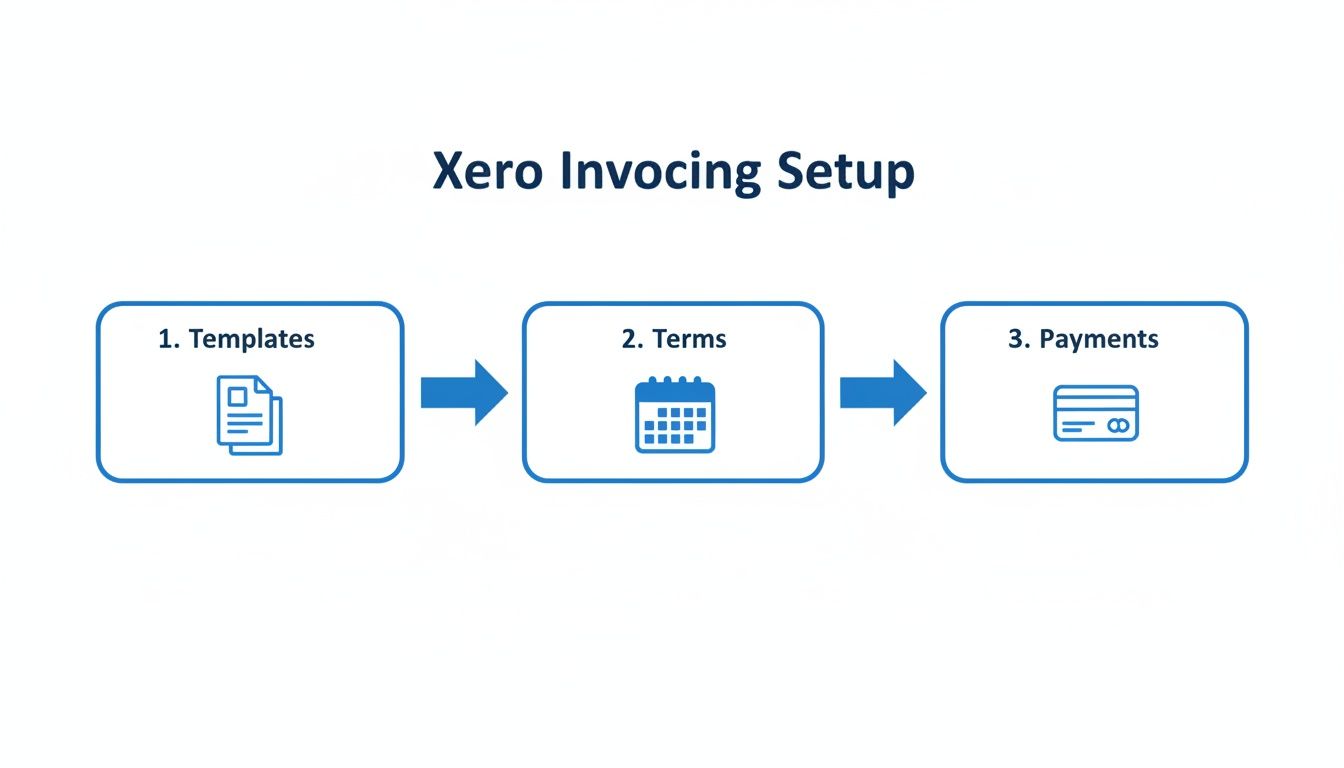
The flow from professional templates to clear terms and easy payment options is foundational for healthy cash flow.
To make this even easier, here’s a quick reference guide for mapping common items from Drum to your Xero accounts.
Account mapping guide: Drum to Xero. Getting your account mapping right from the beginning is a small time investment that pays off enormously. It prevents headaches down the line and ensures your financial reports are always accurate.
| Item in Drum | Recommended Xero Account Type | Example Xero Account Name | Why It Matters |
|---|---|---|---|
| Billable Hours | Revenue | Consulting Services Revenue | Directly tracks your primary income stream for accurate profitability analysis. |
| Reimbursable Expenses | Current Asset / Direct Cost | Billable Expenses - COGS | Separates client-reimbursed costs from your internal overhead for clearer margin visibility. |
| Non-Billable Time | Expense | Internal Training / Business Development | Helps you track and manage overhead costs without muddying project profitability. |
| Sub-consultant Fees | Direct Cost / Cost of Goods Sold | Sub-consultant Fees | Isolates third-party costs related to project delivery, giving you a true picture of your gross profit. |
This table is a great starting point. Your firm might have unique needs, but the principle remains the same: map everything with intention to get the detailed reporting you need to make smart decisions.
Aligning tax codes for perfect accuracy. Just as important as account mapping is aligning your tax codes. Mismatched tax rates can become a common source of invoicing headaches, and they can lead to serious compliance issues if left unchecked.
When you set up the integration, you’ll match the tax codes used in Drum (like for billable expenses) to their direct equivalents in Xero. For instance, if you have a “GST on Expenses” code in Drum, you’ll map it to the corresponding “GST on Expenses” code in Xero. This simple setup step ensures every single invoice has the correct tax calculated automatically. It saves you from tedious manual corrections and keeps your accounting clean and audit-ready.
The entire goal of this integration is complete data integrity. When your project management platform and your accounting software are in perfect sync, you get an accurate, real-time view of your business, from initial time tracking all the way to final invoice reconciliation.
This level of automation and accuracy is why Xero’s ecosystem is so valuable. Founded back in 2006, Xero now integrates with over 1,000 third-party apps and serves 4.6 million subscribers globally. For consulting engineers or creative agencies, pairing Drum’s project management with Xero invoicing means you can log billables against multi-phase projects, auto-generate invoices, and slash manual errors.
Connecting these systems gives you more than just efficiency; it provides a solid foundation for smarter, faster decision-making. You can confidently assess project profitability and manage cash flow because you know the numbers are right.
For firms serious about growth, mastering financial integration and delegation isn’t just an advantage; it’s essential for scaling successfully. This connection turns your financial data from a reactive record-keeping task into a proactive, strategic asset.
Putting Your Invoicing on Autopilot
Once you’ve connected your accounts and polished your invoice templates, it’s time for the real magic: letting the technology do the heavy lifting for you. This is the part where you move from just using Xero to making it a core part of your firm’s efficiency.
The goal here isn’t just to send invoices; it’s to build a system that hums along in the background, keeping your cash flow consistent without you having to constantly check in. Honestly, for most consulting firms I’ve worked with, this is where they see the biggest return on their time.
Set up recurring invoices for retainers. If you have clients on retainer (and I’m looking at you, marketing agencies and business consultants), this feature is your new best friend. It’s the definition of “set it and forget it” and guarantees your invoices go out on schedule, every single time, without you lifting a finger.
Think about a marketing agency with a client on a $3,000 monthly retainer. Instead of the monthly ritual of creating and sending that same invoice, you can put it on repeat in Xero.
- Frequency: Just set it to repeat monthly on a specific date, like the 25th of each month.
- Approval: For a new or tricky client, you can have it saved as a draft for a quick review. For a long-term partner, you can set it to approve and send automatically. Trust me, this is a huge time-saver.
- Placeholders: Xero lets you use placeholders like
[Month]. This means your description, “Monthly SEO Retainer for [Month],” updates itself automatically. It’s a small detail, but it keeps things looking professional.
This simple automation does more than just save you a few minutes. It ensures all those billable hours you’re carefully logging (something we cover in our guide to effective time tracking) are consistently turned into revenue, right on schedule.
Automate your payment reminders. Let’s be honest: politely chasing clients for payments is awkward. It’s a necessary evil for healthy cash flow, but it can feel pushy and it definitely eats up your time. Xero’s automated payment reminders handle this delicate dance for you, helping you get paid faster while keeping client relationships positive.
You can set up a custom sequence of friendly reminders that trigger based on the invoice due date.
Here’s a look at the setup screen right inside Xero.
This little dashboard lets you dictate exactly when and how your clients are reminded, completely removing the emotion and manual effort from the follow-up process.
Let’s take a design studio as a real-world example. They could set up a three-part sequence that looks something like this:
- 7 days before due: A friendly, gentle “heads-up” email.
- 3 days after due: A firmer, but still professional, reminder that the payment is now overdue.
- 14 days after due: A final notice for seriously overdue invoices, which might mention a temporary pause on any future work.
This automated system basically becomes your virtual accounts receivable clerk, working tirelessly behind the scenes. Its importance is underscored by Xero’s incredible growth—with over 4.6 million subscribers across 180+ countries, it’s clear these features are hitting the mark. This massive adoption, which you can read more about in their performance reports, is all driven by the real, tangible value small businesses get from tools that automate these critical financial tasks. If you’re curious, you can find more insights on Xero’s global subscriber growth on their blog.
Crafting Invoices That Prevent Disputes and Get Paid
Let’s be honest, invoicing in Xero isn’t just about clicking buttons. It’s about clear, professional communication. An invoice that’s vague or confusing is basically an open invitation for payment delays and a string of frustrating back-and-forth emails. The real goal is to create a document that builds trust, answers questions before your client even thinks to ask them, and makes it dead simple for them to approve and pay you.
Think of your invoice as the final chapter of a successful project. A sharp, detailed invoice doesn’t just ask for money; it reinforces the value you delivered and cements your reputation as a transparent, organized partner. It’s a small step, but it has a massive impact on how clients see you and, more importantly, on your cash flow.

Write crystal-clear line item descriptions. The single biggest mistake I see consulting firms make is slapping a vague description on their line items. If a client gets an invoice with a single line for “Consulting Services” next to a five-figure sum, you can bet they’re going to pick up the phone. That ambiguity creates friction and slams the brakes on your payment.
Instead, break your work down into meaningful, descriptive chunks. This doesn’t mean you need to account for every five-minute task, but you have to provide enough detail to justify the cost without a second thought.
- Vague: Consulting Services - $3,750
- Clear: Phase 1 Project Discovery & Stakeholder Interviews (25 hours @ $150/hr) - $3,750
See the difference? The second example immediately tells the client what they’re paying for. It directly connects the cost to a specific project phase and the hours invested. There’s no room for confusion, just pure professionalism.
An invoice is a communication tool first and a financial document second. When you communicate clearly, you remove barriers to getting paid. Your goal should be to create an invoice that your client can approve and forward to their accounts payable department without a single question.
Know when to itemize vs. bundle expenses. Another key to clear communication is how you present billable expenses. Do you list every single coffee and parking receipt, or is it better to bundle them up? The answer usually comes down to your client agreement and the nature of the costs.
For smaller, incidental expenses, bundling can be a great way to keep the invoice from looking cluttered and overwhelming.
Example of Bundling:
- Project-Related Travel & Expenses (Meals, Parking) - $275.50
But for more significant costs (think airfare, subcontractor fees, or specialized software licenses) you should always itemize them. This level of transparency is absolutely critical for maintaining trust, especially when you’re dealing with large pass-through costs.
The best practice here is simple: talk about it upfront. A quick conversation with your client at the start of the project about their preferred invoice format can save you a world of headaches down the line. By mastering these simple principles of invoicing with Xero, you’ll not only sidestep disputes but also build stronger client relationships and make sure you get paid promptly for your hard work.
Even with the best systems, you’re going to run into weird, one-off invoicing scenarios. It’s just the nature of consulting. Knowing how to handle these curveballs is what separates the pros from the amateurs, and it’s critical for keeping your cash flow healthy and your clients happy. Let’s walk through some of the most common questions I see pop up when firms are invoicing with Xero, especially when juggling complex projects. These are the real-world situations that can trip you up if you’re not prepared.
How do I bill back project expenses to clients?
This is a big one. You should never have to eat out-of-pocket costs for a client project. When you’ve got an integrated system like Drum and Xero talking to each other, this process becomes almost laughably easy.
Here’s a practical example: say you book a $450 flight for a client site visit. You simply log that expense in Drum and tag it to the specific project. Done. The next time you go to create an invoice in Xero for that client, it will flag that you have outstanding billable expenses.
With a single click, that $450 flight appears as a clean, itemized line item on the invoice. No manual entry, no forgotten costs, no awkward conversations. It’s perfect.
What’s the best way to handle retainers in Xero? Retainers are the lifeblood of many firms, providing that sweet, predictable revenue. How you manage them in Xero really depends on the kind of agreement you have in place.
- Fixed Monthly Retainers: If you’re charging a flat fee every month, Xero’s “Repeating Invoices” feature is your best friend. This is true set-it-and-forget-it billing. It automatically generates and sends a professional invoice on the schedule you set, ensuring you get paid on time, every time.
- Variable Retainers: For retainers based on hours worked, your workflow starts with diligent time tracking. All billable hours should be logged against the client’s project in Drum. When the billing cycle ends, you just generate an invoice in Xero that pulls in all that logged time for a perfectly accurate, detailed bill.
Can I invoice international clients in their own currency? You absolutely can, and you absolutely should. Making it easy for international clients to pay you is a simple way to look more professional and improve the client experience.
Xero’s multi-currency feature is built for this. You can create and send invoices in your client’s local currency: Euros, British Pounds, Canadian Dollars, you name it.
Let’s say you’re based in the US and do a project for a UK client. You can send them an invoice for £5,000. When the client pays, Xero automatically handles the currency conversion and records the payment in your home currency (USD) based on the exchange rate at that moment. It’s a small touch that removes a major point of friction for your client while keeping your books perfectly accurate.
How should I handle an invoice dispute? Sooner or later, a client will question an invoice. It happens. Your response is what matters. The key is to be fast, transparent, and professional.
First, don’t ignore it. Acknowledge their concern immediately. Let’s say they question a line item for “Additional Design Revisions.” You can go into your project management system and pull the detailed time report showing the exact dates and hours logged against that specific task. Nine times out of ten, providing this clear breakdown of the work performed will clear things up.
If you both agree an adjustment is needed, the proper way to handle it is by issuing a formal credit note in Xero for the disputed amount. Then, send a revised invoice. This keeps the accounting clean and gives both you and your client a clear paper trail.
Managing projects, tracking time, and getting paid shouldn’t be a frantic juggle between different apps. Drum pulls your entire consulting workflow—from the first sales call to the final payment—into one place that syncs beautifully with Xero.
Ready to stop chasing down details and start accelerating your cash flow?
Drum brings every piece of your workflow together, from the first proposal to the final invoice. It's the clarity you need to build a more successful practice.
Start your free 14-day trial and discover a better way to run your studio.