
 Pipeline & Proposals
 Project Management
 Resource Planning
 Time & Costs
 WIP & Invoicing
 Commercial Reporting
 Consulting Engineers
 Architects
 Town Planners
 Building Designers
Billable Hours Tracking: How to Capture Every Hour and Turn It Into Revenue

Ben Walker
Written for Drum

In This Article
Billable Hours Tracking: Boost Your Revenue
Let’s be honest: imperfect time tracking is more than just an administrative headache. It’s a silent drain on your firm’s profitability. Getting a handle on billable hours tracking isn’t just another chore; it’s one of the most important things you can do for the financial stability and growth of your business.
The Hidden Costs of Inaccurate Time Tracking
Beyond the obvious frustrations, the real damage of poor time tracking happens just beneath the surface. It’s the unrecorded phone calls, the miscategorized tasks, and the timesheets filled out from memory a week late. This slow, steady “revenue leakage” has real-world consequences that ripple through everything from project profitability to your ability to hire new talent.
This isn’t a small problem. Across professional services, shoddy billable hours tracking routinely erodes 15–25% of potential revenue each year, mostly from time that was never recorded or was simply classified incorrectly. According to SPI Research’s 2025 Professional Services Maturity Benchmark, the average billable utilization across the industry fell to just 68.9% in 2024, down from a high of 73.2% in 2021. Think about that. Out of a standard 40-hour week, only about 27 hours are actually billed to clients. The rest is either absorbed by internal work or just vanishes into thin air.
How small leaks create big problems. Picture a leaky pipe. A single drop seems like nothing, but over time, it causes major water damage. The same thing happens with unbilled minutes.
Imagine a marketing consultant, let’s call her Anna, hopping on a 15-minute unscheduled client call to go over some ad copy. A little later, she spends another 20 minutes making a few quick revisions based on that feedback. If these small tasks aren’t logged because they happened outside a scheduled block of work, the firm just lost 35 minutes of billable time.
At a rate of $180 per hour, that single oversight costs the firm $105. If something similar happens just once a week, it adds up to over $5,400 in lost revenue per consultant, per year.
That lost income hits your bottom line directly. It’s the money that could have funded team bonuses, paid for new software, or covered the salary of that junior designer you desperately need to hire.
The domino effect on operations. The financial hit is only one part of the story. Inaccurate billable hours tracking creates a domino effect across your entire operation. Without clean data, you’re flying blind on critical business questions:
- Which projects are actually profitable? A project might look great on paper, but if your team is quietly spending 30% more time on it than you estimated, your margins are getting crushed.
- Is the team overloaded or underutilized? Without knowing where the time is really going, you risk burning out your top performers with invisible work while others might have capacity you don’t even know about.
- Are our proposals priced correctly? Guessing on future project quotes without solid historical data is a recipe for taking on unprofitable work and stressing out your team.
Precise billable hours tracking is about so much more than filling out a timesheet. It’s about creating a clear, honest picture of your firm’s health, protecting your revenue, and making smarter decisions that fuel sustainable growth. As NetSuite’s guide to billable hours notes, misclassifying even 2-3 hours per consultant per week can cost a 10-person firm over $200,000 annually in lost revenue. It turns time from a simple metric into your most valuable business asset.
Building a Rock-Solid Time Tracking Policy
A great system for tracking billable hours is built on a foundation of clarity, not complexity. The goal isn’t to impose a bunch of rigid rules, but to create a simple, straightforward policy that everyone on the team understands and can actually follow. Think of it as creating a shared framework that eliminates the guesswork and keeps everyone on the same page.
The very first thing you need to tackle is defining what actually counts as billable work. It’s like drawing a clear line in the sand. On one side, you have all the activities directly tied to client deliverables. On the other, all the essential internal stuff that keeps the agency running.
What counts as billable work. Simply put, billable hours are the time your team spends directly creating value for a client. This is the stuff outlined in your scope of work. It’s what clients are paying you for.
To make this crystal clear for everyone, your policy needs concrete examples.
- Client Communication: Scheduled project calls, strategy sessions, presentations, and any time spent hammering out project specifics over email.
- Project Execution: This is the core “doing” of the work. For a design agency, that means creating wireframes, designing mockups, and handling revisions. For a law firm, it’s all about the legal research, drafting documents, and court appearances.
- Direct Project Research: Time spent digging into market data, researching competitors, or conducting user interviews specifically for a client project.
Defining essential non-billable time. Just as important as defining what is billable is defining what isn’t. This time is absolutely vital to your firm’s health and growth, but it isn’t directly charged to a client. Getting this right helps your team categorize their time correctly and gives you a true picture of your overhead.
- Business Development: Time spent on new client pitches, writing proposals, and those initial discovery calls before a contract is signed.
- Internal Meetings & Training: This includes your weekly team huddles, performance reviews, and any time spent on professional development courses or certifications.
- Administrative Tasks: General internal email management, company-wide admin, and yes, even troubleshooting your own computer issues.
This is critical because, without a clear policy, it’s amazing how quickly billable work can morph into lost time, and ultimately, lost revenue.
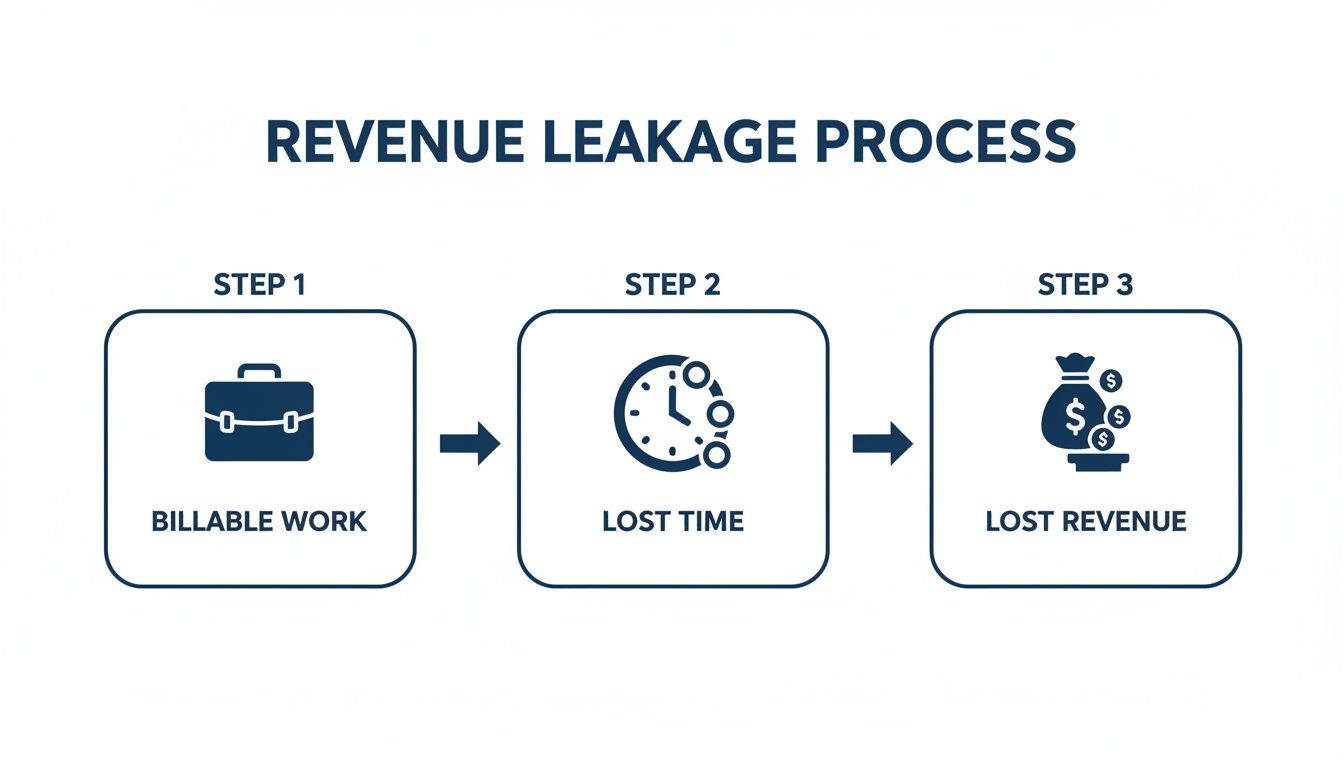
When billable activities aren’t captured accurately, they become invisible costs that silently eat away at your profit margins.
Getting your team on board. A policy is only as good as its adoption. The real key here is to frame time tracking not as a micromanagement tool, but as a system designed to protect the team’s time and the firm’s financial health.
When your team understands that accurate time data leads to better project estimates, fairer workloads, and more profitable work for everyone, they see it as a tool for success. Transparency is your greatest ally here.
Start by explaining the “why.” Show them how this data helps you quote future projects accurately, which helps prevent the kind of under-scoping that leads to stressful, overworked nights and weekends.
When the team sees the direct benefit to their own work-life balance, getting them on board becomes much smoother. Then, just make the process as frictionless as possible by building time tracking directly into their workflow, rather than making it a separate, annoying chore.
Choosing Your Tools: Real-Time Timers vs. Manual Logs
Once you have a clear policy, the next big decision is how your team will actually capture their time. It really boils down to two camps: using live, real-time timers or filling out a timesheet from memory later on. While both seem to get the job done, your choice here has a massive ripple effect on accuracy, revenue, and even your team’s sanity.
Let’s break down the real-world differences.

The case for real-time timers. Real-time timers are just what they sound like: a simple start-stop button your team hits as they move from one task to another. A consultant can fire up a timer for “Client A - Strategy Call,” hit pause to field a quick internal question, and jump right back in without losing a second of billable work.
The killer advantage here is accuracy. The stop-and-start nature of a timer perfectly mirrors the fragmented reality of a busy consultant’s day. It’s not made up of clean, uninterrupted blocks of work. Timers effortlessly capture all those small-but-mighty moments that are otherwise lost to the ether.
Think about the daily grind:
- That quick 10-minute check-in call with a client.
- The 15 minutes spent polishing a presentation after getting feedback.
- An impromptu 20-minute brainstorm with a colleague about a client’s project.
On their own, these little chunks of time feel insignificant. But add them up, and you’re looking at a serious amount of billable work that manual logs almost always miss. When timers are built right into your core platform, like with Drum’s intuitive time tracking features, the process becomes second nature.
The honest truth about manual logs. Let’s be real, manual logging has its appeal. Filling out a timesheet at the end of the day (or, more likely, Friday afternoon) feels less intrusive. There are no timers to juggle, just a spreadsheet to populate.
But that simplicity is deceptive and comes at a steep price: our own faulty memory. Trying to piece together an entire week from memory is a guaranteed way to leak revenue. The human brain simply isn’t built to recall every five-minute email or ten-minute call with precision.
The moment you record your time matters almost as much as what you record. Delaying your entries forces you to guess, and studies show we almost always underestimate the time we’ve spent.
This isn’t just a hunch; it’s a well-documented problem in professional services. Research shows that only about 20% of professionals log their time as they go. A staggering 40% wait until the end of the week, essentially guessing where their valuable hours went. You can dig into these time-tracking findings on Bill4Time.com.
Comparing the financial impact. Let’s run the numbers on a real-world scenario to see how this choice hits your bottom line.
| Scenario | Real-Time Timer Approach | Manual Log Approach |
|---|---|---|
| A Consultant’s Day | A consultant logs a 45-minute call, two 15-minute email sessions, and a 20-minute design review as they happen. | At 5 PM, the consultant remembers the “big call” and guesses it was about 30 minutes, completely forgetting the other small tasks. |
| Total Time Captured | 1 hour, 35 minutes | 30 minutes |
| Revenue Impact (@ $150/hr) | $237.50 | $75.00 |
| Lost Revenue | $0 | $162.50 in a single day |
The “simplicity” of the manual log just cost the firm over $160 from a single person in a single day. Now, multiply that across your entire team for a year. The amount of revenue that vanishes into thin air because of bad memory is genuinely shocking.
While manual logs might feel easier in the moment, real-time timers provide the discipline and accuracy needed to protect your firm’s profitability. By making it easy to capture every billable moment, they help you treat time like the valuable asset it is.
From Tracked Hours to Flawless Invoices
Tracking time is just the start. The real goal is to turn all that raw data into reliable cash flow. This is where a lot of firms stumble: somewhere in the gap between a team member logging their hours and a paid invoice. It’s a space often filled with manual data entry and preventable mistakes, costing both time and money.
Let’s walk through how this connection should work, smoothly turning tracked hours into perfect invoices.
Imagine an architecture firm, “Apex Designs,” deep in a large commercial project. An architect, Sarah, spends three hours in the morning nailing down the schematic designs. She just starts a timer on the “Project Alpha - Schematic Design” task. When she’s done, she stops it and adds a quick note: “Finalized floor plans and elevations based on client feedback.”

That single, simple action kicks off a powerful chain of events. No spreadsheets required.
From time entry to manager approval. Later that day, the project manager, David, sees Sarah’s time entry pop up on the project dashboard in real time. He doesn’t have to chase her down at the end of the week or try to make sense of a vague timesheet. He sees the project, the specific phase, the duration, and a crystal-clear description of the work.
With one click, David approves the time entry. This is a critical step. It acts as a quick quality check, confirming the time was logged to the correct project and task. This maintains the integrity of the data that will eventually land on the client’s invoice.
This immediate review and approval loop delivers two huge benefits:
- It catches errors early. If Sarah had accidentally logged her time to the wrong project phase, David spots it instantly, not weeks later during a frantic billing cycle.
- It creates an audit trail. The system now has a clean record of who did the work, what they did, when they did it, and who signed off on it. Total transparency.
Generating the invoice in clicks. When the end of the month rolls around, it’s time to bill the client. Instead of the usual grind of exporting timesheets, copying data into a Word doc, and triple-checking the math, David just heads over to the invoicing section of his firm’s platform.
The system has already gathered all the approved, unbilled hours for “Project Alpha.” It’s not just a lump sum of hours; it’s a detailed log of every approved task, ready to be pulled straight into a professional invoice.
He selects the project, chooses the date range, and the software instantly generates a draft invoice. Every single line item is already there, complete with the detailed descriptions that Sarah and the rest of the team provided.
This level of automation is transformative. It wipes out hours of tedious, soul-crushing admin that usually comes with monthly billing. More importantly, it slashes the risk of human error. No more typos or calculation mistakes that can erode client trust and hold up payments. To see how this works in practice, you can explore the workflow of modern invoicing software built specifically for professional services.
The result? A precise, professional, and detailed invoice is ready in minutes, not hours. This faster process means invoices get out the door sooner, which means you get paid sooner. It fundamentally improves your firm’s cash flow cycle. By connecting your billable hours tracking directly to invoicing, you build a system that’s not just more efficient, but more profitable.
Using Your Time Data for Smarter Business Decisions
Good, consistent billable hours tracking does a lot more than just tidy up your invoicing. It turns a chore into one of your most powerful strategic assets. When you have clean, accurate time data pouring in, you suddenly get a crystal-clear view of your firm’s operational health. This data is the raw material for making smarter, more confident business decisions.
Instead of guessing which projects are profitable or which clients are secretly draining all your resources, you have hard numbers to guide you. It’s the difference between working with a map and a compass versus just hoping you’re wandering in the right direction. Let’s dig into the key metrics this data actually gives you and how to use them.
Unlocking key performance metrics. The two most critical metrics that pop out from your time tracking efforts are utilization and realization. They sound similar, but they tell completely different stories about your firm’s performance and where you might be leaking money.
-
Utilization Rate: This is all about your team’s productivity. It answers the question, “Of all the hours my team has available, what percentage are they spending on actual, billable client work?” A high utilization rate is a great sign that your team is focused on revenue-generating activities.
-
Realization Rate: This metric gets straight to your firm’s financial efficiency. It answers, “Of all the hours we billed to clients, what percentage did we actually collect as revenue?” A big gap here can be a red flag for things like scope creep, clients disputing invoices, or your project managers writing off way too much time.
Think of it like this: utilization is about how busy your team is with the right kind of work, while realization tells you how effective you are at turning all that busy work into actual cash in the bank.
The power of utilization. For consultancies, architecture firms, engineering shops, and creative agencies, billable hours tracking is the engine that drives utilization, the core metric for profitability. Industry benchmarks show that healthy consulting firms usually aim for utilization rates around 60–65% of total hours. This strikes a healthy balance between generating revenue and leaving enough time for essential non-billable work like business development, training, and internal projects.
Even a tiny 5-point jump in utilization (say, from 60% to 65% on a standard 40-hour week) adds up fast. That’s 2 extra billable hours per person each week, or about 100 extra hours per person, per year. At a conservative blended rate of $150 an hour, that single change adds $15,000 in new revenue per consultant, every single year. Research from Mosaic puts it even more starkly: agencies that implement PSA software typically see utilization increases of 15-25% within the first year, translating directly to increased revenue without adding headcount.
By understanding your utilization rate, you move from feeling busy to knowing you’re productively busy. It’s the clearest indicator of your team’s true capacity and revenue-generating potential.
From data to decisive action. Once you start tracking these numbers properly, you can use them to make real, tangible improvements across the business. The insights from your time data directly feed into several critical operational areas.
Price future work with confidence. When you have historical data on how long similar projects actually took, you can stop pulling numbers out of thin air for proposals. You can build your quotes based on real-world effort, which protects your margins and sets realistic client expectations right from the start.
- Real-world example: A marketing agency tracks its time on three social media campaign projects in a row. They discover that the “content creation” phase consistently takes 25% longer than they’ve been estimating. Armed with this data, they adjust their quote for the next proposal, making sure that phase is finally profitable.
Spot at-risk projects early. By keeping an eye on the hours logged against a project budget in real-time, you can see when a project is starting to go off the rails long before it’s too late. It’s a simple but powerful early-warning system.
If a project is 50% through its timeline but has already burned through 80% of its budgeted hours, that’s an immediate red flag. This allows you to jump in and have a proactive chat with the client about adjusting the scope or the budget, rather than waiting for a nasty surprise at the end.
Make smarter staffing decisions. Utilization data is your key to resource management. It shows you exactly who is over capacity and heading for burnout, and who has room to take on more work. This kind of visibility is crucial for balancing the load across the team, keeping everyone sane, and making sure projects don’t stall out. Over time, it also gives you a clear picture of when you might need to bring in new hires or specialized contractors.
Even with the best tools and clearest policies, you’re going to get questions as your team gets the hang of tracking their time. That’s a good thing. It means they’re taking it seriously. Let’s walk through some of the most common hurdles I see firms face.
How do we get the team to track time without feeling micromanaged? This is the big one. Get this wrong, and you’ll face an uphill battle forever. Get it right, and everything else falls into place.
The secret is all about framing. Time tracking isn’t about management watching over everyone’s shoulder. It’s about protecting the team’s time, the client’s budget, and the firm’s health.
Start by being radically transparent about the ‘why.’ Show your team how accurate data leads to better project scoping, which means fewer last-minute fire drills and late nights. When they connect clean time data to a healthier work-life balance, they’ll see what’s in it for them.
Then, make it ridiculously easy. If tracking time feels like a chore, it won’t get done. This is where integrated tools make all the difference. Timers need to be a natural part of the daily workflow, not some separate app they have to remember to open.
Finally, leaders have to walk the walk. When partners and project managers track their own time diligently and use that data to celebrate wins (like finishing a project under budget) it sends a powerful message. It shifts the perception from a top-down mandate to a collaborative tool for getting better.
What is the best way to handle time tracking for fixed-fee projects? This question gets right to the heart of profitability. A lot of firms fall into the trap of thinking, “It’s a fixed price, so who cares about the hours?” This is a massive mistake.
Tracking your hours on fixed-fee projects is non-negotiable if you want to protect your margins.
The process is exactly the same as for an hourly project. Your team logs every single minute against the project’s tasks, from the first discovery call to the final handover. This data isn’t for the client; it’s for you. It’s how you calculate your effective hourly rate.
By dividing the total project fee by the total hours logged, you see reality in black and white: Was this project profitable, a break-even, or a loss? This data is pure gold for quoting future work with confidence.
Over time, you’ll build an invaluable internal benchmark. You’ll know which project types are your cash cows and which ones are secretly draining your resources. It’s the only way to know if your fixed-fee model is actually making you money.
How should we capture all the small five and ten-minute tasks? Ah, the small tasks. This is where profitability is won and lost. Those quick, interrupt-driven jobs (a 10-minute client call, a 5-minute email clarification, a 15-minute tweak to a design) are impossible to recall accurately at 5 PM.
Manual timesheets are destined to fail here. The only thing that works is a real-time, start-stop timer.
With the right tool built into their workflow, a team member can just hit ‘start’ on the relevant task, deal with the interruption, and hit ‘stop’ when they’re done. It captures all those billable fragments that would otherwise evaporate.
These little bits of time can easily add up to 2-3 billable hours per person, per week. Capturing them is one of the easiest ways to boost revenue without asking your team to work any harder. For more detail, check out our guide on calculating billable hours.
What do we do if a client disputes the hours on an invoice? Nobody enjoys this conversation, but having detailed, consistent time logs is your best defense. This is precisely why vague time entries like “Project work” are so dangerous. When a client has questions, good data turns an argument into a simple, factual review.
Your time entries should have brief but clear descriptions: “Drafted homepage wireframes,” “Client call to review Q3 data,” or “Revised logo based on feedback.” This creates a chronological story of the value you’ve delivered.
If a client questions an invoice, your first step is to pull a detailed activity report from your time tracking system. This professional, itemized list shows exactly what was done and when. It immediately shifts the conversation from a debate over hours to a review of tangible progress, which helps preserve the client relationship while ensuring you’re paid fairly for your work.
Ready to put these answers into action?
Drum is the all-in-one platform built for professional services firms to manage everything from proposals to invoicing. Stop letting revenue slip through the cracks and see how a unified system can transform your operations.
Start your free 14-day trial and discover a better way to run your studio.