
 Pipeline & Proposals
 Project Management
 Resource Planning
 Time & Costs
 WIP & Invoicing
 Commercial Reporting
 Consulting Engineers
 Architects
 Town Planners
 Building Designers
How to Manage Multiple Projects at Once Without Dropping the Ball

Ben Walker
Written for Drum
In This Article
How to Manage Multiple Projects at Once
Feeling like you’re constantly juggling projects, just one slip away from dropping the ball? You’re definitely not alone. The real secret to managing multiple projects at once isn’t about working harder. It’s about building a simple, repeatable framework. This all comes down to smart prioritization, crystal-clear communication, and having the right tools in your corner.
It’s less about frantic multitasking and more about working smarter on what actually matters. We’re here to help you get there.
The Art of Juggling Multiple Projects at Once

For anyone in professional services, managing a portfolio of projects is no longer a niche skill; it’s the new standard. The days of dedicating all your focus to one long-term initiative are pretty much gone. Success today is defined by your ability to balance competing deadlines, shifting client demands, and various stakeholder needs without ever losing your footing.
This guide isn’t about abstract theory. It’s a practical, friendly framework you can put to work immediately. We’ll break down the core pillars that high-performing teams use to thrive, not just survive, in a world full of competing priorities.
These pillars include:
- Smart prioritization to zero in on what truly drives value.
- Strategic resourcing to keep your team energized and prevent burnout.
- Clear communication that keeps everyone aligned and in the loop.
- The right tools to centralize your work and automate the repetitive stuff.
Why a System Is Non-Negotiable. Without a solid system in place, teams inevitably slip into reactive mode, tackling whatever feels most urgent instead of what’s most important. This constant context-switching absolutely demolishes productivity and morale. A well-defined system, however, can transform project chaos into a calm, controlled, and effective process.
The data backs this up. Consider that 59% of project managers are juggling between two and five projects at any given time, according to research highlighted by Rebel’s Guide to Project Management. This isn’t just a trend; it’s a fundamental shift in how we work. And it’s no surprise that 77% of high-performing projects rely on dedicated project management software, which has been shown to boost internal communication by nearly 80%.
Think of a great project manager like an orchestra conductor. They don’t play every instrument. Instead, they guide each section to play its part at the perfect moment, creating a cohesive and powerful result. Your project portfolio is your orchestra.
To kick things off, we’ve boiled down the core strategies into a simple table below. Use it as your quick-start guide to moving from project chaos to a powerful system that delivers consistently and keeps your team productive.
Core Strategies for Managing Multiple Projects. This table provides a high-level look at the foundational strategies we’ll be exploring. It’s a handy reference for transforming how you approach project management.
| Strategy Pillar | Key Action | Primary Benefit |
|---|---|---|
| Intake & Prioritization | Establish a scoring system to rank new projects by value and urgency. | Ensures focus on high-impact work that aligns with business goals. |
| Resourcing & Capacity | Maintain a real-time view of team availability and skill sets. | Prevents team burnout and allocates the right people to the right tasks. |
| Scheduling & Dependencies | Map out project timelines and identify critical path dependencies. | Avoids bottlenecks and keeps all projects moving forward smoothly. |
| Workflows & Templates | Standardize common project tasks and deliverables with templates. | Boosts efficiency, ensures quality, and reduces repetitive manual work. |
| Tracking & Budgeting | Implement consistent time and budget tracking across all projects. | Provides real-time visibility into project health and profitability. |
| Communication Cadence | Set up regular, structured check-ins and status reporting. | Keeps all stakeholders aligned, informed, and confident in project progress. |
| Risk Mitigation | Proactively identify potential risks and create contingency plans. | Minimizes surprises and allows for quick adaptation when issues arise. |
| Actionable Playbooks | Document processes for repeatable project types and scenarios. | Enables consistent delivery and simplifies onboarding for new team members. |
By focusing on these eight pillars, you can build a resilient framework that not only supports your current workload but is also ready to scale as your business grows. Let’s walk through each one.
Deciding What Matters Most with Smart Prioritization
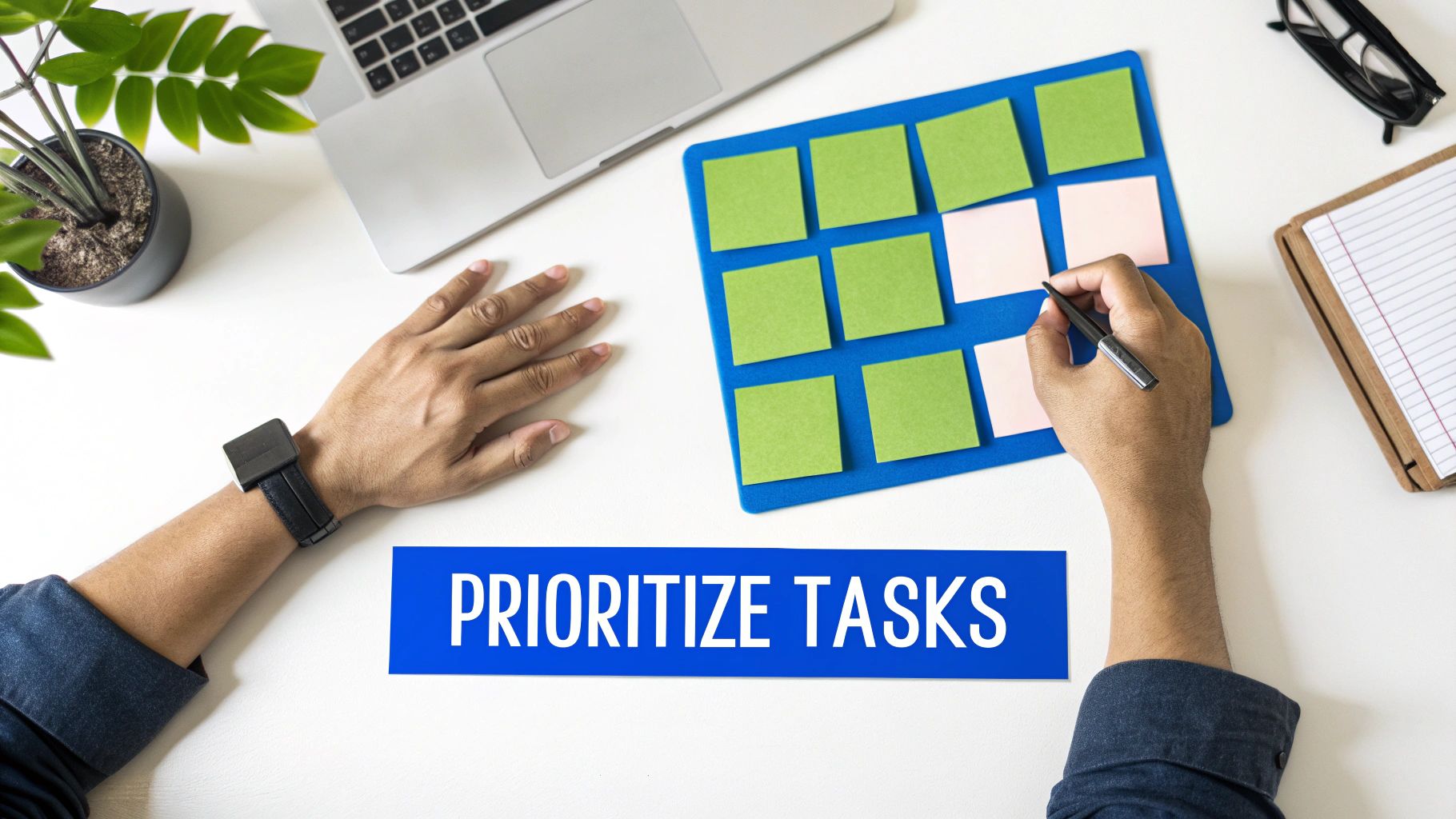
Here’s the single biggest secret to managing multiple projects: you can’t do everything at once. It’s a simple truth, but accepting it is crucial.
When every task feels like a fire drill and every project is slapped with a “top priority” label, your team’s focus shatters. Progress stalls, burnout looms, and you end up just spinning plates. Real success comes from having a solid, objective system to decide what actually gets done first.
This is where you graduate from a basic to-do list to strategic prioritization. A good framework cuts through the noise, ensuring your team’s precious time is invested in work that genuinely moves the needle, not just on whatever’s yelling the loudest.
Beyond the To-Do List: The Eisenhower Matrix. One of the most effective methods is the Eisenhower Matrix. It’s a simple grid that forces you to evaluate tasks on two critical dimensions: urgency and importance. The whole point is to shift your team’s focus from what’s urgent to what’s truly important.
It breaks everything down into four clean quadrants:
- Important and Urgent (Do First): These are genuine crises or projects with hard, immovable deadlines. For example, a major client website crashing or fixing a critical bug before a product demo.
- Important but Not Urgent (Schedule): This is where the magic happens. It’s home to strategic work like long-term planning, building key relationships, and process improvements. Think: planning next quarter’s marketing campaign or developing a new training module for your team.
- Urgent but Not Important (Delegate): These are constant interruptions that feel immediate but don’t help you reach core goals. This could be scheduling routine meetings or responding to non-critical internal info requests. If someone else can handle it, let them.
- Not Urgent and Not Important (Eliminate): Pure time-wasters. This is mindless web browsing or reorganizing your desktop icons for the tenth time. Get them off your plate, full stop.
Sorting your project pipeline this way gives you instant clarity. It’s a powerful tool for protecting your team’s time for the high-value activities that actually matter.
The Impact vs. Effort Model. Another fantastic tool, especially for comparing different projects, is the Impact vs. Effort model. This framework is perfect for spotting quick wins and planning for those bigger, more demanding initiatives.
You simply score each project on a scale (say, 1-5) for both its potential impact on business goals and the effort required to get it done.
This simple exercise shifts prioritization from a gut feeling to a data-informed decision. It gives you a clear, logical reason why one project is jumping the queue, which is absolutely critical for managing stakeholder expectations.
Let’s walk through a real-world scenario.
Imagine you’re a manager at a busy digital agency. You’re juggling three major initiatives at once:
- Project A: A high-stakes client website launch.
- Project B: An internal company rebrand.
- Project C: Three smaller, but important, content campaigns.
Your team is already stretched thin. You have to decide where their energy goes for the next month.
Using an Impact vs. Effort matrix, you might score them like this:
| Project | Potential Impact (1-5) | Required Effort (1-5) | Priority Focus |
|---|---|---|---|
| A Client Website Launch | 5 (High revenue, client retention) | 5 (Complex, many moving parts) | Major Project Schedule carefully. |
| B Internal Rebrand | 4 (Long-term brand value) | 4 (Involves the whole company) | Schedule Later Important, but not as urgent. |
| C Content Campaigns | 3 (Steady lead generation) | 2 (Quick to execute) | Quick Win Tackle this first for fast results. |
Boom. Instant clarity.
The content campaigns (Project C) are your Quick Wins. They’re low effort for a decent return, so you can knock them out fast and build momentum. The client launch (Project A) is a Major Project that needs careful planning and dedicated resources. And the internal rebrand (Project B), while important, can be scheduled for later when the team has more bandwidth.
This kind of objective approach takes emotion and office politics out of the equation. It empowers you to make clear, defensible decisions that everyone on your team can understand and, more importantly, get behind.
2. Nail Your Resource Planning and Capacity Management
Once you’ve figured out what to work on, the next million-dollar question is who is going to do it. This is where strategic resource planning comes in, and frankly, it’s the bridge between a great plan and a profitable outcome.
We’re not just talking about throwing names against tasks on a whiteboard. It’s about thoughtfully deploying your most valuable (and expensive) asset, your team, to hit your goals without burning everyone out in the process.
Flying blind on team capacity is a recipe for disaster. You’ll accidentally pile work onto your top performers while other team members are sitting on the bench. That kind of guesswork leads straight to bottlenecks, blown deadlines, and a team that’s constantly stressed. Getting this right isn’t a “nice-to-have”; it’s everything.
Get a Crystal Clear View of Who’s Doing What. First things first, you need a realistic, bird’s-eye view of everyone’s commitments. I’m not just talking about active project work. You have to account for all the other stuff: internal meetings, admin time, sales support, and of course, paid time off.
A spreadsheet might feel like a good place to start, but they go stale the second you save them and become a nightmare to keep updated across a busy team.
This is where a modern Professional Services Automation (PSA) platform like Drum becomes your command center. You get a real-time dashboard that shows exactly who is working on what, for how long, and what their availability looks like weeks or even months down the road.
Here’s what that kind of clarity looks like in practice. It’s an instant visual on your entire team’s workload.
A view like this immediately flags who is overbooked and who has room to take on more, letting you make smarter staffing decisions on the fly instead of after the fact.
Master Resource Leveling and Forecasting. With a clear view of everyone’s plate, you can move from reactive assignments to proactive strategy using techniques like resource leveling and forecasting.
- Resource Leveling: This is the art of shuffling the schedule to smooth out workload peaks and valleys. Let’s say your lead developer is slated for 60 hours of work next week across three projects. That’s not sustainable. Resource leveling means pushing a non-critical task to the next week or handing it off to another available engineer to get her back to a manageable 40 hours.
- Forecasting: This is about looking ahead to predict what you’ll need. By analyzing your sales pipeline and upcoming projects, you can see that you’ll need another senior engineer in three months, giving you time to hire or train someone before it becomes a crisis.
Imagine a software team juggling three product updates. One is a major feature release (Project A), another is a batch of bug fixes (Project B), and the last is a minor UI tweak (Project C). A quick glance at the resource plan shows the lead developer is way over-allocated for the next sprint, thanks to tasks from all three.
Using resource leveling, the project manager can punt a non-urgent task from the UI tweak (Project C) into the following sprint. Problem solved. This simple move frees up the developer to focus on the big feature release and critical bugs, keeping everything moving forward without frying a key team member. For a deeper dive, check out our complete guide to resource planning and management.
The goal isn’t just to keep people busy. It’s to keep them productively engaged on high-value work. Great resource management ensures you’re placing the right people on the right problems at the right time.
This proactive approach is getting a serious boost from new technology. The AI in project management market is set to explode from $3.08 billion in 2024 to $7.4 billion by 2029, as detailed in ProProfs Project’s 2026 project management statistics roundup. While only 32% of organizations claim high project management maturity, those using AI report an 81% improvement in on-time delivery.
In practical terms, using software for resource leveling has been shown to slash team member overallocation by 30%.
By shifting from reactive task assignment to strategic resource planning, you build a sustainable system that not only supports your team but ensures your entire project portfolio is set up for success.
Creating Repeatable Success with Workflows and Templates
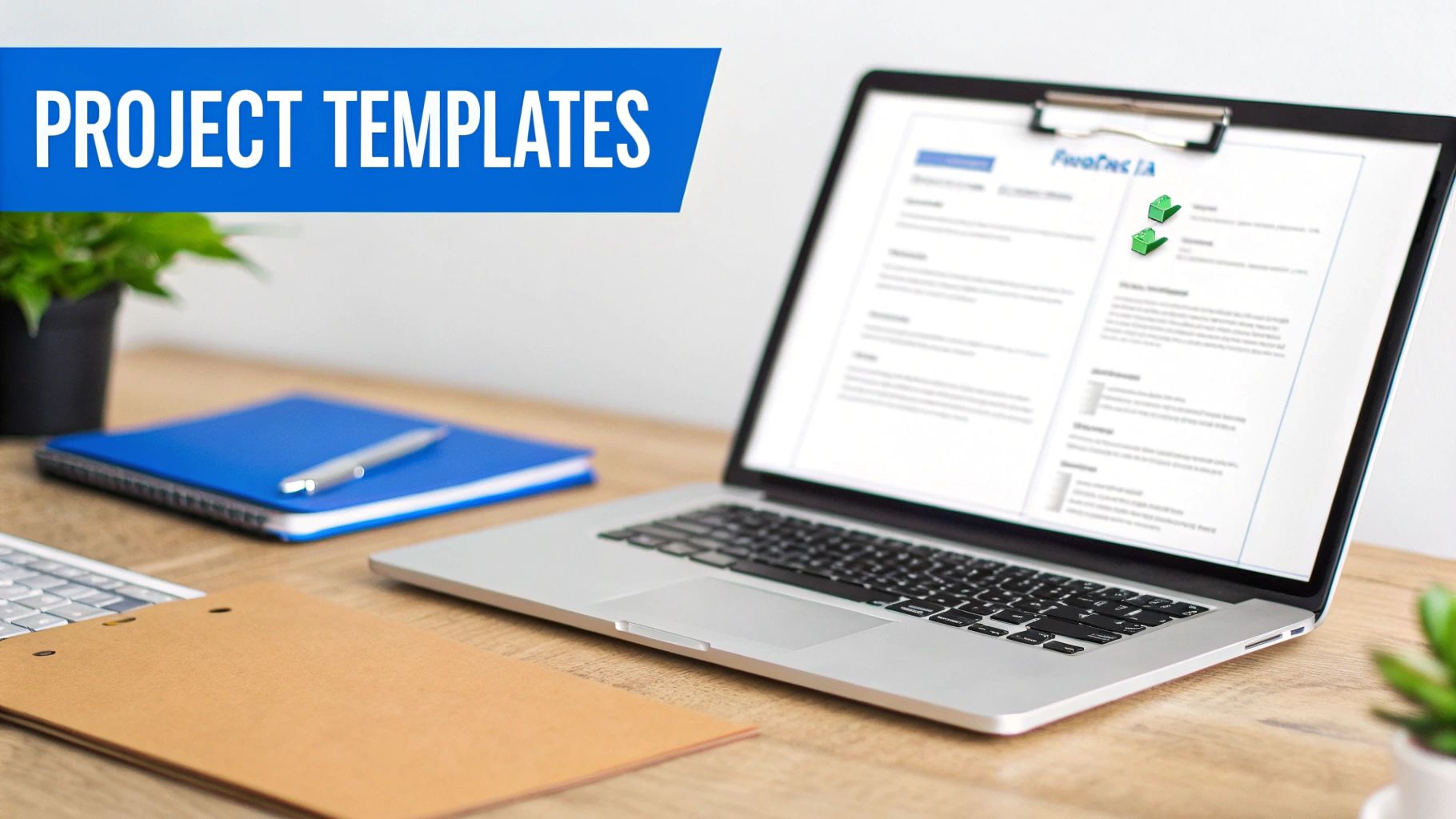
Why does your team start from scratch every single time a new project kicks off? It’s a huge, often invisible, drain on productivity that introduces needless risk and piles on administrative busywork.
This is where you need to stop reinventing the wheel. Standardizing your approach with repeatable workflows and project templates isn’t just a “nice-to-have”; it’s a complete transformation for getting more done without burning out your team.
By creating a solid blueprint for your most common project types, you effectively turn your team’s hard-won experience into a scalable system. It cuts down on menial admin, sidesteps common pitfalls, and lets your team launch new work with absolute confidence.
The Power of a Project Blueprint. Think about your last new client onboarding. How much time did your project manager spend just figuring out the first steps, assigning the same old starter tasks, and drafting kickoff emails from a blank page? A project template pre-populates all of that for you, making sure critical details are never missed.
A creative agency, for example, could live and die by a “New Client Onboarding” template. It would come pre-loaded with everything needed to start strong:
- Predefined Tasks: Instantly create and assign tasks like “Schedule Kickoff Call,” “Send Welcome Packet,” and “Set Up Shared Client Folder.”
- Realistic Timelines: Build in standard durations for each phase, like 3 days for discovery and 5 days for the first round of mockups.
- Key Communication Points: Include placeholder milestones for scheduled client check-ins and internal reviews.
This approach locks in consistency and quality, no matter who is running the project. It frees your PMs to focus on strategy and client relationships instead of repetitive setup chores. You can explore how to build these blueprints within a dedicated platform by looking at modern project management software designed specifically for this kind of operational efficiency.
Building Your Template Library. The end goal is to have a library of these go-to assets sitting in a central tool. Start by identifying the project types you run most often. Do you handle a lot of website redesigns? Build a template for that. Manage monthly SEO retainers? That’s another perfect candidate for a standardized workflow.
Treat each template as a living document. After a project wraps up, run a quick post-mortem. Did a specific task take way longer than planned? Go adjust the timeline in the template. Was there a communication breakdown with the client? Add a new checkpoint or reminder.
By continuously refining your templates, you’re not just saving time. You’re creating a powerful feedback loop that drives constant improvement across your entire project portfolio.
This mindset turns every project, good or bad, into a lesson that makes the next one even smoother.
To help you get started, we’ve outlined the essential components that every solid project template needs. Think of this as your checklist for creating a truly valuable asset.
Essential Project Template Components
| Component | Description | Example |
|---|---|---|
| Project Phases | The major stages of the project lifecycle, from start to finish. | For a website build: Discovery, Design, Development, Testing, Launch. |
| Task Lists | A detailed checklist of all required actions within each phase. | Under “Design”: Create wireframes, develop mockups, client feedback round 1. |
| Role Assignments | Pre-assigned roles for common tasks to clarify responsibility. | “Create wireframes” assigned to the UX Designer role. |
| Timeline Estimates | Standard durations for tasks and phases based on past data. | “Develop mockups” is allocated 5 business days. |
| Document Checklists | A list of essential documents needed for the project. | Statement of Work (SOW), Creative Brief, Kickoff Meeting Agenda. |
Building out templates with these core elements gives your team a clear, actionable roadmap for success from day one. It’s a foundational piece of the puzzle for juggling multiple projects without dropping the ball on quality or running your team into the ground.
Establishing a Clear Communication Rhythm
When your team is juggling a portfolio of projects, the first thing to get messy is communication. It’s a classic problem. Ambiguity creeps in, becoming the enemy of progress. One stakeholder thinks everything is on track, while the project team knows they’re a week behind schedule.
This is where a predictable communication cadence becomes your secret weapon.
The goal isn’t more communication; it’s creating a rhythm. It’s a predictable flow of information that keeps everyone on the same page without burying them in endless status update emails. When people know when and how they’ll get updates, they stop interrupting your team for one-off check-ins. It builds trust and lets everyone move forward with confidence.
A central project hub, like a dashboard in your PSA, is the foundation of this rhythm. It becomes the single source of truth, ending that frustrating hunt for the latest update. Everyone from the project manager to the CEO can see real-time progress, which is a massive leap towards real transparency.
Designing Your Communication Blueprint. A great communication plan isn’t about packing everyone’s calendars with more meetings. It’s about having the right meetings, each with a crystal-clear purpose. Juggling multiple projects demands a tiered approach to make sure information flows to the right people at the right time.
Here’s a practical, three-level cadence that we see work time and time again for professional services firms:
- Daily Stand-ups (The Team Huddle): These are quick, 15-minute check-ins just for the core project team. The focus is purely tactical: What did you do yesterday? What are you tackling today? What’s blocking your progress? This isn’t a status report for managers; it’s how the team syncs up and solves problems on the fly.
- Weekly Stakeholder Updates (The Progress Report): This is a more formal, often asynchronous, update for clients and internal leadership. It could be a concise email or a dashboard report that sums up progress against milestones, budget status, and any new risks. It keeps stakeholders informed and confident without dragging them into the team’s daily weeds.
- Monthly Portfolio Reviews (The Strategic View): This is a high-level meeting for leadership to review the health of the entire project portfolio. You’re not getting into individual tasks here. Instead, you’re looking at overall profitability, resource allocation across the business, and spotting any systemic risks that could impact company goals.
A Real-World Example in Action. Imagine a consulting firm running two major client projects at once. Client A’s project is in the final delivery phase, while Client B’s is just kicking off discovery.
Without a set cadence, the project manager is constantly putting out fires, fielding random emails from both clients and creating a ton of confusion. By putting the three-level plan in place, they bring order to the chaos.
The internal team has its daily stand-ups to coordinate tasks across both projects. Every Friday, Client A and Client B each get a tailored weekly update email, giving them a clear snapshot of their specific project’s status. Then, once a month, the firm’s partners meet to review the profitability and resource load of both engagements, making strategic tweaks as needed.
This structured flow ensures every piece of communication is relevant, timely, and hits the right audience. It just works.
This kind of disciplined communication is the linchpin for multi-project success. It’s no surprise that a whopping 80% of organizations boosted their internal comms after adopting project management software. A simple pro tip is to use centralized dashboards, which have been shown to slash email overload by a staggering 50%. This is especially critical when you see that public sector IT projects overrun 81% of the time versus 52% in the private sector, often because of poor communication. You can dig into more of these fascinating project management statistics if you’re curious.
By establishing a clear and consistent communication cadence, you replace ambiguity with clarity, anxiety with confidence, and chaos with control, right across your entire project portfolio.
With these communication rhythms in place, let’s pull all of this together into a practical playbook you can start using today. Getting a handle on multiple projects isn’t about finding some magical, one-size-fits-all solution. It’s about building a solid, unified strategy that turns good principles into everyday habits. This is how you stop feeling like you’re constantly putting out fires and start feeling confidently in control.
Think of this as your new operating system. It combines everything we’ve covered, from smart intake and resource planning to standardized workflows and a steady communication rhythm. The end game? A system where every single project, big or small, gets the same level of quality and foresight. This is the bedrock for driving better results, period.
Final Pro Tips for Success. As you start putting this framework into action, keep these two pro tips in your back pocket. They seem small, but they make a massive difference when you’re dealing with the messy reality of project work.
- Build in a 20% Buffer: Let’s be honest: no project goes exactly to plan. So, instead of being surprised by the inevitable hiccups, plan for them. By adding a 20% buffer to your timelines and budgets, you’re giving yourself the breathing room to handle that unexpected client request or internal delay without throwing everything else off track.
- Conduct Portfolio Health Checks: Stop managing projects in a vacuum and start managing the entire portfolio. Get a monthly “portfolio health check” on the calendar to review progress, profitability, and resource allocation across all your active work. This high-level view is your early warning system, helping you spot risks and make strategic tweaks before a minor issue snowballs into a major problem.
A huge piece of this is establishing a simple but powerful communication rhythm that keeps everyone on the same page.
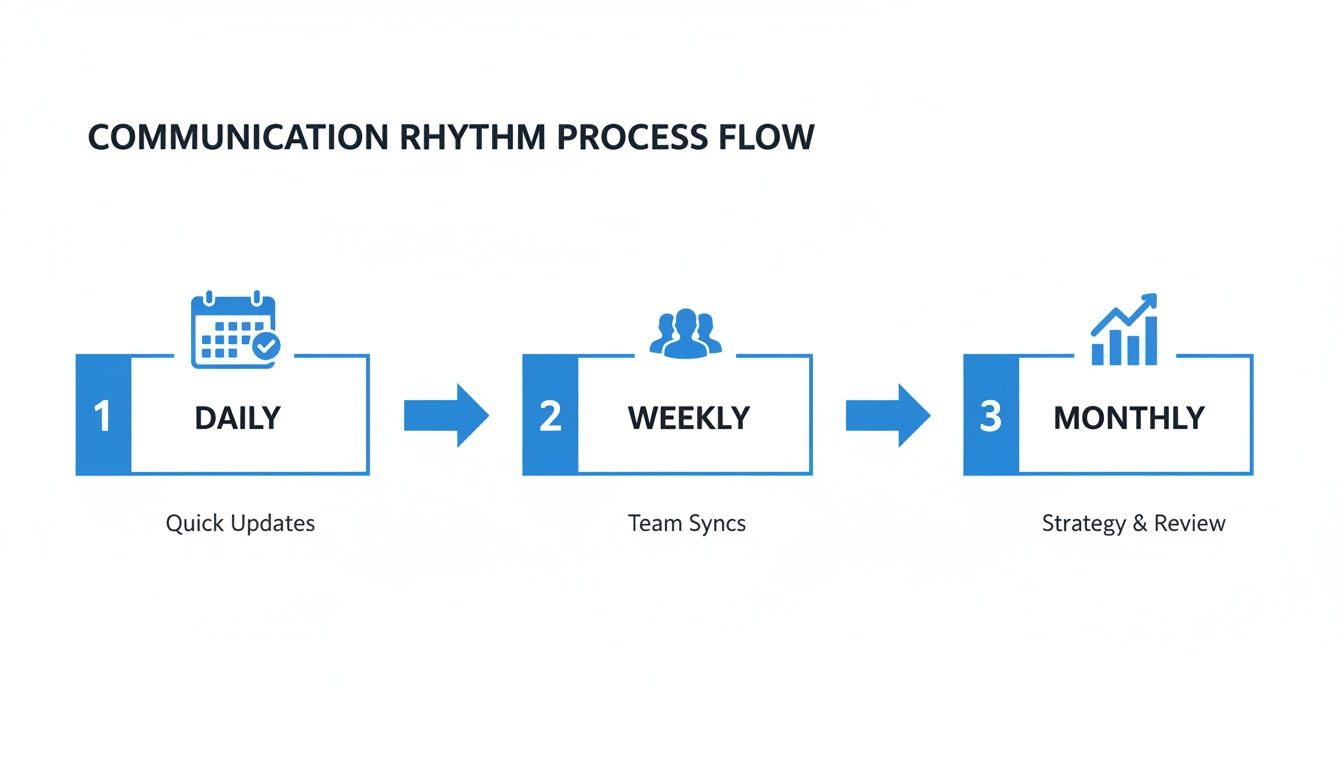
This kind of process, with its daily check-ins, weekly syncs, and monthly reviews, creates a predictable flow of information that cuts down on confusion and surprises.
Mastering how to manage multiple projects simultaneously is a skill that grows with practice. It’s about creating a calm, predictable system that empowers your team to do their best work, project after project.
With these frameworks and tips, you have a complete playbook for turning complexity into clarity. Of course, many of these strategies get a whole lot easier with the right tools in your corner. To see how a central platform can support these efforts, check out our guide on what PSA software is and how it can act as the command center for your entire operation.
Of course, even with the most solid playbook, questions are going to come up. We get asked a lot about the finer points of managing multiple projects, so here are a few of the most common ones we hear, along with our straight-shooting answers.
What’s the Single Biggest Mistake People Make When Juggling Projects? Hands down, it’s the failure to build a clear, objective system for prioritizing work. It’s so easy to fall into this trap. Without a framework, teams naturally gravitate toward what feels most urgent or whichever stakeholder is making the most noise.
This creates a purely reactive workflow. You end up with constant context-switching, a massive productivity drain that torpedoes morale and leads straight to burnout. It’s that classic feeling of being swamped all day but getting nothing meaningful done. A simple impact/effort matrix or a similar framework forces you to make strategic calls on where your energy goes, ensuring the truly important stuff gets across the line first.
How Exactly Does a PSA Tool Help With This? Think of a Professional Services Automation (PSA) tool as the central command center for your entire operation. Instead of trying to patch everything together with a chaotic mix of spreadsheets, email chains, and standalone apps, a PSA unifies it all into one place you can actually trust.
For managing a whole portfolio of projects, this makes all the difference. Here’s why:
- A True Portfolio View: You get a high-level dashboard of everything in flight. No more digging around to see the big picture; it’s right there.
- Real-Time Capacity Planning: You can see instantly who’s drowning in work and who has bandwidth. This is absolutely critical for preventing burnout and making smarter staffing calls.
- Standardized Processes: You can build templates directly into the system, which means every single project kicks off with the same level of quality and consistency.
It’s this combination of total visibility and practical control that gives you the confidence to manage complexity without breaking a sweat.
How Do You Handle Scope Creep in One Project Without Wrecking the Others? This is where a formal change control process and a bit of planned buffer save the day. When a new request or an unexpected problem pops up in one project, your first move is to assess its real impact on that project’s timeline and budget. Don’t guess. Figure it out.
Once you know the immediate blast radius, you have to zoom out and look at the whole portfolio. How will pulling people onto this fire affect your other commitments?
This is where your prioritization framework becomes your best friend again. You might have to make a conscious decision to delay a lower-priority task on another project to free someone up. The absolute key here is communicating these trade-offs clearly and honestly to all your stakeholders. It’s all about managing expectations and making sure everyone understands why a shift is happening. That’s how you maintain trust and alignment across the board.
Ready to stop juggling and start managing your projects with genuine clarity?
Drum gives you that unified platform you need to prioritize, resource, and execute your entire project portfolio from a single source of truth.
See for yourself with a free 14-day trial and discover a better way to run your studio.