- Professional Services Automation: A Friendly Guide to Your Firm’s Central Command
- Welcome to Your Firm’s Central Command
- Unifying Your Entire Project Lifecycle
- Comparing Manual Operations vs an Integrated PSA Platform
- How a Project Moves Through a PSA System
- From Proposal to Project in a Single Click
- Tracking Work and Managing Health in Real Time
- From Effort to Invoice Effortlessly
- Core Features That Drive Profitability
- Real-Time Budget vs Actuals Tracking
- Intelligent Resource and Capacity Planning
- Powerful Reporting and Analytics Dashboards
- How to Choose the Right PSA Software
- Prioritize Usability and Team Adoption
- Scrutinize Integration Capabilities
- Evaluate Customer Support and Onboarding
- The Future of Professional Services Automation
- From Reactive Management to Predictive Insights
- A Smarter Partner for Your Firm
- Your Guide to a Smooth PSA Implementation
- Planning and Data Migration
- Team Training and Onboarding
- Workflow Customization and Go-Live
- Got Questions About PSA?
- How Is a PSA Different from a Project Management Tool?
- Is a PSA Only for Large Consulting Firms?
- How Long Does It Take to Implement a PSA System?
Professional Services Automation: A Friendly Guide to Your Firm’s Central Command
Ever heard of professional services automation, or PSA? Think of it as the central command for your entire firm. It’s the one platform that connects every single stage of your client work—from hammering out the initial proposal to managing the project, tracking time, and sending the final invoice.
It’s like the conductor for your business orchestra, making sure every section plays in perfect harmony.
Welcome to Your Firm’s Central Command
Picture this: your firm is juggling a dozen client projects. Your sales team lives in Salesforce, the project managers use Asana for tasks, and your finance team is lost in a maze of spreadsheets just to figure out who to bill for what. Sound familiar?
This kind of disconnected setup creates chaos. It’s a direct line to missed deadlines, invoices riddled with errors, and a constant, nagging feeling that you have no idea if your projects are even profitable. It’s a huge headache for architecture, engineering, marketing, and creative firms alike.
This is the exact problem that professional services automation software was built to solve. It takes that messy patchwork of separate apps, endless email chains, and fragile spreadsheets and replaces it all with one unified system.
Unifying Your Entire Project Lifecycle
A PSA platform is designed from the ground up to manage the complete lifecycle of your projects, bringing clarity and control to what was once a confusing mess. This integration creates a single source of truth, which means no more mind-numbing manual data entry and a much lower risk of making costly mistakes. The result is a seamless flow of information that frees up your team to focus on what they do best: delivering exceptional work.
Getting this right is becoming non-negotiable. The global market for PSA software is exploding, projected to jump from USD 16.55 billion in 2026 to an incredible USD 50.33 billion by 2034. This isn’t just a trend; it’s a reflection of the intense pressure firms are under to work smarter, not harder. You can explore more market growth insights from Fortune Business Insights to see the full picture.
A PSA platform isn’t just another piece of software; it’s an operational philosophy. It’s about building a single, reliable system that connects your people, projects, and profits, allowing everyone to make smarter, data-driven decisions.
This connected approach tackles the core challenges that nearly every growing services firm runs into.
A quick look at the “before and after” makes it crystal clear how much of a difference an integrated system makes.
Comparing Manual Operations vs an Integrated PSA Platform
| Operational Area | Manual Processes (Spreadsheets, Separate Apps) | Integrated PSA Platform |
|---|---|---|
| Project Visibility | Fragmented data; no real-time overview of project health or profitability. | Centralized dashboard with real-time visibility across all projects. |
| Resource Planning | Guesswork and constant meetings; risk of overworking or underusing staff. | Data-driven forecasting and allocation based on availability and skills. |
| Time & Expenses | Manual, error-prone tracking; leads to unbilled hours and lost revenue. | Automated time capture and expense logging linked directly to projects. |
| Invoicing | Time-consuming process of compiling data from multiple sources. | One-click invoice generation from approved timesheets and expenses. |
| Reporting | Requires manually exporting and merging data; reports are often outdated. | Instant, accurate reports on profitability, utilization, and forecasting. |
Without a single source of truth, you’re essentially flying blind. An integrated PSA platform brings everything into focus, turning chaotic, reactive work into a smooth, predictable operation.
This connectivity solves several core challenges that growing services firms face:
- Lack of Visibility: Without a PSA, getting a real-time view of project health, team workload, or financial performance is next to impossible. You’re always looking in the rearview mirror.
- Revenue Leakage: Let’s be honest, inaccurate time tracking and disconnected expense management are silent killers of profit. They lead directly to unbilled hours and lost revenue.
- Operational Inefficiency: How much time does your team waste just moving data between systems, building manual reports, or chasing down information? It adds up, fast.
- Poor Resource Planning: Staffing decisions are often based on guesswork, which means you’re either burning out your best people or letting valuable talent sit on the bench.
Ultimately, bringing a PSA platform into your firm is about shifting from constant, reactive problem-solving to proactive, strategic management. It lays the foundation you need to scale your business profitably and predictably.
How a Project Moves Through a PSA System
To really get what a PSA can do, let’s walk a project through the entire process, from a simple idea all the way to a paid invoice.
Picture an architecture firm, “Apex Designs,” that’s just been asked to bid on a new community center. Before they had a PSA, this was pure chaos. We’re talking a messy scramble of spreadsheets, scattered Word docs, and a flurry of panicked emails.
Now, with a PSA in place, things are different.
From Proposal to Project in a Single Click
It all kicks off with the proposal. The project lead at Apex Designs doesn’t start with a blank document. Instead, she opens their PSA platform and pulls up a pre-built template specifically for community projects. It’s already loaded with standard roles, estimated hours for each phase (like schematic design and construction documents), and the correct billing rates.
She tweaks the scope of work and adjusts a few timelines on the fly. The system instantly crunches the numbers and spits out a precise, profitable quote. Within minutes, a professional, branded proposal is generated and sent to the client—straight from the platform.
Once the client gives the green light, the real magic begins. The project lead doesn’t have to manually create a new project folder, build a budget from scratch, or start assigning tasks one by one.
With a single click, the signed proposal is instantly converted into a live project. All the data—the budget, timeline, phases, and resources—is automatically carried over, eliminating manual data entry and ensuring nothing gets lost in translation.
This seamless handover from sales to delivery is where a PSA system immediately proves its worth. It builds a solid, data-rich foundation for the entire project, making sure everyone is on the same page from day one.
The flow diagram below shows how a PSA platform brings harmony to this initial operational chaos.
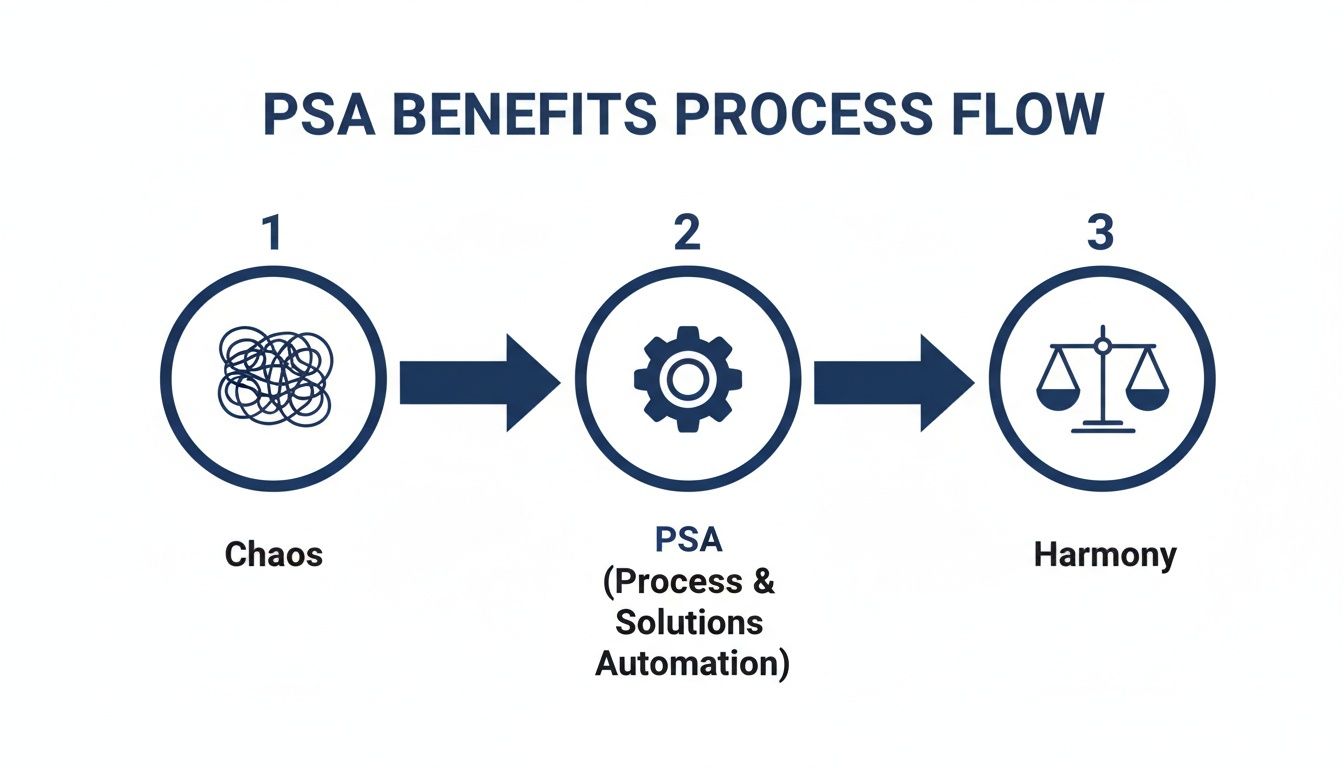
This visual captures that journey from tangled, disconnected processes to an organized, efficient operation, all orchestrated by one central system.
Tracking Work and Managing Health in Real Time
With the project officially live, the Apex Designs team dives in. Every team member sees their assigned tasks on their personal dashboard. As they chip away at their work, they log hours directly against those specific tasks.
For example, a junior architect logs four hours on “Drafting initial floor plans,” while a senior engineer logs two hours on “Structural feasibility review.” This isn’t just about counting hours; it’s about directly connecting effort to project progress and the budget.
At the same time, the project manager has a real-time dashboard showing the project’s vital signs. They can see everything at a glance:
- Budget vs. Actuals: Are we on track, or is one phase burning through its budget way too fast?
- Team Utilization: Is anyone swamped? Or is there an architect with some free time who can jump in and help?
- Milestone Progress: Are we going to hit our key deadlines?
If an expense pops up—like a site visit or blueprint printing costs—a team member just snaps a photo of the receipt with their phone and uploads it via the mobile app. The expense is immediately logged against the project, ready for approval and billing. No more lost receipts.
From Effort to Invoice Effortlessly
A few weeks go by, and the first major milestone is hit. Time to send an invoice. Before the PSA, this was a multi-hour ordeal for the finance team, who’d have to hunt down timesheets, match them with expense reports, and painstakingly build an invoice. Now, it takes about two minutes.
The project manager goes to the billing section, reviews all the approved time and expenses tied to the project, and clicks “Generate Invoice.” The system compiles everything into a detailed, accurate invoice that shows exactly what work was completed.
This isn’t just a time-saver. It dramatically cuts down on revenue leakage—those unbilled hours and forgotten expenses that slowly chip away at a firm’s bottom line. Because every bit of work and every cost is captured in one place as it happens, the firm bills for everything it’s earned. The cash flow improves, and profitability is protected.
This single source of truth, from the first conversation to the final payment, is the heart of what makes a PSA system so indispensable for a modern services firm.
Core Features That Drive Profitability
Modern PSA platforms are way more than just glorified to-do lists; they’re powerful engines built to drive your firm’s profitability. They do this by drawing a straight line from everyday operational tasks—like filling out a timesheet—directly to your financial health. It’s all about turning the raw data from your projects into clear, actionable business insights.
Let’s break down the core features that directly impact your bottom line, changing how you manage people, track budgets, and truly understand your firm’s performance.

This screenshot from a platform like Drum is a perfect example of how profitability insights get visualized. It gives leaders a quick, clear view of project health and financial performance, all in one place. These dashboards boil down complex data into simple charts, making it easy to spot trends and make informed decisions without getting lost in spreadsheets.
Real-Time Budget vs Actuals Tracking
Picture this: a project manager at an engineering firm thinks a major project is humming along nicely. In reality, a junior engineer is sinking way more time than planned into a complex drafting task. Without a PSA, this problem might not pop up until the end-of-month review, long after the budget has been torched.
This is exactly where real-time budget vs. actuals tracking becomes a complete game-changer. As your team members log their hours, the PSA platform instantly stacks that time up against the planned budget for each task and the project as a whole.
This constant, live monitoring lets project managers see potential overruns the second they start to happen. For example, they might get an alert that the “Site Analysis” phase is already at 80% of its budgeted hours but is only 50% complete.
Instead of reacting to budget problems weeks after the damage is done, you can get ahead of them. This might mean shifting resources, having an honest conversation with the client about adjusting scope, or giving extra support to a team member who’s stuck.
This single capability turns project management from a reactive guessing game into a proactive, data-driven discipline. Honestly, it’s the most effective way to protect your margins on every single project you run.
Intelligent Resource and Capacity Planning
Let’s be real—your team is your most valuable and most expensive asset. Making sure they’re working on the right things at the right time is absolutely critical for profitability. This is where resource and capacity planning features really shine.
Think about an operations manager at a busy marketing agency. A huge new client just signed, and they need to staff the campaign yesterday. Before, this would kick off a chaotic scramble of emails and meetings just to figure out who’s actually available.
With a PSA, the manager gets a complete picture of the entire team’s workload in one view. They can see that Sarah, a senior designer, is wrapping up a project next week, while David, a junior copywriter, is over-allocated. She can immediately see the need to bring in a freelance copywriter and tentatively book Sarah for the new campaign, all from one screen.
Effective resource planning helps you:
- Maximize Billable Utilization: Keep your team focused on revenue-generating work by cutting down on unassigned “bench time.”
- Prevent Burnout: Visibly balance workloads across the team so you don’t overwhelm your top performers.
- Forecast Hiring Needs: Spot future resource gaps based on your sales pipeline, letting you hire proactively instead of scrambling.
This strategic approach to staffing ensures you get the most value from your people while keeping them happy and engaged. A well-managed workload is directly tied to both employee retention and client satisfaction.
Powerful Reporting and Analytics Dashboards
Data is only useful if you can actually understand it. The best PSA platforms are brilliant at transforming thousands of data points—from timesheets, expenses, and project plans—into reports and dashboards that make perfect sense. It’s like having a dedicated business analyst on call 24/7. To get a better feel for how this works, you can learn more about the role of advanced time tracking in project profitability and its reporting power.
These dashboards deliver critical insights that help you run your business more strategically. For instance, a firm owner can quickly see:
- Profitability by Client: Which of your clients are true partners, and which ones are draining your resources for little return?
- Profitability by Project Type: Are your fixed-fee projects actually more or less profitable than your time-and-materials work?
- Team Performance: Which project managers consistently bring projects in on time and on budget?
This level of insight empowers you to make confident, data-backed decisions. You can start chasing more of your most profitable work, adjust your pricing strategy, or offer targeted coaching to your team. A PSA platform doesn’t just help you manage your work; it gives you the intelligence to build a healthier, more profitable business.
How to Choose the Right PSA Software
Picking the right professional services automation platform is a huge strategic decision for your firm. This isn’t just about ticking boxes on a feature list; it’s about finding a long-term partner that will grow right alongside you. Think of it less like buying a tool and more like hiring a key operational leader for your entire business. The goal is to land on a solution that actually fits your unique workflows and helps your team do their best work.
Making the right choice means cutting through the marketing noise to focus on what truly matters for your day-to-day operations and future goals. This guide will help you zero in on the most important criteria, ensuring you pick a platform that becomes a genuine asset for your firm.
Prioritize Usability and Team Adoption
The most powerful PSA software in the world is completely useless if your team finds it clunky or confusing. If the platform isn’t intuitive, people will just find workarounds, and you’ll be right back in the chaos of scattered spreadsheets and disconnected apps. A friendly, clean interface is non-negotiable.
When you’re looking at different options, ask yourself:
- Is it easy to navigate? Can a new team member log in and understand the basics without needing a week of training?
- Is time tracking simple? Imagine your busiest engineer trying to log hours on a Friday afternoon. If the process takes more than a minute, it won’t get done right.
- Can project managers find what they need in a hurry? Key data like budget health and team capacity should be accessible in just a few clicks.
A system designed with the user in mind will deliver a much faster return on your investment simply because your team will actually want to use it.
Scrutinize Integration Capabilities
Your PSA platform needs to play well with the other software you rely on every day, especially your accounting system. A clunky or non-existent integration creates a mountain of manual work, increases the risk of errors, and completely defeats the purpose of having a unified system.
The connection between your PSA and your accounting software (like Xero or QuickBooks) should be invisible. When an invoice is generated in the PSA, it should just appear in your accounting system automatically, without anyone having to re-enter a single piece of data.
This is a critical area to poke and prod during demos with potential vendors. Don’t just ask if they integrate; ask to see exactly how the integration works. This small detail can save your finance team dozens of hours every month.
Evaluate Customer Support and Onboarding
Even the most intuitive software comes with a learning curve. The quality of a vendor’s customer support and onboarding can be the difference between a smooth, exciting transition and a frustrating, drawn-out mess. A great software partner invests in your success from day one.
This is especially true as adoption grows among small and medium-sized firms. The professional services sector is seeing explosive growth here, with SMEs expected to drive a CAGR of 12.4% in PSA adoption from 2025 to 2034, largely thanks to flexible, cloud-based solutions. As more firms come on board, the need for excellent support becomes even more critical. You can learn more about these professional services automation market trends and forecasts and see why strong partnerships matter.
Before you commit, get straight answers to a few key questions:
- What does your onboarding process look like for a firm our size? Will you get personalized help or just a link to a generic video library?
- What are your average response times for support tickets? Is live chat or phone support available when you have an urgent issue?
- Can you walk us through your data security measures? Your client and project data is sensitive, so robust security is an absolute must.
Your relationship with the vendor doesn’t end after you sign the contract. Choosing a partner who is responsive, knowledgeable, and genuinely helpful will pay dividends for years to come. Strong project management features are just the start; the human support behind the software is just as important.
The Future of Professional Services Automation
Today’s professional services automation platforms are fantastic for keeping your business organised, but the next generation is shaping up to be something else entirely. We’re moving away from tools that are just simple systems of record and entering an era where your software acts more like a proactive business partner.
At the heart of this shift are intelligent automation and artificial intelligence (AI), and they’re completely changing how firms operate.
Imagine your PSA not just tracking a project’s budget but actively predicting when it’s about to go off the rails. AI-powered features will be able to crunch historical data against current progress to flag a project that’s trending over budget, sending you a heads-up long before it becomes a five-alarm fire.
This isn’t some far-off dream; it’s already starting to happen. AI is rapidly reshaping professional services. In fact, the global AI market in this sector is projected to grow at a blistering 32.4% CAGR through 2030. This shift is happening fast, with generative AI adoption in the professional services space jumping from 33% in 2023 to 71% in just one year. Firms are moving beyond pilots and into full-blown implementation. You can discover more insights about the future of AI in professional services to get a sense of just how big this change is.
From Reactive Management to Predictive Insights
This evolution is all about moving from reactive problem-solving to proactive, intelligent decision-making. The future of PSA is centered on giving you answers before you even think to ask the questions.
It will transform key operational areas:
- Intelligent Resource Allocation: An AI assistant could suggest the perfect engineer for a new task, looking beyond just their skills to consider their current workload and even their past performance on similar projects.
- Automated Status Reporting: Instead of project managers spending hours pulling together weekly updates, an AI could draft comprehensive, data-rich status reports automatically for client review.
- Risk Detection: The system could pick up on early warning signs of client dissatisfaction or scope creep by analyzing communications and project metrics.
The next wave of PSA software won’t just help you manage work; it will help you work smarter. The goal is to automate the mundane and elevate the strategic, freeing up your most valuable resources—your people—for high-impact client activities.
A Smarter Partner for Your Firm
Think of your future PSA as a trusted advisor built directly into your daily workflow. It will offer insights that once required a team of analysts, making high-level strategic guidance accessible to firms of all sizes.
For example, a marketing agency could use its PSA to analyze which types of campaigns consistently deliver the highest margins. Armed with that data, the leadership team can confidently focus their sales efforts on the most profitable work, steering the whole firm toward healthier growth.
This isn’t just about efficiency gains. It’s about building a more resilient, intelligent, and profitable business.
Your Guide to a Smooth PSA Implementation
Making the switch to a professional services automation system should be an exciting moment for your firm, not a source of dread. A great rollout isn’t about flipping a switch overnight; it’s about a deliberate, well-planned process that gets your whole team pulling in the same direction. This roadmap will walk you through it, one step at a time.

Planning and Data Migration
First things first: planning. This is the most crucial part of the entire process. Before you even think about moving data, you need to map out your current workflows. Get brutally honest about what’s working, what’s broken, and how a PSA can actually solve those problems.
This is also the perfect time for some spring cleaning. Tidy up your data. Make sure client lists are current, project statuses are correct, and all your historical info is accurate. A clean start ensures you don’t drag old baggage into your shiny new system.
Finally, you need an internal champion. This is someone on your team who is genuinely excited about the change and can rally the troops. They’ll become the go-to person for questions and will be key to keeping the momentum going.
Team Training and Onboarding
With a solid plan locked in, it’s all about your people. Team buy-in is the single biggest predictor of a successful implementation. Period. Start by explaining the “why”—not just the “what.” Focus on how it will make their jobs easier, like cutting down on manual data entry or giving them a clearer view of project progress.
Don’t try to boil the ocean. A great strategy is to begin with a single pilot project. This allows a small group to learn the system in a low-stakes environment, working out any kinks before you roll it out to the entire firm.
This controlled approach builds confidence and turns that initial group into internal experts who can then help train their colleagues. Many firms also find great value in ensuring their new system works perfectly with existing tools. You might be interested in learning more about how a PSA can simplify your finances through a seamless integration with QuickBooks.
Workflow Customization and Go-Live
Once your team starts getting the hang of it, you can begin tailoring the platform to your firm’s unique DNA. This might mean building out project templates for your most common engagement types, setting up custom dashboards for reporting, or configuring specific user roles and permissions. The goal is to make the software feel like it was built just for you.
When you’re ready to go live, treat it like an event. Celebrate the launch! And be prepared to offer plenty of hands-on support in those first few weeks. Remember, adopting professional services automation isn’t just about new software. It’s a strategic investment in making your firm more scalable, profitable, and ready for whatever comes next.
Got Questions About PSA?
Even after diving into the details, it’s totally normal to have a few questions rattling around. Let’s tackle some of the most common ones we hear from firms thinking about making the switch to a professional services automation platform.
How Is a PSA Different from a Project Management Tool?
It’s a great question, and the distinction is crucial. Think of it like this: a project management tool helps you build the car, while a PSA helps you run the entire car factory.
A standard PM tool like Trello or Asana is fantastic for the nuts and bolts of a project—managing tasks, hitting deadlines, and keeping the team collaborating. But a PSA does all that and then connects it to the rest of the business. It integrates the project delivery with the sales pipeline, time tracking, resource planning, expense management, and finally, invoicing.
In short, it connects the financial health of the project to its day-to-day execution, giving you one clear picture from the moment you pitch the work to the day the final invoice is paid.
Is a PSA Only for Large Consulting Firms?
Not anymore! That might have been true a decade ago when these systems were clunky, expensive, and built for massive corporations. But the game has completely changed.
Modern, cloud-based PSA platforms are built specifically for the agility and budgets of small to medium-sized firms. Whether you’re a ten-person architecture practice, a growing marketing agency, or a creative studio, these tools level the playing field.
They deliver the same powerful operational insights once reserved for the giants, helping smaller firms compete, punch above their weight, and scale without the growing pains.
How Long Does It Take to Implement a PSA System?
The implementation timeline has shrunk dramatically with today’s intuitive software. For most small and medium-sized firms, you’re looking at getting up and running in a matter of days or weeks, not the months-long sagas of the past.
The process usually just involves a few straightforward steps:
- Importing your client and project data.
- Connecting to your accounting software like Xero or QuickBooks.
- Inviting your team to jump in.
The real key is choosing a solution with a clean interface and solid support. A fantastic way to guarantee a smooth rollout is to start with a single pilot project. Let the team learn the ropes on one job before moving your entire portfolio over.
This approach builds confidence and momentum internally, turning what could feel like a daunting task into a manageable—and genuinely exciting—step forward for your business.
Ready to replace operational chaos with clarity and control?
See how Drum unifies your entire workflow from proposal to payment.
Start your free 14-day trial and discover a better way to run your studio.