
 Pipeline & Proposals
 Project Management
 Resource Planning
 Time & Costs
 WIP & Invoicing
 Commercial Reporting
 Consulting Engineers
 Architects
 Town Planners
 Building Designers
Project Management for Marketing Agencies: How to Run More Campaigns Without More Chaos

Ben Walker
Written for Drum
In This Article
Project Management for Marketing Agencies
Ever had that sinking feeling? A massive campaign is on the verge of imploding. Deadlines are flying by, the client keeps tacking on “just one more thing,” and your creative team and data analysts might as well be on different planets. If that sounds painfully familiar, you’re not alone. It’s the classic sign that a specialized approach to project management for marketing agencies isn’t just a nice-to-have. It’s a matter of survival.
Why Generic Project Management Fails Marketing Agencies

Most old-school project management systems were built for predictable, linear industries. Think construction. They’re fantastic at handling projects with a clear beginning, a defined middle, and a concrete end: build a bridge, put up a building. You lay one brick, then the next.
But marketing isn’t about laying bricks. It’s about working in a digital environment that changes by the minute.
An agency’s day is a whirlwind of overlapping projects, last-minute client feedback, and market shifts that demand an immediate pivot. A generic, off-the-shelf tool just can’t keep pace with that kind of dynamic workflow. It’s like trying to race a freight train around a track. Powerful, but not built for the twists and turns.
The unique challenges of agency workflows run deep. Unlike manufacturing a widget, agency work is fluid. A single campaign can have dozens of moving parts spread across highly specialized teams: SEO analysts, copywriters, graphic designers, paid media specialists, you name it.
This organized chaos demands a system built for genuine collaboration, not just ticking off tasks on a list. Let’s look at some of the pain points every agency knows all too well:
- Juggling Multiple Clients: Every client has their own goals, communication quirks, and deadlines. You need a system that can keep all those plates spinning without letting one crash. For example, Client A needs their social media report on Monday, while Client B has an urgent website change that can’t wait. A good system helps you prioritize both without panic.
- Constant Scope Creep: The infamous “can you just…” request from a client can completely derail timelines and budgets. Without a structured yet flexible framework, you’re toast. A simple request to add a new section to a webpage can easily spiral into a multi-day task involving copywriters, designers, and developers.
- Bridging Creative and Analytical Teams: Creatives thrive on freedom and innovation. Analytical teams need hard data and structure. A one-size-fits-all tool usually ends up frustrating everyone. A project management system needs to give designers a visual board to track assets while also providing data analysts with the spreadsheets and integrations they need.
The numbers paint a pretty clear picture. According to one report, a staggering 27% of marketers feel satisfied with how their teams handle projects. This isn’t just a morale issue; it has real financial consequences. Organizations lose an average of $109 million for every $1 billion invested simply due to poor project management. Recent data from Monday.com’s roundup of project management statistics shows that organizations adopting dedicated PM software report a 27% improvement in project success rates, proving the right systems make a measurable difference.
The heart of the problem is this: agencies don’t produce widgets. They produce ideas, strategies, and results. These things aren’t linear, and trying to shove them into a rigid, outdated system is a surefire recipe for burnout, missed deadlines, and unhappy clients.
The tools and processes that work for building a skyscraper are bound to fail when you’re launching a multi-channel digital campaign. Recognizing this fundamental mismatch is the first real step toward finding a solution that fits the fast-paced, client-first world of a modern agency. You can explore how specialized tools are helping various marketing teams succeed. A tailored approach confirms that your struggles are not only valid but also entirely solvable.
The Four Pillars of Modern Agency Project Management
![A team collaborating around a table with laptops and project management charts.]
Moving from chaos to clarity isn’t about finding a rigid rulebook. It’s about building a solid foundation. Think of effective project management for marketing agencies as a flexible structure built on four essential pillars. Get these right, and you’ll be ready to handle the unpredictable nature of agency work, setting every project up for success from the get-go.
This isn’t some abstract theory. It’s about what you do day in and day out. Each pillar supports the others, creating a system that’s tough enough to handle multiple clients and tight deadlines, yet flexible enough to let creativity shine.
Proactive client communication is the first pillar, and it’s all about building trust and killing ambiguity. Proactive communication isn’t just sending a weekly update email; it’s about creating a true partnership where clients feel informed, confident, and completely in the loop. It’s the difference between a client nervously asking, “What’s the status on that deliverable?” and you confidently telling them, “Here’s the latest update, and here’s what’s coming next.”
For instance, that kickoff meeting is more than a formality. It’s your golden opportunity to establish clear communication channels (like a dedicated Slack channel or a weekly check-in call), identify who needs to approve what, and agree on the entire approval process. A practical example is creating a shared “Client Portal” where they can see progress, review mockups, and leave feedback directly on the design files, eliminating confusing email chains. Nailing this at the start prevents a storm of frantic calls later on.
Strategic scope and resource planning is the second pillar. You need to define exactly what you’re going to deliver and who’s doing each piece of the puzzle. Without a rock-solid scope, you’re basically inviting “scope creep,” those little “can you just” requests that slowly bleed your timelines and profitability dry. A well-defined scope is your project’s North Star, guiding every single decision.
Resource planning is its other half. This is where you look at your team’s actual capacity and skills to make sure the right people are on the right tasks.
- Scope Definition: Kick things off with a detailed Statement of Work (SOW) that clearly lists every deliverable (e.g., “four 1,000-word blog posts per month”), specifies the number of revisions included (“two rounds of revisions per post”), and, just as importantly, states what’s explicitly out of scope (“video production is not included”).
- Resource Allocation: Use a workload management tool to see who’s available and who’s about to break. If your lead designer is already at 110% capacity, you’ll know to either shift deadlines or call in freelance help before it becomes a five-alarm fire.
A project without a defined scope and a clear resource plan is like a ship leaving port without a destination or a crew manifest. You’re definitely moving, but you have no control over where you’re going or if you even have the right people to get there.
Repeatable workflow standardization is the third pillar, and it’s where you start building some serious efficiency. Why are you reinventing the wheel for every new client? Standardization is all about creating repeatable processes and templates for your most common tasks, which slashes manual effort and minimizes the chance of someone dropping the ball. It’s how you guarantee consistency and quality across all of your accounts.
A client onboarding template is a perfect example. Instead of scrambling every time, you fire up a pre-built checklist in your project management tool that includes tasks like:
- Send welcome packet and initial questionnaire.
- Schedule kickoff meeting.
- Request access to client’s Google Analytics and social accounts.
- Set up the internal project folder and comms channels.
This simple workflow ensures you deliver a flawless, professional kickoff every single time, setting a positive tone for the entire relationship. This isn’t about stifling creativity; it’s about systemizing the routine stuff so your team can pour their brainpower into high-value strategy and creative work.
Clear performance and profitability tracking is the final pillar, tying your project execution directly to your agency’s financial health. Look, it’s not enough for a project to finish on time; it has to be profitable. This means tracking the key metrics that tell you whether you’re winning for the client and for your own bottom line.
Start tracking things like billable vs. non-billable hours, project budget variance, and overall project margin. When you log time accurately against specific tasks, you can finally see if that “simple” social media campaign actually took double the hours you quoted. For example, by tracking time, you might discover that your team spends an average of 6 hours on “minor revisions” for a certain client, which helps you adjust your pricing for the next contract. This data is pure gold. It helps you craft much more accurate quotes in the future and pinpoint which services are actually making you money.
How to Choose the Right Project Management Tools
Walking into the world of project management software can feel like stepping into a massive, noisy electronics store. Bright lights, flashy features, and a dozen salespeople are all shouting at once. It’s easy to get overwhelmed.
So, let’s sidestep the noise for a minute. Instead of immediately comparing software, we need to start with a simpler, more powerful question: What does your agency actually need?
The best tool is never the one with the most bells and whistles. It’s the one your team will actually use because it genuinely solves their day-to-day problems. A great piece of software should feel like a helpful assistant, not another complex system to learn. It needs to simplify work for everyone, from your creative director managing visual assets to your account managers keeping clients happy.
While the market for this software is booming, it’s surprising how many agencies still run on chaos. The global project management software market is expected to hit $7.24 billion, yet a staggering 77% of organizations manage their projects with a messy mix of spreadsheets, emails, and paper notes, according to The Business Dive’s analysis of PM statistics. That gap represents a massive opportunity for agencies to get a real competitive edge.
First, define your needs, not your software. Before you even glance at a pricing page, pull your team together and create a “must-have” features list. Think about your biggest daily frustrations and work backward from there.
Are you constantly chasing down client feedback? Drowning in manual status updates? Unsure who has the capacity for that urgent new project? Your list of non-negotiables might look something like this:
- Integrated Client Portals: A dedicated, professional space for clients to review deliverables, leave feedback, and see project progress without a dozen back-and-forth emails.
- Precise Time Tracking: The ability to log hours against specific tasks and projects. This isn’t just for billing; it’s about understanding profitability and building smarter quotes next time. For more on this, check out our guide on the benefits of Professional Services Automation (PSA) software.
- Visual Resource Planning: A clear dashboard showing who is working on what and who has the bandwidth for new tasks. This is your key to preventing team burnout before it starts.
- Easy Integrations: The power to connect with the tools you already rely on every day, like Slack, Google Drive, or your accounting software.
A quick comparison of top agency tools is the next step. Once you have your needs clearly defined, you can start exploring platforms that actually align with them. Here’s a quick look at how some of the leading tools cater to different agency requirements.
Here’s an example of what your project management tool can look like:
This kind of visual dashboard helps teams instantly see project status, ownership, and timelines, turning complex data into a clear plan of action.
To help you sort through the options, we’ve compared some of the most popular platforms agencies turn to. Each has its own personality and strengths, so think about which one best matches your team’s workflow and culture.
Key features of top agency project management tools. This table compares essential features across popular project management platforms to help agencies identify the best fit for their specific needs.
| Feature | Asana | Monday.com | ClickUp | Drum |
|---|---|---|---|---|
| Best For | Agencies needing flexible project views (lists, boards, timelines) and strong task management. | Teams that want highly visual dashboards and powerful, easy-to-build automations. | Agencies that desire an all-in-one, highly customizable platform to manage everything. | Service-based agencies focused on client work, profitability, and resource management. |
| Key Strength | Its workflow builder and goal-tracking features are excellent for connecting daily tasks to larger campaign objectives. | The intuitive, colorful interface and pre-built templates make it one of the easiest platforms to adopt. | Its sheer customizability allows you to build a system perfectly tailored to any agency workflow you can imagine. | Very customizable and its thorough, built-in time tracking and client management features are designed specifically for agency workflows. |
| Potential Drawback | Can become cluttered for large teams if strict organizational processes aren’t maintained from the start. | The cost can add up quickly as you add more users and unlock advanced features on higher-tier plans. | The vast number of features can feel overwhelming for new users, requiring a more structured onboarding process. | Learning all the features might take time and but a structured onboarding process seems to negate this. |
Ultimately, choosing a tool comes down to finding the one that removes friction, not adds it. The right software gives your team the structure they need without stifling the creativity that makes your agency great.
The ultimate goal isn’t just to buy software; it’s to buy back your team’s time. The right tool automates the tedious administrative work, freeing up your talented people to focus on what they do best: creating amazing work and building great client relationships.
Driving team adoption is just as important as picking the right software. Remember, even the most powerful software is useless if nobody uses it. To ensure a smooth transition, involve your team in the final decision-making process.
Run a free trial with a small pilot project and gather genuine feedback. For example, ask your design team to manage one client’s social media graphics project in the new tool for a week. When your team feels heard and sees how the new tool directly reduces their daily headaches, they won’t just adopt it; they’ll champion it.
Building Your Bulletproof Agency Workflow
Theory is great, but let’s get our hands dirty. True mastery of project management for marketing agencies comes from turning abstract ideas into a tangible, repeatable process. This is where you build the operational engine that cranks out consistent results for your clients and, just as importantly, protects your team from the chaos of unchecked projects.
To make this real, we’ll walk through a common agency project from start to finish: launching a client’s first content marketing campaign. We’ll break the entire project down into five clear, actionable phases. Think of this as a blueprint you can adapt for almost any service your agency offers.
Phase 1: Client kickoff and discovery. This first phase is all about alignment. A strong start is your best defense against misunderstandings and scope creep later on. The goal here is to become a sponge—soak up as much information as possible and set crystal-clear expectations with the client.
- Essential Tasks:
- Run an in-depth kickoff meeting to nail down goals, KPIs (e.g., “increase organic traffic by 15% in 6 months”), and the target audience.
- Perform a full content and SEO audit of the client’s existing digital footprint.
- Complete a competitor analysis to see where the opportunities and threats are.
- Role Assignments:
- Account Manager: Leads all client communication and runs the kickoff meeting.
- Content Strategist: Owns the audits and initial research.
- Key Deliverable: A signed-off Project Brief that summarizes all findings, goals, and the agreed-upon KPIs.
Phase 2: Strategy and campaign planning. With a solid grasp of the client’s world, you can now build the strategic roadmap for the campaign. This is where you define the what, why, and how of the project. A well-documented plan is a lifesaver, ensuring everyone on your team knows exactly what they need to do and when.
This is also the stage where you lean heavily on your tools. Choosing the right software isn’t just about features; it’s about supporting the workflow you’re designing right now.
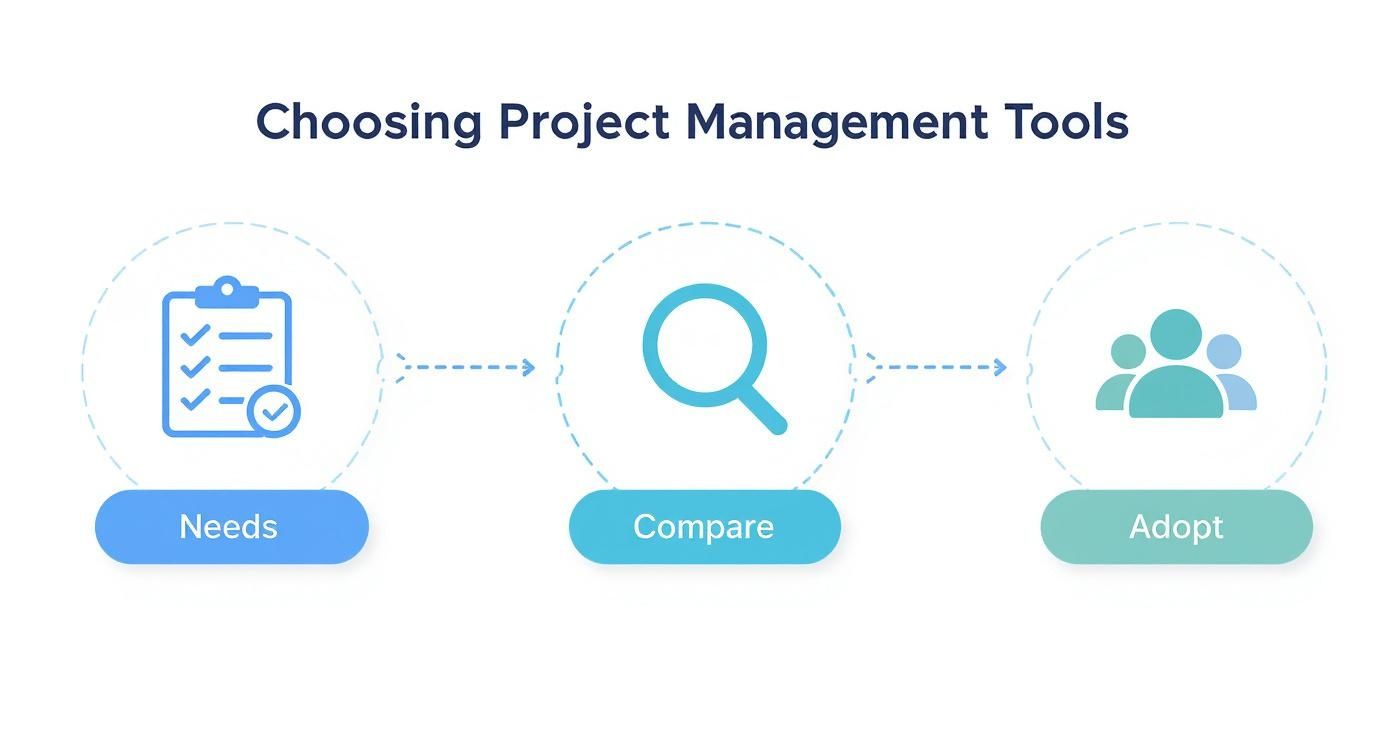
As the graphic shows, a successful tool rollout starts long before you ever swipe a credit card. It begins with a deep, honest look at what your team actually needs to get the job done.
- Essential Tasks:
- Develop the core campaign themes and content pillars (e.g., “Cost Savings,” “Productivity Tips,” “Customer Success Stories”).
- Create a detailed content calendar with topics, formats, and publishing dates.
- Outline a promotion and distribution strategy for every piece of content.
- Role Assignments:
- Content Strategist: Develops the calendar and the overarching strategy.
- Project Manager: Builds out the project timeline and assigns resources in your PM tool.
- Key Deliverable: A comprehensive Content Strategy and 3-Month Editorial Calendar, approved by the client.
Phase 3: Content creation and execution. Alright, time for your creative team to shine. This phase is all about execution—turning that strategic plan into high-quality content. Smooth handoffs and structured feedback loops are absolutely critical here to keep the project on schedule and prevent creative bottlenecks.
This is also where precise time tracking becomes a non-negotiable. Understanding exactly how long it takes to write, design, and revise content is the only way to know if your projects are actually profitable. Thankfully, modern platforms offer powerful tools for agency time tracking that make logging hours against specific tasks simple and accurate.
Pro-Tip: Don’t start from scratch every time. Build a project template in your PM software for each service you offer. For a content campaign, your template can have pre-built task lists for each phase, saving you dozens of hours on setup for every new client.
- Essential Tasks:
- Write and edit all blog posts, articles, and social media copy.
- Design all associated graphics, infographics, and lead magnets.
- Submit all content for internal review first, then for client approval.
- Role Assignments:
- Copywriter & Designer: Create the actual content assets.
- Account Manager: Manages the client feedback and approval process.
- Key Deliverable: Final, client-approved content assets, ready for publication.
Phase 4: Performance reporting and analysis. Once the campaign is live, your job isn’t over; it’s just shifted gears. This phase is all about tracking performance against the KPIs you set way back in Phase 1. Data-driven analysis is what separates the good agencies from the great ones. It’s how you prove your value and get smarter for the next campaign.
- Essential Tasks:
- Monitor key metrics (e.g., website traffic, leads generated, keyword rankings).
- Compile a monthly performance report with clean, easy-to-understand data visualizations.
- Schedule a monthly review call with the client to discuss results and insights.
- Role Assignments:
- SEO/Analytics Specialist: Pulls and analyzes all the data.
- Account Manager: Creates the report and presents the findings to the client.
- Key Deliverable: A Monthly Performance Report and a summary of key takeaways.
Phase 5: Ongoing optimization. Finally, you use the insights from your analysis to make the campaign even better. This continuous improvement loop shows your clients you’re a proactive partner, not just a task-doer. It ensures their investment with you delivers compounding returns over time.
- Essential Tasks:
- Identify top-performing content (“The Ultimate Guide to X” drove 50% of new traffic) and find opportunities to expand on it (e.g., create a webinar or video version).
- Pinpoint underperforming assets and create a plan to improve or replace them.
- Adjust the content calendar for the next quarter based on hard data.
- Role Assignments:
- Content Strategist: Leads optimization efforts and updates the strategy.
- Project Manager: Adjusts project plans and resource allocation for the next cycle.
- Key Deliverable: An updated Content Strategy document with data-backed recommendations for the upcoming quarter.
Using AI for Smarter Project Management
Artificial intelligence has officially moved out of the sci-fi aisle and into the project manager’s toolkit. When we talk about AI in an agency setting, don’t picture a robot overlord. Instead, think of it as a smart, tireless assistant who’s brilliant at handling the soul-crushing, repetitive work. This frees up your actual team to focus on what they were hired for: creative problem-solving, strategic thinking, and nurturing client relationships.
This isn’t about replacing project managers. It’s about giving them superpowers. By taking the grunt work off their plate, AI helps your team work smarter and make decisions backed by data, not just gut feelings.
Automating tedious tasks and gaining predictive insights is where AI delivers immediate value. Right out of the gate, one of the biggest wins with AI is its knack for crushing administrative burdens. Imagine a project manager spending hours chasing down status updates and stitching together a progress report. An AI-powered tool can pull all that data together (completed tasks, budget burn, upcoming deadlines) and generate a comprehensive report in seconds.
But it gets much more interesting than that. AI isn’t just about automation; it’s about prediction. Modern tools can comb through your agency’s past project data to give you a glimpse into the future.
- Timeline Forecasting: Based on how long similar campaigns have actually taken, AI can give you a much more realistic timeline for new ones. No more plucking deadlines out of thin air. For example, it can analyze 50 past web design projects to predict that a new 5-page site will likely take 250 hours, not the 180 you guessed.
- Risk Detection: It acts like an early warning system. For example, if it notices a designer’s workload is consistently red-lining, it can flag the risk of burnout or bottlenecks before they derail a project.
- Budget Monitoring: AI can keep a real-time watch on project spending against the budget, shooting off an alert if things are starting to creep into the red.
This shift toward data-driven operations is already happening. Agencies are leaning heavily on AI and analytics to sharpen their project management for marketing agencies. A pretty staggering 83% of marketers are now using generative AI in their campaigns, while 63% are using predictive analytics to forecast results. PMI’s 2025 Pulse of the Profession report found that organizations prioritizing business acumen and interpersonal capabilities in their project teams achieve 72% business goal success rates, compared to just 65% for those that don’t. Meanwhile, Ravetree’s analysis of project management trends shows AI in project management is already a $3.58 billion market, growing at over 16% annually.
Making your team more human, not less. It’s tempting to frame AI purely in terms of efficiency gains, but the real magic is how it amplifies our human strengths. When your team isn’t drowning in manual data entry or playing telephone for status updates, they have more brainpower for the work that truly matters.
The real power of AI in project management is that it handles the robotic work. This frees your team to focus on the human stuff that actually drives agency growth—building rock-solid client relationships, cooking up innovative strategies, and delivering knock-out creative work.
Think about it. An account manager can spend less time building spreadsheets and more time on the phone with a client, truly understanding their business goals. A creative director can spend their afternoon mentoring junior talent instead of chasing down timesheets.
Many top-tier project management platforms are already baking these features right in. You’ll often see this as an “AI assistant” that can summarize a chaotic comment thread, suggest who to assign a task to based on skills, or even draft the first version of a project brief. By bringing these tools into your workflow, you’re not just making things faster; you’re investing in your team’s focus and creative firepower.
So with AI helping you work smarter and the right tools in place, what about those tricky day-to-day situations that still trip agencies up? Here are some straight-up answers to the most common hurdles agency leaders face when trying to get their project management humming.
We’ve pulled these questions from years of conversations with agencies just like yours. The goal here is quick, actionable advice you can put to work today.
What is the best methodology for a marketing agency? There’s no single “best” one, but a hybrid approach is almost always the answer. Trying to force a rigid system like pure Agile or strict Waterfall onto the creative chaos of agency life is just asking for trouble.
The most successful agencies we see blend the two into what some people call “Wagile.”
- Waterfall for Structure: Use this for the big picture. It’s perfect for setting overall budgets, locking in major client-facing deadlines, and mapping out the key phases of a campaign. This gives clients the predictability they need to feel comfortable.
- Agile for Execution: Break out methods like Kanban or Scrum for the day-to-day grind. A visual Kanban board with columns like “To Do,” “In Progress,” “In Review,” and “Done” is a fantastic way to manage the fluid, fast-paced work of creating content or designs. It gives your team the flexibility to pivot without breaking the whole plan.
This combo really is the best of both worlds. You get a sturdy, predictable container for the project (which keeps the client happy) and a flexible, adaptive space for your team to do their best work inside it.
How do I get my creative team to use a PM tool? Okay, this is a big one. The key is to frame the tool as a shield that protects their creative time, not just another way to micromanage them. Creatives often push back on these tools because they see them as administrative overhead that kills their flow. Your job is to show them the exact opposite is true.
The whole point of a good PM system is to kill the constant interruptions, slash the number of unnecessary meetings, and put every brief, asset, and piece of feedback in one single, predictable place. Once they see the tool as a way to guard their focus, you’ll see adoption skyrocket.
Get them involved when you’re choosing a tool—they’ll naturally gravitate towards something with a clean, visual interface. Then, start small. Run a pilot project to show them a quick, tangible win. For instance, show them how they can get all design feedback consolidated in one place with clear annotations, eliminating the need to dig through five different email threads. Make it clear the goal isn’t more admin, it’s creating just enough order so they have more freedom and less frustration.
How can we better manage scope creep? Managing scope creep is really about proactive, professional communication. It begins way before you ever hear that dreaded phrase, “can you just quickly…”
Your first and most powerful line of defense is a rock-solid Statement of Work (SOW) that gets signed before a single minute of work begins. This document needs to spell out, in no uncertain terms, all deliverables, timelines, and the specific number of revision rounds included.
When a client asks for something extra, the response should always be positive but structured. Acknowledge what a great idea it is, then immediately follow up with a formal change order. A friendly script could be: “That’s a fantastic idea, and I think it would add a lot of value. Since it’s outside our original scope, I’ll send over a quick change order that outlines the extra cost and how it will adjust our timeline. Let me know if you’d like me to proceed!” This approach shows you respect their idea while also reinforcing the value of your team’s time, protecting both your profitability and your project schedule.
Ready to unify your proposals, projects, and profitability into a single source of truth?
Drum is the all-in-one platform built to run your agency from proposal to invoice.
Start your free 14-day trial and see how it works.