- The Modern Guide to Project Management Resource Plans
- Why Your Resource Plan is Your Firm’s Secret Weapon
- Core Components of a Modern Resource Plan
- Stop Guesswork and Start Strategizing
- Protect Your Profitability
- Crafting Your Resource Plan From Scratch
- Define Roles Beyond Job Titles
- Forecast Your Future Demand
- Map Resources to Tasks and Phases
- Master the Art of Capacity Leveling
- Bringing Your Resource Plan to Life with PSA Tools
- From Static Forecast to Active Management
- Visualize Your Firm’s Capacity in Real Time
- Why Integration Matters for Profitability
- Avoiding Common Resource Planning Pitfalls
- The Myth of 100 Percent Capacity
- Forgetting About the Non-Billable Essentials
- The Danger of a Rigid Plan
- Optimizing for Profitability and People
- Strategically Blend Your Talent
- Resource Optimization Strategies at a Glance
- Drive Billable Utilization and Versatility
- Use Data to Make Smarter Decisions
- Your Resource Planning Questions Answered
- How Often Should We Update Our Project Resource Plan?
- What Is the Difference Between Resource Allocation and Leveling?
- Can a Small Firm Really Benefit from a Formal Resource Plan?
- How Do You Handle Unexpected Resource Conflicts Mid-Project?
The Modern Guide to Project Management Resource Plans
A project management resource plan is your strategic blueprint for getting a project over the line on time and on budget. It maps out all the people, skills, and tools you need. But it’s not just a static list of names. Think of it as a friendly, dynamic guide that ensures you have the right resources, in the right place, at the right time.
Why Your Resource Plan is Your Firm’s Secret Weapon
Let’s be honest—for any consulting or professional services firm, your people are your product. A brilliant strategy is useless without the right team to execute it. This is where a project management resource plan becomes so much more than an administrative task; it’s the very engine driving your firm’s profitability and stability.
Without a clear plan, you’re essentially flying blind. You might accidentally triple-book your star engineer, Sarah, on critical projects or leave a talented junior designer, Mike, on the bench for weeks. This kind of guesswork is a direct path to project chaos, team burnout, and shrinking profit margins.
A good resource plan details the who, what, and when for every project, creating clarity for the entire team. Before we dive into building one, let’s get friendly with the key pieces involved.
Here’s a quick look at the essential elements that make up an effective resource plan for any professional services firm.
Core Components of a Modern Resource Plan
| Component | What It Is | Why It Matters (and a friendly example!) | | :— | :— | :— | | Roles & Skills Inventory | A detailed list of team members, their specific skills, seniority, and certifications. | Quickly find the best-fit person for a task. For example, instead of just “a developer,” you can find “a developer with 3+ years of React Native experience.” | | Demand Forecast | An estimation of the resources needed for upcoming projects based on the sales pipeline. | Plan ahead and avoid last-minute scrambles. If you see three big branding projects on the horizon, you know you need to secure your top copywriters now. | | Resource Allocation | The process of assigning specific individuals to tasks, phases, or entire projects. | Ensures project needs are met without overbooking anyone. It’s how you make sure Sarah isn’t scheduled for 60 hours of work in a 40-hour week. | | Capacity & Utilization | A real-time view of each team member’s availability and how much of their time is booked. | Prevents burnout and maximizes profitability. It shows you that Mike has bandwidth, so you can pull him onto that new client pitch. | | Timeline & Dependencies | A schedule showing when each resource is needed and how their work connects to other tasks. | Highlights potential bottlenecks. You see that the design work must be done by Friday, or the development team will be stuck waiting next week. | | Budget & Costs | The financial breakdown of resource costs, including salaries, rates, and any equipment expenses. | Keeps the project financially on track. It tells you if assigning your most senior (and expensive) engineer to a simple task is a wise financial move. |
Having these components in place transforms your plan from a simple document into a powerful strategic tool for managing your most important asset—your people.
Stop Guesswork and Start Strategizing
A well-built resource plan pulls you out of a reactive state and into a proactive one. Instead of scrambling to staff a new project, you can look ahead, see who’s rolling off an old one, and make calm, informed decisions.
This foresight is absolutely crucial for managing workloads and preventing the burnout that plagues so many professional services teams. When workloads are balanced, people are more engaged, productive, and far more likely to stick around. You can check out our detailed guide on project resource management for more tips on balancing team capacity.
A great resource plan doesn’t just allocate people; it protects them. By providing a clear view of everyone’s commitments, it acts as a safeguard against the chronic over-allocation that leads to stress, missed deadlines, and subpar work.
Protect Your Profitability
Every hour a team member spends on a non-billable task or sits idle waiting for work is a direct hit to your bottom line. A resource plan maximizes utilization by ensuring your team’s valuable time is allocated effectively to revenue-generating activities.
The industry data paints a stark picture: globally, 9.9% of every dollar is wasted due to poor project performance. Even more telling, 39% of project managers name resource allocation as their single biggest challenge. A solid plan directly tackles these issues by aligning your most valuable assets—your people—with your most important projects.
Ultimately, a robust resource plan is your firm’s competitive advantage. It turns your team’s collective skills into a predictable, manageable, and profitable operation, solving the core challenges that keep managers and firm owners up at night.
Crafting Your Resource Plan From Scratch
Putting theory into practice is where a resource plan stops being a document and starts delivering real value. Building one from scratch might feel like a huge task, but it’s really just a logical process that turns fuzzy project goals into a concrete action plan. This is your best shot at getting ahead of the chaos before it starts.
The whole thing boils down to asking the right questions before you’re in the thick of it. Who do we need? When are they needed? And critically, do they actually have the bandwidth to deliver great work without burning out?
Let’s walk through how you can find those answers.
Define Roles Beyond Job Titles
First thing’s first: you need a crystal-clear picture of the skills your project demands. It’s all too easy to say, “We need a Senior Engineer,” but that’s way too vague. Are you looking for someone with deep expertise in structural steel analysis, or do you need a savvy negotiator who can handle client-side permit approvals?
Specificity is your best friend here. Stop thinking in titles and start thinking in competencies.
For example, an architecture firm planning a new commercial high-rise might break down its team needs like this:
- Lead Architect: Needs 10+ years of experience in high-rise commercial projects, plus proven expertise navigating city zoning regulations. Let’s say that’s Maria.
- Structural Engineer: Must be a pro at seismic retrofitting and have advanced skills in Autodesk Revit. That sounds like David.
- Junior Draftsperson: Basic CAD skills are a must, but a strong willingness to learn and meticulous attention to detail are even more important. We have a great new hire, Chloe, who fits this perfectly.
Getting this granular ensures you aren’t just filling a seat—you’re matching the right talent to the right challenge. It’s also a fantastic way to spot any skill gaps in your current team nice and early.
Forecast Your Future Demand
Once you know the what (the skills), it’s time to figure out the when and how much. Forecasting demand isn’t about guesswork; it’s a strategic calculation based on your project pipeline and past performance.
Take a hard look at your sales pipeline, including both confirmed and highly probable projects. How many “Senior Engineer” hours will you realistically need next quarter? Then, dig into your historical data. Did your last commercial build require way more electrical engineering support than you’d planned for? Use that insight to fine-tune your forecast.
This is more critical than ever in the current market. The project management workforce is set to explode, growing by 33% by 2027 across 11 countries. While that signals a booming industry, it comes with a serious talent shortage. With nearly 30 million new professionals needed by 2030, you simply can’t afford to wait until the last minute to find good people. You can read more about these project management workforce statistics to get a sense of the growing competition.
Map Resources to Tasks and Phases
With your skills defined and demand forecasted, the next step is to start mapping actual people to specific tasks and project phases. This is where your project management resource plan begins to come to life. You’re finally connecting the dots between project requirements and your team’s real-world capacity.
Let’s go back to our architecture firm. Their resource map might look something like this:
- Phase 1 Discovery (Weeks 1-4): Maria (Lead Architect) at 50% allocation, plus a Senior Designer at 25%.
- Phase 2 Schematic Design (Weeks 5-12): Maria at 75%, the Senior Designer at 100%, David (Structural Engineer) at 50%, and Chloe (Junior Draftsperson) at 100%.
- Phase 3 Construction Docs (Weeks 13-20): David at 100%, Chloe at 100%, and an external MEP Consultant as needed.
This kind of mapping gives you a clear line of sight into who is needed and when, flagging potential bottlenecks or periods of insane demand long before they become five-alarm fires.
Your resource map is more than a schedule; it’s a commitment. It clarifies expectations for every team member and provides a single source of truth for the entire project, reducing confusion and aligning everyone on the path forward.
This visual process flow shows how a well-structured resource plan directly leads to better business outcomes.
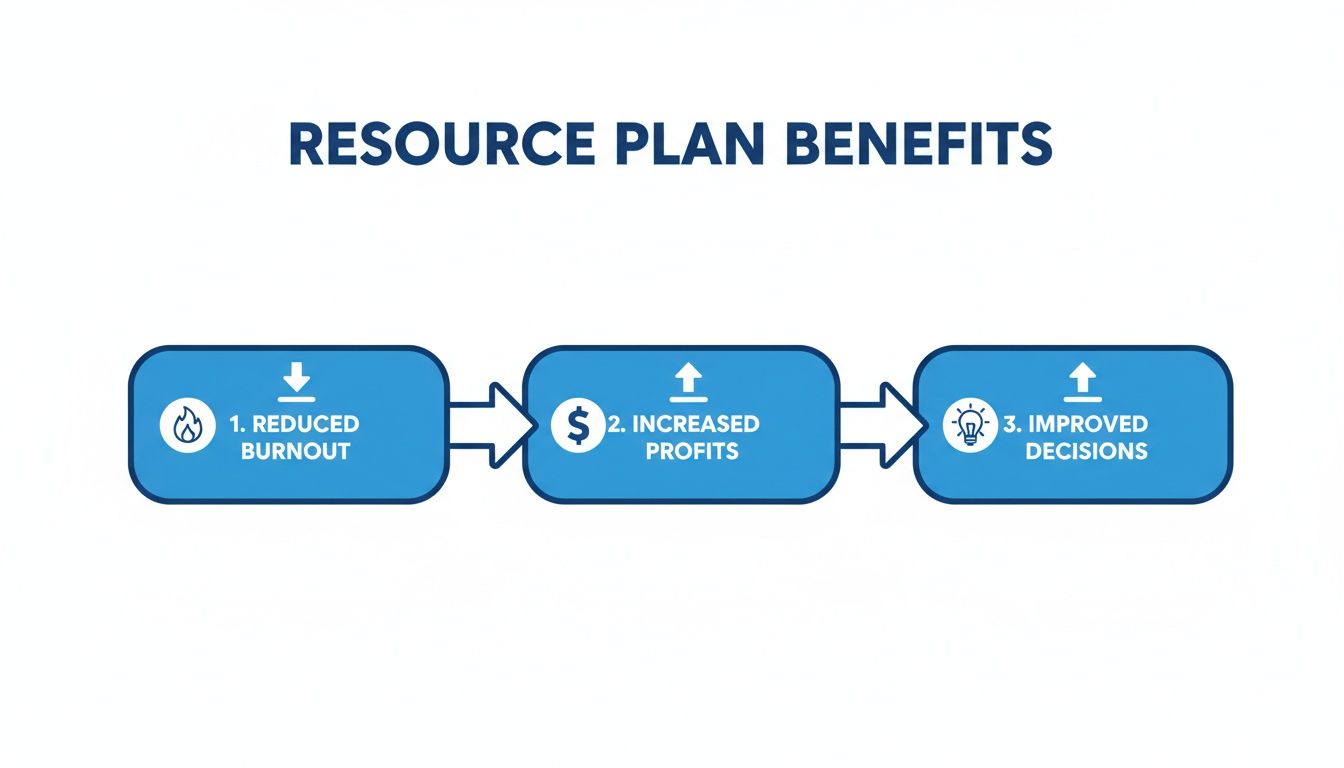
When firms proactively manage workloads and align skills with tasks, they can reduce burnout, boost profitability, and sharpen their strategic decision-making—all at the same time.
Master the Art of Capacity Leveling
So, you’ve mapped everything out, but a new problem pops up: Maria, your Lead Architect, is somehow booked for 150% of her time during a two-week stretch in Phase 2. Welcome to capacity leveling. It’s the art and science of tweaking timelines and assignments to smooth out workloads and fix over-allocations before they cause damage.
The goal is to keep workloads balanced—challenging enough to be engaging but not so overwhelming that people burn out and start making mistakes.
This might involve a few different moves:
- Shifting timelines: Can a non-critical task, like the initial landscaping review, get pushed back a week to free up Maria?
- Reassigning tasks: Could the Senior Designer step in and handle some of the initial client meetings? They’ve worked with this client before and have great rapport.
- Bringing in support: Is this the right moment to bring on a freelance contractor for a very specific task, like drafting the interior layouts?
Capacity leveling is really an ongoing negotiation with reality. It prevents burnout, keeps the quality of work high, and makes sure your project timeline is actually achievable. If you skip this step, you’re not really planning—you’re just hoping for the best. By following these practical steps, you can turn resource planning from a chore into a powerful, repeatable process that drives successful projects.
Bringing Your Resource Plan to Life with PSA Tools
A static spreadsheet is often where a good project management resource plan goes to die. For your plan to be truly effective, it needs to be a living, breathing part of your daily operations—not a document you create once and then file away. This is where Professional Services Automation (PSA) tools change the game.
When you move your plan from Excel into a dedicated platform, you’re transforming it from a historical record into a dynamic command center for your entire firm. Instead of wondering who is available or how projects are tracking against their budget, you get instant, real-time answers.
This isn’t just a matter of preference; it’s a fundamental shift in how high-performing firms operate. While spreadsheets were once the standard, their use for agile projects has dropped from 74% to 67%. This highlights a clear trend toward specialized software that gives you far better control over your resources and budgets.
That said, there’s still a long way to go. A surprising 23% of project managers don’t use dedicated software for team collaboration, which is a massive part of their job. You can get more insights on this from Grandview Research’s report on project management software.
From Static Forecast to Active Management
Integrating your resource plan into a PSA tool like Drum connects every piece of the puzzle. It pulls together your sales pipeline, project tasks, team availability, and financial data into a single, reliable source of truth.
Picture this common workflow for a busy marketing agency:
- A new project is won: The moment a deal is marked “won,” the project is ready to kick off.
- Resources are assigned instantly: The project manager pulls up a real-time capacity view of the entire team. They see that Liam, their Senior Copywriter, is wrapping up a project, so they assign him. They also book Aisha, a Graphic Designer, and Ben, a Digital Strategist, based on who’s actually free, avoiding any double-booking headaches.
- Time is tracked against the plan: As the team logs hours on their tasks, the platform automatically updates the project budget and timeline. No more chasing people for timesheets.
- Alerts keep you on track: The system sends an automated notification when the project hits 80% of its budgeted hours, giving the manager a friendly heads-up to manage scope or chat with the client before it becomes a problem.
This seamless flow isn’t just about convenience; it’s about making smarter, data-driven decisions at every turn. You’re no longer guessing about capacity or profitability—you’re seeing it unfold live. For a deeper dive, check out our guide on what PSA software is and how it helps firms.
Visualize Your Firm’s Capacity in Real Time
One of the most powerful things a PSA platform gives you is the ability to see your entire team’s workload on one screen. This is the kind of high-level view that’s impossible to maintain in a spreadsheet but is effortless with the right tool. It lets you spot both risks and opportunities in a heartbeat.
Here’s a look at the capacity dashboard in Drum, which gives managers an at-a-glance view of team utilization.
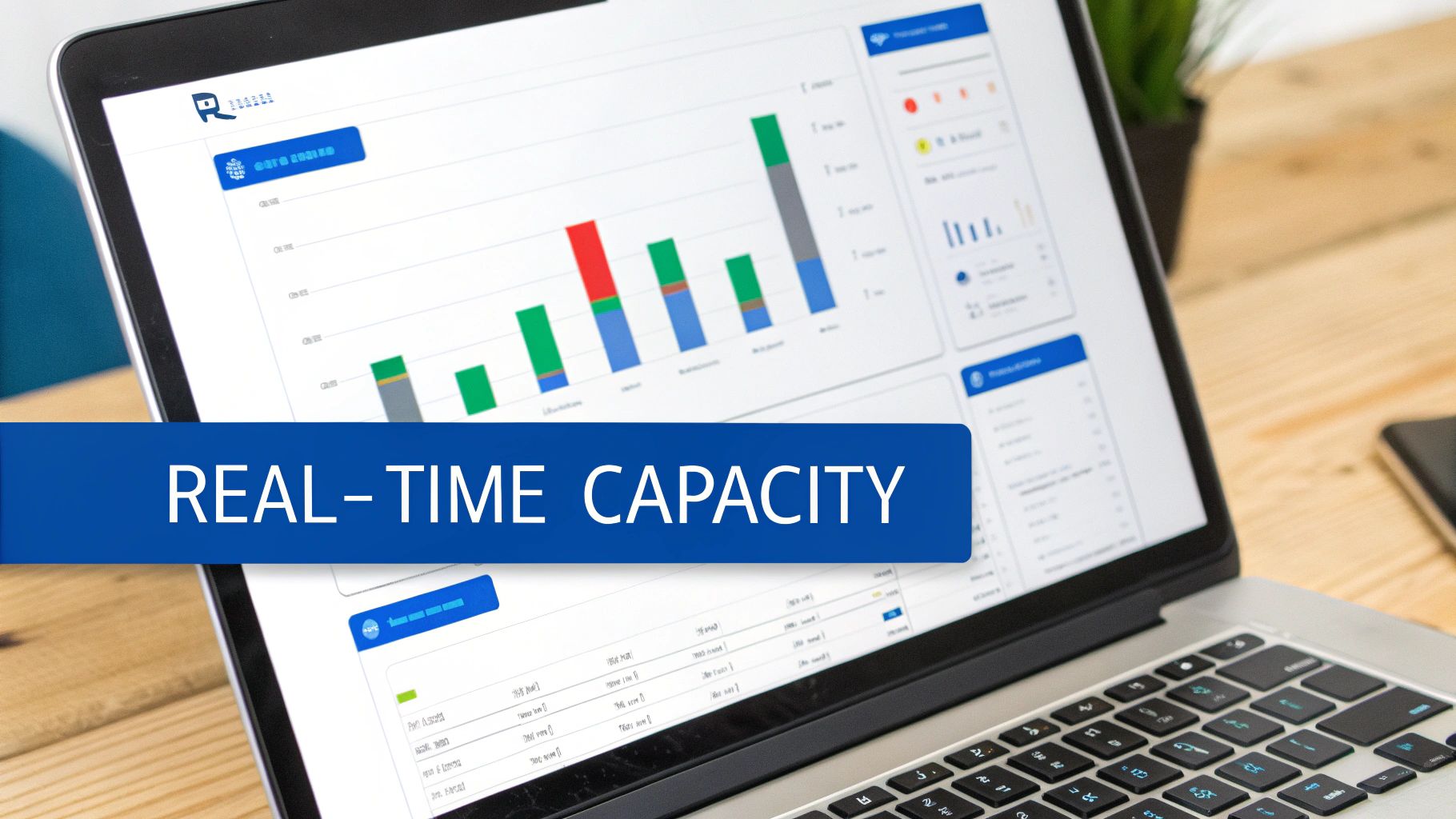
This dashboard instantly tells you who’s over-allocated, who has availability coming up, and how your billable utilization is tracking against your targets.
Having this information at your fingertips empowers you to be more agile. You can confidently say “yes” to that exciting new project because you see two of your key engineers are rolling off another engagement next week. On the flip side, you know to pump the brakes on sales outreach when you see your entire design team is booked solid for the next six weeks.
A PSA tool transforms your resource plan from a rearview mirror into a GPS. Instead of just seeing where you’ve been, it shows you exactly where you are and helps you navigate the best path forward.
Why Integration Matters for Profitability
At the end of the day, the goal of any resource plan is to deliver successful projects profitably. PSA tools are purpose-built to connect your resource management directly to your financial performance.
This tight integration delivers a few key benefits:
- Improved Utilization: By seeing who is on the bench, you can quickly find billable work for them, directly boosting your firm’s revenue.
- Accurate Project Costing: Tracking real-time hours against budgets means you always know the true cost of a project. This helps you price future work with much more confidence.
- Proactive Risk Management: Automated alerts and real-time dashboards let you spot budget overruns and timeline slips early, when they’re still easy to fix.
By bringing your plan to life inside a PSA platform, you’re not just organizing your people more effectively. You’re building a more resilient, predictable, and profitable business.
Avoiding Common Resource Planning Pitfalls
Even the best-laid project management resource plan can go sideways. I’ve seen it happen dozens of times. The secret isn’t in creating a “perfect” plan, but in knowing the common traps ahead of time so you can keep your projects on track and your team sane.
Most firms stumble into the same few predictable holes, turning a genuinely helpful plan into a source of constant frustration. The good news? With a bit of foresight, you can sidestep them completely and build a far more resilient, realistic resource plan right from the start.
The Myth of 100 Percent Capacity
This is the big one. So many managers make the mistake of assuming their team members can dedicate 100% of their time to billable project work. It’s just not how the real world works.
People have to answer emails, jump into internal meetings, complete training, and help out the sales team. Expecting a solid eight-hour day of pure project focus is a fast track to burnout and blown deadlines. When you build your plan on this flawed foundation, you’re setting your team up to fail before they even begin.
A much smarter—and more humane—approach is to plan for a realistic utilization target.
- For most roles, a target of 75-85% billable time is a healthy and sustainable benchmark.
- This carves out a necessary buffer for all those administrative tasks, professional development, and other non-billable duties that are crucial to keeping the business running smoothly.
This simple shift makes your entire resource forecast more accurate and, most importantly, achievable.
Forgetting About the Non-Billable Essentials
Tied directly to the capacity myth is the habit of completely overlooking non-billable time in the plan. This covers everything from company-wide town halls and mandatory HR training to mentoring junior staff and, yes, grabbing a much-needed coffee. These activities might not bill directly to a client, but they are essential for a healthy, functioning firm.
Ignoring this “internal time” creates a hidden drain on your resources. For example, you might glance at your plan and see your lead developer, Tom, has 10 hours of availability this week. But you’re not seeing the four hours he’s spending on interviews for a new hire. Suddenly, your plan is inaccurate, and Tom is overbooked.
Your project management resource plan has to account for all commitments, not just the billable ones. True capacity planning sees the whole picture, recognizing that internal investment is just as vital as client work.
The Danger of a Rigid Plan
A resource plan should be a guide, not a straitjacket. I’ve seen countless plans become useless because they were so rigid they shattered the moment reality intervened. And reality always intervenes.
A key stakeholder takes an unexpected vacation, the project scope creeps up slightly, or a technical issue takes longer to crack than you thought. These aren’t exceptions; they’re the norm in project work.
If your plan has zero flexibility, one small disruption can trigger a domino effect of delays and re-planning headaches. You need to build in some breathing room from the very beginning.
Here’s how to build a more resilient plan:
- Build in a contingency buffer: Add a 10-15% time buffer to your task estimates, especially for the tricky or uncertain parts of a project.
- Schedule regular check-ins: Hold quick weekly meetings to review the resource plan against actual progress. This lets you make small course corrections before they become massive problems.
- Identify backup resources: For critical roles, have a conversation upfront about who could potentially step in if the primary person becomes unavailable. It’s a simple chat that can save a project down the line.
By anticipating change instead of trying to resist it, your resource plan becomes a more durable and genuinely useful tool for navigating the real world of any project.
Optimizing for Profitability and People
Nailing your project management resource plan is a fantastic first step, but honestly, it’s just the starting line. The real magic, the kind that transforms your firm, happens when you start actively optimizing that plan. This is how you turn a simple project tool into a strategic asset that boosts both your bottom line and your team’s well-being.

True optimization isn’t a one-time task. It’s a continuous process of finding that sweet spot where you deliver incredible client work, stay profitable, and don’t burn out your team. Get this right, and you’ll see massive returns in employee retention, project quality, and the overall financial health of your business.
Strategically Blend Your Talent
One of the fastest ways to beef up project profitability is to get intentional about who you put on the team. The instinct is often to load up a project with your most senior, experienced people. While that feels safe, it’s rarely the most cost-effective—or strategic—move.
A much smarter play is to create a balanced mix of senior, mid-level, and junior talent. Let your senior folks handle the high-level strategy and quality control, while junior team members tackle the more hands-on, execution-focused tasks. This keeps costs in check and creates natural mentorship opportunities that grow your next wave of leaders.
Think about a website redesign project, for instance:
- Senior UX Designer: Leads the client workshops and maps out the core information architecture (25% allocation).
- Mid-Level UI Designer: Takes the senior’s direction and builds out the wireframes and visual concepts (75% allocation).
- Junior Designer: Focuses on creating design system components and prepping all the files for the development team (100% allocation).
This tiered structure protects your project margins without compromising the quality of the work you deliver to the client.
To make this easier, we’ve put together a quick comparison of different ways you can optimize your resource plan. Each has its own focus, but they all work together to create a more resilient and profitable operation.
Resource Optimization Strategies at a Glance
| Strategy | Primary Goal | Best For |
|---|---|---|
| Talent Blending | Reduce project costs while maintaining quality | Large, multi-phase projects with a mix of strategic and executional tasks. |
| Capacity Leveling | Prevent team burnout and ensure consistent project velocity | Firms with fluctuating project pipelines or overlapping high-priority projects. |
| Cross-Training | Increase team versatility and reduce reliance on key individuals | Departments with periodic downtime or skills that are adjacent to other service offerings. |
| Data-Driven Staffing | Improve profitability and project outcomes based on historical performance | Firms with robust PSA data looking to replicate past successes and make strategic hiring decisions. |
Ultimately, the best approach is often a mix of these strategies, tailored to the specific needs of a project and the current state of your business.
Drive Billable Utilization and Versatility
For any services firm, tracking billable utilization is non-negotiable. Your PSA tool is your single source of truth here, giving you a live look at how your team’s time is being spent. The aim isn’t to push for 100% billable time—that’s a one-way ticket to burnout. Instead, you want to land on a healthy, sustainable target that works for your team and your business model.
Keep an eye out for trends in your utilization data. Is one department consistently under-billed? That might point to a need for more sales effort in that service area, or it could be a golden opportunity for some cross-training. If your graphic designers have some slack, could they pick up basic motion graphics skills to help out the video team on their next project?
Your resource plan isn’t just for scheduling; it’s a dynamic tool for workforce development. Use utilization data to spot skill gaps and invest in cross-training that makes your entire team more versatile, resilient, and valuable.
This proactive mindset turns what would have been downtime into a strategic investment. It helps you build a more flexible team that can pivot as project demands change. For more ideas on linking your team’s day-to-day work with the firm’s finances, check out our guide on project management and accounting.
Use Data to Make Smarter Decisions
At the end of the day, your resource plan and PSA tool are a goldmine of business intelligence. When you start analyzing that data across all your projects, you’ll uncover trends that can—and should—inform your entire business strategy.
Start asking bigger questions:
- Which project types consistently bring in the most profit?
- Which roles or teams are constantly over-allocated, hinting at a potential hiring need?
- Do projects with a certain team composition tend to get better results or higher client satisfaction?
Imagine you dig in and discover that your fixed-fee projects managed by a specific senior lead are, on average, 20% more profitable. That’s an incredible insight. Now you can analyze that lead’s process to see what can be replicated across the firm, or you can tweak your sales strategy to chase more of that exact type of work.
This is the evolution of resource planning. It stops being a simple exercise in figuring out who works on what. It becomes a critical engine for your firm’s growth, profitability, and culture.
Your Resource Planning Questions Answered
Even with a solid strategy, a few questions always pop up when firms start getting serious about their project management resource plan. That’s a good thing—it means you’re really thinking through how to make it work for your team.
We get these questions all the time. Here are the most common ones, with some practical answers to help you move forward.
How Often Should We Update Our Project Resource Plan?
Your resource plan for active projects should be a living document, not a “set it and forget it” file you create once and archive.
A quick check-in at least weekly is a great rhythm to get into. This lets you adapt to the small but inevitable shifts in scope, timelines, or team availability before they snowball into bigger problems.
For your higher-level capacity planning—looking at the firm’s entire workload over the next quarter or two—a monthly or quarterly review works perfectly. This cadence helps you line up your staffing strategy with what’s coming through the sales pipeline, so you’re always a step ahead.
What Is the Difference Between Resource Allocation and Leveling?
This is a fantastic question because the two terms are closely related but do very different jobs. It’s a classic case of assignment versus adjustment.
-
Resource Allocation: This is the initial matchmaking step. It’s all about assigning the right person with the right skills to a specific task or project. Think of it as creating the first draft of your staffing plan.
-
Resource Leveling: This is the optimisation that comes next. It’s the art of shuffling timelines and assignments to resolve conflicts, like when one person is accidentally booked for 150% of their time. Leveling smooths out the peaks and valleys to give everyone a balanced, achievable workload.
In short, allocation is about who does what, while leveling is about making sure their workload is actually possible.
Can a Small Firm Really Benefit from a Formal Resource Plan?
Absolutely. You could argue it’s even more critical for smaller firms.
When you have a lean team, every single person is a key player. One person getting overloaded can create a bottleneck that affects the entire business. A formal plan helps you see those bottlenecks coming and prevent them.
For example, if your three-person agency has two web developers, and one gets sick, a resource plan shows you instantly what projects are at risk. It gives you a clear, objective signal when your team is at capacity, which stops you from overcommitting. It also gives you the hard data you need to decide when it’s genuinely time to hire your next team member.
For small firms, a resource plan isn’t about bureaucracy; it’s about survival. It ensures you’re protecting your most valuable asset—your team’s time and energy—so you can focus on delivering exceptional work.
How Do You Handle Unexpected Resource Conflicts Mid-Project?
First, prevention is always the best cure. Using a tool that gives you real-time visibility helps you spot potential conflicts before they ever become a reality. But when they do pop up—and they will—the key is to stay calm and communicate.
Start by assessing the real impact. How does this affect the project’s timeline, budget, and key deadlines? Once you understand the stakes, you can explore your options.
Can another qualified team member step in? Can the task be rescheduled without derailing everything else? Is it time to have a transparent conversation with the client about adjusting the timeline?
The most important thing is to address the issue head-on. Clear, honest communication with both your team and your client is the only way to navigate the challenge together and find the best path forward.
Ready to turn resource planning from a constant headache into a strategic advantage?
Drum gives you the real-time visibility you need to balance workloads, protect profitability, and keep projects on track.
Start your free 14-day trial and see how much easier it can be.