
 Pipeline & Proposals
 Project Management
 Resource Planning
 Time & Costs
 WIP & Invoicing
 Commercial Reporting
 Consulting Engineers
 Architects
 Town Planners
 Building Designers
Project Management Workflow: How to Build a Repeatable Process That Scales

Ben Walker
Written for Drum
In This Article
Project Management Workflow: A Practical Guide
Think of a project management workflow as your team’s secret recipe for getting things done. According to Ravetree’s analysis of PM statistics, only 35% of projects today are completed successfully, and a structured workflow is one of the strongest predictors of whether yours will be among them. It’s a defined, repeatable series of tasks that shepherds a project from a simple idea all the way to a happy client, making sure everyone knows exactly what to do, who’s doing it, and when it’s due.
What Is A Project Management Workflow Really
Ever tried to bake a multi-layered cake without a recipe? You can have all the right ingredients (a talented team, a clear client brief, and a healthy budget) but without a step-by-step guide, things get messy fast. You might forget a key step, mix things in the wrong order, or bake something completely different every single time.
That’s exactly what running projects without a defined workflow feels like.
A project management workflow is what turns that chaos into predictable success. It’s the structured path that transforms scattered emails, confusing spreadsheets, and blown deadlines into a smooth, reliable, and profitable operation. This isn’t about creating rigid bureaucracy; it’s about building a dependable system that frees up your team to do their best work, consistently.
The Real Cost of Project Chaos.
When there’s no clear workflow, teams are constantly putting out fires instead of proactively managing their work. This leads to wasted hours, duplicated effort, and that nagging feeling of always being behind schedule. For instance, without a workflow, two designers might accidentally work on the same mockup, doubling the effort and wasting valuable time. This kind of confusion is one of the biggest threats to any project.
This kind of dysfunction hits the bottom line, hard. Research actually shows that organizations with proper project management frameworks run projects that are 2.5 times more successful than those winging it. It’s no surprise the project management software market is projected to hit $12.02 billion by 2030. Structured workflows are becoming essential to stay in the game. You can dig into more project management trends and insightful statistics to see the full picture.
A great project management workflow doesn’t just manage tasks; it manages expectations. It provides a single source of truth that aligns your team, stakeholders, and clients, ensuring everyone is moving in the same direction.
From Disorganized To Deliberate.
Adopting a workflow is a huge shift from being reactive to being proactive. For professional services firms especially, this is how you improve profitability, boost team morale, and deliver the top-tier work clients expect, every single time.
To really bring this home, let’s look at the “before and after” of implementing a clear workflow. It’s a move from operational chaos to calm, deliberate execution.
The Shift From Project Chaos To Workflow Clarity.
The table below breaks down the transformation that happens when a firm trades guesswork for a defined process.
| Operational Area | Without A Workflow (The Chaos) | With A Workflow (The Clarity) |
|---|---|---|
| Communication | Messy email chains and siloed conversations lead to missed details and confusion. | Discussions are centralized and tied directly to specific tasks and milestones. |
| Task Management | Ambiguous to-do lists and verbal instructions create uncertainty and dropped balls. | Tasks are clearly defined with assigned owners, deadlines, and dependencies. |
| Resource Allocation | Guesswork and over-allocating your best people leads to burnout and bottlenecks. | Decisions are data-informed, based on who has the actual capacity to take on work. |
| Client Updates | Frantic, last-minute status reports create anxiety for both your team and the client. | Transparent, real-time progress updates build trust and client confidence. |
Moving from the “Chaos” column to the “Clarity” column isn’t just about getting more organized; it’s about building a more resilient, profitable, and scalable business.
The Five Essential Phases Of A Winning Workflow
Every project, whether it’s designing a skyscraper or launching a new marketing campaign, follows a similar path. While the nitty-gritty details might change, the core journey is surprisingly consistent. A solid project management workflow breaks this journey into five clear, manageable phases, guiding you from that first spark of an idea all the way to the final hand-off.
Thinking in phases turns a potentially complex project into a logical, step-by-step process. It’s the difference between trying to find your way through a dense forest with a map and compass versus just winging it. This structure ensures nothing gets overlooked and everyone on the team knows exactly where they are and what’s next.
This visual perfectly captures the shift from the chaos of unstructured work to the clarity a phase-driven workflow provides.
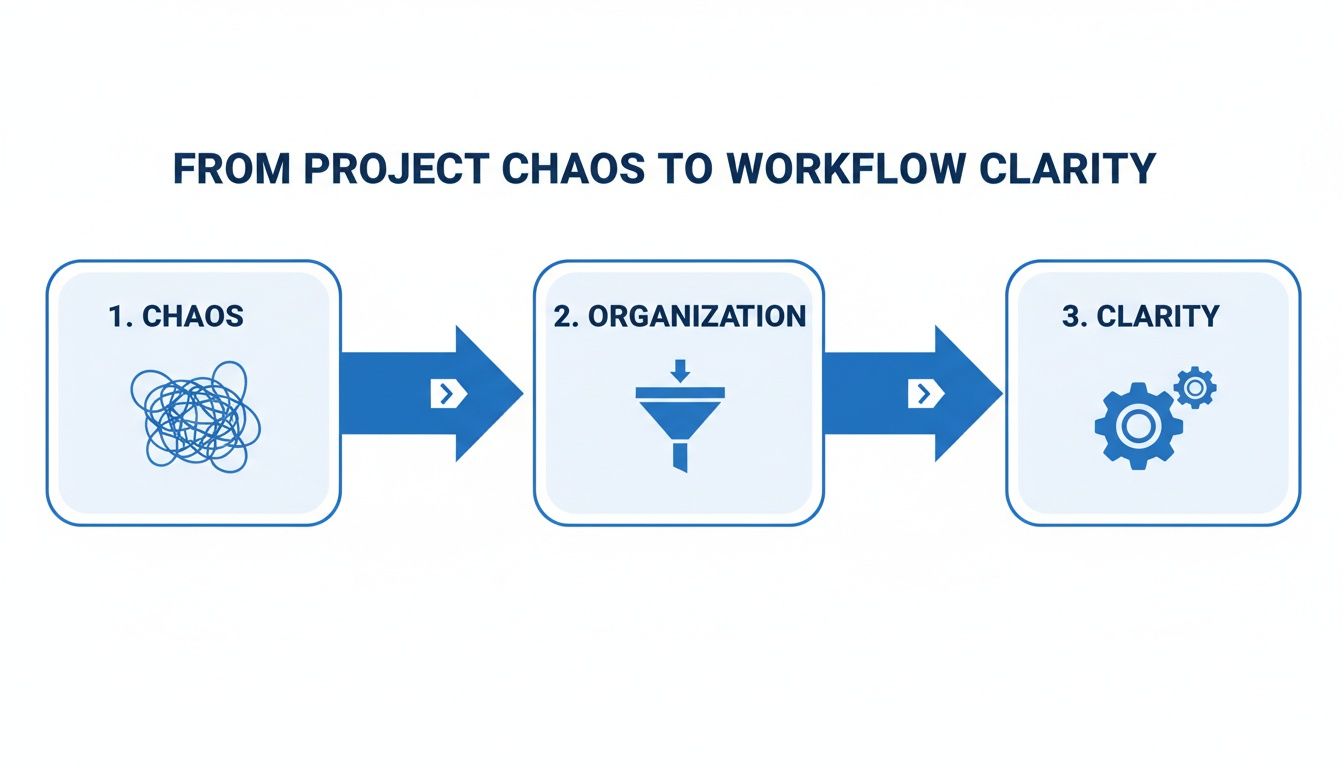
This progression shows how a structured workflow cuts through the noise and replaces it with a predictable, efficient system. Let’s walk through the five core phases that make it all happen.
1. Initiation: The Green Light.
This is where the project is officially born. Before a single task is assigned, the initiation phase is all about defining the project at a high level. Think of it as the initial handshake with your client, where you both agree on the destination and, just as importantly, the reason for the trip.
Key activities here include:
- Creating a Project Charter: This is your foundational document. It outlines the project’s purpose, objectives, stakeholders, and high-level requirements.
- Identifying Key Stakeholders: Who needs to be in the loop? This covers your internal team, the client, and any third-party vendors.
- Conducting a Feasibility Study: Can we actually pull this off within the given constraints of time, money, and resources?
Nailing this phase is critical. A well-defined project from the get-go prevents scope creep down the line and makes sure everyone is rowing in the same direction.
2. Planning: The Detailed Roadmap.
With the project officially green-lit, it’s time to draw the map. The planning phase is arguably the most intensive part of the entire workflow because it details exactly how you’ll get from Point A to Point B. In fact, one study found that 77% of high-performing teams rely on project management software during this phase to keep everything organized.
A project without a plan is just a wish. This phase turns your project’s goals into an actionable blueprint that guides every decision your team makes down the line.
During planning, your team will:
- Define the Scope: Get crystal clear on what is, and isn’t, included in the project.
- Create a Work Breakdown Structure (WBS): Break the project down into smaller, more manageable tasks and subtasks.
- Develop a Schedule: Assign deadlines to each task and map out dependencies, often using tools like Gantt charts.
- Estimate Budget and Resources: Figure out the financial and human resources needed to complete the work.
3. Execution: Hitting The Road.
This is where the rubber meets the road. The execution phase is when your team starts digging in and actively working on the tasks you mapped out in the plan. The project manager’s role shifts from planner to conductor, guiding the team, facilitating communication, and knocking down any roadblocks that pop up.
This is typically the longest phase of any project, where most of the budget is spent and the actual work gets done. For example, this is where a development team writes the code, a content team produces blog posts, or a construction crew starts laying the foundation. The success of this stage depends almost entirely on the quality of your planning.
4. Monitoring: Checking The Gauges.
Let’s be real, projects rarely go exactly as planned. The monitoring phase runs in parallel with execution and involves keeping a close eye on progress. It’s like checking your GPS and fuel gauge during a road trip to make sure you’re still on track and on time.
Here, you’ll track key metrics, compare your actual performance against the plan, and make course corrections as needed. This means monitoring the scope, schedule, and budget to catch any deviations early, before they snowball into major problems. For example, if you see the “UI Design” task has taken 10 hours more than budgeted, you can investigate right away.
5. Closure: Reaching The Destination.
Finally, the closure phase marks the official end of the project. This isn’t just about handing over the final product; it’s about formally tying up all loose ends. This means getting final sign-off from the client, archiving all project documents, and releasing your team members to their next assignments.
Just as importantly, this phase includes a post-project review or “lessons learned” session. This is where your team reflects on what went well and what could be done better next time. It’s a crucial step that ensures your project management workflow, and your team, gets smarter and more efficient with every project you complete.
See How Professional Services Firms Structure Their Workflows
Theory is great, but seeing a project management workflow in the wild is where these concepts really start to stick. The five phases we just covered (Initiation, Planning, Execution, Monitoring, and Closure) aren’t just textbook terms. They are the living, breathing frameworks that successful professional services firms use every single day to turn client goals into reality.
To give you a feel for how flexible this structure is, we’ll step into the shoes of three different firms. Each one operates in a unique world with its own set of challenges, but they all rely on a tailored workflow to deliver consistent, top-tier results.
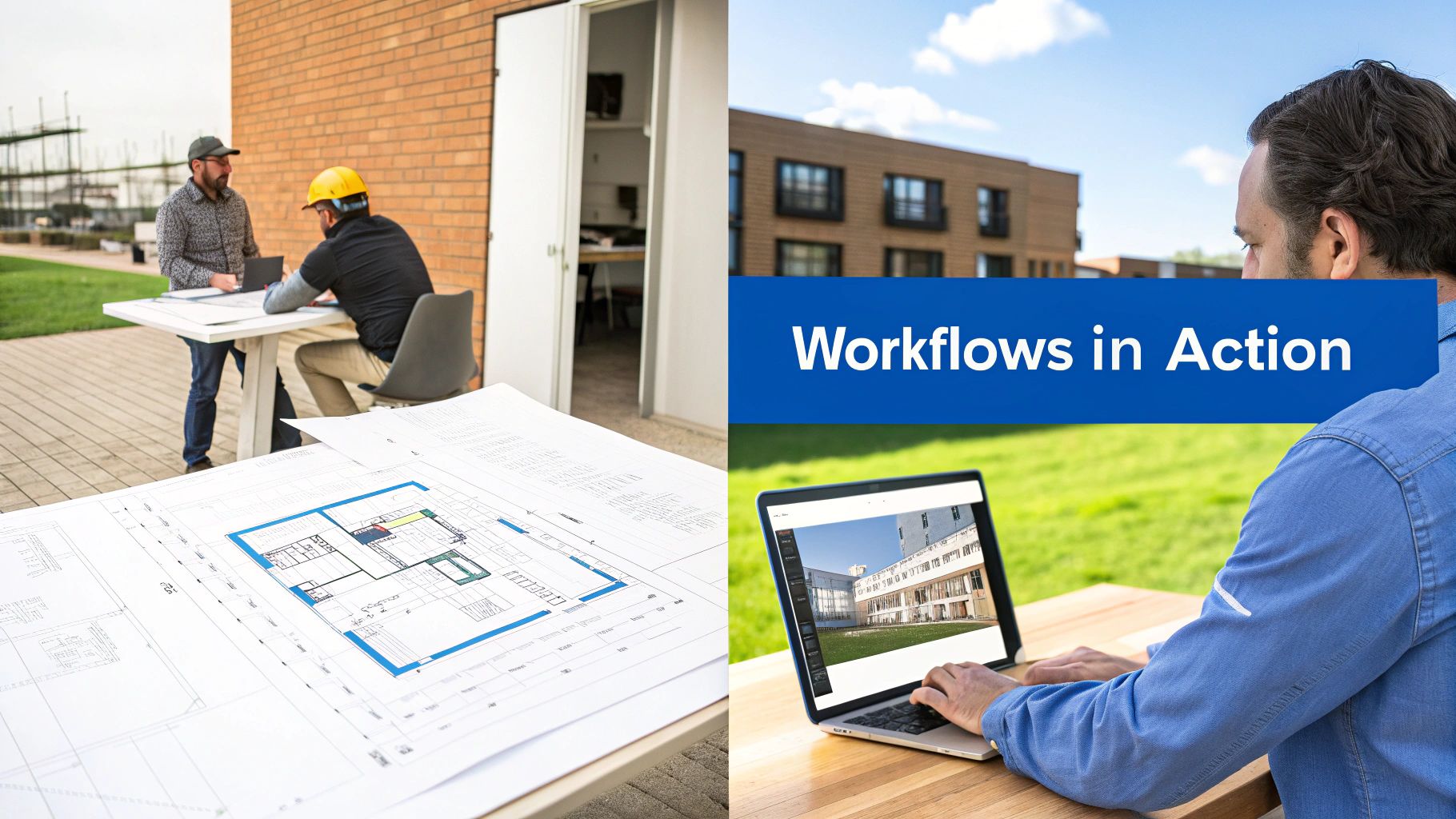
These real-world examples will bring to life industry-specific tasks and milestones, showing you exactly how to bend the universal workflow framework to fit your business perfectly.
The Consulting Engineering Firm Building an Overpass.
Picture a civil engineering firm hired to design a new highway overpass. This project is massive, public-facing, and has absolutely zero room for error. Their entire workflow is built around precision, airtight regulatory compliance, and keeping every stakeholder on the same page.
Here’s a look at how they break it down:
- Initiation: The project doesn’t kick off with a single drawing. It starts with a comprehensive feasibility study and a series of public consultation meetings. The goal is to lock down the project’s scope, flag any environmental hurdles, and get initial funding approved by the transportation authority.
- Planning: This is where the engineers really get to work. They build out a meticulous Work Breakdown Structure covering everything from soil testing and traffic analysis to structural calculations and material sourcing. They use specialized software to map out dependencies. For example, the final structural design is on hold until the geotechnical report gets the green light.
- Execution: Senior engineers and drafters jump in, creating the detailed schematics and construction drawings. This phase is structured around key review milestones, like 30% design completion, 60% design completion, and 90% pre-final drawings.
- Monitoring: A lead project manager is constantly checking progress against the timeline and budget. They run bi-weekly review meetings with the client and regulatory bodies to make sure the designs meet all safety codes. Any change request goes through a formal review to see how it hits the budget and schedule.
- Closure: The firm submits the final, stamped construction drawings. They archive every piece of project documentation for future reference and hold a post-mortem to discuss what went right, what went wrong, and how to tighten up their workflow for the next big infrastructure job.
This kind of methodical approach is the bedrock of the industry, and the right tools make a world of difference. For firms juggling complex, multi-phase projects like this one, a dedicated consulting project management software provides the clarity needed to keep everything on track.
The Architecture Practice Designing a Commercial Building.
Next, let’s head over to an architecture firm that just landed a contract for a new office building. Their workflow is intensely visual and collaborative, a constant balancing act between creative vision and the cold, hard realities of construction.
For an architect, the workflow isn’t just a series of tasks; it’s the narrative of how an idea on a sketchpad becomes a physical space. Each phase builds upon the last, telling a story of design, refinement, and realization.
Here’s a snapshot of their typical project flow:
- Initiation (Schematic Design): It all starts with thorough client interviews to nail down their vision, practical needs, and budget. The architects then produce rough sketches, 3D massing models, and mood boards to set the project’s overall tone and direction.
- Planning (Design Development): Once the client signs off on the initial concept, the team fleshes out the plans. They start selecting materials, detailing room layouts, and bringing in structural and MEP (Mechanical, Electrical, Plumbing) engineers. This phase results in a much more detailed set of drawings and a refined cost estimate.
- Execution (Construction Documents): This is the most demanding phase. The team creates the exhaustive set of drawings and specifications that contractors will use for the actual build. Every last detail, from window specs to outlet locations, is painstakingly documented.
- Monitoring (Construction Administration): While the building is going up, the architects are on-site regularly. They’re there to answer contractor questions, check the quality of the work, and approve payment applications. They act as the client’s eyes and ears, ensuring the final build is true to the design.
- Closure (Project Closeout): The firm does a final walkthrough with the client, creating a “punch list” of any small items that need fixing. They then hand over all final documents, including warranties and the official as-built drawings.
The Digital Marketing Agency Launching a New Website.
Finally, let’s take a look inside a fast-moving digital marketing agency tasked with redesigning a client’s e-commerce site. Their project workflow is agile and iterative, with a laser focus on data and user experience.
You’ll often see their process broken down into sprints:
- Initiation (Discovery & Strategy): The team runs a kickoff workshop with the client to define business goals, nail down the target audience, and set the key performance indicators (KPIs) for the new site. They also dig into competitor analysis and create detailed user personas.
- Planning (UX/UI Design & Prototyping): UX designers map out the site’s skeleton with wireframes, focusing on structure and user flow. After approval, UI designers step in to create the visual style, producing high-fidelity, interactive prototypes that let the client click through and feel exactly how the site will work.
- Execution (Development & Content): With the blueprint in hand, developers start coding. At the same time, copywriters and content strategists are busy populating the pages with SEO-friendly text and images. This phase is all about frequent check-ins to make sure the tech build is perfectly aligned with the design vision.
- Monitoring (Testing & Launch): Before the big reveal, the site goes through intense quality assurance (QA) testing to hunt down and squash any bugs. Post-launch, the team keeps a close eye on analytics to track performance against those initial KPIs, watching metrics like conversion and bounce rates.
- Closure (Post-Launch Optimization): For an agency, the project rarely ends at launch. They usually offer a period of post-launch support and use the live data to recommend ongoing tweaks and optimizations to boost performance over time.
How To Build Your First Workflow In Drum
Alright, let’s move from theory to action. This section is your hands-on guide to building your very first project management workflow right inside Drum. Honestly, the best way to grasp how a unified system works is to see the pieces connect in real-time, and it’s how you finally eliminate the guesswork and administrative headaches for good.
We’re going to walk through a simple, five-step process that takes a signed deal and turns it into a fully planned, tracked, and managed project. The goal here is to show you just how smooth the jump from sales to delivery can be when everything lives under one roof. No more copying data between systems or chasing down stray information.
1. Convert Your Signed Proposal Into A Project.
It all starts the moment your client says “yes.” For too many firms, this kicks off a messy, manual scramble of creating folders, notifying the project team, and re-typing client details into a totally separate system.
With Drum, that entire chain reaction is automated.
Once you mark a proposal as “won” in your sales pipeline, you can convert it into a live project with a single click. Every bit of crucial information (client details, the project scope, the approved budget) is instantly carried over. This simple action stops data entry errors in their tracks and guarantees your project team has the right info from day one.
2. Apply A Template To Create Your Tasks.
Now that your project exists, you need to map out the plan. Instead of starting from a blank slate every single time, you can apply a pre-built project template. This is one of the most powerful ways to build a consistent, repeatable workflow.
Let’s say you’re an architecture firm. You could have a template for “Commercial Building Design” that automatically populates your project with every necessary phase and task, from “Schematic Design” and “Client Kickoff” all the way to “Construction Document Submission.” It’s the simplest way to ensure no critical steps are forgotten and your team follows the same proven process on every similar project.
This image shows how a project dashboard in Drum pulls all your key project info into one clear view.
You can see project timelines, who’s assigned to what, and budget tracking all in a single, easy-to-read interface. That’s the direct result of applying a structured template.
3. Assign People And Set Deadlines.
With your tasks laid out, the next step is getting them to the right people with clear deadlines. This is where real accountability is born. In Drum, you can easily drag and drop team members onto specific tasks and set start and end dates.
This does way more than just create a to-do list. It automatically builds out a visual project timeline, like a Gantt chart, showing you who is working on what and when. You can also see how tasks depend on each other, so everyone understands how their work impacts the rest of the team. This kind of clarity is a core benefit you’ll find when exploring Drum’s comprehensive project management features.
4. Track Your Time And Expenses.
A great workflow isn’t just about managing tasks; it’s about managing profitability. As your team starts working through the plan, they can track their time and any project-related expenses directly against the tasks they’ve been assigned.
This is where the magic really happens. By linking time and expenses directly to the project plan, you stop guessing and start knowing. You get a real-time, accurate picture of your project’s financial health at all times.
For example, a marketing consultant can log 4 hours against the “Create Client Ad Copy” task. If they take a client out for a coffee to discuss the campaign, they can snap a picture of the receipt and log it as an expense right against the project. This data flows straight into your budget tracking.
5. Monitor Your Budget Versus Actuals.
Finally, you need to keep a close eye on your progress. The Drum dashboard gives you an instant, live view of your project’s budget versus your actual spent time and expenses. There are no spreadsheets to update or special reports to run.
Because all the data is in one system (the proposal budget, the assigned tasks, the logged hours, and the expenses) you can see immediately if a project is on track, at risk, or already over budget. This lets you be proactive, making smart decisions to steer the project back on course before it’s too late. It’s the ultimate connection, taking you all the way from the initial sale to the final invoice.
Measure What Matters For Your Workflow
A great workflow gives you clarity, and that clarity becomes a serious competitive advantage when it’s backed by data. But let’s be honest, drowning in dozens of complex metrics doesn’t help anyone. To really get a handle on the health of your projects and your business, you need to focus on the key performance indicators (KPIs) that actually drive profitability.
Research from ProofHub shows that only 34% of organizations consistently complete projects on time and on budget, which is why these KPIs matter so much. This isn’t about getting lost in jargon or chasing vanity metrics. It’s about answering a few fundamental questions with total confidence: Are your projects making money? Is your team’s valuable time being used effectively? Are you staying on track financially? Answering these is the whole point of a solid project management workflow.
Project Profitability.
Project profitability answers the simplest and most important question you can ask: after accounting for every single cost, did this project actually make money? It’s the raw difference between the total revenue a project brings in and all the direct costs tied to delivering it, including labor and other expenses.
Knowing this number for every project is non-negotiable. It’s how you spot which types of projects are the most lucrative for your firm and which ones might be secretly draining your resources. A platform like Drum makes this a breeze by automatically pulling in budget data, tracked time, and expenses, giving you a live profitability report without ever touching a spreadsheet.
Billable Utilization.
Your team’s time is your firm’s most valuable asset, period. The billable utilization rate measures what percentage of their total working hours is spent on billable client work. A high utilization rate means your team is spending more time on activities that generate revenue, which is exactly where you want them focused.
Tracking utilization isn’t about micromanaging your team. It’s about understanding capacity and making smart resourcing decisions. It helps you see who is overworked and who has room to take on new tasks, preventing burnout and ensuring projects are staffed effectively.
For instance, if you notice a senior engineer has a low billable utilization rate, it could be a red flag that they’re being pulled into too many non-billable administrative tasks. That’s your cue to adjust their workload and refocus their expertise where it delivers the most value. Tools that make this easy are crucial, and you can learn more about what a modern system can do in our guide to project time tracking software.
Budget Variance.
Budget variance is your reality check. It tells you exactly how your actual spending is tracking against your original project budget. You just compare what you planned to spend with what you’ve actually spent. A positive variance means you’re under budget (great!), while a negative variance means you’re over.
Keeping an eye on this KPI in real time is your early warning system. For example, if you see that a website redesign project is at 50% completion but you’ve already spent 75% of the budget, you know you need to act fast. This lets you spot potential overruns long before a project goes completely off the rails. The productivity gains from this kind of oversight are massive. In fact, organizations using standardized project management practices save 28 times more money than those that don’t. You can discover more about these productivity insights and see how they translate to real savings.
The next evolution in project management workflows is already here, and it’s powered by artificial intelligence and automation. This isn’t about replacing project managers with robots. It’s about giving them a smart co-pilot, one that equips your team with superpowers to ditch the grunt work and focus on the strategic, high-value stuff that actually matters to clients.

This shift is making project management smarter, not just harder. Coursera’s analysis of PM trends notes that hybrid methodologies blending predictive and agile approaches are rapidly overtaking pure waterfall or agile frameworks. For instance, AI can analyze your team’s skills, current workload, and past performance to suggest the absolute best person for a new task. It turns resource allocation from an educated guess into a data-driven, strategic decision.
Smarter Decisions And Fewer Surprises.
Beyond just assigning tasks, AI is bringing predictive power to the table that can fundamentally change how you manage risk. Imagine a system that scans your project’s progress and flags potential budget overruns or timeline delays before they become five-alarm fires. That’s the power of predictive analytics in action.
The real magic of AI isn’t just efficiency; it’s foresight. It gives leaders the ability to see around corners, tackling potential problems when they’re small and manageable, not after they’ve already derailed a project.
Automation also plays a massive role by taking over all those repetitive, administrative chores that drain your team’s energy and time. This can look like:
- Sending automated reminders to clients for approvals.
- Generating weekly progress reports based on real-time data.
- Archiving all project files the moment a project is complete.
The Impact On Profitability And Success.
This intelligent layer is already having a tangible impact. The AI in project management market is expected to jump from $3.08 billion in 2024 to $3.58 billion in 2025. More importantly, bringing AI into the mix is correlated with a 25% increase in project success rates, thanks to smarter risk management and resource allocation. Automation alone can boost a team’s productivity by up to 20%.
By offloading the administrative burden, AI and automation free up your project managers to do what they do best: build strong client relationships and make the kind of strategic decisions that push your firm ahead of the curve.
Starting a new project management workflow is bound to bring up a few questions. That’s perfectly normal! Getting clear, straightforward answers is the best way to move forward with confidence and get your whole team on the same page.
How Long Does It Take To Set Up A New Workflow?
This is the question we hear most often, and the answer is: it depends, but probably a lot less time than you’re imagining. You can map out and implement a basic workflow for a repeatable project in a single afternoon. Seriously.
The trick is to start simple. Don’t try to architect the “perfect” system on day one. Instead, pick one type of project, document the handful of core steps, and build your first template from there. You can add layers and refine it over time. Most firms find the initial setup takes just a few hours, with the real magic happening as they tweak it over the first few projects.
What’s The Difference Between A Project Plan And A Workflow?
Think of it like this: a project plan is the unique blueprint for a single, specific project, detailing its distinct tasks, timelines, and resources. A project management workflow is the master recipe you use to create that blueprint, every single time.
Your workflow is the repeatable, standardized process (e.g., “all website projects follow these five phases”). The project plan is the customized output for a specific client (e.g., “Client X’s website project has these specific deadlines and team members assigned”).
How Do I Get My Team To Actually Use A New System?
Look, change is hard. According to Plaky’s PM statistics report, 53% of projects are run by non-certified project managers, so proper training and buy-in are essential. You can make it a whole lot easier by showing your team what’s in it for them. Don’t just announce a new process out of the blue. Instead, show them how it solves their biggest headaches, like cutting down on pointless meetings, clarifying who owns what, and finally putting an end to those last-minute fire drills.
A great way to start is with a small, enthusiastic pilot group. Let them work out the kinks and become champions for the new system. When everyone else sees their success (and their lower stress levels), they’ll be much more likely to jump on board.
Can I Use Different Workflows For Different Types Of Projects?
Absolutely! In fact, you should. A workflow for a quick, two-week marketing campaign should look nothing like the one for a year-long engineering project.
The best practice here is to create standardized templates for each major type of work your firm delivers. This gives you consistency where it counts while maintaining the flexibility you need for different project scopes and complexities.
Ready to build workflows that bring clarity and profitability to your projects?
Drum unifies your proposals, projects, time tracking, and invoicing into one seamless system.
Start your free 14-day trial and see how simple it is to run your firm from proposal to payment.