- A Project Manager Resource Planning Guide for Team Success
- Why Resource Planning Is Your Project’s Secret Weapon
- The Hidden Costs of Poor Planning
- The Core Pillars of Effective Resource Planning
- Resource Planning Pillars Explained
- Demand Forecasting and Capacity Planning
- Skills Mapping The Final Piece
- How to Build Your Resource Plan from Scratch
- Estimate Hours and Identify Roles
- Build Your Resource Allocation Matrix
- Finding the Right Resource Management Tools
- What Features Do You Really Need?
- Navigating Common Resource Planning Challenges
- Proactive Strategies for Real-World Problems
- Answering Your Top Resource Planning Questions
- What Is the Ideal Resource Utilization Rate?
- How Do I Plan Resources for Projects with Uncertain Scope?
- I Am Still Using Spreadsheets. What Is My First Step?
A Project Manager Resource Planning Guide for Team Success
Let’s be honest, even the most brilliant project plan is just a piece of paper without the right people in the right places. This is the whole game when it comes to project manager resource planning. It’s all about strategically deploying your team—your most valuable asset—to crush project goals without burning everyone out in the process. Think of it as the ultimate balancing act, and you’re the expert juggler.
Why Resource Planning Is Your Project’s Secret Weapon
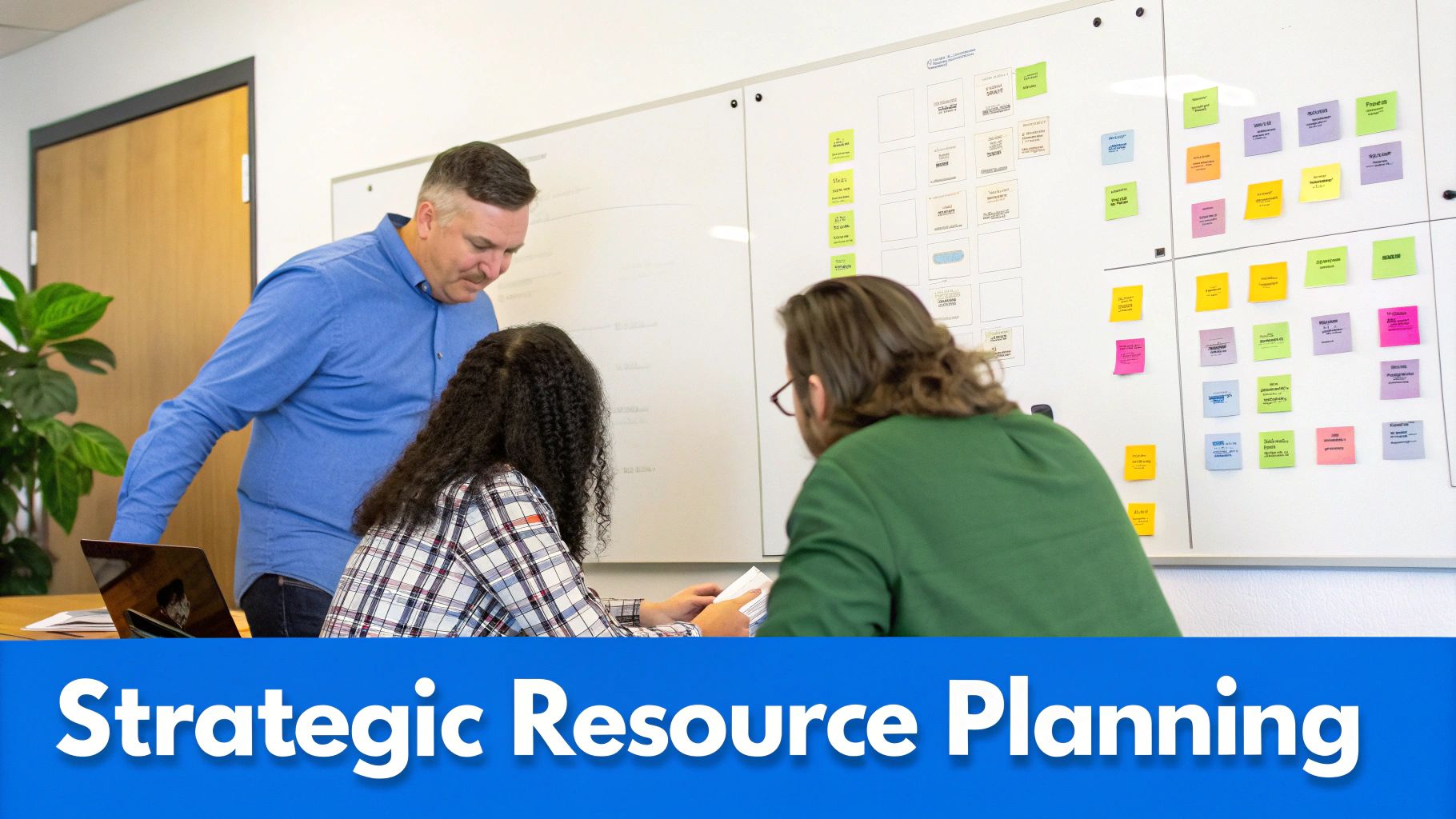
It’s easy to get bogged down thinking resource planning is just a tedious chore—another calendar to fill out. But looking at it that way completely misses the point! Good planning is less about filling boxes on a spreadsheet and more about unlocking your team’s true potential while protecting your bottom line.
It really is the difference between proactively steering your project to a successful finish and constantly putting out preventable fires.
In fast-moving fields like marketing or software development, the stakes are sky-high. For example, a single over-allocated designer can create a bottleneck that torpedoes an entire campaign launch. I’ve seen it happen. Similarly, an engineering firm that doesn’t have a clear view of its architects’ availability might overpromise on a new build, leading straight to blown deadlines and a seriously damaged client relationship.
The Hidden Costs of Poor Planning
The fallout from neglecting resource planning isn’t just a missed deadline here or there. The damage ripples through the entire organization, showing up in a few critical ways:
- Wasted Time: Managers get trapped in a never-ending cycle of building manual reports and chasing people for status updates. It’s frustrating for everyone.
- Reduced Profitability: When teams are allocated inefficiently, you can bet you’ll see budget overruns and shrinking project margins.
- Decreased Morale: Constantly stretching your team members to their limits is the fastest way to disengagement, burnout, and, ultimately, turnover.
The domino effect is real. When one key person is stretched too thin, their tasks get delayed. That, in turn, holds up the work of others who depend on them. This creates a chain reaction of inefficiency that can derail an entire project before you even know what’s happening.
This is especially true in consulting. For instance, data from engineering and architecture firms shows that consistently pushing resource utilization rates over 125% is a recipe for project delays.
The sweet spot for successful delivery? It’s closer to 80%. But hitting that target is nearly impossible when resource managers are already spending a full day each week—7.5 hours—on manual reporting alone. If you want to see the full impact, it’s worth diving into more resource management statistics.
The Core Pillars of Effective Resource Planning
To build a resource plan that actually works, you have to get a few foundational pieces right. This isn’t just about plugging names into a schedule; it’s about creating an environment where projects run predictably and efficiently. When you nail these elements, you stop reacting to fires and start proactively steering your projects toward success.
The stakes are higher than you might think. Did you know organizations that don’t value project management see 50% more project failures? It turns out poor planning is a huge factor, causing 39% of those failures and leading to massive budget overruns.
With 59% of PMs juggling two to five projects at once, a solid planning framework isn’t just nice to have—it’s essential. You can dig into more eye-opening project management statistics to get the full picture.
So, let’s break down the core components that make up a successful resource planning strategy. I like to think of them as three friendly pillars that hold everything up.
To make this clearer, I’ve put together a quick table that explains what each pillar is and the key question it helps you, as a project manager, answer.
Resource Planning Pillars Explained
| Pillar | What It Is | Key Question to Answer |
|---|---|---|
| Demand & Capacity | Balancing upcoming project needs with your team’s actual availability. | Do we have the people we need for the work we have coming up? |
| Skill Mapping | Matching specific tasks to the team members with the right expertise. | Who is the best person for this specific job, not just who is free? |
| Strategic Allocation | The ongoing process of assigning tasks and managing workloads. | How can we assign work to meet deadlines and keep the team from burning out? |
By focusing on these areas, you move from guesswork to a data-driven approach that sets your projects and your team up for success.
Demand Forecasting and Capacity Planning
First up, you have demand forecasting. Think of this as your early warning system. It’s your ability to look at the project pipeline and accurately predict the skills and time you’ll need for all the work coming down the line. It’s what tells you that you’ll probably need another front-end developer in three months, or that your design team will have some breathing room next quarter for a new internal initiative.
Tied directly to this is capacity planning, which is all about getting a brutally honest handle on your team’s actual availability. This goes way beyond just knowing who’s on vacation. You’ve got to factor in everything—company holidays, internal meetings, training sessions, and even some buffer time for those unexpected tasks that always pop up. Without this realistic view, you’re planning with bad data from the get-go. If you want to dive deeper, check out our detailed guide to learn more about capacity planning.
A classic mistake is seeing a team member has 40 hours available and assuming you have 40 hours for project work. In reality, after you subtract all the non-billable stuff, their true project capacity might only be 25-30 hours. Just recognizing this gap is a massive step toward preventing burnout and blown deadlines.
Skills Mapping The Final Piece
The third pillar is skills mapping, and this is where the real strategic magic happens. It’s not just about finding who is free; it’s about finding who is the best person for the job. Do you need a senior engineer with specific database experience, or would a mid-level designer who’s a wizard at rapid prototyping be a better fit?
Imagine an architecture firm planning a new commercial building. They don’t just need any available drafter. They need their lead drafter who has extensive experience with multi-story steel structures. Skills mapping is the process that ensures this critical distinction is made, matching the right expertise to the right task and seriously improving the quality of the final outcome.
How to Build Your Resource Plan from Scratch
Alright, let’s move from theory to practice. Building a solid resource plan from the ground up can feel like a huge task, but it really just boils down to a repeatable process. We’ll walk through it with a real-world scenario you’ve probably seen a dozen times: a creative agency building a new website for a client.
Think of this hands-on approach as your go-to blueprint for effective project manager resource planning.
First things first, you have to get a crystal-clear picture of the project scope. This means breaking the entire project down into smaller, more manageable tasks. For our website project, we’re not just writing down “build website.” We’re getting granular.
- Wireframe & UI/UX Design: This is the visual foundation, the blueprint of the entire site. Let’s say this involves discovery workshops, creating user personas, and then the actual design work.
- Front-End Development: Here’s where we code everything the user sees and interacts with. This is turning the beautiful design into a functional website.
- Back-End Development: This covers all the behind-the-scenes magic—the server, database, and application logic that make the site run.
- Content Creation & SEO: This involves writing all the copy and making sure Google will love it.
- Quality Assurance (QA) Testing: The final check to ensure everything works perfectly on different browsers and devices before the big launch.
Estimate Hours and Identify Roles
Once you have your task list, the next job is to put some numbers on it. You need to estimate the hours required for each task. Don’t worry about getting it perfect down to the minute, but your estimates should be grounded in reality—lean on data from past projects or get input directly from your team.
For our website example, you might pencil in 80 hours for front-end development and 40 hours for the QA testing phase.
Now you can start matching roles to these tasks. It’s clear you’ll need a UI/UX Designer, a Front-End Developer, a Back-End Developer, and a QA Specialist. This is the crucial step where you shift from the “what” to the “who.”
This whole process is guided by a few core pillars.
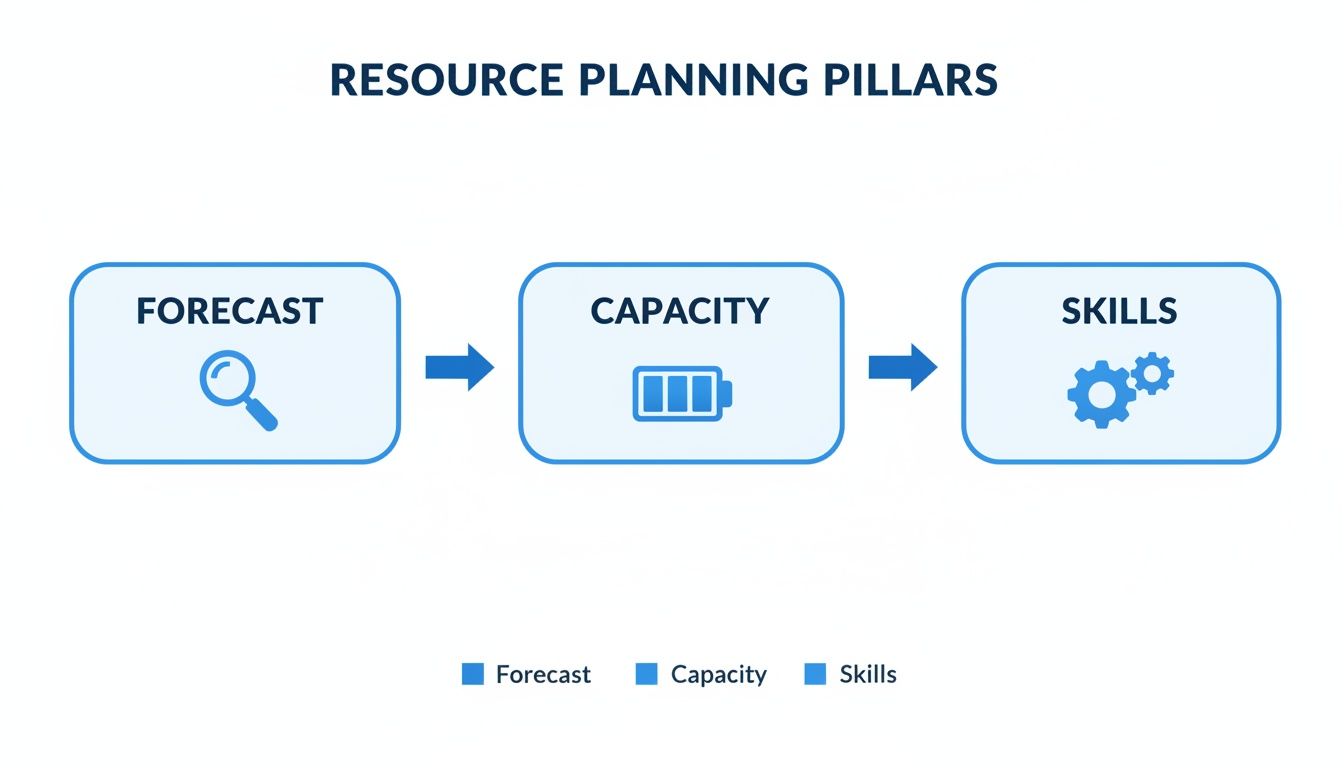
As you can see, it’s all about how forecasting your needs, understanding your team’s capacity, and mapping skills all flow together to create a plan that actually works.
Build Your Resource Allocation Matrix
A resource allocation matrix sounds complicated, but it’s really just a simple way to visualize who is doing what, and when. You can build one in a basic spreadsheet or use a dedicated project management tool. The end goal is the same: get a clear, at-a-glance overview of your team’s assignments across the project timeline.
Think of this matrix as your command center. It instantly shows you that your lead developer is booked solid for the first two weeks but your QA tester is free. This visibility allows you to spot and solve potential scheduling conflicts before they become project-stopping problems.
By creating this visual plan, you can immediately see if your front-end developer has overlapping commitments or if you have enough design horsepower to hit your wireframe deadline. For a deeper dive, check out our guide on building a complete resource management plan for project management.
Finding the Right Resource Management Tools
Let’s be honest, spreadsheets have their limits. While they’re great for a quick and dirty task list, they become a serious bottleneck when you’re trying to manage complex projects, shifting timelines, and multiple teams. The entire point of resource planning is to bring clarity to the chaos, and that’s where dedicated tools step in.
These platforms are built to give you a single source of truth. No more digging through email chains to find the “latest version” of a schedule or trying to reconcile three different spreadsheets. Think of it as your command center for team capacity, project timelines, and your company’s overall financial health.
This isn’t just a small trend, either. The project management software market, valued at $6.1 billion in 2021, is on track to hit $15 billion by 2030. That growth is being fueled by teams ditching their spreadsheets. We’ve seen their use for planning drop from 74% to 67% as managers realize the power of specialized tools. You can find more project management statistics in this in-depth 2023 report.
What Features Do You Really Need?
The best tool for you depends entirely on where you feel the most pain.
For example, a large consulting firm, might need granular budget tracking and real-time profitability reports. For them, it’s everything. They need to know, at any given moment, if a project is on track to actually make money.
A creative agency, on the other hand, might have completely different priorities. Their focus could be on seamless integrations with invoicing software and super-accurate time tracking. For them, knowing precisely how many hours are logged against each client is non-negotiable. If you’re looking to sharpen up your time tracking, check out our guide on choosing the right time tracking tools.
Don’t get distracted by a long list of flashy features you’ll never use. Start by identifying your top three biggest resource planning headaches. Is it visibility into team workload? Inaccurate project estimates? Inefficient invoicing? Let those problems guide your decision.
Ultimately, the best tools automate the tedious work so you can get back to making smart, data-backed decisions. They should help you instantly answer critical questions: Who is free to start a new project next week? Are we about to blow the budget on our biggest account? This is the kind of insight that turns resource planning from a reactive chore into a real strategic advantage.
Navigating Common Resource Planning Challenges

Let’s be real: even the most meticulously crafted resource plan will eventually collide with reality. The real measure of a project manager isn’t just in creating a flawless plan, but in how gracefully they handle the inevitable curveballs. In fact, you could say successful project manager resource planning is less about planning and more about ongoing adaptation.
So, what do you do when your lead developer calls in sick the day before a huge sprint? Or when a client casually introduces a “small tweak” that’s actually significant scope creep, threatening your entire timeline? These aren’t just hypotheticals; they’re the everyday fabric of managing projects. I’ve found the key, almost every single time, comes down to proactive and painfully honest communication.
Proactive Strategies for Real-World Problems
Instead of just reacting when a problem blows up, the best project managers anticipate and prepare. It’s about building a resilient project from the start.
Here are a few practical strategies I’ve seen work time and again to keep projects—and more importantly, people—on track:
- Build a Communication Playbook: Don’t wait for a crisis to figure out how you’ll talk to stakeholders. Establish a clear process for communicating delays, reshuffling priorities, and resetting expectations before you need it. For example, have a template email ready for when a timeline needs to shift.
- Make Transparency the Default: Create a culture where team members feel safe raising a hand to say they’re overloaded. An early warning about potential burnout is infinitely more valuable than a surprise resignation letter.
- Keep a Simple Risk Log: This doesn’t have to be a complicated document. A simple, running list of potential resource risks (like “Key developer takes vacation”) and your intended response (“Assign backup developer to shadow critical tasks”) makes it much easier to act decisively when something goes wrong.
The most powerful tool in your entire kit is transparency. Having an honest conversation with a client about your team’s capacity isn’t a sign of weakness—it’s the mark of a confident, professional project manager who respects both the project goals and their team’s well-being.
At the end of the day, navigating these challenges boils down to one thing: treating your resource plan as a living, breathing document, always ready to adapt to whatever the real world throws at it.
Answering Your Top Resource Planning Questions
As you start to really dig into resource planning, you’ll find the same questions tend to bubble up. Let’s walk through some of the most common ones I hear from project managers, with some practical advice to get you past those sticking points.
What Is the Ideal Resource Utilization Rate?
This is a big one, and the answer surprises a lot of people. While it can vary a bit by industry, the sweet spot for resource utilization is almost always around 80%.
Why not 100%? Because pushing for constant, maxed-out capacity is a surefire way to burn out your team. That remaining 20% is crucial breathing room for all the non-billable (but still essential) work—things like internal meetings, professional development, and administrative tasks. Think of it as your project’s shock absorber.
Aiming for 100% utilization leaves you with zero wiggle room for unexpected problems or new opportunities. It’s a classic rookie mistake that leads to rushed work, missed deadlines, and unhappy people.
An 80% utilization target isn’t about being inefficient; it’s about building a resilient, sustainable, and ultimately more profitable team. Think of it as pacing for a marathon, not an all-out sprint.
How Do I Plan Resources for Projects with Uncertain Scope?
When a project’s scope is vague or keeps changing, a rigid, long-term resource plan is a liability. You need to get agile. This is a common challenge for teams working on innovative new products or in client services where ideas evolve.
Instead of trying to plan the whole thing, break it down. Plan your resources in short cycles or “sprints,” focusing only on the immediate, clearly defined tasks. For the work that’s further out, be transparent with stakeholders that any resource allocation is an estimate, not a firm commitment.
A few tips that have saved me more than once:
- Add a contingency buffer. Pad both your timeline and your resource budget by 15-20% to absorb unexpected changes.
- Hold regular check-ins. Use these weekly or bi-weekly meetings to refine the resource plan as the scope becomes clearer.
- Prioritize flexibility above all. This iterative approach prevents you from over-committing your team to a path that’s still being defined.
I Am Still Using Spreadsheets. What Is My First Step?
If you’re stuck in spreadsheet-land, don’t feel bad! The single most important first step you can take is to centralize your data. Before you even start looking at new software, you need to create a single source of truth.
Start by creating one master spreadsheet that lists every project and who is working on it. Then, set up a simple, consistent way for your team to update their availability (like a shared calendar) and task status. It might feel a bit clunky, but it’s a huge step forward.
Once you have this unified view, you’ll finally have a clear picture of what’s actually going on. This process alone will highlight your biggest pain points and make you much smarter when it comes time to evaluate a real resource planning tool.
Ready to move beyond spreadsheets and guesswork?
Drum is the all-in-one platform built for professional services firms to manage everything from proposal to invoice. Gain real-time visibility into your team's capacity, project profitability, and overall business health.
Start your free 14-day trial today.