
 Pipeline & Proposals
 Project Management
 Resource Planning
 Time & Costs
 WIP & Invoicing
 Commercial Reporting
 Consulting Engineers
 Architects
 Town Planners
 Building Designers
WorkflowMax Pricing and Review (2026): Plans, Costs and Fit for Consultants

Ben Walker
Written for Drum

In This Article
WorkflowMax pricing runs from $12.22 to $37.78 AUD per user per month across three plans: Essentials, Pro and Advanced. There are no setup fees or lock-in contracts, annual billing saves 10%, and Pro and Advanced have minimums of 5 and 10 users.
That is the short answer to “how much does WorkflowMax cost?”, taken from WorkflowMax’s own pricing page in October 2026. It also settles a question we’ve answered three different ways on this site over the past year, because the product and its prices changed when BlueRock took it over.
This guide covers what each plan includes, what a 10, 25 and 50 person firm pays, and how WorkflowMax compares with Drum for architecture and engineering practices. Full disclosure: we build Drum, a competing platform. WorkflowMax is cheaper than Drum on licence at every size, and we’ll show you exactly where.
| WorkflowMax by BlueRock | Drum | |
|---|---|---|
| Pricing model | Per user, 3 plans | $225 AUD/month for 5 seats, then $45/seat |
| Plan for pipeline, proposals, resourcing and WIP | Advanced, $37.78 AUD/user/month | Complete, $45 AUD/user/month |
| Minimum users | Essentials 3, Pro 5, Advanced 10 | 5 seats |
| Setup and onboarding | No setup fees; complex migrations may need a certified partner | Custom-priced to your setup |
| Contract | No lock-in; 5% off quarterly, 10% off annual | Month to month, no lock-in |
| Leads and online quote acceptance | Pro and above | Included |
| Capacity planning and WIP | Advanced only | Included |
| Accounting integration | Two-way Xero; QuickBooks Online; no direct MYOB | Two-way Xero, MYOB and QuickBooks |
| Lump-sum and hourly work on one project | Usually split into separate jobs | One project, invoiced together |
| Variations to a lump-sum fee | Hard to adjust a quote once the job is running | Added to the project fee as the work changes |
| Built for | Any job-based business, from trades to agencies | Architecture, engineering and other built-environment consultancies |
Checked October 2026 against WorkflowMax’s pricing and FAQ pages and Drum’s price list. Drum prices exclude GST and onboarding.
WorkflowMax by BlueRock: What Changed
If you last looked at WorkflowMax a few years ago, you were looking at a different product. WorkflowMax sat inside the Xero family as “WorkflowMax by Xero” until 2024, when BlueRock acquired it and rebuilt it as an independent platform. Some people search for the new version as “WorkflowMax 2”. The FAQ says legacy customers “have already been migrated”, and customer data is now hosted on AWS in Sydney.
The rebuild brought a new interface, a public roadmap and a new pricing model. That’s why older articles, including some of ours, quoted “contact sales”, a flat monthly fee or different per-user numbers. The figures in this guide replace them.
How has the move landed with users? Capterra shows 4.3 out of 5 from 123 reviews, with features rated lowest at 3.8. Many of those reviews predate BlueRock, and they’re split. One construction finance executive wrote that “WorkflowMax by Bluerock just doesnt meet the same standard currently”, while a civil engineering reviewer said it worked well until their company grew past 50 staff.
So the product is newer than its reputation in both directions. The next question is what each plan gets you.
How WorkflowMax Pricing Works
Every WorkflowMax plan is “a flat rate per user, per month”, with no user bands. Here are the AUD rates.
| Plan | Monthly | Annual (per month) | Users |
|---|---|---|---|
| Essentials | $12.22 | $11.00 | 3 to 25 |
| Pro | $22.00 | $20.00 | From 5 |
| Advanced | $37.78 | $34.00 | From 10 |
Essentials covers quoting, jobs, scheduling, timesheets, invoicing, purchase orders, Xero or QuickBooks integration, standard reporting and the mobile app. It caps out at 25 users.
Pro adds leads, eQuote (online quote acceptance), job phases, leave management, invoicing by phase or by percentage of the quote, custom reporting, custom fields and roles, API access, and integrations such as HubSpot, SharePoint and Google Drive. WorkflowMax marks it “Most popular”.
Advanced adds capacity planning, timesheet approvals, WIP entry management, Microsoft 365 and Google Calendar sync, scheduled reports and AI reporting insights. Annual subscribers with 25 or more users also get a dedicated account manager, guided onboarding and a sandbox account.
What sits outside every plan. WorkflowMax doesn’t integrate directly with MYOB; its FAQ suggests Zapier, which needs Pro. It supports multi-currency purchasing but not multi-currency client invoicing. And while there are no setup fees, the FAQ says complex migrations, such as historical time data, can take one to four weeks and “may need a certified implementation partner”, who charges separately.
That’s a transparent price list, and BlueRock deserves credit for it. For a consultancy, the plan you need is the part that takes some thought.
What WorkflowMax Costs a 10, 25 and 50 Person Firm
Here is WorkflowMax pricing at three firm sizes, billed monthly. Drum Complete is $225 AUD a month for your first five seats, then $45 per extra seat. Drum figures exclude GST, onboarding and any custom Enterprise requirements.
| Firm size | Essentials ($12.22) | Pro ($22) | Advanced ($37.78) | Drum Complete |
|---|---|---|---|---|
| 10 staff | $122/month | $220/month | $378/month | $450/month |
| 25 staff | $306/month | $550/month | $945/month | $1,125/month |
| 50 staff | Not available (25-user cap) | $1,100/month | $1,889/month | $2,250/month |
Our estimate from WorkflowMax’s published AUD rates, before quarterly or annual discounts. Drum figures are from Drum’s published price list, October 2026.
WorkflowMax is cheaper on licence at every size and on every plan. For a firm that wants a pipeline, fee proposals, capacity planning and WIP in one system, Advanced is the relevant plan, and it costs about $7 less per person each month than Drum Complete. That’s $72 a month at 10 staff and $361 at 50.
A worked example. Picture a 15-person engineering consultancy that wants leads, staged fee invoicing, leave and capacity planning. Pro covers the first three for $330 a month, but capacity planning and WIP management need Advanced at $567. Drum Complete is $675 for 15 seats. If the firm runs MYOB, WorkflowMax also needs a Zapier workaround, while Drum connects to MYOB directly. (This is an illustration, not a quote.)
The cost the table can’t show. WorkflowMax is built for every kind of job-based business. Your local plumber might use it, and so might a design agency. That breadth is why it’s affordable, and it’s also why consultancies often end up working around it. Two gaps come up again and again with built-environment firms:
- Hybrid fees. Plenty of projects mix a lump-sum design fee with hourly work for site visits or extra services. WorkflowMax can’t easily run both on one job and invoice them together, so firms set up several jobs for one project and stitch the numbers back together.
- Variations. When a client changes the brief halfway through, you need to adjust the fee and keep billing against it. Adjusting a lump-sum quote on a live WorkflowMax job is cumbersome.
What a WorkflowMax customer told us. On a recent sales call, a consultancy that has run on WorkflowMax for years described a business that had outgrown it. Their list will sound familiar if you’re in the same spot:
- Significant workarounds to get the functionality they need.
- Separate jobs for every project that combines lump-sum and time-and-materials work.
- No easy way to add a lump-sum variation partway through a project.
- No customised emails for sending invoices straight from the system.
- Invoice PDFs that can’t cleanly include all their custom fields and project details without layout problems.
None of these show up on a pricing page. They show up as hours your team spends in spreadsheets and Word documents every month, and those hours are the real price.
What to ask for in a WorkflowMax quote. Get these in writing:
- Whether the AUD prices include GST.
- Which plan you need for leads, staged invoicing, capacity planning and WIP.
- The cost and timing of migrating your historical time data, and whether a certified partner is required.
- How you’ll connect MYOB, if you use it.
- What changes at renewal, and whether the 10% annual discount is locked in.
Ask Drum the same questions. A fair comparison uses the same list for every vendor.
Who WorkflowMax Suits, and When to Look Elsewhere
WorkflowMax suits cost-conscious, Xero-based job businesses. If you quote, schedule, track time and invoice through Xero, and your work doesn’t follow consulting stages, Essentials or Pro is good value. A small firm that just needs jobs and timesheets will struggle to find a cheaper credible option.
It suits firms happy to configure. Custom fields, roles, templates and an API on Pro give you room to shape the system yourself.
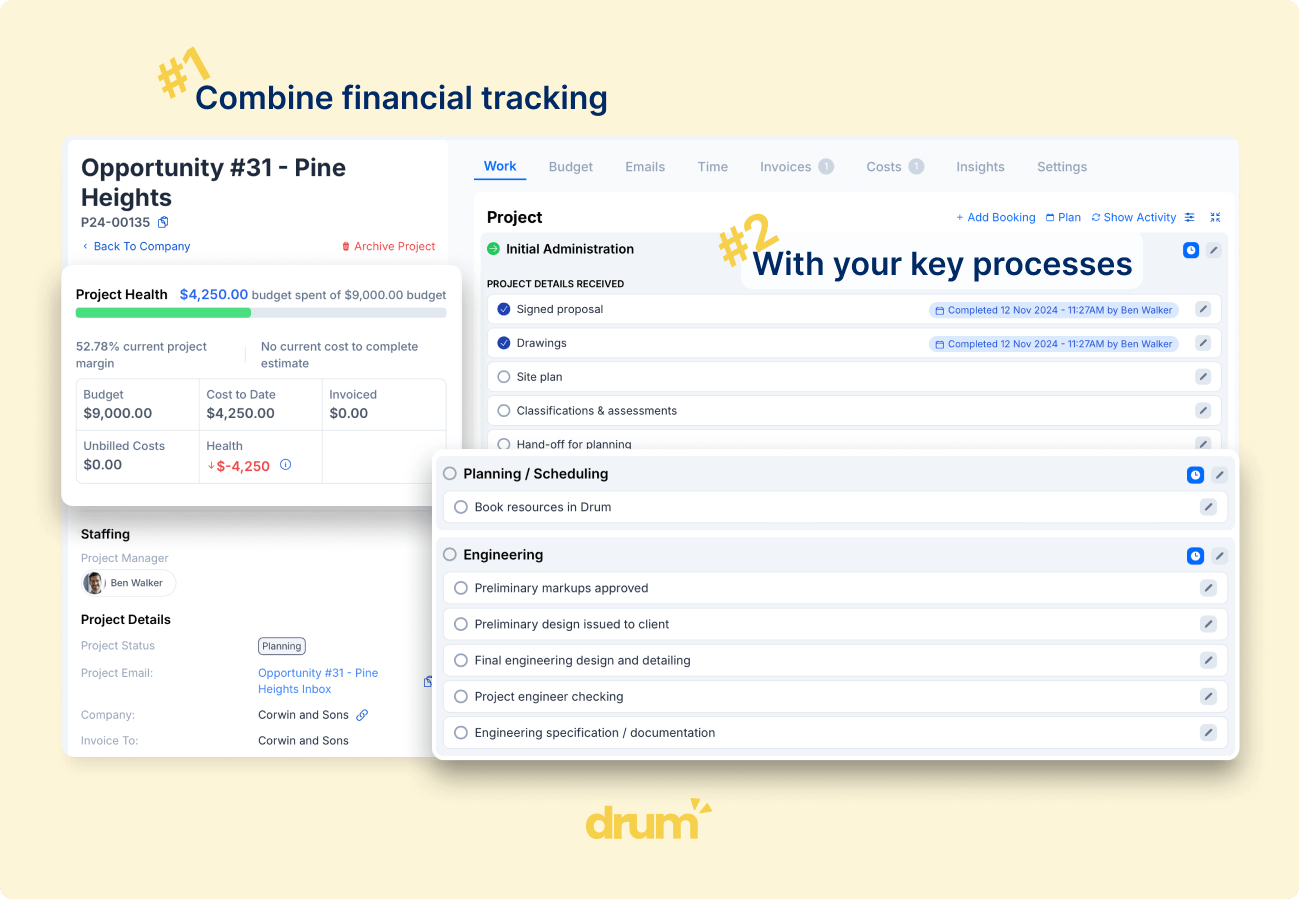
Look elsewhere when your work runs on fees and stages. If your projects start with an enquiry and a fee proposal, mix lump-sum and hourly work, pick up variations along the way, and get billed by stage or percentage complete, you need a system built around those workflows rather than one that can be bent to fit them. Drum Complete covers the pipeline, fee proposals, resource planning, time, WIP and Xero, MYOB or QuickBooks invoicing for one published price. Our guide to Australian WorkflowMax alternatives compares the wider field, and the WorkflowMax alternative for architects covers design practices specifically.
If you’re pricing several vendors, our Projectworks pricing, Total Synergy pricing and Abtrac pricing breakdowns use the same 10, 25 and 50 seat format. Every page is listed on our software comparison hub.
Is WorkflowMax Worth the Price?
WorkflowMax is a transparent, affordable job management tool, and BlueRock has given it a modern rebuild with no setup fees and no lock-in. It’s cheaper than Drum on licence at every firm size.
The catch for consultancies is fit, not price. Capacity planning and WIP sit on Advanced, there’s no direct MYOB link, hybrid lump-sum and hourly projects need several jobs, and variations are hard to manage. The workflows are built for every industry rather than yours. If your firm runs on fee proposals, stages and WIP, compare WorkflowMax Advanced with Drum Complete on what your team will actually do each week. Whatever you choose, check every line of WorkflowMax pricing, including migration, before you commit.
Frequently Asked Questions
How much does WorkflowMax cost? WorkflowMax pricing is per user per month: $12.22 AUD for Essentials, $22 for Pro and $37.78 for Advanced, or $11, $20 and $34 billed annually. Pro needs at least 5 users and Advanced at least 10, and Essentials is capped at 25 users. There are no setup fees. Drum Complete is $225 AUD a month for five seats plus $45 per extra seat, excluding GST and onboarding.
Is WorkflowMax still owned by Xero? No. WorkflowMax was part of Xero until 2024, when BlueRock acquired it and rebuilt it as an independent platform, sometimes called WorkflowMax 2. Existing customers have been migrated to the new version, which still has a two-way Xero integration and now also supports QuickBooks Online.
Does WorkflowMax integrate with MYOB? Not directly. WorkflowMax’s FAQ says it does not currently offer a direct MYOB integration and suggests Zapier, which is available on the Pro and Advanced plans. Drum connects directly to Xero, MYOB and QuickBooks.
Running a consultancy on a tool built for every industry?
Drum Complete brings your pipeline, fee proposals, projects, time, WIP and Xero or MYOB invoicing together at one published subscription price.