
 Pipeline & Proposals
 Project Management
 Resource Planning
 Time & Costs
 WIP & Invoicing
 Commercial Reporting
 Consulting Engineers
 Architects
 Town Planners
 Building Designers
Project Management Fundamentals: The Core Concepts Every Firm Director Should Know

Ben Walker
Written for Drum
In This Article
A Friendly Guide to the Fundamentals of Project Management
Welcome to your guide to the fundamentals every successful project is built on. Think of any great project like a well-built house. It needs a solid blueprint, a skilled team, and someone keeping a close eye on things from foundation to finish. Mastering these core principles is the single most important tool in your entire toolkit, and we’re here to walk you through it. According to PMI’s Pulse of the Profession report, roughly 12% of all projects are outright failures and 40% produce mixed results, reinforcing why these fundamentals matter so much.
Your Blueprint for Project Success

Starting a new project without a firm grip on the basics is like setting sail without a map. Sure, you might drift to some destination eventually, but the journey will be chaotic, costly, and incredibly stressful. The fundamentals of project management are your map and compass, giving you the structure to handle complexity with confidence.
These concepts aren’t just abstract theories; they are the interconnected gears that drive a project forward. For example, once you understand how adding a new feature (scope) will inevitably push back your launch date (schedule) and increase costs (budget), you can make smarter decisions, manage client expectations, and keep your entire team on the same page.
The Core Pillars of Project Management at a Glance.
Before we go further, it helps to see the big picture. Think of these as the four main dials you’ll constantly be adjusting. Get these right, and everything else becomes infinitely easier.
| Pillar | What It Means | A Practical Example |
|---|---|---|
| Scope | Clearly defining what the project will deliver, and just as importantly, what it won’t. | For a website build, the scope includes 5 core pages. It explicitly excludes a blog section to prevent future confusion. |
| Schedule | The timeline for completing all project tasks and milestones, from start to finish. | The website project has a 6-week timeline, with a key milestone of “client design approval” at the end of week 2. |
| Budget | The financial plan that allocates funds for all project activities, including labor, materials, and overhead. | The project is budgeted for 100 hours of developer time and a $500 software plugin cost. |
| Risk | Identifying potential problems that could derail the project and planning how to deal with them. | A key risk is the lead developer getting sick. The mitigation plan is to have another developer briefed on the project as a backup. |
Mastering how these pillars interact is the real secret sauce. A change in scope almost always impacts the schedule and budget, and ignoring a risk could blow up all three.
Why a Solid Foundation Matters.
A strong understanding of these fundamentals translates directly into better business outcomes. It’s the difference between constantly fighting fires and proactively leading your team, ensuring projects aren’t just done, but done right.
This guide is built to make these ideas tangible and immediately useful, showing how they lead to:
- Better Client Outcomes: Delivering exactly what you promised, on time and within budget, is how you build trust and earn repeat business.
- Happier, More Productive Teams: Clear roles, realistic timelines, and good communication reduce stress and create an environment where people can do their best work.
- Predictable, Profitable Results: A disciplined approach gives you the visibility you need to protect your margins and make sure your hard work actually pays off.
The proof is in the numbers. The global project management software market is on track to hit USD 12.02 billion by 2030. That explosion isn’t a fluke; it’s because businesses know that proper management is essential for survival and growth. In fact, a staggering 77% of high-performing projects rely on dedicated software to get better results.
Project management is the art and science of turning a vision into reality. It’s about creating order from potential chaos and guiding a team toward a shared objective with precision and purpose.
Ultimately, mastering these fundamentals is about gaining control. By establishing a clear plan from the get-go, you create a blueprint for success that guides every single decision, task, and conversation. The right project management tools and features can centralize this blueprint, giving your entire team one place to look for the truth. From the first idea to the final handshake, a strong foundation is what separates frantic work from focused progress.
The Five Phases of a Project
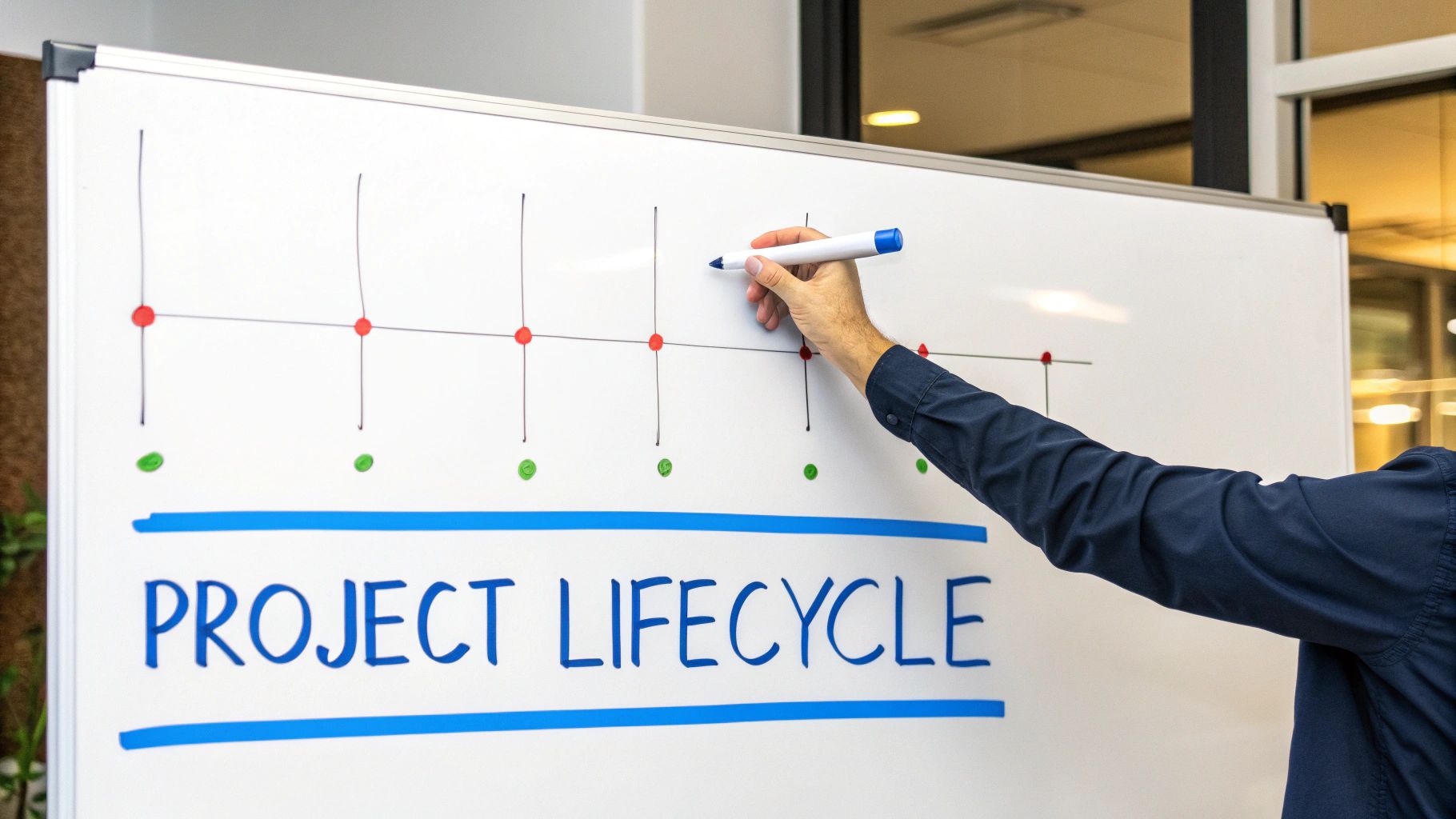
Every project you’ll ever run, from building a garden shed to launching a satellite, follows a predictable path. It has a beginning, a middle, and an end. Mastering the fundamentals of project management is all about understanding and guiding projects through this natural lifecycle.
Think of it like a five-act play. Each act has a clear purpose, building on the one before it and setting the stage for what’s next, all leading to a successful finale.
To make this real, let’s follow a software consulting firm, “Innovate Solutions,” that’s been hired to implement a new Customer Relationship Management (CRM) system for a retail client.
Phase 1: Initiation.
This is the “should we even do this?” phase. Before anyone writes a single line of code or books a meeting, the project needs a reason to exist. It’s where you define the project at a high level and get the green light to proceed.
Innovate Solutions meets with the client to understand their pain points. The core objective becomes clear: the client needs to reduce customer response time by 40%. With this goal in mind, the consultants draft a high-level project charter. This document acts as the project’s birth certificate, officially authorizing them to start planning.
Phase 2: Planning.
Once the project is a go, the team moves into the most crucial phase: planning. This is where the roadmap gets drawn in detail. A failure to plan is a plan to fail, plain and simple.
The Innovate Solutions team gets down to business:
- Defining Scope: They create a detailed Statement of Work (SOW) that clearly lists what the CRM implementation will include (e.g., data migration for 10,000 contacts) and what it won’t (e.g., custom API integrations).
- Creating a Schedule: The project manager maps out a timeline with key milestones, like “user training complete” and “system go-live.”
- Setting a Budget: They meticulously estimate costs for software licenses, consultant hours, and training, creating a clear budget for client sign-off.
- Identifying Risks: The team brainstorms what could go wrong. What if data migration is more complex than expected? They develop a plan to dedicate extra developer hours if needed.
The planning phase is where you turn a vague idea into a specific set of instructions. It transforms the ‘what’ and ‘why’ from the initiation phase into the ‘how,’ ‘who,’ and ‘when’ needed for execution.
Phase 3: Execution.
Showtime! This is the “doing” phase where plans are put into motion. It’s almost always the longest phase and consumes the most resources. The project manager’s role shifts from an architect to a conductor, keeping the entire orchestra in sync.
At Innovate Solutions, developers are now configuring the CRM. The training team is creating user guides. The project manager leads daily check-ins, ensuring communication flows freely as the team brings the new software to life.
Phase 4: Monitoring and Controlling.
This isn’t a separate phase that comes after execution; it happens right alongside it. Think of it as the project’s GPS. It constantly compares where you are to where you planned to be and helps you make course corrections.
The project manager at Innovate Solutions is watching the budget and schedule like a hawk. When they see that the data migration is taking longer than planned, they quickly approve the extra developer hours they had planned for, keeping the project on track. They’re constantly asking, “Are we on schedule and on budget?” and making adjustments to steer the project toward its destination.
Phase 5: Closure.
The project has crossed the finish line. The closure phase is about formally ending the work, handing over the keys, and tying up loose ends. It’s a step many teams rush, but a proper closing ensures nothing is forgotten and the team learns from the experience.
After a successful launch, Innovate Solutions gets formal sign-off from a happy client. They archive all project documents and hold a “lessons learned” session. The team discusses what went well (the hands-on training was a huge success) and what they’d do differently next time (they should have budgeted more time for data migration). This feedback loop is what drives continuous improvement.
Balancing Scope, Schedule, and Budget
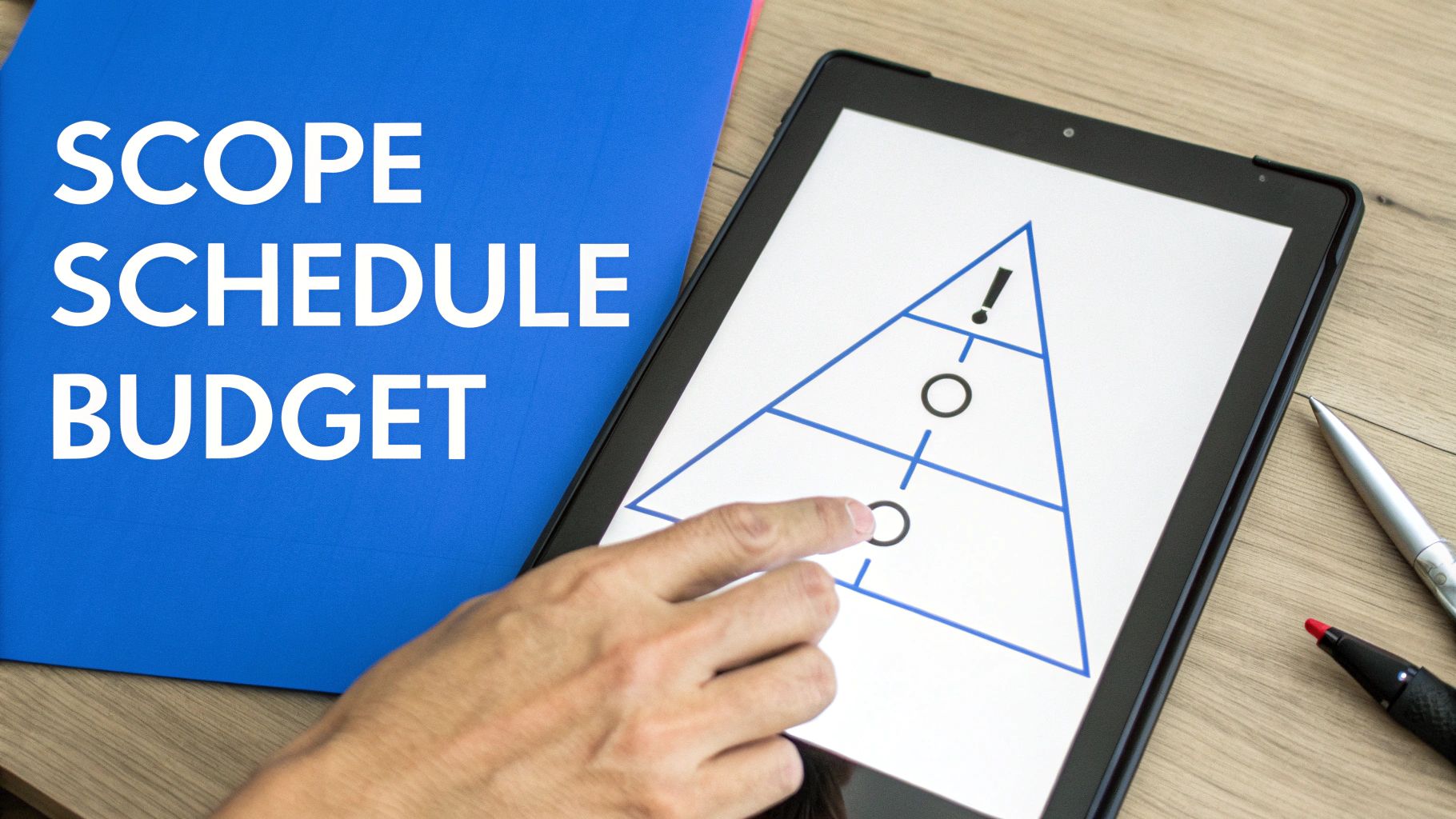
In the project management world, you’ll often hear about the “Iron Triangle” or “Triple Constraint.” These aren’t just buzzwords; they represent the three core pillars of any project: scope, schedule, and budget. The art of project management is understanding that you can never change one of these without affecting the other two.
Think of it as a three-legged stool. If you shorten one leg (slash the budget), the stool gets wobbly. Try to lengthen another (add more work to the scope), and you have to adjust the others to find balance. This juggling act is a project manager’s daily reality.
Let’s walk through this with a marketing agency hired to build a new website for a client.
Defining Your Project Scope.
The scope is simply the “what” of your project. It’s a rock-solid agreement on exactly what work will be done. Just as important, it clarifies what work will not be done. Without a clear scope, you invite a project’s worst nightmare: scope creep.
Scope creep is what happens when little “can we just…” requests start piling up, slowly blowing past your deadlines and budget. PMI research found that 52% of all projects experience scope creep, and those without formal change management are 35% more likely to exceed costs. Your best defense is a powerful Statement of Work (SOW).
For our marketing agency, the SOW might look like this:
- Deliverables: Create a 5-page website (Home, About, Services, Contact, FAQ).
- Boundaries: The document explicitly states that e-commerce functionality and a blog are not included in this phase.
This document acts as the single source of truth, heading off misunderstandings before they start.
Building a Realistic Schedule.
The schedule is the “when.” It lays out the deadlines for every task. A good schedule isn’t a random list of dates; it’s a carefully planned sequence of activities.
To map this out, the agency creates a Work Breakdown Structure (WBS). This just means breaking the big goal (“build website”) into smaller pieces like “design wireframes,” “write copy,” and “develop contact form.”
With these smaller tasks defined, they can plug them into a tool like a Gantt chart to visualize the timeline. This makes it easy to see that development can’t start until the design is approved, helping the project manager see at a glance if things are on time.
Managing the Project Budget.
Last but not least, the budget is the “how much.” This financial blueprint covers every cost, from your team’s billable hours to software fees. Keeping a tight grip on the budget is essential for ensuring the project is profitable.
The agency’s project manager estimates the hours needed from their designer and developer for each task in the WBS, then adds hard costs like stock photography licenses. Effective project management and accounting systems are indispensable here, giving them real-time visibility into expenses versus estimates.
The Iron Triangle isn’t a limitation; it’s a framework for having honest conversations. It empowers you to turn a client’s “can we just add…” request into a strategic discussion about priorities.
The Art of the Trade-Off.
Here’s where the magic happens. A few weeks in, the client loves the design and asks, “This looks amazing! Can we also add a blog section?” An inexperienced project manager might say “yes” to keep the client happy, only to face chaos a week later.
A seasoned pro uses the Iron Triangle as a communication tool. They respond warmly: “That’s a fantastic idea! A blog would be great for your SEO. To make that happen, we have a couple of options:
- We can extend the project timeline by two weeks to build the blog, which would add X amount to the budget.
- If the deadline is firm, we could launch the main 5 pages as planned and tackle the blog as a separate, second-phase project right after.”
This simple, friendly response shifts the dynamic. The project manager is a strategic partner, not an order-taker. It shows the client their idea is valued while clearly laying out the consequences, leading to a smart, informed decision instead of a last-minute surprise.
Assembling Your Team and Managing Resources
A project plan might be your blueprint, but your team is the crew that brings it to life. Without the right people in the right roles, even the most brilliant strategy will falter. This is where resource management comes in. It’s about building a capable, motivated team and giving them what they need to succeed.
When we talk about “resources” in a professional services firm, we’re not just talking about a list of employees. It includes:
- People: The skills, experience, and availability of your team members.
- Tools: The software, equipment, and technology needed to get the job done.
- Budget: The financial resources allocated to cover labor, software, and other project costs.
Getting this right is a balancing act. You need to assign the right experts to the right tasks at the right time, all while making sure nobody is stretched to the breaking point.
Building Your Project Dream Team.
First things first: what skills does this project actually need? If you’re a marketing agency launching a new campaign, you’ll need a strategist, a copywriter, a designer, and a paid media specialist. The next step is to match these needs with the talent in your firm, looking at both their expertise and their current workload.
This has become even more critical in recent years. There’s a significant talent shortage in project management on the horizon, with a need for up to 30 million additional professionals by 2035. The Business Dive reports that project cost overruns average 27% across all industries, making careful resource allocation essential. That scarcity makes smart resource allocation essential, especially when 59% of managers are already juggling between two and five projects at once. You can explore more project management statistics to see how the industry is evolving.
Once you’ve identified your team, it’s vital to clarify who does what. A simple but incredibly powerful tool for this is the RACI chart.
A RACI chart is a simple matrix that maps out every task and assigns roles. It’s designed to make sure every task has a clear owner and that everyone knows what’s expected of them, stamping out confusion before it starts.
For each task, you assign one of these four roles:
- Responsible: The person who actually does the work.
- Accountable: The one person ultimately answerable for the task. (There should only be one!)
- Consulted: Experts who need to provide input.
- Informed: People who just need to be kept in the loop.
For a task like “Design Social Media Graphics,” the graphic designer is Responsible, the project manager is Accountable, the copywriter might be Consulted for feedback, and the client is Informed once drafts are ready for review. Simple, right? But it prevents a world of headaches.
Fostering Communication and Collaboration.
With roles defined, the project manager’s focus shifts to creating an environment where people can work together effectively. This isn’t just about scheduling more meetings; it’s about building a culture of open, honest communication.
Running productive meetings is key. Every meeting should have a clear agenda and a defined goal. For example, a “Design Review” meeting’s goal is to get “final approval on mockups,” not just to “chat about design.” Respecting everyone’s time builds trust and keeps momentum high.
Ultimately, managing resources is deeply human. It involves understanding your team’s strengths, protecting their time, and clearing roadblocks so they can do their best work. Great project managers know that when they invest in their team’s well-being and clarity, the project’s success naturally follows.
How Project Fundamentals Drive Your Business
The principles we’ve covered (scope, schedule, budget, and resources) aren’t just abstract concepts. They are the engine that powers the day-to-day operations of a profitable professional services firm. This is where the blueprint meets the real world, connecting the dots between a solid plan and a healthy bottom line.
Think of a detailed project plan as the foundation for an accurate client proposal. Once you’ve broken down the work, estimated the hours, and assigned the right people, your proposal stops being a guess. It becomes a reliable financial forecast. This discipline turns a potential project into a profitable one from day one.
From Task Execution to Timely Invoicing.
Every hour your team works is a direct cost to your firm. The only way to get compensated is through diligent time tracking. This isn’t about micromanaging; it’s about financial clarity. As team members complete tasks from the project plan, they should be logging their hours against those specific activities.
This simple act creates an unbreakable link between the work performed and the invoice you send the client. A marketing agency, for instance, can track hours spent on “Graphic Design” versus “Copywriting,” ensuring the final bill accurately reflects the effort invested. This is how disciplined project management ensures you get paid correctly and on time.
This diagram shows how your core resources (your team, their tools, and the project plan) all fit together.
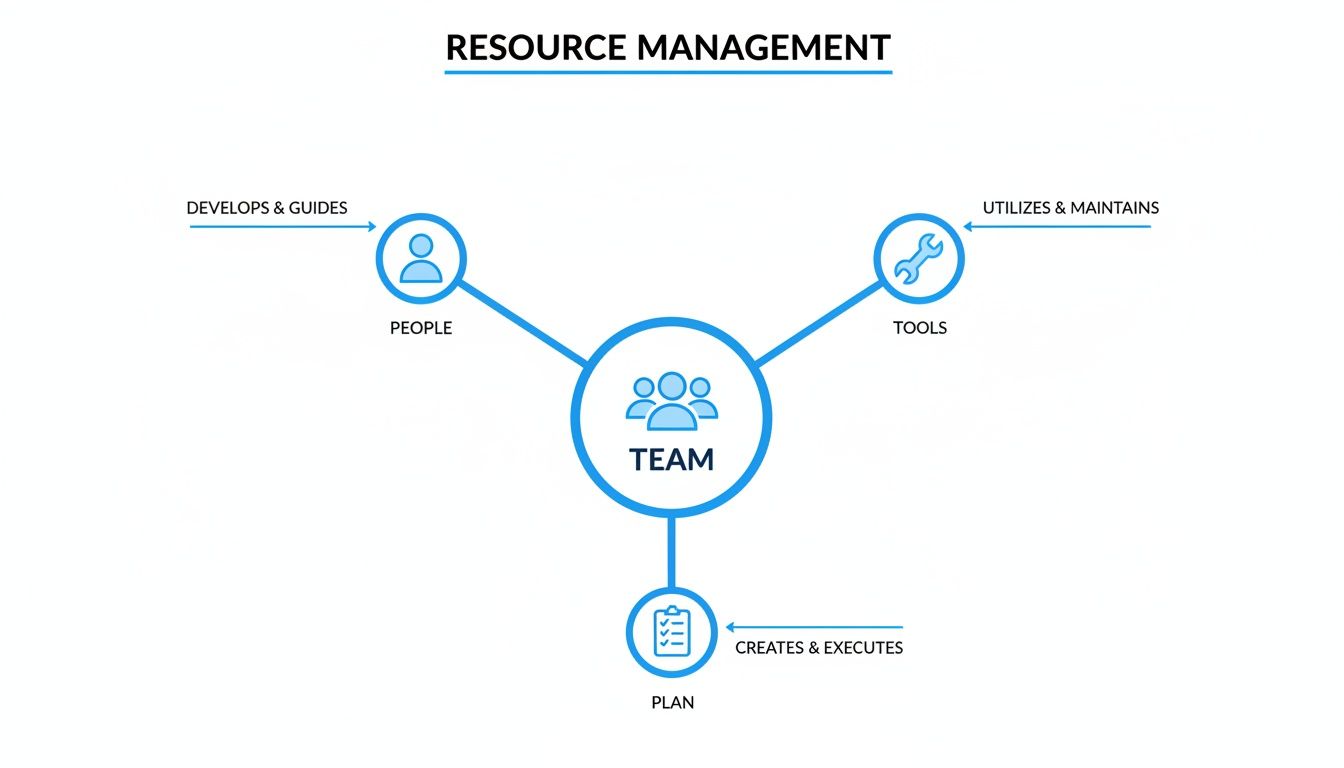
As you can see, your people are at the heart of it all, using specific tools to execute a clear plan.
Unlocking Real-Time Project Profitability.
So, how do you know if a project is actually making money while it’s still in motion? You can’t afford to wait until the final invoice is paid. By actively tracking your budget against actual hours worked, you get a live view of your project’s financial health.
When you compare logged hours against the initial budget, you can instantly see if you’re on track. Let’s say a project was budgeted for 100 hours but your team has already logged 80 hours with half the work still to go. That’s a massive red flag. This early warning lets you tackle the problem immediately, perhaps by reassigning tasks or having a conversation with the client, instead of discovering a huge budget overrun weeks later. This real-time visibility is a huge advantage.
Mastering the fundamentals of project management is about creating a predictable system that connects your team’s effort directly to your firm’s revenue. It ensures that every proposal, task, and invoice works in concert to achieve profitable outcomes.
Centralizing Your Workflows with a PSA Platform.
Juggling proposals in one tool, time tracking in another, and invoicing in a third is a recipe for manual errors. This is the exact headache that Professional Services Automation (PSA) platforms were built to solve. A great PSA tool acts as the single source of truth for your entire business.
Imagine a system where your initial project plan automatically populates tasks for your team. As they track time, the data flows directly into your budget monitoring and, with a few clicks, generates a precise client invoice. It’s a completely integrated approach that connects every fundamental workflow.
Platforms like Drum are designed to centralize these operations. They give you one place to manage everything from the initial sales proposal to the final payment, offering a clear, real-time picture of project performance and overall business health. By bringing these fundamentals under one roof, you can focus less on administrative chaos and more on delivering exceptional work.
So, how do you really know if a project was a success? Finishing on time and under budget is a great start, but that’s only half the story. To get the full picture, you need to look beyond the finish line and measure performance using Key Performance Indicators (KPIs).
Think of KPIs as your project’s vital signs. They’re specific, measurable metrics that tell you if you’re on track. Mastering the fundamentals of project management means using hard data, not just gut feelings, to guide your decisions.
Performance Against the Plan.
Two of the most critical KPIs are the ones that measure how well you’re sticking to the original game plan: Schedule Variance and Cost Variance.
- Schedule Variance (SV): This tells you if you’re ahead of, right on, or behind schedule. A positive number means you’re ahead, which is fantastic. A negative number is a signal that you’re falling behind. For example, if you planned to complete $50,000 worth of work by Friday but have only knocked out $40,000, your SV is -$10,000. That’s a clear indicator you’re behind.
- Cost Variance (CV): This shows if you are over or under budget. A positive CV is what you want, meaning you’re spending less than planned. A negative CV is a red flag that your costs are creeping up.
These aren’t just numbers for a final report card. They’re early warning systems that help you make smart adjustments while the project is still in motion.
Measuring Team and Client Health.
A truly successful project isn’t just about the numbers; it’s about the people. Keeping your team productive without burning them out and making sure your client is genuinely happy are vital to long-term success.
Resource Utilization Rate measures how much of your team’s available time is spent on billable project work. A sweet spot is often around 75-85%. If that number is too high, you’re risking burnout. If it’s too low, you’re leaving money on the table.
Measuring client happiness is just as important as tracking your budget. A Client Satisfaction (CSAT) score, often gathered through simple post-milestone surveys, gives you direct feedback and helps you build stronger, long-term relationships.
Tying It All Back to Business Goals.
Every project needs to contribute to the firm’s financial health. The ultimate measure of a project’s business success is its profitability.
The Gross Profit Margin per Project is a powerful KPI that cuts straight to the point. You calculate it by subtracting the total project costs (including all labor and expenses) from the total revenue, then dividing that by the revenue. The resulting percentage tells you exactly how much profit that project generated.
This is a great point to introduce a table that summarizes the most important KPIs we’ve discussed. Think of it as your project health dashboard at a glance.
Essential Project Management KPIs and What They Tell You.
| KPI | What It Measures | Why It’s Important |
|---|---|---|
| Schedule Variance (SV) | Progress against the planned timeline. | Instantly shows if you’re ahead of or behind schedule, letting you adjust before it’s too late. |
| Cost Variance (CV) | Actual costs versus the budgeted amount. | A critical early warning sign for budget overruns, protecting your project’s profitability. |
| Resource Utilization | The percentage of an employee’s time spent on billable work. | Helps balance team workload to prevent burnout while maximizing profitability. |
| Client Satisfaction (CSAT) | Client happiness with your work and service. | High satisfaction leads to repeat business, referrals, and stronger relationships. |
| Gross Profit Margin | The profitability of a single project. | The ultimate measure of a project’s financial success and contribution to the business’s bottom line. |
Each of these metrics provides a unique lens through which to view your project’s performance. Together, they create a comprehensive picture that goes far beyond just being “done.”
Tracking these metrics might seem like a lot of work, but this is where modern tools come in. Learning what PSA software is will show you that these platforms are built to automatically track these KPIs for you. They turn raw data from time entries and expenses into clear, actionable insights that make managing projects much easier.
Even when you’ve got the fundamentals down, the real world has a funny way of throwing curveballs. Let’s tackle a few of the questions that always seem to pop up as you put these principles into practice.
Think of this as the practical, “what-do-I-actually-do-when…” part of our chat.
What Is the Most Important Skill for a Project Manager?
While you need to be sharp with planning and budgeting, the one skill that trumps all others is communication. It’s the engine oil of project management.
Research from Breeze shows that Agile projects achieve a 64% success rate compared to just 49% for waterfall, largely because of more frequent communication loops. A project manager’s day is a constant stream of communication—leading team huddles, updating stakeholders, and managing client expectations. The ability to articulate a clear vision, give helpful feedback, and keep everyone on the same page is what separates a good project manager from a great one.
How Do I Handle Scope Creep?
First, don’t panic. It happens to everyone. The trick is to handle it with proactive, friendly communication.
When a client asks for “just one more thing” outside the original agreement, your first move isn’t to say “no.” Instead, you acknowledge the request and then clearly analyze its impact on the timeline and budget. Present them with options, usually in a formal change order that outlines the new cost and schedule.
This simple shift in approach changes the entire dynamic. You’re no longer an obstacle; you’re a strategic partner helping them make a smart, informed decision. It turns a potential conflict into a collaborative chat about priorities.
What Is the First Step If a Project Is Falling Behind?
Before you do anything else, diagnose the root cause, without pointing fingers. Is the team under-resourced? Did an unexpected technical issue pop up? Or were the initial estimates just a bit too optimistic?
Once you understand the why, you can build a recovery plan. This might mean shuffling resources, negotiating a scope adjustment with the client, or finding clever ways to fast-track critical tasks to get back on track.
What Is the Difference Between a Project and a Program?
This is a classic point of confusion, but the distinction is pretty simple.
-
A project is a self-contained effort with a clear start and finish, designed to deliver a specific outcome. Building a new website for a client is a project.
-
A program is a bigger-picture collection of related projects. They’re managed together because doing so provides benefits you couldn’t get by running them separately. For instance, a company’s “Digital Transformation Initiative” could be a program that includes the website project, a CRM implementation project, and a content strategy project.
Mastering these fundamentals is what allows you to run projects that are both predictable and profitable.
With Drum you can bring all of these moving parts together—from the initial proposal and time tracking all the way through to invoicing and profitability reporting—in one central hub.
Start your free 14-day trial and discover a better way to run your studio.