- A Practical Guide to Resource Planning for a Project
- Why Resource Planning Is Your Project’s Foundation
- The Four Pillars of Successful Resource Planning
- The Real-World Impact of Poor Planning
- The Growing Need for Strategic Allocation
- Translating Project Scope Into Resource Needs
- Deconstructing The Project Scope
- Creating a Resource Breakdown Structure
- Forecasting Capacity and Matching the Right Skills
- Moving Beyond Simple Availability
- Conducting a Practical Skills Inventory
- A Real-World Matching Scenario
- Building a Flexible and Realistic Resource Schedule
- From Static Plan to Dynamic Guide
- Building Your Project’s Safety Net
- A Practical Contingency Scenario
- Tracking Performance with the Right KPIs
- Unpacking the Utilization Rate
- Keeping an Eye on Bench Time
- The Power of Forecast vs Actuals
- Key Resource Planning KPIs at a Glance
- Common Questions About Project Resource Planning
- How Do You Handle Resource Planning For Multiple Projects at Once?
- What’s the Best Way to Deal with Unexpected Resource Changes?
- How Can Small Firms Start Resource Planning Without Complex Software?
A Practical Guide to Resource Planning for a Project
Let’s be real, running a project often feels like you’re trying to keep chaos at bay. Resource planning is what turns that chaos into a predictable, manageable process. It’s all about making sure you have the right people, with the right skills, available exactly when you need them.
This isn’t just another box-ticking exercise; it’s the friendly, strategic foundation that stops budgets from blowing out, deadlines from slipping, and your team from burning out.
Why Resource Planning Is Your Project’s Foundation
Think of resource planning as your number one tool for protecting profitability and keeping clients happy. It’s the behind-the-scenes work of identifying, scheduling, and allocating everything you need—from your team’s talent and time to the budget and tools—to get a project over the line.
Without a solid plan, you’re basically flying blind. You might accidentally stick your best engineer on a low-priority task while a critical project starts to flounder. Or worse, you could overbook your entire design team, leading to exhaustion, rushed work, and unhappy clients.
Before we dive deep into the ‘how-to’, it’s important to grasp the core elements that make up a robust resource planning strategy.
Here’s a quick look at the core components of a strong resource planning strategy, which we’ll explore in detail throughout this guide.
The Four Pillars of Successful Resource Planning
| Pillar | What It Achieves | The Problem It Solves |
|---|---|---|
| Scope & Role Definition | Establishes a clear project roadmap and team structure from day one. | Prevents scope creep and confusion over who is responsible for what. |
| Capacity Forecasting | Provides a real-time view of your team’s availability and workload. | Avoids overbooking staff and helps identify hiring needs in advance. |
| Skill & Utilization Matching | Ensures the right person is assigned to the right task, maximizing their value. | Stops you from misallocating senior talent on junior tasks or vice-versa. |
| Scheduling & Monitoring | Creates a dynamic, living schedule that adapts to project changes. | Moves you from reactive firefighting to proactive, strategic adjustments. |
These four pillars work together to create a system that’s not just about managing people, but about maximizing the potential of every project and every team member.
The Real-World Impact of Poor Planning
The fallout from neglecting this step is all too real—and expensive. For any professional services firm, whether you’re in consulting, marketing, or architecture, the daily juggling act is immense. One small miscalculation can send ripples across the entire business.
Imagine a digital marketing agency launching a major campaign. Without proper planning, they might only realize halfway through that their lead graphic designer, Sarah, is already swamped with another client’s work. Now they’re forced to scramble for a freelancer at a premium rate, which not only inflates the budget but puts brand consistency at risk.
A well-crafted resource plan is your best defense against the unexpected. It transforms reactive problem-solving into proactive strategy, allowing you to anticipate bottlenecks before they derail your project.
The Growing Need for Strategic Allocation
As projects get more complex, the need to allocate resources strategically becomes even more critical. There’s a reason the project management software market is exploding—it’s a clear sign that businesses are finally prioritizing better planning.
The market, which hit $7.24 billion in 2025, is on track to reach $12.02 billion by 2030. This growth isn’t just about new tech; it’s driven by a hard truth: inadequate resource allocation is a leading cause of project failure, impacting nearly 70% of all projects. You can find more details in recent studies on project management trends and statistics.
This is where modern platforms like a Professional Services Automation (PSA) tool make all the difference. They take complex data from timesheets, project timelines, and budgets and turn it into clear, actionable insights. These tools give managers the power to move beyond guesswork and make smart decisions from the very beginning.
Ultimately, great resource planning achieves three critical goals:
- Maximizes Profitability: Ensures your billable team members are assigned effectively and project budgets are respected.
- Boosts Team Morale: Prevents burnout by creating balanced, realistic workloads for everyone.
- Enhances Client Satisfaction: Delivers projects on time and within scope, which builds trust and brings in future work.
Translating Project Scope Into Resource Needs
The proposal is signed. The client is happy. Now the real work begins. This is where you have to turn those high-level promises—like “redesigning the client’s mobile app”—into a concrete, actionable plan for your team.
It’s the shift from broad strokes to fine, critical details. Every deliverable needs to be broken down, every task identified, and every hour assigned to the right person.
Simply saying “we need a developer” just doesn’t cut it anymore. Do you need a back-end developer with Python experience for 150 hours? Or is it a front-end specialist who’s a wizard with React for the first two sprints? Getting this wrong at the start is one of the fastest ways to blow up your project’s timeline and budget.
Deconstructing The Project Scope
First things first, you need to break down the entire project scope into a Work Breakdown Structure (WBS). Don’t think of this as just another to-do list. The WBS is a formal, hierarchical breakdown of everything your team needs to do to deliver the final product. It forces you to think through every single component and leaves no room for ambiguity.
Let’s say your firm landed a project to build a new customer relationship management (CRM) tool for a client. On paper, it sounds straightforward. But the WBS quickly reveals the true complexity hiding under the surface.
A small slice of that WBS might look something like this:
- Discovery & Strategy Phase:
- Conduct stakeholder interviews (Requires: 1 Senior Consultant - 20 hours)
- Map user journeys and create personas (Requires: 1 UX Strategist - 40 hours)
- Define technical requirements and architecture (Requires: 1 Solutions Architect - 30 hours)
- UI/UX Design Phase:
- Create wireframes for all key screens (Requires: 1 UI/UX Designer - 60 hours)
- Develop a high-fidelity prototype in Figma (Requires: 1 UI Designer with Figma expertise - 80 hours)
- Conduct user testing on the prototype (Requires: 1 UX Researcher - 25 hours)
See how specific the roles are becoming? You don’t just need a “designer”—you need a UI designer with proven expertise in Figma. This is the level of detail that underpins any accurate and reliable resource plan.
Creating a Resource Breakdown Structure
With your WBS in hand, the next logical step is to build out a Resource Breakdown Structure (RBS). If the WBS is all about what needs to be done, the RBS is about who is going to do it. This structure maps the specific roles, skills, and even individual team members to the tasks you’ve already defined.
Sticking with our CRM project, the RBS starts to paint a clear picture of the team you need to assemble:
- Senior Consultant: Your lead for client communication and high-level strategy.
- Solutions Architect: The expert responsible for designing the system’s technical blueprint.
- Project Manager: The one who keeps the timeline, budget, and team coordination on track.
- UI/UX Designer: A versatile role for the initial wireframing and strategic thinking.
- UI Designer (Figma Specialist): A specialist brought in for their specific prototyping skills.
- Back-End Developer (Python/Django): The person building the server-side logic and database.
- Front-End Developer (React): The developer building what the user actually sees and interacts with.
Think of the RBS as the blueprint for your staffing plan. It ensures you’ve accounted for every single skill set before you start assigning people and kicking off the work.
This whole process is guided by three core pillars: planning the work, preventing issues through smart allocation, and predicting future needs.
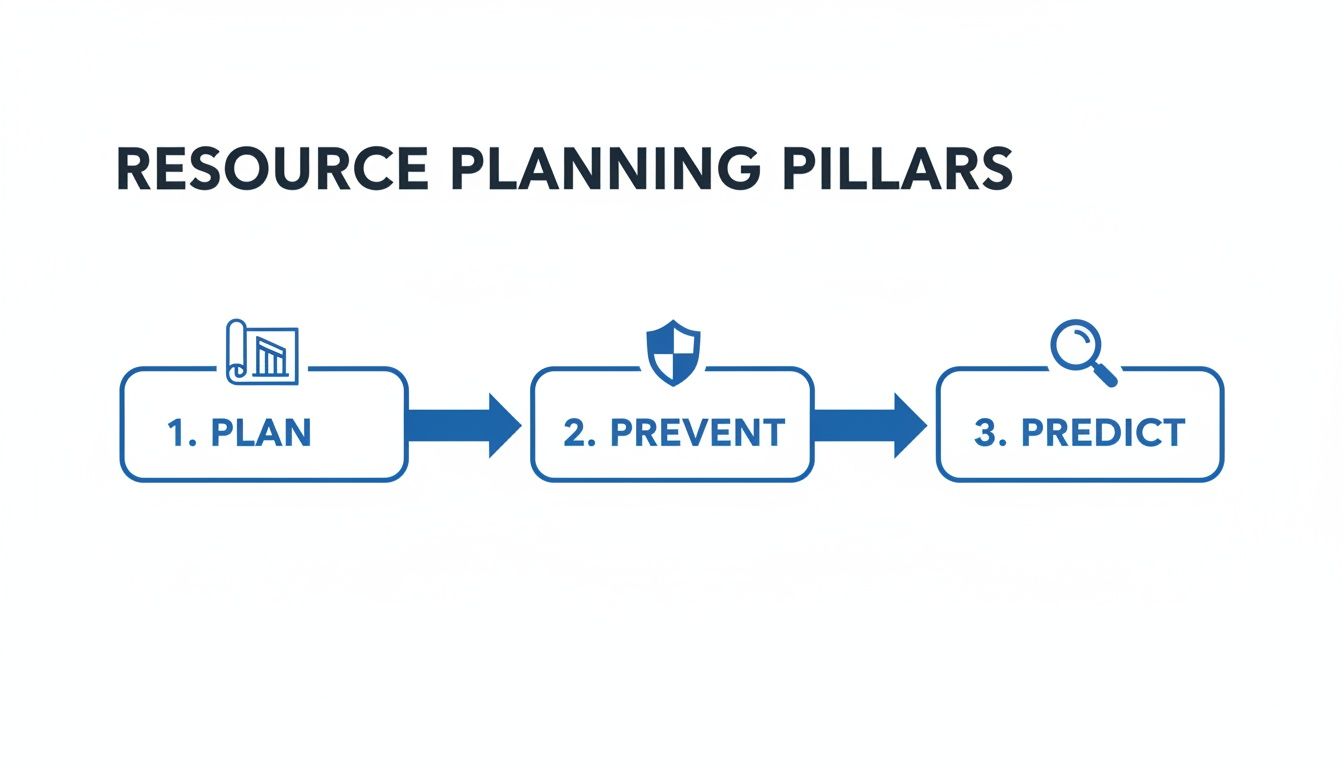
As the visual shows, great resource planning isn’t a one-off task. It’s a continuous cycle of planning, preventing, and predicting.
The goal here is to completely eliminate assumptions. By translating scope into tangible resource needs, you create a shared understanding—both internally and with your client—about what it will really take to get the job done right.
This detailed breakdown becomes your most powerful tool for setting realistic expectations. When a client inevitably asks to add a “small” new feature, you can point directly to the WBS and RBS to show the real-world impact on specific roles, hours, and costs. It turns a potentially awkward conversation into a simple, data-driven discussion about trade-offs.
Forecasting Capacity and Matching the Right Skills
Once you’ve nailed down the roles and skills a project needs, it’s time to look inward. Seriously effective resource planning for a project comes down to one thing: knowing exactly who you have available to do the work. This is where capacity forecasting and skill matching become your secret weapons, moving you from hopeful guesses to confident, data-backed staffing decisions.
And this goes way beyond a quick glance at the team calendar. True capacity forecasting means getting a realistic handle on your team’s actual availability. It’s not just about their main project work; it’s about everything else that eats up their time—paid time off, internal meetings, training, even those necessary admin tasks.
Moving Beyond Simple Availability
Just knowing someone works a 40-hour week isn’t enough information. After you subtract all the non-billable time, their actual capacity for project work might be closer to 30 hours. Ignoring this simple reality is one of the most common mistakes I see, and it’s a direct path to overworked teams and blown deadlines.
The real goal here is to get a clear, honest picture of your team’s bandwidth. This foresight is what allows you to spot potential bottlenecks weeks before they become problems. You can see your lead architect is already sitting at 90% capacity for the next month, which tells you immediately that you need to either shuffle timelines or bring in support—before the project even gets started. For a deeper look, check out our detailed guide on what capacity planning is and how to put it into practice.
This kind of proactive thinking is no longer a nice-to-have; it’s essential. In fact, capacity planning has shot to the top of the priority list for resource management, with 27% of professionals calling it their main focus. This shift just underscores how critical it is to have the right people with the right skills ready to go at the right time. The stakes are incredibly high, especially when you consider that a staggering 85% of projects go over budget because of poor resource planning. You can find more insights on these project management trends.
Conducting a Practical Skills Inventory
Capacity forecasting tells you who is available, but a skills inventory tells you what they can actually do. This isn’t about creating some rigid, bureaucratic database nobody ever updates. Think of it more like a living, breathing map of your team’s collective talents, helping you match the perfect person to every single task.
A truly useful skills inventory should capture a few key things for each person:
- Core Competencies: What are their go-to, day-in-day-out skills? Think “Python development,” “UI design,” or “Client strategy.”
- Specialized Expertise: Do they have any unique skills, certifications, or hidden talents? Maybe they’re “AWS certified,” a “Figma prototyping expert,” or “Google Analytics certified.”
- Experience Level: Keep it simple. Categorize them as Junior, Mid-level, Senior, or Lead to help guide how you assign complex work.
- Interest Areas: What do they want to work on? Assigning someone to a project that aligns with their personal growth goals is a massive, often overlooked, motivator.
A skills inventory isn’t just a staffing tool. It’s a strategic asset that shows you where you have deep talent pools and, more importantly, where you might have critical gaps that need to be filled through hiring or training.
A Real-World Matching Scenario
Let’s walk through an example. Imagine you’re a consulting firm juggling a handful of big client engagements. Your lead consultant, Sarah, is an absolute rockstar strategist, but her time is your most valuable—and most limited—asset.
A new project just landed that requires 20 hours of her strategic oversight each week. But a quick look at your capacity forecast shows she’s already booked for 30 hours on two other high-priority accounts. Instead of just piling more work on her plate and hoping for the best, you turn to your skills inventory. You spot Mark, a mid-level consultant with fantastic analytical skills who has mentioned he wants to grow into a more strategic role.
The solution becomes clear. You assign Sarah for 10 hours a week to provide that crucial high-level direction and client leadership. Then, you bring in Mark for 15 hours to handle the detailed research and initial draft work, all under her mentorship.
This simple move creates multiple wins:
- Protects Your Expert: Sarah’s time is reserved for high-impact work, which prevents burnout and keeps her sharp.
- Develops Talent: Mark gets an incredible growth opportunity, boosting his skills and making him feel valued and engaged.
- Serves the Client: The project gets the senior-level expertise it absolutely needs without completely monopolizing a key resource.
This is what smart resource management looks like in the real world. It’s about making thoughtful, informed decisions that perfectly balance project demands, your team’s well-being, and the company’s bottom line.
Building a Flexible and Realistic Resource Schedule
Now that you’ve defined the project’s needs and have a clear view of your team’s capacity, it’s time to build the command center: the resource schedule. Forget static documents. Think of this as a living, breathing plan that acts as the single source of truth for your entire team. It’s the visual roadmap showing who is working on what, and when.
The goal here is to ditch the confusing spreadsheets and create a schedule that’s actually easy to understand. When you get this right, everyone from a senior architect to a junior copywriter can glance at it and immediately see their assignments and how their work fits into the bigger picture.
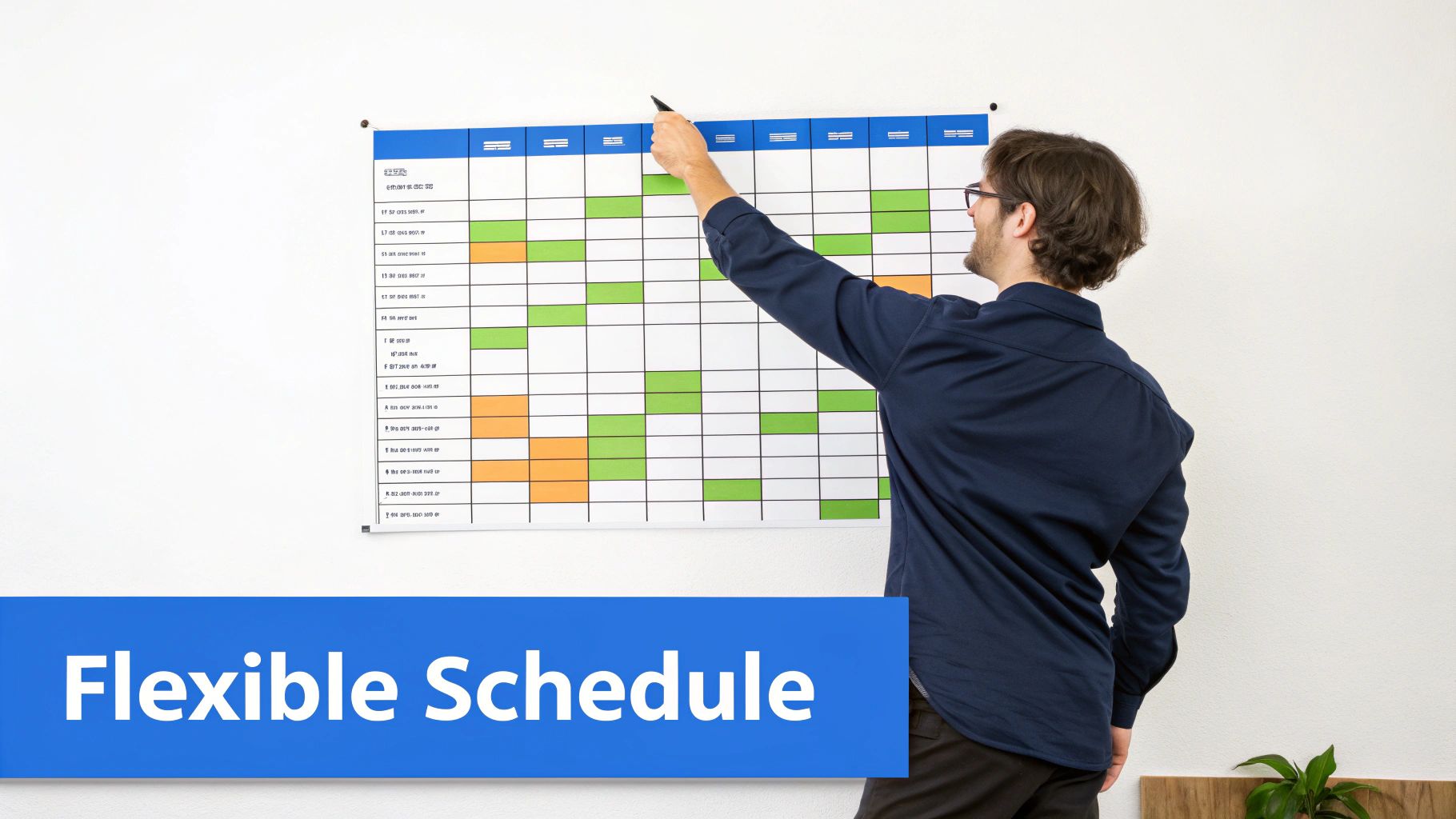
This centralized view is an absolute lifesaver when you’re trying to figure out how to manage multiple projects simultaneously, because it instantly highlights cross-project dependencies and prevents you from accidentally booking the same person on two critical tasks at once.
From Static Plan to Dynamic Guide
A schedule is completely useless if it’s rigid. Projects almost never go exactly as planned. Scope shifts, priorities get shuffled, and unexpected hurdles always seem to pop up. A truly effective resource schedule is built from the ground up to adapt.
Imagine your lead developer is scheduled for a critical feature build, but the client suddenly calls with an urgent bug fix for their live application. A rigid plan breaks. A flexible one, however, allows you to see the immediate impact of reassigning that developer, adjust timelines for their other tasks, and communicate the changes clearly to everyone involved.
Real-time updates are the key. When a change happens, the schedule must reflect it immediately. This is how you prevent the classic scenario where two team members are working off different versions of the plan, which only ever leads to confusion and wasted effort.
Building Your Project’s Safety Net
What’s your plan B if a key team member gets sick right before a major deadline? What happens when the client loves the initial designs so much they want to add a whole new section to the website? These aren’t just “what ifs”—they are the realities of project work.
This is where contingency planning comes in. It’s all about building a safety net directly into your schedule so that potential crises become manageable adjustments.
Your resource schedule shouldn’t just be a best-case scenario. A realistic plan anticipates bumps in the road and includes buffers to absorb them without derailing the entire project.
Here are a few practical strategies for building that buffer right into your plan:
- Task-Level Buffers: Instead of scheduling a task for the absolute minimum time it could take, add a small buffer (e.g., 15-20%). If a five-day task is scheduled for six days, you have a built-in cushion for minor, everyday delays.
- Identify Backup Resources: For mission-critical roles, you need to know who your go-to backup is before you need them. Your skills inventory is invaluable here. If your lead Python developer is suddenly unavailable, you can quickly see who else on the team can step in.
- Project-Level Contingency: Hold back a small portion of the project’s total hours—5-10% is a common benchmark—as a dedicated contingency fund. This time isn’t allocated to any specific task at the start but can be deployed to handle unexpected scope changes or solve unforeseen problems.
A Practical Contingency Scenario
Let’s walk through a real-world example. Say you’re managing a branding project. The initial scope includes a new logo and a basic style guide, scheduled to take 80 hours. Halfway through, the client decides they also need a set of social media templates.
Without a contingency plan, this kind of request could cause chaos. You’d be forced to pull designers off other critical work, likely blowing up your timeline.
With a contingency buffer, the conversation is completely different. You can calmly assess the request and say, “That’s a great idea. We have a contingency of 10 hours we can use for this. Based on the complexity, we can create templates for two social platforms within that time. If you need more than that, we’d need to discuss a formal scope extension.”
This approach turns a potential conflict into a structured, professional discussion. You maintain control over the project’s resources, protect your team from scope creep, and demonstrate clear, proactive value to the client. That’s the power of a flexible, realistic, and well-buffered resource schedule.
Tracking Performance with the Right KPIs
So, you’ve put together a solid resource schedule. It’s got some flex, it feels realistic, and you’ve even built in a bit of a buffer. But is it actually working? A plan is only as good as its results, and that’s where Key Performance Indicators (KPIs) come in.
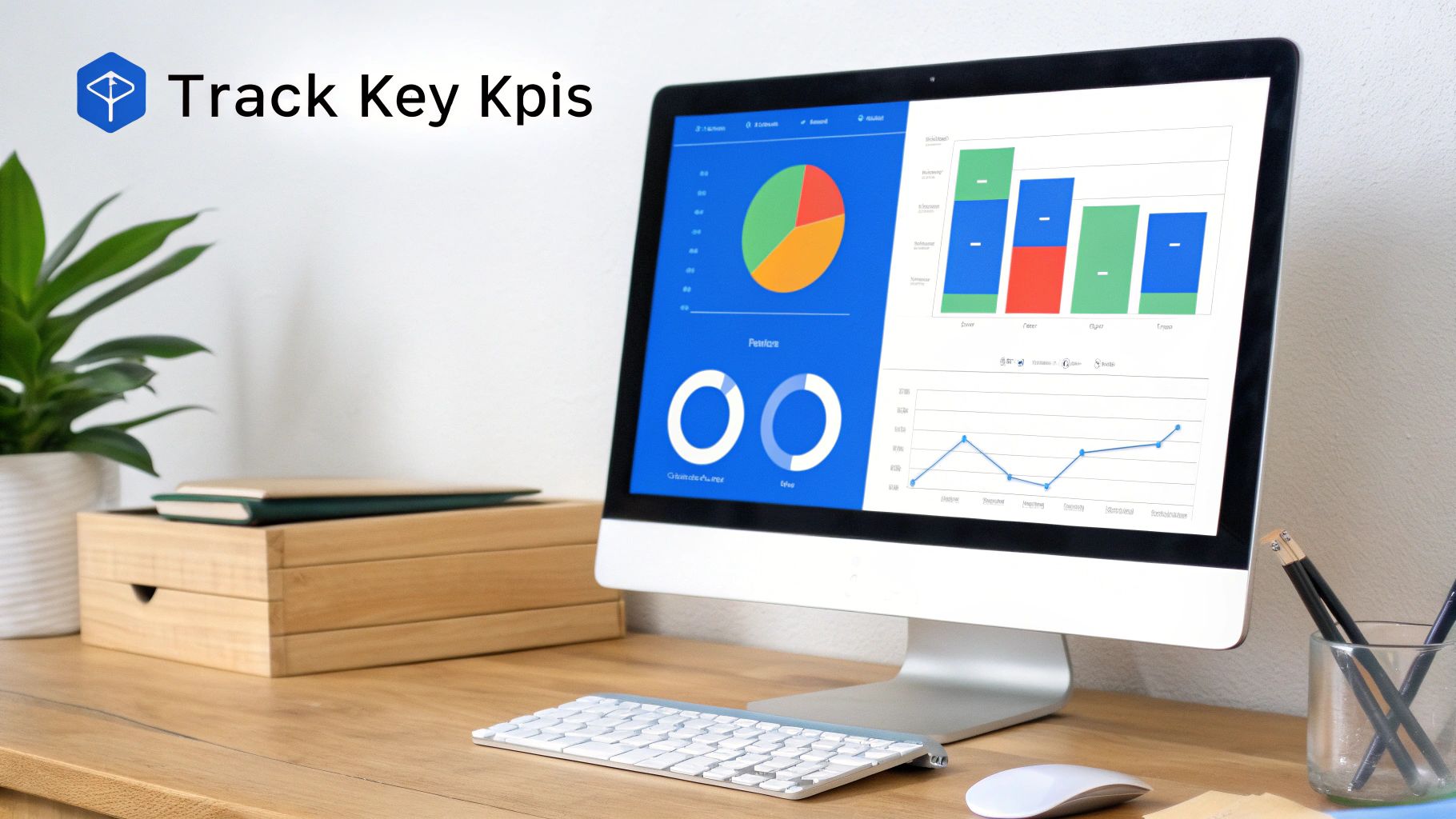
Think of KPIs as the dashboard for your services firm. They move you beyond gut feelings and into the world of data-driven decisions. By tracking just a handful of essential metrics, you can spot hidden inefficiencies, catch at-risk projects long before they go completely off the rails, and make every future project that much more profitable.
Unpacking the Utilization Rate
The Utilization Rate is probably the single most important metric for any service-based business. It’s simply the percentage of an employee’s available time that’s spent on billable client work. A healthy utilization rate is the engine of your firm’s profitability.
For example, if your engineer Maria has a standard 40-hour work week and logs 32 hours on billable project tasks, her utilization rate is 80% (32 billable hours / 40 available hours). It’s a direct measure of how efficiently your team is generating revenue.
Consistently low utilization might mean you have too many people for the current workload, while a rate that’s constantly near 100% is a bright red flag for team burnout. Aiming for a target around 75-85% is a common industry benchmark, giving your team room for essential non-billable work like training and business development.
Keeping an Eye on Bench Time
Right alongside utilization is Bench Time. This is the amount of time a billable employee is sitting idle, not assigned to any client projects. A little bit of bench time between projects is perfectly normal, but too much is a direct hit to your bottom line. You’re paying a salary without generating any revenue to cover it.
Tracking this helps you get a real-time pulse on your sales pipeline and capacity. If you see your entire design team has significant bench time forecasted next month, that’s a clear signal to the sales team: go find some design-heavy projects, and fast.
The Power of Forecast vs Actuals
The Forecast vs. Actuals comparison is where your planning meets reality. It’s a simple KPI that tracks the difference between the hours you planned for a task and the hours your team actually spent on it. Honestly, it’s the single best tool you have for sharpening your future project estimates.
Imagine your consulting firm budgeted 100 hours for the “Discovery” phase of a project. When the phase wraps up, you see the team actually logged 140 hours. That 40-hour variance tells a story.
- Did the scope creep up on us?
- Was our initial estimate way too optimistic?
- Did the team run into some unexpected technical roadblocks?
This isn’t about pointing fingers; it’s about learning from the data. If you consistently underestimate the time for discovery phases across multiple projects, you now have concrete proof that you need to adjust your quoting process. This practice is a core part of effective financial oversight, similar to the principles we talk about in our guide to Earned Value Management.
To get a clearer picture, here’s a quick rundown of the essential KPIs you should be watching.
Key Resource Planning KPIs at a Glance
This table breaks down the metrics you should monitor, what they really reveal about your business, and some common industry benchmarks to aim for.
| KPI | What It Measures | Why It Matters to Your Firm |
|---|---|---|
| Billable Utilization Rate | The percentage of a team member’s total hours that are spent on billable client work. | This is a direct line to profitability. Too low, and you’re losing money. Too high, and your team is at risk of burnout. The sweet spot is typically 75-85%. |
| Bench Time | The amount of time billable staff are not assigned to any active projects. | High bench time signals a weak sales pipeline or a mismatch between your team’s skills and incoming work. It’s a major drain on profitability. |
| Forecast vs. Actual Hours | The difference (variance) between planned project hours and the hours actually logged. | This is your feedback loop for better estimating. Consistently high variance means your quotes are inaccurate, putting profitability at risk from day one. |
| Project Margin | The profitability of a single project, calculated as (Revenue - Costs) / Revenue. | This tells you which projects and clients are actually making you money. It helps you focus your sales efforts and identify unprofitable work. |
By keeping a close eye on these simple but powerful metrics, your resource planning for a project goes from a one-and-done setup to a continuous cycle of improvement. Each project gives you fresh data to sharpen your forecasts, balance your team’s workload, and protect your profitability for the next job.
Common Questions About Project Resource Planning
Even with a solid process, a few tricky situations always seem to pop up when you put resource planning into practice. These are the common sticking points we hear about most often from firms just like yours. Let’s tackle them head-on with some practical answers.
How Do You Handle Resource Planning For Multiple Projects at Once?
The secret is to stop thinking on a project-by-project basis and start looking at your entire portfolio. It’s a classic mistake. When you’re only focused on one project, it’s far too easy to overbook someone who’s also critical to two other initiatives happening at the same time. You need a single, consolidated view of all project demands.
This central system becomes your single source of truth for everyone’s workload. It immediately shows you the big picture of your team’s capacity and, more importantly, where potential conflicts are brewing.
With this portfolio-level view, you can finally:
- Prioritize Strategically: Make conscious decisions based on which projects have the tightest deadlines or bring the most value to your firm.
- Spot Overallocations: Instantly see when your lead engineer is somehow assigned to 30 hours of work on a Monday across three different projects. Oops.
- Make Smart Trade-offs: You can confidently move a designer from a lower-priority internal task to a critical client deadline, knowing the full impact of that decision.
To keep this process humming, many of the most successful firms we know hold a brief, weekly resource meeting. This is where project leads can flag their upcoming needs for the next couple of weeks, allowing you to stay agile and make adjustments before they become problems.
What’s the Best Way to Deal with Unexpected Resource Changes?
Let’s be honest, unexpected changes aren’t a possibility; they’re a guarantee. Team members get sick, client priorities shift out of nowhere, and key people sometimes leave. A good plan doesn’t prevent these things from happening, but it absolutely turns a full-blown catastrophe into a manageable hiccup.
Your first line of defense is building contingency directly into your plan from the start. For roles that are absolutely mission-critical, you should always have a plan B. This might mean identifying an internal backup who can step in or having a trusted, pre-vetted freelancer on standby.
When the unexpected happens, your resource schedule becomes your immediate diagnostic tool. You can instantly assess the impact on the timeline and see which tasks are at risk. This is where that skills inventory you built becomes invaluable—you can quickly search for other team members who have the necessary skills to fill the gap.
Transparent communication is your best friend here. It is always better to proactively tell your client about a potential timeline shift and your plan to manage it than to let them find out when a deadline is missed.
Modern resource planning tools are a game-changer for this. They allow you to model different “what-if” scenarios in seconds. You can drag and drop assignments, test out different solutions, and find the best path forward with the least amount of disruption to the project and the client.
How Can Small Firms Start Resource Planning Without Complex Software?
You absolutely do not need a complicated, expensive system to get started. The discipline and the habit of planning are far more important than the specific tool you use, especially when you’re just starting out.
Seriously, just begin with a well-organized spreadsheet. It’s a simple but surprisingly powerful way to build the foundational habits of good resource management.
Here’s a simple setup you can try:
- Create a master sheet listing every team member, their primary skills (e.g., “UI Design,” “Python”), and their total available hours for the week.
- In a separate tab, list all your current projects. For each one, break down the major tasks and add your best guess for the hours needed.
- Manually assign people to tasks week by week, subtracting the hours from their available capacity. Use simple color-coding to see who is getting close to their limit.
The single most important part of this manual process is consistency. You have to commit to it. Hold a brief weekly meeting—even just 15 minutes is enough—to update the spreadsheet with actual hours worked and adjust the forecast for the coming weeks.
While it’s definitely a manual process, it forces you to build the habits of tracking, forecasting, and communicating. When your firm grows and you’re ready to graduate to a dedicated platform, the transition will be seamless because the core principles will already be a part of your company’s DNA.
Ready to move beyond spreadsheets and see how a dedicated platform can simplify your entire workflow?
Drum brings your proposals, projects, resource planning, and invoicing into one intuitive system, giving you the clarity you need to run more profitable projects.
Start your free 14-day trial aand discover a better way to manage your business.