
 Pipeline & Proposals
 Project Management
 Resource Planning
 Time & Costs
 WIP & Invoicing
 Commercial Reporting
 Consulting Engineers
 Architects
 Town Planners
 Building Designers
Time Tracking and Invoicing Software: How to Connect Hours Worked to Dollars Billed

Ben Walker
Written for Drum
In This Article
Time Tracking and Invoicing Software Guide
If you’ve ever found yourself piecing together timesheets from memory on a Friday afternoon or chasing down data from five different apps, you know the feeling of a disconnected workflow. For most professional services firms, this isn’t a hypothetical. It’s a weekly ritual that feels a little bit like detective work.
Juggling clunky spreadsheets, standalone timers, and manual invoice templates isn’t just inefficient. It’s a constant drain on your most valuable resource: your time.
The End of Spreadsheets and Disconnected Tools
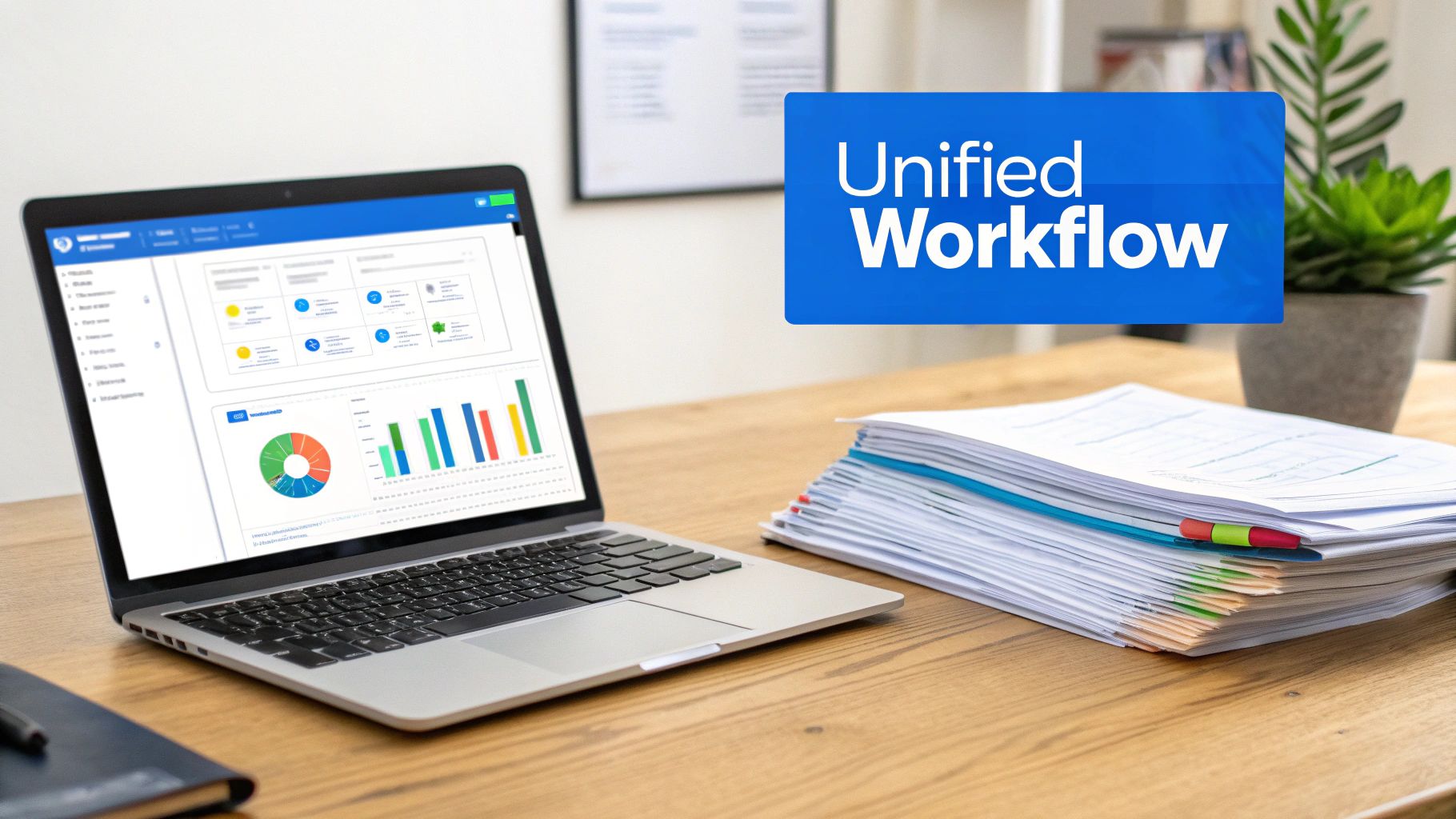
Think of the old, manual method as a car built from mismatched parts. Sure, it might get you from point A to point B, but the ride is always bumpy, it’s unreliable, and it requires constant tinkering to keep it running. Every time you manually copy and paste data from one place to another, you’re creating a potential point of failure that can lead directly to lost billable hours and inaccurate client invoices.
Moving beyond manual work. Modern time tracking and invoicing software is so much more than a simple utility; it’s the central nervous system for a service-based business. It takes these once-separate, tedious tasks and weaves them into a single, unified process where every component just works together.
This shift does something powerful: it creates a single source of truth. Every billable minute is directly connected to project success and, ultimately, your bottom line. It turns administrative grunt work into a smooth, automated, and reliable system.
For a lot of firms, this is one part of a bigger strategic move toward professional services automation. You can get the full picture on how these systems create a complete operational view in our guide on what is PSA software.
A unified platform for growth. An integrated system gives you clarity and control. It helps you sidestep the common pitfalls of running a service business and build stronger, more transparent client relationships.
By linking time tracking directly to invoicing, firms can reduce revenue leakage by up to 10% by capturing previously unbilled hours from small tasks, emails, and calls.
This isn’t just about convenience. It’s a strategic decision that gives you real-time visibility into project health, team productivity, and overall profitability. When every hour is accounted for and every invoice is spot-on, you build trust with your clients and lay a solid foundation for sustainable growth. The SPI Research 2025 Professional Services Maturity Benchmark underscores this point, showing that billable utilization has fallen to 68.9% across the industry, with firms at the highest maturity level seeing a 537% boost in profit margins over their less-connected counterparts.
How Integrated Software Drives Business Growth
Connecting your time tracking directly to your invoicing does more than just shave a few minutes off your week. It creates a powerful feedback loop that turns raw time data into strategic financial insights, fueling real, sustainable business growth. This is the bridge between what your team does all day and how healthy your business actually is.
Imagine your firm’s revenue potential as a bucket of water. With disconnected tools, that bucket is riddled with tiny, almost invisible leaks. An unbilled 15-minute client call here, a delayed invoice there. Each one is a small drip, but they add up to a significant amount of lost revenue over the year.
Integrated time tracking and invoicing software is the seal that plugs those leaks, ensuring every drop of billable work is captured, invoiced, and ultimately, paid for.
From time tracking to true profitability. Precise time tracking is the bedrock of understanding project costs and, more importantly, true profitability. It gives you the granular data needed to move beyond guesswork and see exactly where your team’s effort is going. Without it, you’re basically flying blind.
Let’s take a marketing agency with several clients on monthly retainers. One client looks fantastic on paper (their retainer is huge). But they’re also the one constantly asking for “quick” changes and “small” additions. Only by tracking every minute spent can the agency discover this “profitable” client is actually a resource drain, pushing the project into the red. That’s a critical insight a manual spreadsheet will never give you.
An integrated system provides a real-time dashboard for your business’s financial health. It connects daily activities to high-level outcomes, empowering you to make proactive, data-driven decisions instead of reactive guesses.
This kind of clarity also builds immense trust with your clients. When they see every line item on an invoice is backed by detailed, accurate time logs, disputes and questions just melt away.
Turning invoicing into a healthy cash flow cycle. For too many professional services firms, invoicing is a mad dash at the end of the month. It’s a frantic scramble to pull together timesheets, manually create invoices, and then cross your fingers and hope for the best. This approach is a direct threat to your cash flow, the very lifeblood of your business.
Automated invoicing transforms this chaotic process into a predictable, healthy cycle. Here’s how a unified platform makes it happen:
- Instant Invoice Creation: Approved timesheets are converted into professional, accurate invoices with just a couple of clicks. No more manual data entry.
- Reduced Human Error: Automation gets rid of the typos, incorrect rates, and forgotten billable hours that lead to costly revisions and payment delays.
- Faster Payments: By including integrated online payment options, you make it incredibly easy for clients to settle invoices instantly. This alone can dramatically shorten your payment cycle.
This isn’t just about convenience; it’s a strategic move that stabilizes your finances. The global billing and invoicing software market reflects this urgency, projected to grow from USD 11.28 billion in 2024 to USD 23.69 billion by 2035, as firms across the board move away from manual billing for good.
Gaining a clear view of your business. Ultimately, a unified platform gives you a command center to see everything in one place. This dashboard from Drum shows how time tracking data can be visualized to monitor project budgets and team utilization in real-time. Dashboards like this pull information directly from every time entry and project task, giving you an immediate, honest snapshot of your firm’s operational health without needing to export a single CSV file.
Key Features That Boost Your Bottom Line
It’s one thing to understand the idea of integrated software, but the real lightbulb moment happens when you see how specific features directly impact your bank account. The best time tracking and invoicing software isn’t just a fancy stopwatch; it’s a suite of tools built to plug profit leaks, speed up cash flow, and give you a crystal-clear picture of your firm’s financial health.
Let’s cut through the buzzwords and look at the core functions that actually make a difference. These aren’t just bells and whistles. They are the engines that power a profitable professional services firm.
This visual breaks down how capturing time accurately is the first domino to fall. That data flows through the system, giving you precise project costs, which is the only real foundation for smart business growth.
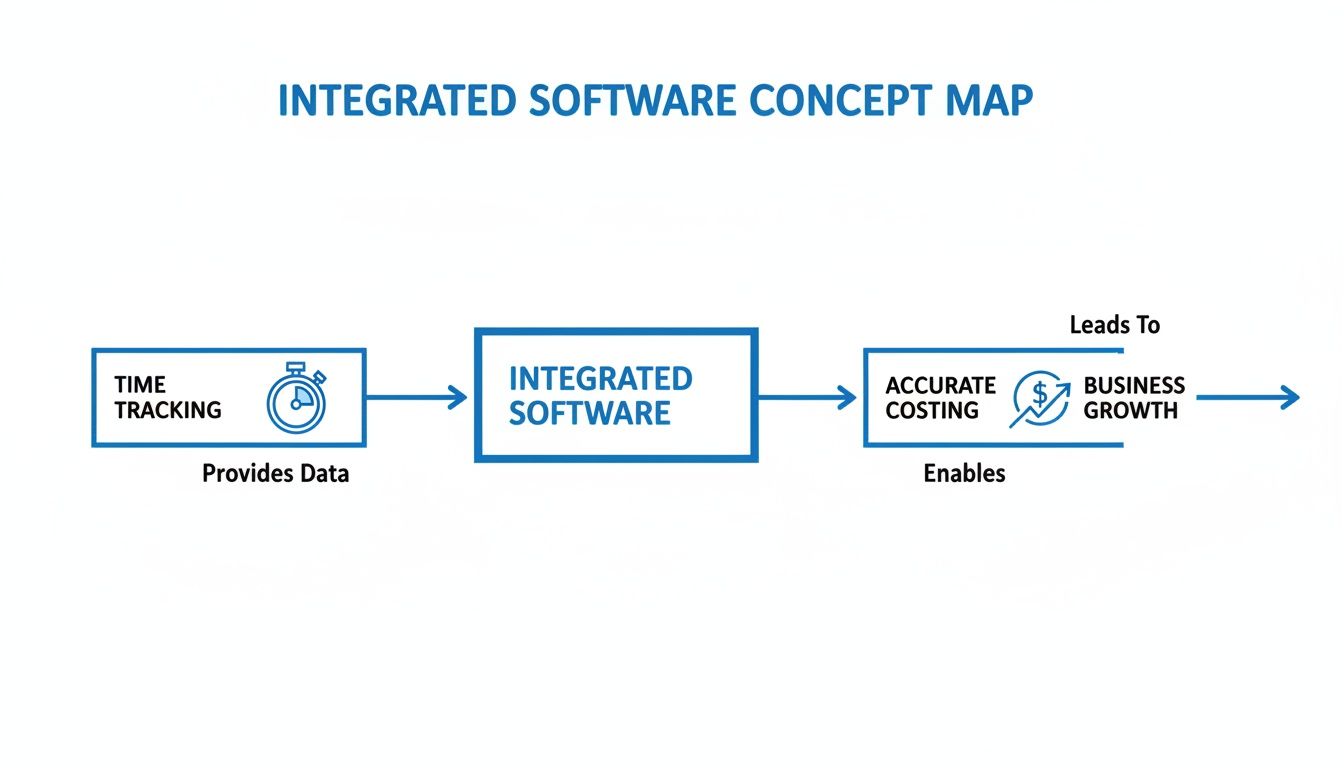
Without that first step (reliable time capture) everything that follows is just educated guesswork. You simply can’t manage what you don’t measure.
Unified project management. Ever had a project slowly unravel because of endless “small” client requests? That’s scope creep, and it’s a silent killer of profitability. A unified platform stops this in its tracks by tying every single task directly to a time entry. When your team logs hours against specific project tasks, you get an instant, granular view of where every minute is going. This means you can spot scope creep the moment it starts, not weeks later when the budget is already toast. It arms you with the data you need to have a confident, friendly chat with your client about adjusting the scope or budget.
Real-time budget tracking. Waiting until the end of the month to check on a project’s budget is like driving with your eyes closed and hoping for the best. Real-time budget tracking gives you a live dashboard showing how your actual hours and costs are stacking up against your estimates, second by second. Imagine an engineering firm on a multi-phase construction project. Halfway through the design phase, the project manager sees they’ve already burned through 70% of the hours budgeted for that entire phase.
This early warning shot gives them time to act. They can shift resources, adjust the timeline, or flag the issue with the client to prevent a major budget overrun before it becomes a five-alarm fire.
This proactive approach turns potential financial disasters into simple, manageable course corrections. To see this in action, it’s worth exploring the core components of a modern time tracking system.
Automated invoicing workflows. The gap between a finished timesheet and a paid invoice is where most firms bleed time and money. Manual invoicing is painfully slow, riddled with errors, and a massive drag on cash flow. This is where automated workflows make a massive difference. With just a few clicks, the system pulls all approved timesheets and expenses for a project and turns them into a professional, itemized invoice. No more manually copying data, double-checking billable rates, or worrying that you forgot to include that urgent consulting call from last Tuesday. It’s all done for you.
This isn’t a small tweak; it’s a fundamental shift. The time tracking software market is projected to grow from USD 6.1 billion in 2025 to USD 11.43 billion by 2030, with SMEs accounting for 62.8% of global revenues. The message is clear: firms of every size are ditching manual systems for automated ones that slash errors and dramatically shrink the time it takes to get paid.
Insightful reporting and forecasting. Finally, all the data your time tracking and invoicing software collects is a goldmine of business intelligence. Good reporting features help you move beyond just running the business day-to-day and start making strategic moves. You can finally answer the big questions:
- Which of our services are actually the most profitable? Analyze time and cost data to see which offerings deliver the best margins, so you know where to focus your sales efforts.
- Are we pricing our projects correctly? Compare your initial quotes to the actual hours spent to fine-tune your estimation process for future work.
- Who on our team is about to have free time? Resource forecasting reports help you see workload capacity down the road, so you can confidently take on new projects without burning out your team.
This is the kind of insight that lets you run your business based on hard data, not just gut feelings. It’s how you build a firm that’s not just surviving, but set up for stable, long-term growth.
How to Choose the Right Software for Your Firm
Let’s be honest, staring at a market flooded with time tracking and invoicing software options is enough to make anyone’s head spin. It’s easy to get hypnotized by flashy feature lists, but the best platform for your firm is the one that actually fixes your biggest operational headaches and is ready to grow with you.
The real trick is to stop comparing feature-for-feature and start thinking about how a tool will slot into your firm’s day-to-day reality. Think of it less like buying a gadget and more like hiring a new operations manager. You need something that gets your workflow, plays nice with your existing systems, and can handle more responsibility as your firm expands.
To nail this decision, you need a sharp set of criteria designed for the unique grind of a professional services business.
Create a checklist of must-have criteria. Before you even book a single demo, get your team in a room and hammer out a list of your absolute non-negotiables. This isn’t about bells and whistles; it’s about outcomes. What problems are keeping you up at night? What processes feel completely broken right now?
Build this checklist around your core business functions. Here are the big ones you can’t afford to ignore:
- Ease of Use and Team Adoption: Is the interface actually intuitive? A complicated system that your team avoids is a waste of money and a step backward. For instance, can a designer start a timer with a single click without leaving their design app? That’s the kind of frictionless experience you want.
- Integration with Accounting Software: This is a big one. Your new platform must talk to your financial hub, whether it’s QuickBooks or Xero. A solid connection kills duplicate data entry, slashes the risk of human error, and keeps your project profitability numbers perfectly aligned with your books.
- Scalability for Future Growth: The software you pick today has to still be the right fit in three years. Can it handle more projects, more clients, and a bigger team without grinding to a halt or forcing you into a painful price tier?
By figuring out your needs first, you can walk into the market with a clear scorecard. It makes it so much easier to cut through the noise and spot the real contenders.
Evaluate the entire project lifecycle. A classic mistake is getting tunnel vision on one function, like just time tracking. The platforms that truly deliver for professional services manage the entire project journey, from the first conversation to the final invoice. This end-to-end view is where you unlock massive efficiency gains.
Think about how the software handles each critical stage:
- Proposal and Quoting: Can the tool help you build accurate project estimates using data from past jobs? Getting this right is the first step to making sure a project is profitable from day one.
- Project and Task Management: Once you win the work, how easy is it to map out tasks, assign them to your team, and see progress against deadlines in real-time?
- Time and Expense Tracking: How painless is it for your team to log their hours and submit expenses against the right projects and tasks?
- Invoicing and Payments: Can you turn approved timesheets and expenses into a clean, accurate client invoice in just a few clicks? Does it offer online payment options to help you get paid faster?
When a tool connects these four stages into one connected workflow, that’s where you’ll see the biggest return on your investment.
Feature comparison for professional services software. When you’re evaluating software, it’s easy to get lost in a sea of features. This table is designed to help you focus on what’s truly critical for a consulting, agency, or architecture firm. It connects each core feature to the real-world impact it will have on your operations and profitability.
The right software doesn’t just record time; it reveals where your firm is most profitable, where you’re losing money, and how you can price future work more accurately. It turns historical data into a strategic asset.
| Core Feature | What to Look For | Why It Matters for Your Firm |
|---|---|---|
| Real-Time Budget Tracking | Live dashboards showing actual vs. budgeted hours and costs. | Prevents costly budget overruns by providing early warnings, allowing you to make adjustments before a project goes off the rails. |
| Customizable Reporting | The ability to create reports on profitability, utilization, and project performance. | Gives you the data needed to identify your most profitable clients and services, and to forecast future resource needs confidently. |
| Direct Accounting Sync | Deep, two-way integration with QuickBooks, Xero, or other accounting platforms. | Eliminates manual data entry, reduces costly clerical errors, and ensures your project financials are always perfectly aligned with your books. |
| Mobile Accessibility | A fully functional mobile app for time tracking and expense submission on the go. | Ensures accurate and timely data capture from team members in the field, preventing lost billable hours and forgotten expenses. |
Ultimately, the goal is to find a platform that feels less like a tool and more like a partner in your firm’s success. Use this comparison as a starting point to guide your conversations and demos, ensuring you choose a system that not only meets your needs today but is also ready for where you’re headed tomorrow.
From Implementation to Measurable ROI

Even the most powerful time tracking and invoicing software is completely useless if it just sits there collecting digital dust. The ultimate success of your new platform doesn’t come down to its feature list. It hinges on one critical factor: getting your team to actually use it, and maybe even like it.
A smooth rollout is all about people and process, not just plugging in new tech.
Let’s be honest, resistance to change is normal. Team members might worry about being micromanaged or see time tracking as just another annoying admin task on their to-do list. The key is to get ahead of these concerns. You have to frame the software not as a surveillance tool, but as a way to bring fairness, clarity, and balance to everyone’s workload.
When your team truly understands that accurate time tracking protects them from burnout, makes sure clients are billed fairly for their hard work, and helps the whole firm grow, they’ll become its biggest champions.
Your step-by-step implementation plan. A thoughtful, phased approach can make all the difference. It turns a potentially disruptive change into a positive step forward for your firm. Rushing the process is a surefire recipe for confusion and pushback.
Follow these friendly steps for a much smoother transition:
- Configure the Foundation: First things first, get the basics set up. Import your existing client lists, create your active projects, and define the specific tasks your team will be tracking time against. For example, an architecture firm might set up tasks like “Schematic Design,” “Client Meeting,” and “Site Visit.”
- Establish Billing Rates: Next, assign default billable rates for team members, projects, or specific services. Getting this right is crucial for making sure every single invoice is accurate and profitable. Most platforms let you create multiple rate cards to handle different clients or types of work.
- Integrate Your Financial Hub: Connect the software to your accounting system, whether it’s QuickBooks or Xero. This is a critical link that automates the flow of invoice and payment data, killing double-entry and giving you a perfectly synced view of your firm’s financial health.
Running a pilot program. Before you go all-in with a company-wide launch, run a pilot program with a small, receptive group. Think of it as a dress rehearsal. A single project team or a small department is the perfect size to test the waters. This lets you identify potential friction points and gather honest feedback in a low-stakes environment.
This small-scale test helps you refine your training process and, more importantly, create internal experts. These early adopters can then help onboard the rest of the team, and their positive experiences become powerful testimonials that build momentum for the full rollout.
Case Study: Agency Achieves 100% Adoption A creative agency in Austin was struggling with inconsistent time tracking, which led to delayed invoices and lost revenue. When they brought in new software, they started with just one design team for a two-week pilot. They held a kickoff meeting to explain the “why”—better workload visibility and fairer client billing—and celebrated that team’s success. By showcasing how the tool actually made their jobs easier, they achieved 100% firm-wide adoption within one month of the full launch.
Communicating the benefits clearly. The final, and arguably most important, step is communication. You have to clearly and consistently explain how the new time tracking and invoicing software benefits everyone, not just the partners.
- For Team Members: Emphasize that it creates a clear, objective record of their contributions. Show them how it helps managers balance workloads to prevent burnout.
- For Project Managers: Highlight the real-time budget tracking and resource forecasting. This is what helps them keep projects on track and profitable.
- For the Firm: Explain how it cuts down on administrative headaches, speeds up cash flow, and provides the hard data needed for smart, sustainable growth.
By focusing on these shared wins, you build a culture where time tracking isn’t a chore. It’s just a vital tool for everyone’s success.
So, how do you know if your new software is actually paying for itself? “Saving time” is a nice thought, but proving it with hard numbers is what really matters. Thankfully, measuring the tangible return on investment (ROI) for your time tracking and invoicing software isn’t as complicated as it sounds.
This isn’t just a box-ticking exercise. It’s about drawing a direct line from your monthly subscription fee to real gains in revenue and efficiency. The goal is simple: prove with cold, hard data that the platform isn’t just another expense; it’s a profit driver.
Key metrics to track for tangible returns. To build a rock-solid business case, you only need to focus on a few core metrics that directly hit your bottom line. These are the numbers that reveal the immediate, undeniable value of an integrated system.
- Shrinking Your Time-to-Invoice: How many days does it take to get an invoice out the door after a billing period ends? Automation can take this from a full week down to a single day, which directly pumps up your cash flow.
- Slashing Invoice Errors: Keep a tally of how many invoices need revisions or cause client disputes. Clean, automated invoices make these problems disappear, saving you admin headaches and protecting client trust.
- Boosting Billable Utilization: Track the percentage of your team’s time that’s spent on actual billable work. Better tracking almost always uncovers “lost” time, pushing this critical number up.
Firms that implement smart time tracking can reduce budget overruns by 43% and improve estimation accuracy by 67%, which translates directly into higher margins on every project you deliver.
A simple ROI calculation example. Let’s make this real. Picture a 10-person consulting firm that was losing just 15 minutes of billable time per consultant, per day, because of sloppy tracking. It doesn’t sound like much, right?
The old way: 10 consultants x 0.25 hours/day x 20 workdays/month = 50 lost billable hours per month.
At an average billable rate of $150/hour, that’s $7,500 in lost revenue slipping through the cracks every single month.
Suddenly, a software subscription of a few hundred dollars a month doesn’t just feel reasonable; it looks like one of the best investments you could possibly make. This quick calculation shows how the platform pays for itself many times over, just by plugging a single, very common revenue leak. Digging into your firm’s financial performance with the right tools can make these numbers crystal clear.
By focusing on these hard numbers, you can easily show that the right time tracking and invoicing software isn’t a cost center—it’s one of the smartest financial moves your firm can make.
We get it, you have questions. Making a move to a new time tracking and invoicing software is a big deal for any services firm. It’s only natural to have a few questions rattling around before you jump in. Let’s tackle some of the most common ones we hear from firms just like yours.
“Will my team feel micromanaged?” This is probably the biggest concern we see, and it’s a fair one. The key here isn’t the software itself, but how you introduce it. You have to frame this as a tool for fairness and clarity, not a digital babysitter.
The conversation should be about how accurate time data gets everyone paid correctly for their hard work. It’s about protecting projects from scope creep and helping managers see who’s overloaded and who has capacity. When the team sees it as a tool that helps them avoid burnout and get credit for their effort, they’ll get on board.
“How painful is the switch from spreadsheets?” Honestly? Not nearly as painful as the daily grind of wrestling with spreadsheets. Modern, cloud-based tools are built from the ground up to make this switch as smooth as possible. There’s some initial setup, of course, but it’s a one-time effort versus a constant, soul-crushing one.
The best way to tackle it is in phases. Get your client and project info imported first. Then, run a small pilot with one team to smooth out any wrinkles before rolling it out to everyone. The time you’ll save and the accuracy you’ll gain will make you forget all about that short setup period.
Any decent software provider will have solid import tools and a support team ready to walk you through the process.
“Can this software talk to our accounting tools?” It absolutely has to. This should be a deal-breaker. Any time tracking and invoicing software worth its salt must have a rock-solid, two-way connection with major accounting platforms like Xero and QuickBooks.
Why is this so crucial?
- It completely kills the need for manual, double-entry of financial data.
- It slashes the risk of those small human errors that can become big financial headaches.
- It makes bank reconciliation a breeze because your invoices and payments are always in sync.
This integration means your project data and your financial reality are always telling the same story, giving you a crystal-clear picture of your firm’s health.
Ready to see how an all-in-one platform can transform your firm's operations?
Drum unifies everything from proposals and project management to time tracking and invoicing.
Start your free 14-day trial and experience a smarter way to run your business.