
 Pipeline & Proposals
 Project Management
 Resource Planning
 Time & Costs
 WIP & Invoicing
 Commercial Reporting
 Consulting Engineers
 Architects
 Town Planners
 Building Designers
Job Cost Sheets: How to Track Every Dollar Going Into (and Out of) a Project

Ben Walker
Written for Drum
In This Article
Mastering Profit with Job Cost Sheets
A job cost sheet isn’t just another spreadsheet. Think of it as the financial blueprint for your project’s success. This one document is your central dashboard, meticulously tracking every single dollar spent on materials, labor, and overhead for one specific job.
What Are Job Cost Sheets and Why Do They Matter

Imagine a job cost sheet as your project’s financial story, told in real-time. It goes way beyond a simple budget by capturing the actual costs as they happen. This gives you a clear, running total of exactly where your money is going.
This isn’t just about tallying up receipts after the fact. It’s about active, hands-on financial management throughout the entire project.
Without this tool, you’re essentially flying blind. You might feel like a project is profitable, but hidden costs and underestimated hours can quietly eat away at your margins. For example, if a custom cabinet job takes 10 more labor hours than you quoted, that’s hundreds of dollars in profit gone. A job cost sheet brings everything like that out into the open.
The Core Purpose of a Job Cost Sheet. A job cost sheet answers one critical question: Is this specific job making money? It breaks down profitability from the big-picture company level right down to the individual project, offering insights you just can’t get from a standard income statement.
This isn’t a new concept. Job cost sheets have been mission-critical in manufacturing and construction for over a century. When businesses first started formalizing cost accounting, tracking every penny was everything. Early employment data shows that in 1915, U.S. manufacturing workers earned an average of just $10.28 per week. That figure really highlights how even tiny labor costs were meticulously tracked to control expenses on each job. You can dig into more of these historical trends from the Bureau of Labor Statistics.
This same discipline is just as crucial today. By using job cost sheets, businesses can:
- Prevent Budget Overruns: See in real-time if costs are creeping up, letting you make adjustments before it’s too late.
- Sharpen Future Quotes: Use hard data from past jobs to create more accurate, competitive, and profitable bids for new work.
- Identify Your Most Profitable Work: Discover which types of projects consistently bring in the best margins, helping you focus your sales and marketing efforts.
- Make Data-Driven Decisions: Stop guessing and start knowing. Your decisions on staffing, material sourcing, and project selection become strategic, not reactive.
A job cost sheet transforms your financial data from a historical record into a predictive tool. It’s the difference between looking in the rearview mirror and having a GPS for the road ahead.
Ultimately, mastering the job cost sheet is the first real step toward gaining total financial control over every single project. It provides the clarity you need to protect your profits and build a more resilient, successful company.
Breaking Down the Job Cost Sheet
Think of a job cost sheet as the financial blueprint for your project. Just like an architect’s drawings show every beam and window, a job cost sheet details every single cost, from materials to man-hours, that goes into getting a job done. It’s the only way to truly see if you’re making money or just spinning your wheels.
Let’s walk through the core components. Understanding how each piece fits into the puzzle is the first step toward accurate, insightful job costing. We’ll break down the three main pillars: direct materials, direct labor, and the ever-elusive applied overhead.
Direct Materials: The Building Blocks. Direct materials are pretty straightforward: they are all the physical, tangible items that actually become part of the finished project. If you can see it and touch it in the final product, you’re almost certainly looking at a direct material. This is usually the easiest category to track because you’re working with concrete items and their invoices.
This is especially important as construction input prices continue to climb. Foundation Software’s analysis of 2025 construction costs shows non-residential construction costs rising at a 6% annualized rate, with aluminum up 6.3% and steel up 5.1% year-over-year, making precise material tracking more essential than ever.
For a construction crew building a deck, this is a no-brainer. The lumber, screws, concrete for the footings, and deck stain are all direct materials. The concept is the same for a digital marketing agency, even if the “materials” aren’t physical. For them, direct materials could be stock photography licenses or specific software plugins purchased exclusively for a client’s new website.
Common examples include:
- Construction: Lumber, drywall, wiring, paint, and windows.
- Software Development: Server space, specific API subscriptions, or licensed code libraries.
- Creative Agency: Printing costs for brochures, stock video footage, or special fonts purchased for a branding project.
Direct Labor: The Hands-On Effort. Direct labor is the cost of human effort: the wages and benefits you pay to the employees who are physically working on the project. This isn’t the salary of your office administrator or your sales team; it’s the cost of the people on the tools, the ones actually creating the product or delivering the service.
Getting this right is absolutely critical. For any service business, accurate time tracking for service-based businesses isn’t just a nice-to-have; it’s non-negotiable. Labor is often the biggest and most volatile expense, so every hour needs to be assigned to the correct job number to keep your cost sheet honest.
The use of job cost sheets is critical for business decision-making, particularly in assessing direct labor and materials costs against standard cost estimates. Studies emphasize that actual direct labor costs per product must be calculated by multiplying the direct hourly wage by the time required, such as $17/hour times 0.2 hours equaling $3.40 per product. Job cost sheets record these values, facilitating comparisons between standard and actual costs. To see more on this topic, you can explore the full study on job costing.
This is all about tracking the hours logged by:
- The carpenters framing a house.
- The developers writing code for an application.
- The graphic designers creating a logo.
Applied Overhead: The Necessary Indirect Costs. This is where things can get a bit tricky, but don’t worry, we’ll make it simple. Applied overhead represents all the indirect costs that are essential to run your business but can’t be pinned to a single job. Think of it as each project paying its fair share of “rent” for using the company’s resources and infrastructure.
You can’t bill a client for one-tenth of your workshop’s electricity bill or a tiny fraction of your project manager’s salary. Instead, you calculate a predetermined overhead rate (often based on direct labor hours or costs) and “apply” a portion of your total overhead to each job. This crucial step ensures every project carries its share of the background costs that keep the lights on.
Overhead includes costs like:
- Rent for your workshop or office.
- Utilities like electricity and internet.
- Salaries for administrative staff.
- Subscriptions to project management software.
- Depreciation on tools and equipment.
When you diligently track these three core components, your job cost sheet transforms from a simple ledger into an incredibly powerful business tool. The table below breaks down how these elements look across a couple of different industries.
Key Components of a Job Cost Sheet. A well-structured job cost sheet is your single source of truth for a project’s financial health. Each field captures a distinct piece of the cost puzzle, giving you a complete picture from start to finish.
| Component | What It Tracks | Example (Construction) | Example (Marketing Agency) |
|---|---|---|---|
| Direct Materials | Physical inputs and assets consumed by the project. | Lumber, concrete, plumbing fixtures, electrical wiring. | Stock photo licenses, printing costs, software plugins. |
| Direct Labor | Wages for employees directly working on the project. | Carpenters, electricians, plumbers, project foreman. | Graphic designers, copywriters, web developers, SEO specialists. |
| Applied Overhead | Indirect operational costs allocated to the project. | Workshop rent, tool depreciation, liability insurance. | Office rent, project management software, utilities. |
By bringing these elements together, you’re not just tracking expenses; you’re building a data-driven foundation for smarter bidding, better project management, and healthier profit margins. As Procore’s guide to construction job costing puts it, tracking and categorizing all costs on a job allows contractors to improve estimate accuracy, create more competitive bids, and ultimately become more profitable.
Building Your First Job Cost Sheet
Theory is great, but putting it into practice is where you’ll actually see the value of job costing. The good news is you don’t need some complicated software to get started. A simple spreadsheet is the perfect place to begin. Think of it as your project’s financial dashboard, custom-built by you.
Let’s walk through setting up a basic but powerful job cost sheet that you can tweak for any project. The goal here is a system that’s clear, accurate, and (most importantly) easy to keep up with.
Setting Up Your Spreadsheet. First things first, open a new spreadsheet in Excel or Google Sheets. Your first move is to create columns that will capture all the critical information. A clean, organized structure is everything; it makes the sheet easy to read and even easier to update when you’re busy.
Here are the essential columns you’ll want to create:
- Job Information: Right at the top, add the basics like Job Name, Job Number, Client Name, and Start Date. This little step makes it a breeze to find and organize sheets for different projects.
- Cost Categories: Create a dedicated section for each of your main cost types: Direct Materials, Direct Labor, and Applied Overhead.
- Item Description: This is for the nitty-gritty details, like “2x4 Lumber from ABC Supply” or “J. Doe - 8 hours framing.”
- Estimated Cost: Pop in the amount you budgeted for that specific line item.
- Actual Cost: This is the big one, the real amount you spent. Keeping this column updated is non-negotiable.
- Variance: A simple formula (
Actual Cost - Estimated Cost) that instantly flags if you’re over or under budget on any given item.
Building a job cost sheet isn’t just some accounting chore. It’s about creating a single source of truth that empowers you to make smart financial calls throughout the entire project.
Gathering Accurate Data. A job cost sheet is only as good as the numbers you feed it. The secret to accuracy? Capture costs the moment they happen, not weeks later when memories get foggy. This just means setting up a few simple, consistent routines for your team.
For Direct Materials, it all starts with solid paperwork. Every single time a purchase is made for a job, that receipt or invoice needs to be tied to a specific job number. Using digital tools for purchase order management for service-based businesses can make a huge difference here. A good system at https://getdrum.com/purchase-order-management-software can automatically track material costs and assign them to the right project, cutting out a ton of manual data entry.
When it comes to Direct Labor, digital timesheets are your best friend. Team members can log their hours against a specific job right from their phones, making sure every minute of labor is captured accurately and in real-time. This completely eliminates the guesswork of trying to piece together who worked on what at the end of a long week.
This simple diagram shows how these key components come together to give you the total cost of a job.
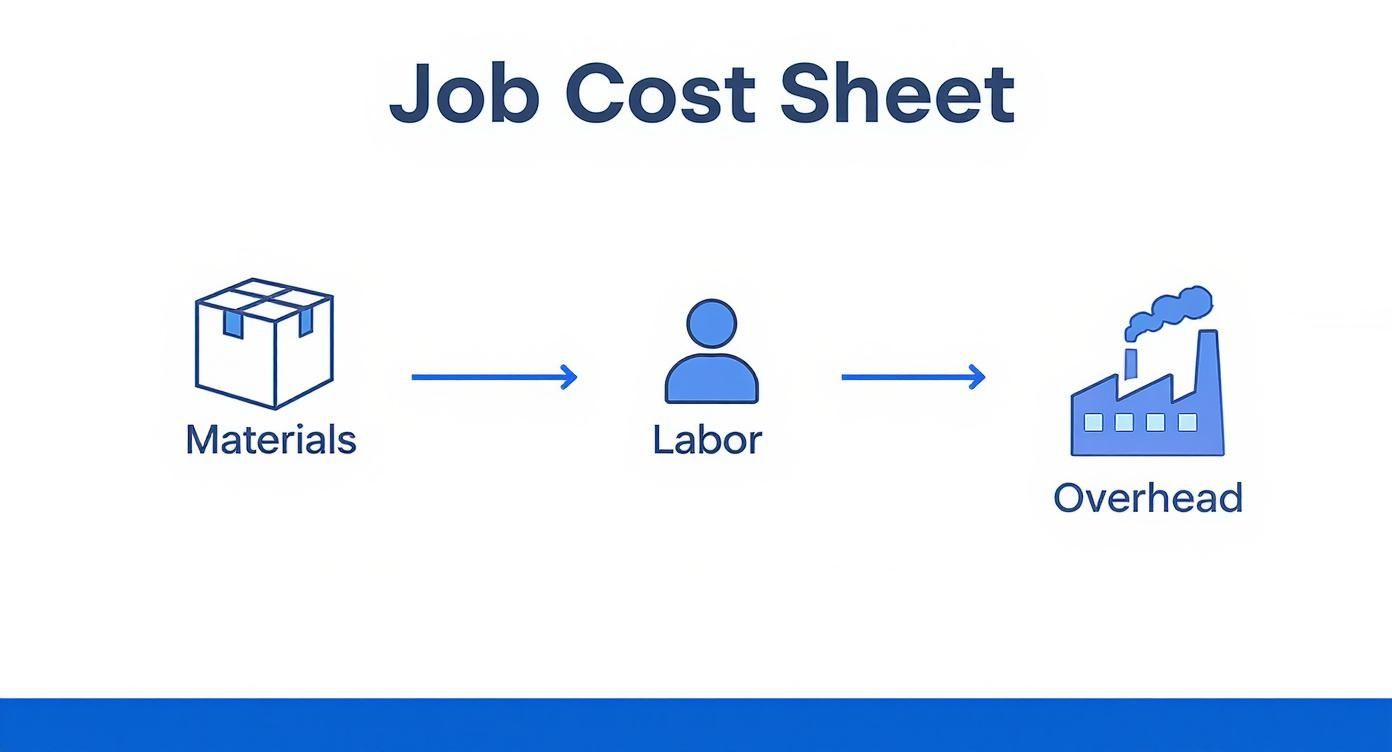
As you can see, a project’s total cost is just the sum of its parts. Materials, labor, and overhead all feed into that final number.
Maintaining Your Job Cost Sheet. Finally, the single most important habit to build is regular updates. A job cost sheet that’s a week out of date is a history report, not a management tool. You have to carve out time, either daily or at least a couple of times a week, to plug in new costs from timesheets and supplier invoices.
This regular check-in only takes a few minutes, but the payoff is massive. It lets you keep a close eye on that “Variance” column and spot potential budget blowouts early enough to actually do something about them. Make it a routine, and your job cost sheet will become a living, breathing guide that steers your project toward profitability.
Job Cost Sheets in the Real World and Smarter Decision-Making

Theory and spreadsheets are one thing, but to really grasp the power of a job cost sheet, you need to see it in action. So, let’s step out of the abstract and into two real-world scenarios where this simple tool is the difference between profit and loss.
We’ll follow a construction company and a marketing agency as they use the exact same principles to protect their margins, refine future quotes, and make smarter decisions on the fly.
Example 1: The Custom Kitchen Remodel. Meet “Bedrock Builders,” a small construction firm that just landed a high-end kitchen remodel. The project is complex: custom cabinetry, quartz countertops, high-end appliances. The initial quote was $75,000, and the profit margin is tight. A single misstep could turn this dream job into a financial headache.
From day one, the project manager uses a job cost sheet as their financial command center.
- Direct Materials: As materials arrive, every single cost is logged. The $12,000 for custom maple cabinets, $8,500 for the quartz countertops, and even the $350 for a specialized tile saw blade are all entered against the job number. This stops the small costs from slipping through the cracks.
- Direct Labor: In construction, labor is often the biggest line item, so tracking it is non-negotiable. The U.S. Bureau of Labor Statistics reports average hourly rates for roles like foremen ($30/hr), concrete pourers ($28/hr), and framers ($25/hr), bringing a base crew cost to $83 per hour. Bedrock Builders tracks their team’s hours meticulously, ensuring every minute on site is accounted for.
- Subcontractors: The fees for the licensed electrician ($6,000) and the plumber ($4,500) are also logged as they’re invoiced, giving a clear, real-time picture of third-party expenses.
Halfway through, the client requests a last-minute change: they want a built-in wine fridge that wasn’t in the original plan. Instead of guessing, the project manager adds the cost of the unit and the extra labor for the electrician and cabinet maker directly to the job cost sheet. They instantly see the impact on the total budget and create a precise change order for the client to approve. No guesswork, no lost profit.
By the end of the job, the final cost sheet showed a total expenditure of $68,200 on a final invoice of $78,500 (including the change order). This confirmed a healthy profit margin and gave Bedrock Builders invaluable data for quoting their next kitchen remodel more accurately.
Example 2: The New E-Commerce Website. Now, let’s pivot to “Pixel Perfect,” a digital marketing agency tasked with building an e-commerce website for a growing online retailer. Their project fee is a fixed $40,000. While there’s no lumber or concrete, the principles of job costing are identical; they just track different types of costs.
The agency’s project manager sets up a job cost sheet to monitor the project’s financial health from kickoff to launch.
- Direct Labor: This is Pixel Perfect’s biggest expense. The hours logged by the lead developer, UX designer, copywriter, and SEO specialist are all tracked against the project. They can see if the design phase is taking longer than estimated, which might put the entire budget at risk.
- Direct “Materials” (Software & Assets): The agency’s direct costs aren’t physical, but they are very real. They log the $300 annual fee for a premium e-commerce plugin, $500 for high-quality stock photography, and $150 for custom icon licenses.
- Applied Overhead: A portion of the agency’s overhead (like their project management software subscription and office rent) is applied to the job based on total labor hours. This ensures the project contributes its fair share to the agency’s operational costs.
Three weeks in, the job cost sheet reveals that the UX design team has used 80% of their budgeted hours but has only completed 60% of their tasks. This is an immediate red flag. The project manager can now intervene, reallocating resources or adjusting the timeline before the budget spirals out of control.
Both Bedrock Builders and Pixel Perfect use job cost sheets for the same reason: to gain clarity and control. Whether tracking two-by-fours or billable hours, the sheet provides a real-time view of a project’s financial reality, empowering them to protect their profitability one job at a time.
Once a project is wrapped up, your job cost sheet is so much more than a historical record of what you spent. Think of it as a treasure trove of business intelligence, a detailed report card that tells you exactly where you won and where you can get better.
The real magic of a job cost sheet isn’t just in tracking costs as they happen. It’s in analyzing the final numbers to make smarter, more profitable decisions down the road.
This is the step that separates the good businesses from the great ones. Instead of just filing the document away, you turn that raw data into genuine insight. You stop being a data collector and become a strategic analyst, using past performance to sharpen your competitive edge.
Analyzing Key Performance Metrics. The first step in turning data into decisions is knowing what to look for. A completed job cost sheet is packed with key performance indicators (KPIs) that tell the true story of a project’s financial health. To get the biggest bang for your buck, start by focusing on a few critical metrics.
- Gross Profit Margin: This is the ultimate measure of a job’s success. You can calculate it with a simple formula:
(Total Revenue - Total Cost) / Total Revenue. A healthy margin tells you your pricing and cost management are on point. - Budget vs. Actual Variance: This is where the truth comes out. Go line by line and compare what you estimated against what you actually spent. A big variance in a specific category (like materials or a particular sub) is a massive red flag.
- Labor Efficiency: Compare the hours you budgeted for a task against the actual hours your team logged. Did framing take 20% longer than you planned? That insight helps you spot training needs or just plain adjust your future labor estimates.
Analyzing job cost sheets isn’t about finding fault; it’s about finding opportunities. Every variance, whether good or bad, is a lesson in how to bid and manage your next project more effectively.
Spotting Trends and Sharpening Future Bids. One job cost sheet tells you a story. A collection of them reveals powerful trends. By reviewing several completed sheets together, you can start connecting the dots and asking deeper, more strategic questions about your operations.
For example, maybe after reviewing three recent bathroom remodels, you notice your plumbing subcontractor costs were consistently 15% over budget. That’s a trend! It tells you that you either need to adjust your future plumbing estimates upwards or have a conversation with your subcontractor about their pricing.
These insights are pure gold for your quoting process. When you can base your next bid on hard data from five similar past projects, your estimates become incredibly accurate. This not only protects your profitability but also builds trust with clients because you can confidently explain the “why” behind your numbers.
This level of financial clarity is a core piece of effective project management and accounting integration, making sure what happens on the ground directly informs your financial strategy. By making this analysis a regular part of your project wrap-up, you create a powerful feedback loop. Each completed job makes the next one smarter, more efficient, and ultimately, more profitable.
Avoiding Common Job Costing Mistakes
Look, even the most beautifully designed job cost sheet is only as reliable as the data and processes feeding it. A few common oversights can quietly sabotage all your hard work, turning a powerful financial tool into a source of seriously misleading information. Think of this as your friendly field guide to dodging the usual bullets so you can build a trustworthy job costing process from day one.
Getting around these challenges isn’t about chasing perfection; it’s about being aware. Once you can spot the most frequent pitfalls, you can put simple, effective safeguards in place to protect your profit margins and feel completely confident in your numbers.
Ignoring or Guessing at Overhead Costs. This is the big one. It’s so easy to focus only on the obvious costs (materials and labor) while completely forgetting about overhead. But those indirect costs, like workshop rent, software subscriptions, and admin salaries, are very real expenses eating into your bottom line. When you don’t assign a fair share of these costs to each job, you get a dangerously rosy picture of your profitability.
A project might look like a winner on paper, but if it didn’t help cover the cost of keeping the lights on, it wasn’t a true financial success.
The answer is to nail down a predetermined overhead rate. A simple and effective way to do this is to divide your total estimated annual overhead by your total estimated annual direct labor hours. This gives you an hourly overhead cost you can tack onto every single job.
For example: If your annual overhead is $50,000 and you expect your team to work 5,000 direct labor hours, your rate is $10 per hour. A job that takes 80 labor hours would have $800 in overhead applied to its cost sheet. Simple as that.
Relying on Inaccurate Time Tracking. Labor is almost always the single largest, and most unpredictable, expense on a job cost sheet. Relying on fuzzy memories, paper timesheets filled out on a Friday afternoon, or just plain guesswork is a recipe for disaster. When your time tracking is off, your labor costs are wrong, and that throws off your entire profitability analysis.
This mistake doesn’t just mess up the current job; it poisons the well for the future, corrupting the historical data you need to put together accurate quotes.
The fix? Implement a system that makes it dead simple for your team to track their time accurately and in the moment. Digital time tracking tools solve this problem, letting employees log hours against specific jobs right from their phones or computers. This one habit change ensures that every minute of work gets captured and correctly allocated.
Letting the Job Cost Sheet Become Outdated. A job cost sheet is not a “set it and forget it” document. Its real value comes from being a live, real-time financial snapshot of your project. If you only get around to updating it once a month (or worse, after the job is already done) you lose any chance to react to budget overruns before they sink you.
An outdated sheet is just a historical record, not a management tool. To keep it useful, you need a steady rhythm for updating your costs.
- Daily: Log all labor hours from timesheets. No exceptions.
- As they happen: Punch in material costs as soon as the invoices hit your inbox.
- Weekly: Do a full review of the sheet to spot any variances and make sure nothing has slipped through the cracks.
This consistent beat transforms your job cost sheet from a boring piece of paper into a dynamic guide that helps you steer every project toward profitability.
Even after you get the hang of job cost sheets, a few practical questions always pop up when you start using them day-to-day. That’s totally normal. Getting clear answers to these common hurdles will help you use this powerful tool with confidence right from the start.
Let’s clear up some of the most frequently asked questions.
How Often Should I Update My Job Cost Sheet? For a job cost sheet to be more than just a historical document, it needs to be a live snapshot of your project’s financial reality. That means updating it as costs happen, not weeks later.
- Daily updates are perfect for direct labor. Just pull the numbers straight from your team’s timesheets each day.
- Immediate updates are a must for direct material purchases. As soon as you get an invoice or receipt, log it.
If daily updates feel like too much at first, a thorough review and update once a week is a solid habit to build. The whole point is to have a real-time view of your job’s financial health, so you can spot trouble long before it snowballs into a major problem.
What Is the Best Way to Calculate Overhead for a Job? Applying overhead can feel a bit like guesswork, but one of the most reliable methods is using a predetermined overhead rate. This approach makes sure every job pulls its own weight by covering a fair share of the indirect costs that keep your business running.
It’s a simple, two-step process:
- First, estimate your total indirect costs (think rent, utilities, admin salaries) for the year ahead.
- Then, choose an “allocation base” that drives those costs, like direct labor hours.
To get your rate, just divide your total estimated overhead by your total estimated allocation base. For example, if you forecast $100,000 in annual overhead and expect 10,000 direct labor hours, your rate is $10 per hour. A job that takes 50 labor hours would then have $500 of overhead applied to its cost sheet. Simple as that.
Can I Just Use a Spreadsheet, or Do I Need Special Software? Honestly, a simple spreadsheet in Excel or Google Sheets is a great place to start. It’s cheap, flexible, and an excellent way to wrap your head around the fundamentals of job costing without a big investment.
But as your business grows and you start juggling more projects, spreadsheets show their limits pretty quickly. As NetSuite’s job costing guide explains, dedicated software becomes essential at scale because it automates the painful parts, like pulling in data from timesheets and purchase orders, which massively cuts down on manual errors and saves a ton of admin time.
Ready to leave spreadsheets behind and get your job costing on autopilot?
Drum brings your project management, time tracking, and accounting together, giving you real-time profitability insights without all the manual data entry.
Start your free 14-day trial and see how it works.