
 Pipeline & Proposals
 Project Management
 Resource Planning
 Time & Costs
 WIP & Invoicing
 Commercial Reporting
 Consulting Engineers
 Architects
 Town Planners
 Building Designers
Resource Management Software: How to See Who's Available, Who's Overloaded, and What's Coming

Ben Walker
Written for Drum
In This Article
Resource Management Software for Your Firm
Think of resource management software as the friendly air traffic control system for your services firm. It’s the central hub that coordinates your most valuable assets (your people, their time, and their skills) making sure every project gets from takeoff to landing without a hitch. This is the technology that finally lets you ditch the chaotic spreadsheets and confusing email chains for a single, clear view of your entire operation.
The Operating System for Your Professional Services Firm
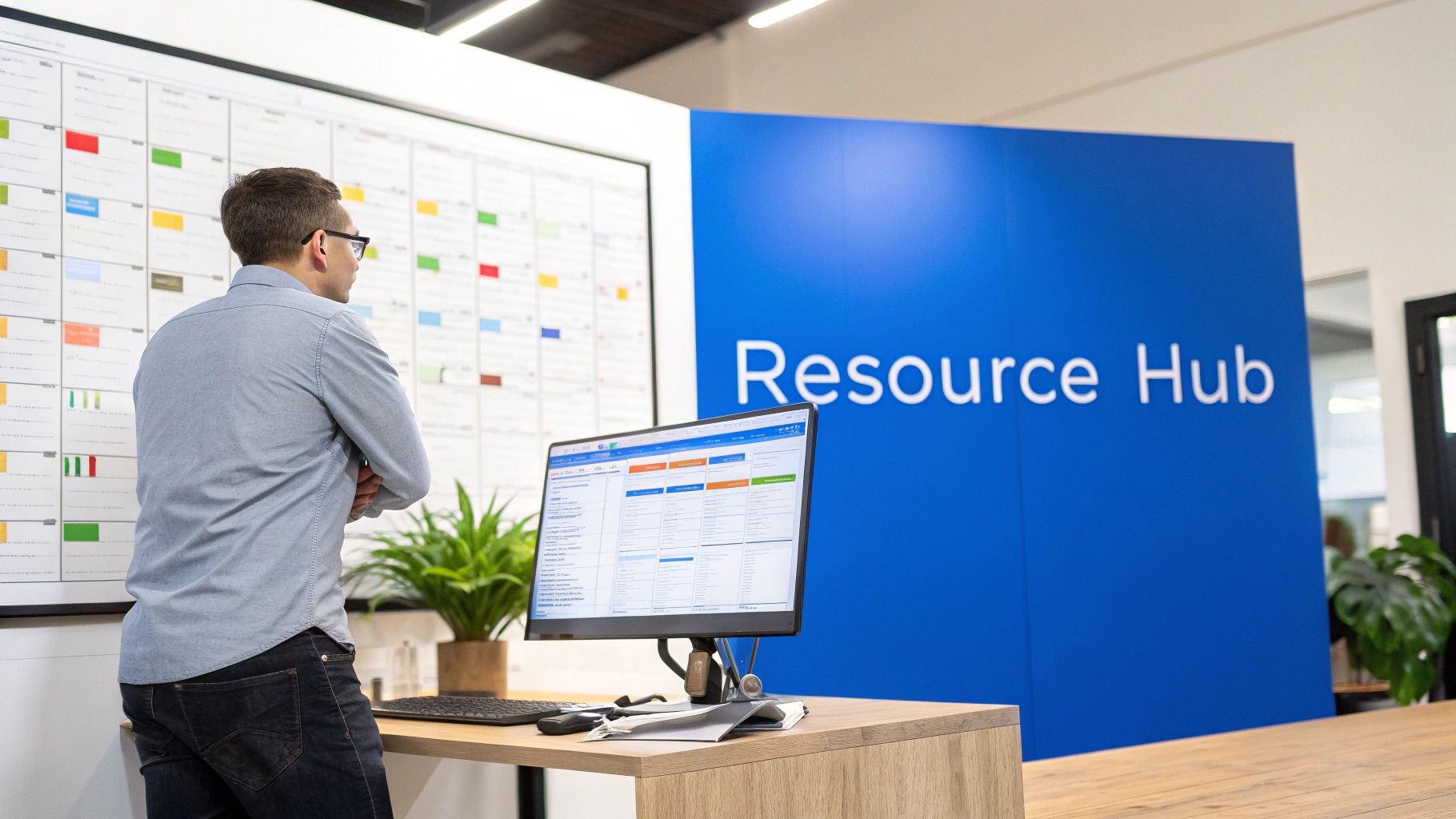
Can you imagine trying to run a growing architecture firm with just sticky notes and sheer memory? It’s a guaranteed recipe for disaster. Important details slip through the cracks, the wrong people are thrown onto critical tasks, and you end up with some team members completely burned out while others are sitting on the bench.
This is exactly the kind of chaos resource management software is built to prevent. It acts like the central nervous system for your business, connecting all the moving parts. For consultancies, marketing agencies, and engineering firms, it’s what separates reactive firefighting from proactive, strategic planning.
Beyond Simple Project Management. While it might share some DNA with project management tools, resource management software goes much, much deeper. It doesn’t just track what needs to get done; it manages the capacity and capability of the people who are actually doing the work.
This specialized focus gives you answers to the tough business questions that standard tools just can’t handle:
- Who is actually free to start a new project next month?
- Do we have enough senior developers in the pipeline for the next quarter’s work?
- Is our design team consistently overbooked and heading for burnout?
- Which projects are actually making us money when you factor in the real time invested?
According to Runn’s resource management statistics, better capacity planning is the top objective for resource management in 2025, with 27% of firms citing it as their number-one priority and 60% saying they have their sights set on increasing resource utilization and productivity. Armed with real-time visibility into your team’s availability and skill sets, you can start making smarter decisions. For example, a digital marketing agency can see their top SEO strategist is slammed for the next three weeks. Instead of promising an unrealistic start date to a new client, they can confidently set expectations and book the project for when their expert is genuinely available. This small, friendly interaction builds trust right from the start.
This shift from pure guesswork to data-driven allocation is everything. It’s about putting the right people on the right projects at the right time, every single time. That alignment is the secret to boosting efficiency, protecting your profit margins, and building a business that lasts.
Ultimately, this software gives you the intelligence to balance client demands with your team’s well-being. By connecting resource planning with other core business functions, it creates a single, unified view of your operations. To see how this fits into the bigger picture, you can learn more about what Professional Services Automation (PSA) software is and how it ties everything together. This foundation is what allows firms to stop putting out fires and start building a more predictable, profitable future.
Unpacking the Core Features That Drive Profitability
Let’s get past the feature list and talk about how resource management software actually makes your firm more profitable. These aren’t just bells and whistles; they’re the friendly engines that drive efficiency and real growth. When you understand the ‘why’ behind each function, you start to see its direct impact on your bottom line.
Think of it like a car’s dashboard. You’ve got more than just a speedometer. There’s a fuel gauge, engine temperature, and oil pressure warnings. Each one gives you a different but crucial piece of information about your car’s health, letting you fix problems before they start. Resource management software does the same for your firm.
We’ll break down the core capabilities and show exactly how they translate into tangible business benefits.
Core Features and Their Business Impact. This table connects the dots between each software capability and the real-world outcomes you can expect.
| Core Capability | What It Does | Direct Business Benefit |
|---|---|---|
| Capacity Planning | Provides a real-time, firm-wide view of who is busy, who is available, and who is overbooked. | Prevents team burnout by distributing work evenly and stops you from leaving money on the table by benching skilled staff. |
| Skills Mapping | Creates a searchable internal directory of your team’s skills, certifications, and experience levels. | Ensures the perfect person is assigned to each task, leading to faster delivery, higher-quality work, and happier clients. |
| Utilization Tracking | Measures billable hours against non-billable hours for every team member and project. | Gives you a clear, honest look at project and client profitability, helping you make smarter decisions about where to focus your efforts. |
| Forecasting | Uses your sales pipeline and historical data to predict future hiring needs, revenue, and project demand. | Moves your firm from being reactive to proactive, allowing you to hire ahead of demand and avoid costly project delays. |
Each of these features tackles a specific, high-stakes problem that professional services firms face every day. Let’s look a little deeper into each one.
See Your Entire Team’s Workload at a Glance. The first, most immediate win is getting a crystal-clear view of your team’s capacity. Capacity planning finally puts an end to the endless guessing game of who’s swamped, who’s free, and who’s about to burn out. It’s like a real-time heatmap of your entire firm’s workload.
Without this, you’re flying blind, and the mistakes are expensive. You might assign a critical task to a designer who’s already pulling weekend shifts, leading to burnout and sloppy work. Or, you could have a highly paid consultant sitting on the bench with nothing to do, a direct hit to your payroll.
Take an engineering firm planning a huge infrastructure project. With capacity planning, the operations manager sees instantly that their lead civil engineer is booked solid for the next two months, but their junior engineer has 30% availability. This insight lets them confidently schedule the project kickoff for a later date while assigning prep work to the junior engineer now, making perfect use of their time.
Match the Right Skills to the Right Project. Okay, so you know who has the time. But who has the right talent? That’s where skills mapping comes in. Today’s projects require a very specific cocktail of expertise. Assigning someone who is just “good enough” instead of the “perfect fit” is a recipe for delays, budget overruns, and disappointed clients.
Resource management software acts like an internal talent directory, allowing you to filter your team by skills, certifications, seniority, and even location. This ensures you’re not just filling a spot; you’re strategically deploying the best possible person for the job.
Imagine a marketing agency lands a new client in the hyper-competitive SaaS space. The project demands someone with deep experience in B2B content marketing and a HubSpot certification. Instead of sending out a mass email or digging through old HR files, the project lead just filters their resource pool for “B2B Content” and “HubSpot Certified.” Boom, they’ve instantly found the two ideal people for the job.
Track Utilization to Maximize Profitability. Knowing who’s working is one thing. Knowing if their work is actually profitable is a whole different ballgame. Utilization tracking is what connects the dots, measuring billable vs. non-billable hours to give you an unvarnished look at your firm’s financial health. A healthy utilization rate means your team is spending its time on work that actually generates revenue. Mosaic’s research on billable utilization shows leading firms aim for the 70-80% “Goldilocks Zone” of utilization, balancing profitability with sustainability and avoiding the burnout that comes from pushing past 100%.
This data is gold for making smart business decisions. If you see a client project consistently eats up a high number of non-billable hours in revisions and meetings, that’s a friendly red flag. For instance, a software consultancy might notice that “Project Phoenix” has a 45% non-billable rate due to scope creep. This allows them to have a proactive, data-backed conversation with the client to get the project back on track. Of course, this all hinges on accurate time tracking; you can learn more in our guide on the importance of project time tracking.
The growth of this software category tells the story. The project management software market, which is closely tied to resource management, was valued at USD 7.24 billion in 2025 and is set to hit USD 12.02 billion by 2030. For services firms, these tools deliver proven wins like 20% faster project delivery and 15% higher billable utilization, making them essential for staying competitive. You can see more on the impact of project management software statistics from Mosaic.
Forecast Future Needs with Confidence. The final piece of the puzzle, and arguably the most strategic, is forecasting. By analyzing your current sales pipeline and past project data, the software can predict future resource needs, revenue streams, and even hiring requirements. This is what shifts your business from constantly putting out fires to strategically planning for the future.
For example, an architecture practice can use forecasting to see a shortage of licensed architects coming up in six months based on their pipeline of new deals. This friendly heads-up gives them plenty of time to recruit and hire the right person, avoiding a last-minute scramble that could put lucrative projects on hold. This kind of forward-looking intelligence is what builds a more resilient and consistently profitable firm.
How to Create a Single Source of Truth for Your Firm
The real magic of resource management software happens when it stops being just another tool on the pile and becomes the central nervous system for your entire firm. Far too many businesses are stuck juggling separate islands of information: finance lives in one system, project tasks in another, and time tracking in a third. This setup is a recipe for friction, endless manual work, and a thick fog of uncertainty around your actual profitability.
When you integrate these disconnected systems, your resource management platform creates a single source of truth. This isn’t just about making life more convenient; it’s about building a smooth operational flow where data glides automatically and accurately from one stage to the next.
This concept map shows exactly how profitability is a direct result of having a unified view of your capacity, skills, and forecasts.
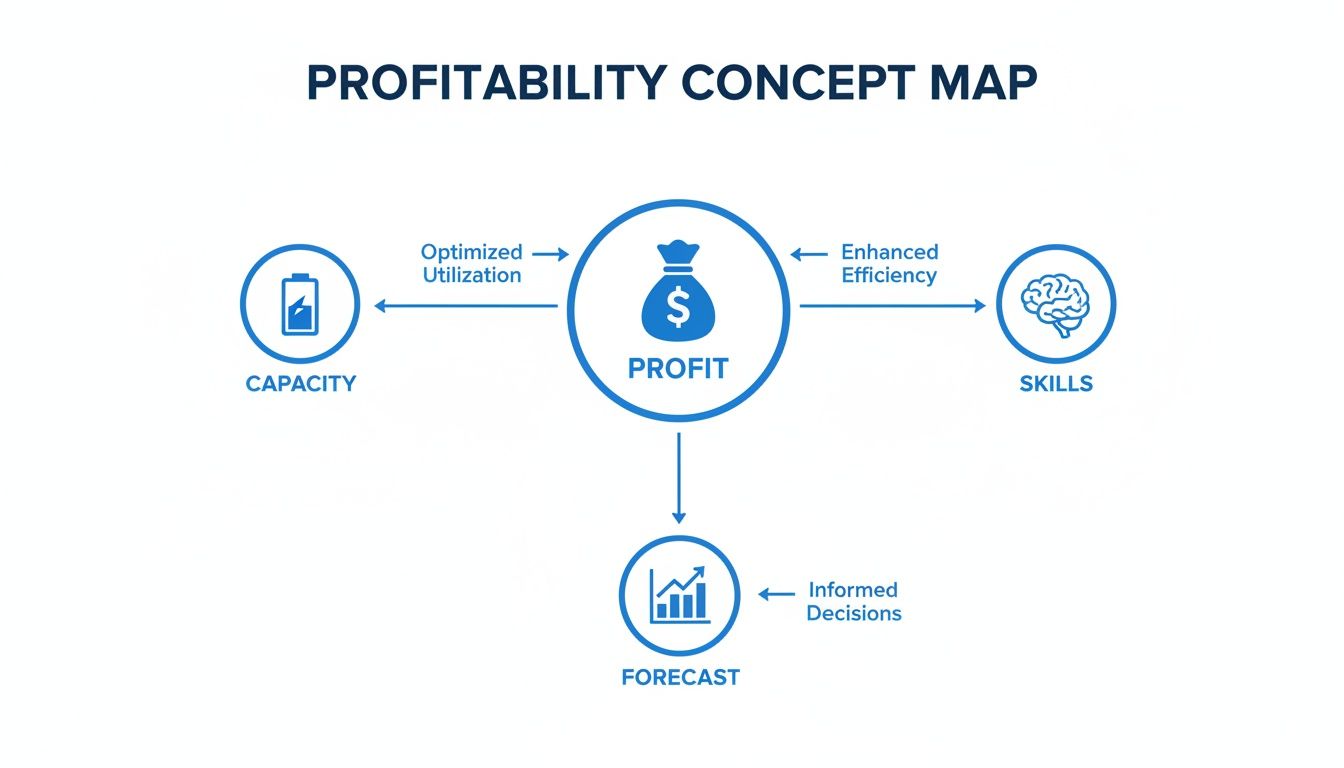
Once these elements are talking to each other in one system, you finally get a clear, holistic picture of your firm’s financial health and operational muscle.
Connecting Projects to Payments. One of the most powerful connections you can make is between your resource management software and your financial tools. This single integration ends the all-too-common nightmare of manually reconciling spreadsheets and chasing down project managers for billing details. It shifts your workflow from a disjointed, error-prone mess into a slick, automated cycle.
Let’s look at how an architectural firm puts this into practice.
- Project Milestones Trigger Invoices: The moment a project phase like “Schematic Design” is marked “complete” in their resource tool, it automatically generates a draft invoice in their accounting software, like QuickBooks or Xero.
- Accurate Time and Expenses: Every billable hour and expense logged against the project gets pulled directly into that invoice. No more manual data entry, no more missed billables.
- Real-Time Profitability View: The partners can see a live, complete view of project profitability without ever having to switch between systems or wait for month-end reports to be cobbled together.
This direct connection is a massive boost to cash flow. Instead of a lag of weeks (or even months) between finishing work and sending an invoice, the process becomes almost immediate. For more detail, check out our guide on the benefits of integrating with QuickBooks.
By creating this direct link, you’re not just saving administrative time; you’re building a more financially resilient business where revenue is recognized as soon as it’s earned.
Capturing Every Billable Minute. The other non-negotiable connection is with your time tracking tools. For any professional services firm, accurate time tracking is the absolute foundation of profitability. But when time entries live in a separate system from project plans and resource schedules, it’s incredibly easy for billable hours to get lost in the shuffle.
Integrating time tracking directly into your resource management software makes sure every minute is captured and correctly accounted for. This gives you a few major advantages:
- Effortless Data Entry: Team members log hours directly against the tasks and projects they were assigned, which removes friction and makes them far more likely to do it consistently.
- Improved Accuracy: With pre-populated project and task lists right there, the risk of logging time against the wrong client or internal code drops dramatically.
- Instant Budget vs. Actuals: Project managers get a real-time view of how actual hours are stacking up against the initial budget, letting them spot potential overruns long before they become a problem.
Picture a marketing agency where a designer logs eight hours against a client’s “Website Mockup” task. That single entry instantly updates the project’s budget burn, lets the PM know they’re on track, and becomes a line item ready for the next invoice. One action feeds three critical business functions without any extra effort, creating a transparent and efficient workflow that helps everyone.
Choosing the Right Software for Your Firm
Trying to find the right resource management software in today’s crowded market can feel overwhelming. You’ve got dozens of options, and every single one claims it will solve all your problems. So, how do you find the one that’s actually a perfect fit for your firm? It’s about more than just a list of features; it’s about finding a partner that gets the unique rhythm of a professional services business.
A generic, one-size-fits-all tool often creates more problems than it solves. It might look powerful on paper, but if its features aren’t designed for the project-based reality of a consultancy or agency, they just become clunky roadblocks your team will ignore. The real goal is to find a platform that feels like it was built just for you, one that empowers your team instead of getting in their way.
Your Evaluation Checklist. To cut through the marketing noise, you really only need to focus on four critical areas. Think of this as your friendly checklist for evaluating each option and picking a tool that not only fixes today’s headaches but also sets you up for long-term growth.
-
Scalability: Will It Grow with You? Your firm isn’t standing still, and your software shouldn’t either. Let’s say you’re a 10-person agency aiming to be 50 people in three years. Will this platform handle that growth without becoming slow or costing a fortune? A truly scalable solution grows with your business, handling more projects, people, and data without breaking a sweat.
-
User Experience (UX): Will Your Team Actually Use It? Honestly, this is the most important question you can ask. The most feature-packed software on the planet is completely useless if it’s so confusing that your team actively avoids it. Look for a clean, intuitive interface. When you’re in a demo or a trial, pay close attention: can you schedule a resource or check a project budget in just a couple of clicks? If it feels like you need a user manual and a week of training, you’re signing up for a constant battle for adoption.
-
Integration Capabilities: Does It Connect to Your Stack? Your resource management tool can’t be an isolated island. It has to play nicely with the other software you depend on, especially accounting platforms like QuickBooks or Xero. Solid integrations are what create that single source of truth we’ve been talking about, automating data flow and killing off the soul-crushing task of manual data entry.
-
Reporting and Analytics: Can You Get the Insights You Need? Good software collects data; great software helps you make sense of it. For example, can you easily pull a report to see your most profitable client of the last quarter? Or forecast revenue for the next six months based on your sales pipeline? The right platform gives you clear, visual dashboards that empower you to make smarter, data-driven decisions on everything from hiring to project pricing.
Selecting the right software is a strategic decision that directly impacts your firm’s efficiency and profitability. It’s about finding a tool that provides clarity and control, helping you move from reactive planning to confident, forward-looking leadership.
Why Industry-Specific Matters. The market for resource management software is booming. The broader industry in 2025 boasts 5,150 companies worldwide, with cloud-based tools commanding a massive 74% market share because of their flexibility. More importantly, firms that adopt these tools see 15-25% reductions in manual errors, a huge win for any services business. You can explore the full resource management market report to learn more about this trend.
This massive market means you have plenty of options, so don’t settle for “good enough.” A platform built specifically for professional services understands that your real “inventory” is your team’s time and expertise. It’s designed from the ground up to manage billable hours, project phases, and client profitability in a way that generic tools just can’t touch. When you choose a specialized solution, you’re not just buying software; you’re adopting a system that speaks your firm’s language.
Choosing the right resource management software is a huge first step. But even the most powerful tool is useless if your team doesn’t actually embrace it. A thoughtful, friendly rollout is what makes your new platform a catalyst for change, not just another source of frustration.
Here’s our roadmap to guide you through a smooth implementation.

Think of it like adding a new star player to your sports team. You wouldn’t just throw them on the field without walking them through the playbook or introducing them to their teammates, right? It’s the same with software. A proper introduction makes all the difference.
The Tale of Two Firms. Let’s look at two firms, “Firm A” and “Firm B,” to see just how differently this can play out.
Firm B, a busy engineering consultancy, was excited to get with the times. They bought some new software, fired off a single email announcing the switch, and just assumed everyone would figure it out. The result? Total chaos. Project managers, lost in the new interface, went straight back to their old spreadsheets. The data migration was a mess, creating duplicate projects and junk reports. Within a month, that expensive new tool was gathering digital dust.
Firm A, a creative agency, took a completely different approach. They started by explaining the why behind the change, focusing on real benefits like fairer workloads and cutting down on admin busywork. They picked a tech-savvy project manager to be their internal “champion,” someone who could answer questions and lead training. This simple move turned the implementation from a top-down mandate into a genuine team effort.
Your Roadmap for a Smooth Rollout. Firm A’s success wasn’t a fluke; they followed a clear, repeatable process. Taking a structured approach like this makes your team feel supported and confident from day one.
Here are the crucial steps to get it right:
- Get Your Team On Board: Start by clearly communicating the benefits. Show them how this software solves their specific pain points. For example: “This new tool will help us see workloads clearly, so we can finally stop overloading the design team during launch weeks.”
- Appoint an Internal Champion: Find that go-to person on your team who is genuinely enthusiastic about the new tool. This champion will be your secret weapon for peer support and keeping the momentum going.
- Start with a Pilot Project: Don’t try to boil the ocean. Roll the software out with a single team or a small, low-risk project first. This lets you work out the kinks in a controlled environment and builds confidence for the wider launch.
- Clean Up Your Data: Messy data is the number one reason implementations fail. Before you move anything over, take the time to clean up your project lists, client contacts, and team member roles. A fresh start is non-negotiable.
A tool is just a base. You need leadership buy-in, continuous improvement, and constant check-ins. You need to understand your people and the direction of the business. That’s what’s needed to drive a really successful resource management function.
By sidestepping common pitfalls like poor communication or a rushed data migration, you’re setting your firm up for a win. A smart implementation doesn’t just get your team to use the software; it gets them to love it because they can see how it makes their work life better. This is how you guarantee your investment pays dividends for years to come.
Measuring the True ROI of Your Software
When you bring resource management software into your firm, you’re doing more than just buying a new tool. You’re making a strategic investment in a more profitable and sustainable future. To really understand the return, you have to look beyond the initial price tag. It’s about connecting what the software does to real, tangible gains, both on your balance sheet and in your company’s culture.
This return on investment (ROI) really splits into two camps, and both are equally important. First, you have the hard ROI: the concrete, dollars-and-cents wins you can track and count. Then there’s the soft ROI, which covers the less tangible but incredibly valuable improvements in how your firm actually runs day-to-day.
Calculating the Hard ROI. Hard ROI is all about the numbers. These are the direct financial benefits that pop up when you finally have a clear, unified picture of your entire operation. When every decision is backed by solid data, you’ll start seeing some serious improvements in your key financial metrics.
- Higher Billable Utilization: You can instantly spot who has bandwidth, turning that idle “bench time” into profitable, billable work. For instance, a 5% increase in utilization for a 20-person team can add hundreds of thousands in revenue per year.
- Fewer Budget Overruns: With real-time tracking of hours and expenses against your project budgets, you can catch problems early. This means you can step in and fix things before they start eating away at your profit margins.
- Faster Invoicing Cycles: Automating how data flows from a timesheet all the way to an invoice drastically cuts down the time it takes to get paid. Your cash flow improves because you’re billing faster for work you’ve already delivered.
A well-implemented platform becomes a profit-driving engine. It closes the gaps where money quietly leaks out through unbilled hours, inefficient scheduling, and costly project overruns, and replaces guesswork with financial precision.
Uncovering the Soft ROI. Just as crucial is the soft ROI: those powerful cultural and operational wins that create a healthier, more productive place to work. These gains might not appear as a neat line item on a spreadsheet, but they are absolutely essential for long-term growth and keeping your best people around.
Think about it: better workload balancing directly boosts team morale and slashes the risk of burnout. When projects are consistently delivered on time and on budget, client satisfaction and trust go through the roof, leading to more repeat business and stronger referrals. And for leadership, it means making confident, data-driven decisions to steer the firm with clarity, instead of just reacting to the crisis of the day.
The market for Enterprise Resource Planning (ERP) systems, which heavily lean on resource management, was valued at USD 92.6 billion in 2025 and is expected to hit USD 281.58 billion by 2034. This explosive growth shows just how many firms are ditching their spreadsheets. Many are reporting 20-30% better resource utilization and faster cash flow, proving this investment is more than just software. It’s a core driver of modern business success. You can discover more about ERP market trends and see the impact for yourself.
Jumping into new software always brings up a few practical questions, even when the benefits are clear. It’s smart to think through the details before you commit. To help out, we’ve put together some straightforward answers to the most common questions we hear from firms just like yours.
Think of this as your quick guide to how resource management software actually fits into your firm’s day-to-day reality.
How Long Does This Take to Get Started? This is a big one, and the good news is, we’re not talking about the months-long IT projects of the past. Modern, cloud-based platforms are built for a quick and painless setup. For most small to mid-sized firms, you can be completely up and running in just a few days or weeks.
The trick to a fast start? Pick a solution with a clear, guided onboarding process. The most successful rollouts we’ve seen always start with a focused pilot project. This lets a small part of your team get comfortable with the system, build some early wins, and create momentum for a smooth transition for everyone else.
Is This Software Just for Big Companies? Not at all. In fact, you could argue it’s even more crucial for smaller, growing firms. While massive enterprises definitely need it to manage their sheer scale, resource management software is a major advantage for small and medium-sized businesses. It provides the structure and visibility you need to scale up without all the usual growing pains.
For a 15-person design studio, for example, the software prevents the lead designer from becoming a constant bottleneck. It also automates invoicing and reporting, tasks that might otherwise fall to the owner, freeing them up to focus on business development instead of paperwork.
This kind of software isn’t an expense; it’s an investment in efficiency, no matter your company’s size. It gives smaller firms the operational discipline to compete with the big players and build a solid foundation for real, sustainable growth.
Can This Software Really Help Prevent Burnout? Absolutely. This is one of the most powerful and immediate benefits you’ll see. Burnout isn’t something that happens overnight. It’s the slow-burn result of uneven workloads and a total lack of visibility into who’s actually drowning in work. This is where the software becomes an essential tool for managing a healthy, happy team.
It gives managers a clear, visual dashboard of everyone’s workload in real-time. You can see in an instant who has the space to take on something new and, more importantly, who is red-lining and at risk of being completely overloaded.
This clarity means you can start making smarter, more balanced decisions about who gets what work. Instead of just guessing or going with your gut, you’re making data-driven choices that protect your team. This proactive approach leads directly to better morale, lower turnover, and consistently higher-quality work from a team that feels genuinely supported.
Ready to see how a single source of truth can transform your firm’s profitability and team morale?
Drum unifies your projects, people, and payments into one intuitive platform.
Start your free 14-day trial and experience the clarity of truly connected operations.