
 Pipeline & Proposals
 Project Management
 Resource Planning
 Time & Costs
 WIP & Invoicing
 Commercial Reporting
 Consulting Engineers
 Architects
 Town Planners
 Building Designers
WorkflowMax Alternative for Architects: What Your Studio Actually Needs

Ben Walker
Written for Drum

In This Article
A 20-person architecture studio in Brisbane told us a story last year that we’ve heard in different versions from firms across Australia. They’d used WorkflowMax for six years. It wasn’t perfect, but it handled timesheets, basic invoicing, and the Xero connection they depended on. Then Xero retired WorkflowMax in June 2024, BlueRock took over the brand, and within three months the studio’s office manager was spending an extra day per week fixing invoicing errors and chasing support tickets that sat unanswered.
They needed a WorkflowMax alternative for architects that understood how architecture projects actually work. Not a generic project tracker with a timer bolted on, but software built around phases, fee stages, progress claims, and the kind of sub-contractor complexity that makes architecture different from other professional services.
This article is for studios in that same position. We’ll cover what makes architecture-specific requirements different, the features that actually matter when evaluating replacements, and how the transition works in practice.
Why Architecture Firms Can’t Use Generic Project Software
Most project management tools were designed for marketing agencies or software teams. They think in terms of tasks, sprints, and deliverables. Architecture doesn’t work that way.
An architecture project moves through distinct phases: schematic design, design development, construction documents, contract administration. Each phase carries its own fee structure, its own budget, and often a different pricing model. The schematic design phase might be fixed-fee at $45,000 while construction documentation runs on time and materials with a budget cap. A generic project tool that only tracks “hours on this project” can’t tell you whether your CD phase is burning faster than the fee allows. You only find out when the invoice goes out and the margin has already evaporated.
The AIA’s 2024 Firm Survey Report found that architecture firms reported average net pre-tax profits of 11.5% of net service revenue, with smaller firms averaging just 9%. Those margins don’t leave room for sloppy financial tracking. The 2025 A&E Industry Benchmark Report from Total Synergy reinforces this point, finding that while 65% of architecture and engineering firms now track profitability in real time using dashboards or software, many still lack a clear view of how their time translates into revenue, with persistent tracking gaps in realization, overhead, and payment cycles. When a project overruns its fee estimate by 15% because nobody spotted the budget blowout in the DD phase, that’s the difference between a profitable year and a stressful one.
There’s a second layer of complexity that generic tools miss entirely: progress claims. In construction and architecture, you don’t just send an invoice for “services rendered.” You issue a progress claim against completed stages of work, often structured as a percentage of the total fee, with retention amounts held back and sub-contractor costs itemised separately. Try doing that in Asana or Monday.com.
Sub-contractor management adds another dimension. Most architecture projects involve structural engineers, landscape architects, building services consultants, and other specialists whose costs need to be tracked against the project, marked up appropriately, and included in progress claims to the client. If your software can’t handle that workflow, you’re back to spreadsheets, and spreadsheets don’t connect to your accounting system.
The Features That Actually Matter for Architecture Studios
When we work with architecture firms evaluating a WorkflowMax alternative, the same five requirements come up in nearly every conversation. That same Total Synergy benchmark found that 89% of A&E firms use financial and invoicing software and 69% use dedicated time tracking or resource management tools, but the real differentiator is whether those tools actually talk to each other. As Monograph’s guide to financial KPIs for A&E firm leaders puts it, the firms that thrive are the ones tracking metrics like net multiplier and utilisation rate at the project phase level, not just the firm level.
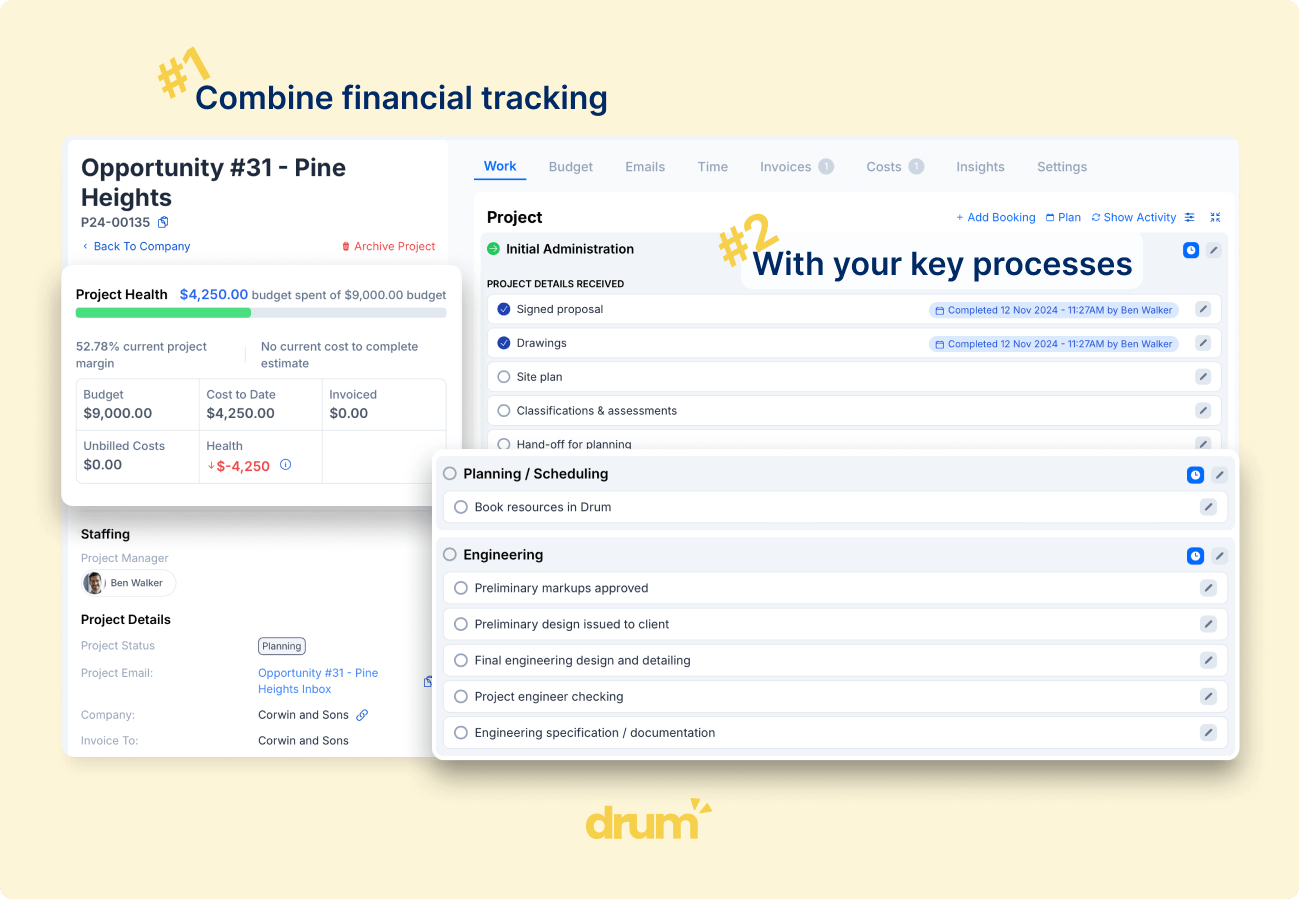
Phase-level time tracking and budgeting is the foundation. Your team needs to log time against specific project phases, and you need to see how each phase is tracking against its budget in real time. Not at month-end, not in a separate report. Right there on the project page, updated as timesheets are submitted. This is what transforms time data from a billing exercise into a planning tool. When you can see that your last three residential projects consistently underestimated the construction documentation phase by 20%, your next fee proposal gets dramatically more accurate. You can read more about how this works with Drum’s time tracking for architects.
Progress claims that connect to Xero. Your invoicing workflow should support percentage-based claims against project milestones, with the ability to include sub-contractor costs, apply retention, and convert the claim to a Xero invoice with a single action. Drum built this feature in direct collaboration with architecture studios because no off-the-shelf invoicing system handles it properly. A progress claim can be generated, reviewed, converted to an invoice in both Drum and Xero, and exported as a Word document or Excel file, all within minutes.
Sub-contractor cost tracking with markup. You need to allocate sub-contractor expenses against projects, apply your agreed markup, manage insurance documentation, and include those costs in your progress claims. In Drum, sub-contractor expenses are visible alongside your own team’s time, so project profitability reflects the full picture rather than just your internal labour costs.
Template-driven project pricing. If your studio runs similar project types repeatedly (say, residential renovations or multi-unit developments), you shouldn’t be building fee proposals from scratch every time. Drum’s proposal pricing uses a drag-and-drop template system. Define your standard phases, typical fee structures, and hourly rate assumptions once. Then adapt them for each new project. When a proposal is accepted, the pricing structure converts directly into the project’s budget and phases. No re-entering data.
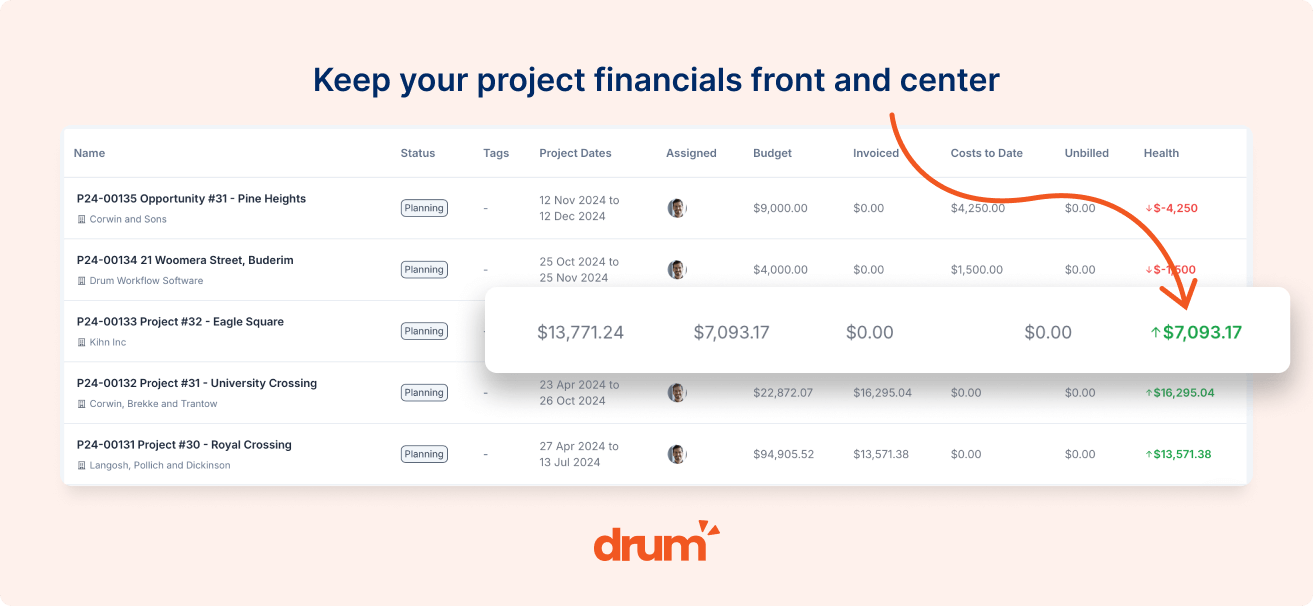
Flexible budget types per phase. Different phases of the same project often have different pricing models. Schematic design might be a fixed lump sum. Design development runs on time and materials. Contract administration is a percentage of construction cost. Your software needs to handle all of these within a single project, and the financial reporting for each phase should reflect the right metrics for its budget type. Drum does this natively, showing you the KPIs that matter for each phase based on how it’s structured.
How Drum Handles Architecture-Specific Workflows
Rather than listing features in abstract, here’s what the day-to-day experience looks like for an architecture studio using Drum.
A principal is preparing a fee proposal for a new commercial fit-out. She opens Drum’s proposal system, selects her “Commercial Fit-out” template, and the standard phases populate automatically: briefing, concept design, design development, construction documentation, and contract administration. She adjusts the fee for each phase based on the project’s scope, sets the pricing type (fixed fee for early phases, T&M with a cap for CA), and sends the proposal. When the client accepts, those phases become the project’s budget structure with one click.
During the project, her team logs time against each phase through Drum’s time tracking. As they work, the project page shows real-time budget burn: concept design is 60% through its hours at the halfway point (on track), but design development has already consumed 80% of its budget with significant work remaining (problem). The principal sees this immediately, not three weeks later when the monthly numbers come in, and has the conversation with the client about scope before the overrun gets worse.
When it’s time to bill, the office manager creates a progress claim. She claims 100% of the completed concept design phase, 50% of design development, adds the structural engineer’s invoice with the agreed 10% markup, applies 5% retention, and converts the claim to a Xero invoice. The whole process takes about ten minutes. In their previous WorkflowMax setup, it took the better part of an afternoon.
That workflow, from proposal to time tracking to progress claim to Xero invoice, is what we mean when we say the system is connected. Data flows through without manual re-entry, and the financial performance reporting reflects reality rather than a best guess assembled from three different spreadsheets.
Making the Switch from WorkflowMax
Switching your studio’s core operational software during active projects isn’t something to take lightly. Here’s how the transition typically works with Drum.
The process starts with a demo focused on your studio’s specific workflows. Not a generic product tour, but a conversation about how you price projects, how your team tracks time, how you handle progress claims, and what your Xero setup looks like. If Drum is a good fit (and we’ll tell you honestly if it isn’t), we move to a free trial.
During the trial, Drum’s team helps you set up your account: importing your client and contact data, configuring your project phase templates, connecting your Xero account, and establishing your billable hours tracking rates. Most studios run Drum alongside their existing system for two to four weeks, using it for new projects while completing in-progress work in the old tool.
Training is structured around roles. Your principals learn the financial dashboards and proposal tools. Project architects learn time tracking and project management. Your office manager learns invoicing, progress claims, and Xero sync. Everyone gets live support from the Drum team during the transition, with an average chat response time of 15 minutes during business hours.
The full process, from first conversation to firm-wide adoption, typically takes four to six weeks. Drum offers both monthly and annual subscriptions, so you’re not locked into a long contract before you’re confident the tool works for your studio.
For studios that want to explore further before booking a demo, you can read about project management for architects or see how Drum serves architecture firms specifically.
Finding the Right WorkflowMax Alternative for Your Architecture Studio
The right WorkflowMax alternative for architects isn’t the tool with the longest feature list. It’s the one that understands how architecture projects actually flow, from the fee proposal through to the final progress claim, and connects every step without forcing your team into workarounds.
Drum was built with that workflow at its centre, shaped by direct collaboration with Australian architecture studios who told us exactly what they needed. If you’re evaluating alternatives after WorkflowMax, the best way to judge any tool is to test it with a real project.
Ready to see how Drum handles architecture projects?
Book a free demo and we'll walk through your studio's specific workflows: phase tracking, progress claims, sub-contractor management, and Xero integration. Real projects, not a slide deck.