
 Pipeline & Proposals
 Project Management
 Resource Planning
 Time & Costs
 WIP & Invoicing
 Commercial Reporting
 Consulting Engineers
 Architects
 Town Planners
 Building Designers
7 Best CRMs for Professional Services in 2026 (Compared)

Ben Walker
Written for Drum
In This Article
7 Best CRMs for Professional Services in 2026 (Compared)
Most CRMs weren’t built for firms professional services and as a result, are generic and don’t meet the needs of the industry.
If you’re running a consulting, engineering, or creative practice, you need more than a contact database, you need a platform that connects your sales pipeline and business development activities to project delivery to the invoice, ideally integrating with your existing Xero or QuickBooks account to boot.
We compared 7 platforms that handle the best CRM for professional services use case in 2026, from purpose-built PSA tools to enterprise heavyweights, with real pricing and honest pros and cons for each.
For the deeper thinking on what a professional services CRM actually needs to do, we’ve written a separate guide.
Full disclosure: Drum is our product. We’ve still put it first because we genuinely believe it’s the strongest fit for the consulting, engineering, and architecture firms this article is aimed at — but we’ve been honest about where it falls short and where each alternative wins. Use the comparison to pressure-test our claim, not take it on faith.
| Solution | Best For | Starting Price | Key Notes |
|---|---|---|---|
| Drum | Consulting, engineering, creative agencies | $225/mo (5 seats) | All-in-one platform, opinionated flows |
| Salesforce Sales Cloud | Large firms with IT resources | $140/user/mo | Scalable platform, high complexity |
| HubSpot (Sales Hub + CRM) | Agencies focused on inbound growth | Free tier available | Good default, gets expensive quick |
| Microsoft Dynamics 365 | Organizations on Microsoft 365 | $65/user/mo | MS native, complex |
| Clio Grow | Law firms | $59/user/mo | Legal-specific intake and e-sign |
1. Drum: The All-in-One Operating System for Consulting Firms
Drum positions itself not just as a CRM, but as a complete Professional Services Automation (PSA) platform—essentially an all-in-one operating system designed from the ground up for consulting firms.
It directly tackles the common headache of juggling disconnected tools by consolidating your CMR and sales pipeline with proposal generation, project management, time and expense tracking, invoicing via Xero and QuickBook integration, and reporting into a single, cohesive environment.
This unified approach makes it an exceptional choice for firms aiming to replace chaotic spreadsheets and fragmented software with a single source of truth and not just a standalone CRM.
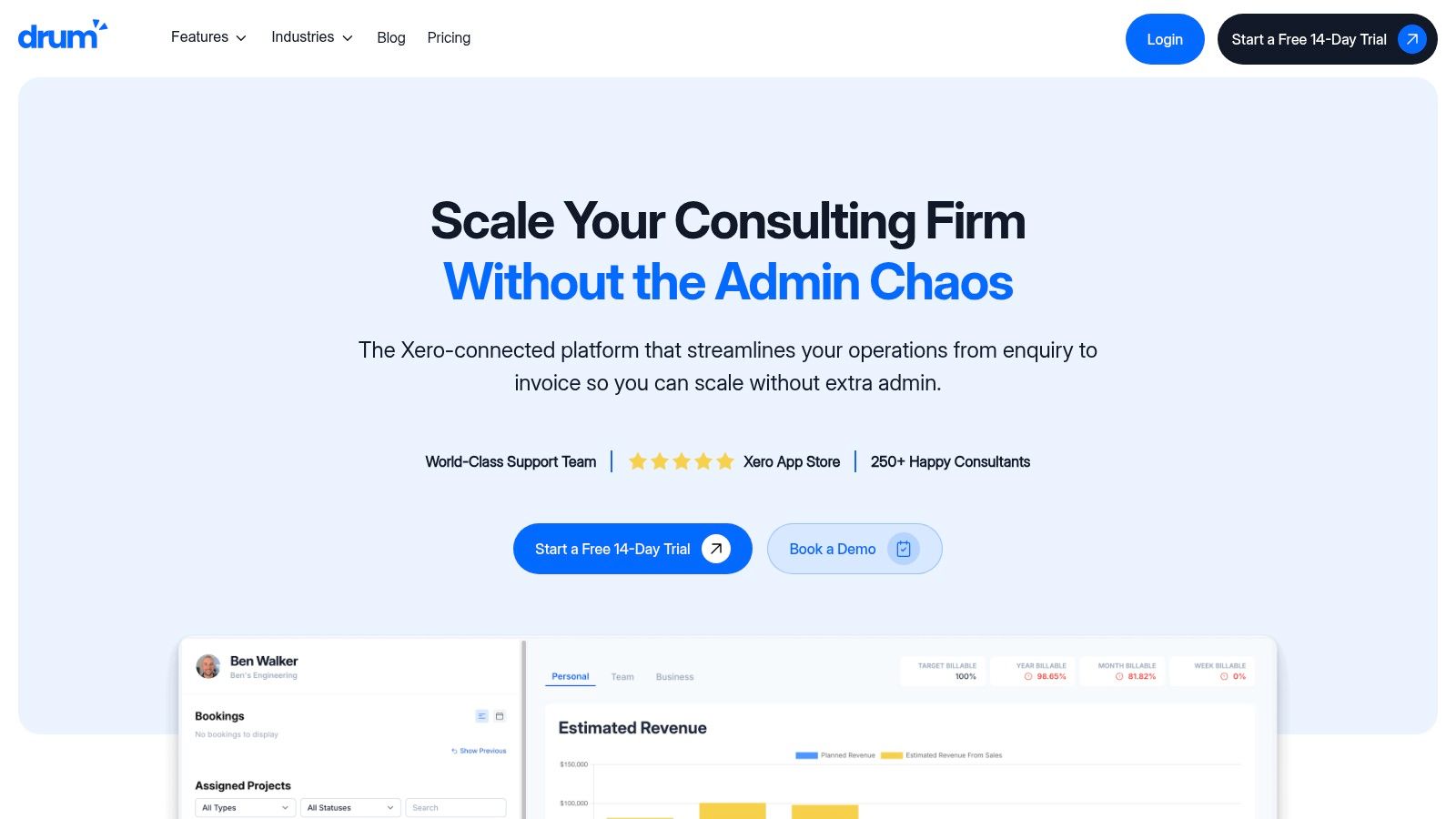
For service-based businesses like engineering consultancies, creative agencies, and architecture practices, Drum is built for the full client lifecycle rather than just lead capture. It connects every stage from the initial sales conversation through to the final invoice, giving firm leaders real visibility over project health instead of a month-lagged view.
This can be a downside, if you’re truly looking for a standalone professional services CRM and you don’t want the CRM that you choose to overflow into the other areas of your business.
Why It Stands Out: A True End-to-End Solution.
The core strength of Drum lies in its ability to provide real-time financial visibility across your entire project portfolio. Where many CRMs stop at the “deal won” stage, Drum carries that data forward, allowing you to build a proposal, convert it to a project, track budgets against actuals, resource your projects and invoice for work, all within the same system.
Key features that drive this integration include:
- Connected CRM & Proposals: Manage your sales pipeline and create professional proposals using templates. Once a proposal is accepted, you can convert it into a live project with a single click, instantly populating budgets, tasks, and timelines.
- Real-Time Financial Control: Live budget tracking and profitability reports give you an immediate understanding of project health. This means no more waiting for month-end accounting reports to discover a project is going over budget.
- Direct Accounting Sync: Deep integrations with Xero and QuickBooks ensure that timesheets and expenses flow directly into invoices, dramatically reducing administrative overhead and improving cash flow. Client testimonials from firms like Projex Partners and Metiri highlight this as a standout feature.
- Resourcing: Use the drag and drop resourcing system to easily understand your staff’s availability and to determine how you can deliver the projects that you’re winning.
Real-World Application: Imagine an architecture studio using Drum. They can track a new lead in the CRM, generate a multi-phase fee proposal, and once it’s approved, manage each project phase with its own budget. As architects log time, Drum automatically calculates real-time profitability, alerting the project manager if a phase is approaching its budget limit. This allows for proactive, informed conversations with the client, rather than reactive ones.
User Experience and Support.
Drum emphasizes a clean, intuitive interface designed for quick adoption, which is a huge plus for busy teams. The onboarding process is supported by a responsive team offering live chat and email support, with users reporting near-immediate daytime responses. This level of support helps firms transition smoothly from their old systems.
For a deeper look into how these features benefit service firms, you can learn more about its professional services project management software.
Pricing and Access. Drum publishes transparent pricing at $225/month for 5 users (the Complete plan), with additional seats at $45 per user per month. There’s a free 14-day trial and no per-feature charges, so what you see is what you pay. For firms used to “contact sales” quote walls, the flat platform fee makes budget planning considerably easier.
| Feature Summary | Details |
|---|---|
| Ideal For | Consulting, engineering, architecture, and creative agencies. |
| Core Function | All-in-one PSA (CRM, Proposals, Projects, Time/Expense, Invoicing). |
| Key Strength | Real-time financial visibility and integrated project lifecycle management. |
| Support | Responsive live chat and email support. |
| Pricing Model | $225/mo for 5 users, $45/user/mo thereafter. Free 14-day trial. |
Pros & Cons
- Pros:
- Combines the entire business workflow into a single platform, reducing tool fatigue.
- Excellent real-time budget and profitability tracking for data-driven decisions.
- Deep Xero and QuickBooks integrations simplify the invoicing process.
- Intuitive interface and strong customer support facilitate easy onboarding.
- Cons:
- Smaller integration marketplace than Salesforce or HubSpot — strongest in accounting (Xero, QuickBooks) but thinner for specialised marketing or CPQ tools.
- Opinionated workflow: if your firm is wedded to a very particular sales or delivery process, you may need to adapt it rather than the other way around.
- Less recognised brand outside Australia and New Zealand, so US or EU firms may not have heard of it yet.
Visit Drum to start a trial and see how it can become your firm’s central operating system.
Want to see Drum in action? Start a free 14-day trial, no credit card required. See how proposal-to-invoice works in a single platform.
Enterprise and General-Purpose CRMs
2. Salesforce Sales Cloud. Salesforce Sales Cloud is the undisputed heavyweight champion of the CRM world, and for good reason. According to DemandSage, Salesforce alone holds the largest share of the global CRM market, a position it has maintained for over a decade. For professional services firms managing complex client relationships, multi-stage projects, and sophisticated sales cycles, Salesforce offers a level of depth and customizability that is difficult to match. It’s a platform designed not just to track contacts, but to become the central nervous system for your entire business development and client management operation.
What truly sets Salesforce apart for professional services is its ability to be molded to your firm’s unique processes. You aren’t forced into a rigid, one-size-fits-all workflow. Instead, you can create custom objects, fields, and automation rules that mirror how your business actually operates, making it a strong choice for larger firms that need bespoke workflows and have the resources to configure them.
Key Features and Use Cases. Salesforce’s power lies in its platform capabilities. You can build a system that manages everything from initial lead capture to final project invoicing.
- Deep Customization: A consulting firm can create a custom “Project” object linked to a client’s “Account.” This object can track project milestones, budget utilization, required skill sets, and assigned consultants, providing a 360-degree view of every engagement.
- Process Automation: Use Process Builder or Flow to automate proposal generation. When a deal stage is updated to “Proposal,” Salesforce can automatically create a document from a template, pull in relevant client data, and assign a task to the project lead for review.
- Massive AppExchange: Salesforce’s AppExchange is a vast marketplace of third-party applications. This allows you to easily integrate specialized tools for professional services automation (PSA), e-signatures (like DocuSign), and complex configure-price-quote (CPQ) needs without needing custom development.
- Advanced Analytics: Create detailed dashboards that track key firm metrics. For example, an architecture practice could build a dashboard to monitor its pipeline of new projects, billable hours per architect, and project profitability, all in real-time.
Practical Tip: Use Salesforce’s mobile app to empower your team in the field. Consultants can log meeting notes, update project statuses, and access client history directly from their phones, ensuring that important information is captured immediately and accurately while it’s still fresh in their minds.
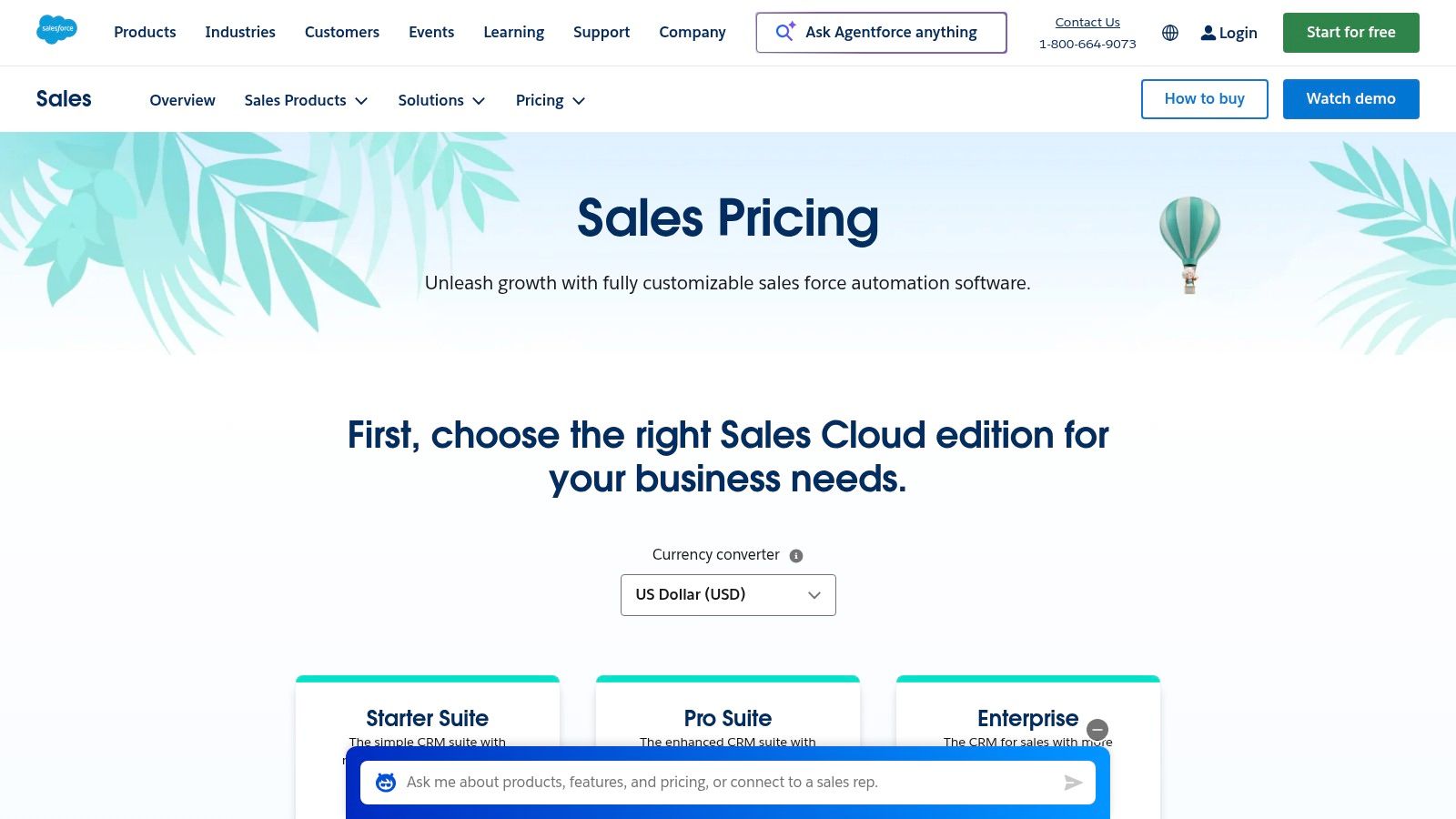
Pricing and Implementation. Salesforce’s pricing is tiered, starting with the Essentials plan at $25 per user/month (billed annually) for small teams. Most professional services firms will find the most value in the Professional ($80/user/month) or Enterprise ($165/user/month) editions, which unlock critical automation and customization features.
- Pros:
- Infinitely scalable, supporting your firm from startup to global enterprise.
- Unmatched ecosystem of integrations and certified implementation partners.
- Powerful, mature analytics and reporting capabilities out of the box.
- Cons:
- Total cost can escalate quickly with add-ons and higher-tier plans.
- Requires a dedicated administrator or partner for effective implementation and maintenance.
While the initial setup can be more involved than with simpler CRMs, the investment pays dividends for firms that need a powerful, tailored system to manage complex client lifecycles.
Website: https://www.salesforce.com/sales/pricing/
3. HubSpot Customer Platform (Sales Hub + CRM).
Where some CRMs focus on complexity, HubSpot champions accessibility and an all-in-one approach. For professional services firms that prioritize lead generation, client communication, and ease of use, HubSpot’s Customer Platform is an incredibly compelling option. It combines a powerful, free CRM with integrated hubs for marketing, sales, and service, creating a unified system that’s fast to deploy and intuitive for your entire team.
What makes HubSpot stand out is its tight integration of sales and marketing tools right out of the box. You don’t need to bolt on separate systems for email campaigns, meeting scheduling, or lead capture forms. This native alignment makes it a compelling pick for marketing agencies and consultancies that rely on a strong inbound strategy to fuel their business development pipeline.
Key Features and Use Cases. HubSpot’s strength is in making sophisticated tools simple to use, allowing firms to build and automate their entire client acquisition and management process.
- Integrated Sales & Marketing Tools: A digital marketing agency can use HubSpot Marketing Hub to create a landing page for a new whitepaper, capture leads with a form, and then use Sales Hub to enroll those leads into an automated email sequence. All this activity is tracked on a single contact record, giving everyone a clear view.
- Sales Automation (Sequences): Your business development team can create personalized email sequences to nurture potential clients. For instance, when a prospect downloads a case study, they can be automatically enrolled in a sequence of follow-up emails and tasks for the assigned sales rep, ensuring no lead falls through the cracks.
- Meeting and Quoting Tools: Speed up the proposal process by embedding a meeting link directly in your emails. Once you’ve connected, you can generate a professional quote using HubSpot’s native tools, which can include e-signatures and even payment processing to close deals faster.
- Custom Reporting: Create dashboards to track your firm’s most important metrics. A business consultancy could build a report that visualizes the deal pipeline by service type, tracks the conversion rate from initial consultation to signed contract, and monitors sales team activity.
Practical Tip: Use HubSpot’s “Snippets” and “Templates” features to save your team countless hours. Store reusable blocks of text, like answers to common client questions or project scope descriptions, to ensure consistent and professional communication across the board. It’s a small feature with a big impact on daily efficiency.
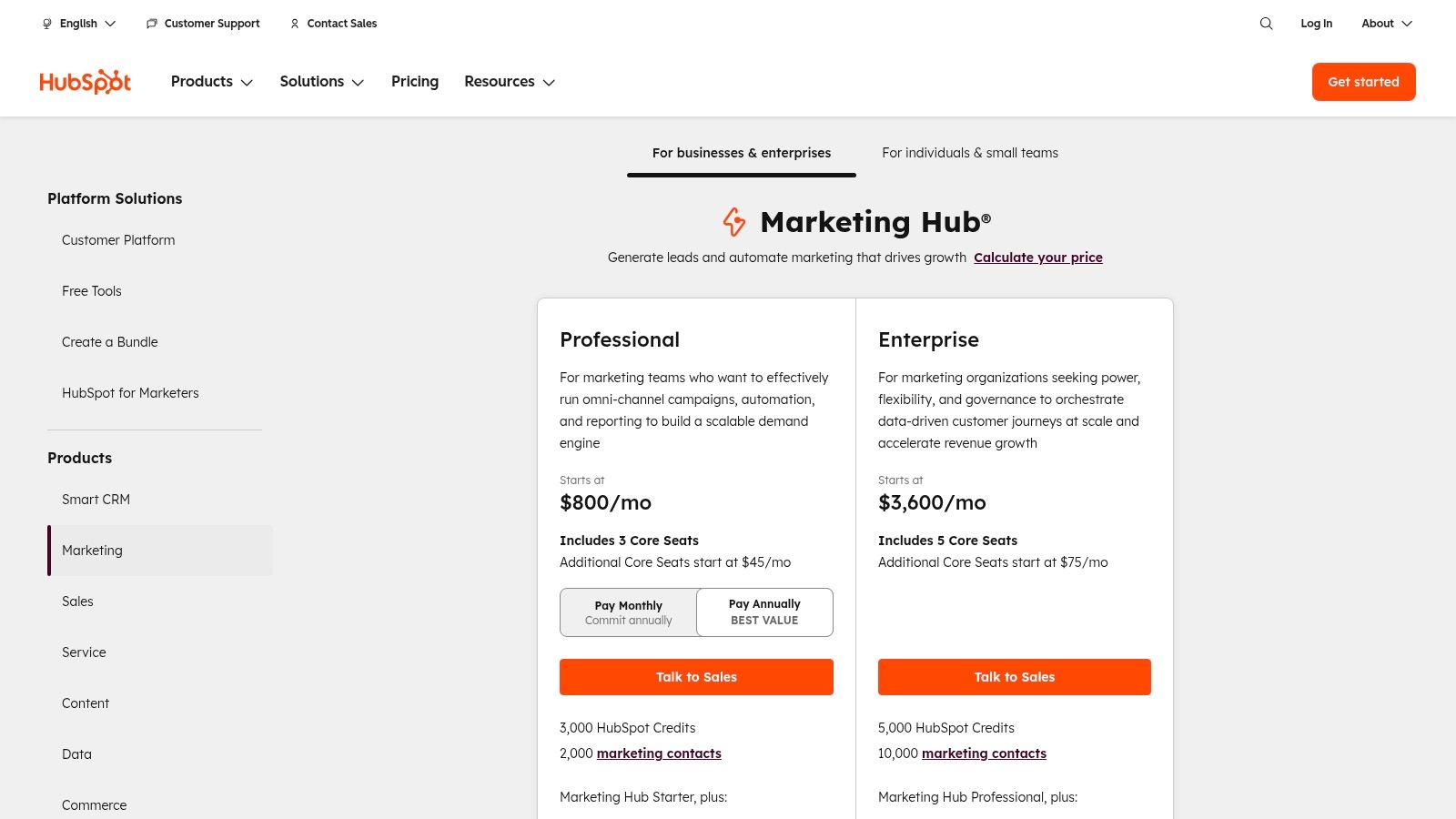
Pricing and Implementation. HubSpot offers a full-featured free CRM to get started. Paid plans are structured around its different “Hubs” (Sales, Marketing, etc.) and a flexible seat-based model. The Sales Hub Starter plan begins at $15 per user/month (billed annually), but most firms will need the Professional plan (starting at $450/month for 5 users) to access crucial automation and reporting features.
- Pros:
- Extremely intuitive user interface reduces training time and increases user adoption.
- Excellent free tools provide significant value before you need to upgrade.
- Strong native integration between marketing, sales, and service activities.
- Cons:
- Costs can increase significantly as your contact list and team size grow.
- Advanced customization and reporting are locked behind higher-tier plans.
HubSpot is an ideal choice for firms that want a powerful, user-friendly platform that aligns their business development and marketing efforts without the steep learning curve of more complex systems.
Website: https://www.hubspot.com/pricing
Need more than a CRM? If you're looking for a platform that handles proposals, project management, and invoicing alongside your pipeline, see how Drum compares.
4. Microsoft Dynamics 365 Sales.
For professional services firms deeply embedded in the Microsoft ecosystem, Dynamics 365 Sales is a natural and powerful extension of their existing technology stack. It moves beyond a simple contact database, offering a CRM that speaks the same language as Outlook, Teams, and the rest of the Microsoft 365 suite. This native integration creates a smooth workflow that can significantly boost productivity and user adoption for firms standardized on Microsoft tools.
What makes Dynamics 365 Sales a serious contender for Microsoft-centric firms is its ability to centralise business development activities within the tools your team already uses daily. This deep integration means less context-switching and more time focused on client relationships and project delivery. When paired with add-ons like Project Operations, it transforms into a comprehensive end-to-end solution for managing the entire service lifecycle.
Key Features and Use Cases. Dynamics 365 excels at unifying data and communication, providing a single source of truth for client interactions and project health.
- Native Outlook & Teams Integration: A marketing agency can track an entire email thread with a client directly on the opportunity record in Dynamics 365 without ever leaving their Outlook inbox. Key project discussions in a Teams channel can also be linked to the client account, ensuring all context is captured and accessible.
- Flexible Customization via Power Platform: Using Power Automate, a consulting engineering firm can build a workflow that automatically creates a project folder structure in SharePoint and assigns initial tasks in Microsoft Planner whenever a new opportunity is marked as “Won” in the CRM.
- Copilot AI Assistance: The built-in AI assistant, Copilot, can summarize lengthy email exchanges, draft follow-up messages based on meeting notes, and provide real-time insights during a Teams call with a client, helping your team stay prepared and efficient.
- Strong Enterprise Governance: For firms with strict data security or compliance requirements, Dynamics 365 provides the strong, enterprise-grade security and governance controls inherent in the Microsoft Azure cloud environment.
Practical Tip: Use the Dynamics 365 integration with Microsoft Teams to collaborate on sales proposals. You can create a dedicated Teams channel for a high-value opportunity, link it to the Dynamics record, and co-author documents with real-time updates reflected in the CRM. It keeps everyone on the same page, literally.
Pricing and Implementation. Microsoft offers several tiers for Dynamics 365 Sales. The Sales Professional plan starts at $65 per user/month and covers core CRM functionalities. For more advanced customization, forecasting, and AI features, firms will need the Sales Enterprise plan at $95 per user/month. The premium Sales Premium tier ($135 per user/month) includes conversation intelligence and other advanced AI tools.
- Pros:
- Familiar Microsoft user experience boosts adoption for M365-centric organizations.
- Powerful synergy with other Microsoft products like Project Operations for full PSA/ERP capabilities.
- Scalable pricing tiers to match a firm’s complexity and budget.
- Cons:
- Effective configuration and customization often require a dedicated administrator or implementation partner.
- The licensing structure across the Dynamics 365 ecosystem can be complex and requires careful planning.
For firms committed to the Microsoft stack, Dynamics 365 offers a cohesive and powerful platform to manage the entire client journey from lead to project completion.
Website: https://www.microsoft.com/en/dynamics-365/products/sales/pricing
Purpose-Built Professional Services CRMs
If Drum doesn’t seem like a good fit for any reason, there are other “all-in-one” platforms for professional services that meet a similar need.
5. Accelo (Professional Services CRM + PSA). Accelo is purpose-built for service businesses that have outgrown the need for a standalone CRM. It’s a unified client work management platform that tightly integrates sales and projects, solving the common problem of disconnects between the team that sells the work and the team that delivers it. For firms tired of stitching together separate tools for sales, project management, and billing, Accelo provides a single source of truth from the initial quote to the final cash receipt.
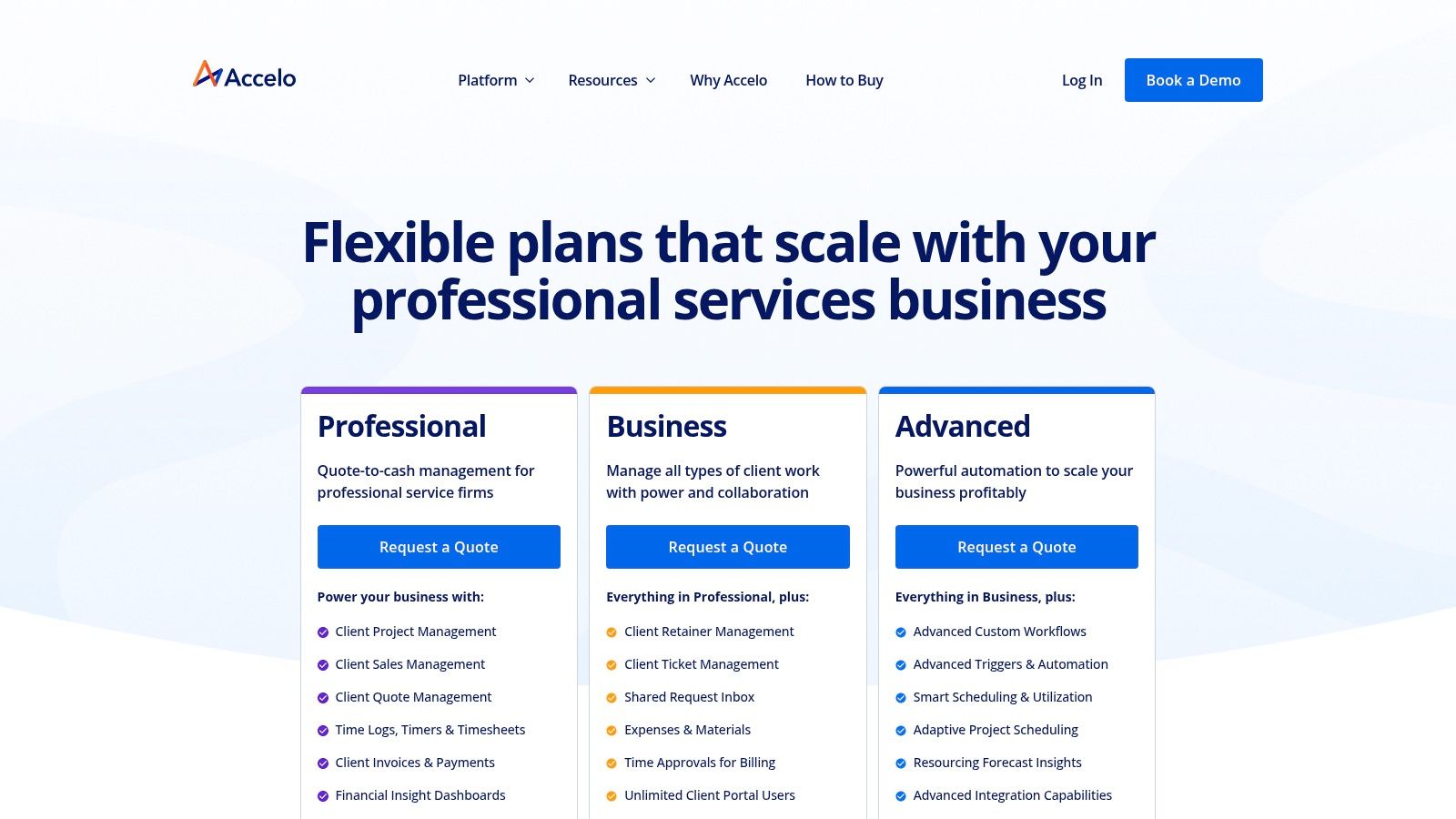
What sets Accelo apart from conventional CRM-only platforms is its end-to-end approach. It’s not just a place to store contact information; it’s an operational engine. When a sales opportunity is won in Accelo’s CRM module, it can automatically convert into a project, pulling over the budget, scope, and key contacts. This creates a smooth transition that eliminates manual data entry and kickoff delays, getting your team to work faster.
Key Features and Use Cases. Accelo’s strength lies in its ability to manage the entire client lifecycle within one system, providing unparalleled visibility into profitability and resource utilization.
- End-to-End “Quote-to-Cash” Workflow: A digital marketing agency can create a detailed quote for a new client, including different service types and rates. Once approved, Accelo converts that quote into a project with predefined tasks and budgets, and later generates invoices based on tracked time and expenses.
- Integrated Project and Sales Management: Track the sales pipeline alongside ongoing project work. This allows account managers to see active projects, support tickets, and billing history for a client while pursuing a new opportunity, enabling more informed and relevant conversations.
- Resource Scheduling and Utilization: A consulting firm can view a real-time schedule of all its consultants, seeing who is overbooked and who has availability. Managers can assign tasks based on skills and capacity, ensuring projects are properly staffed and maximizing billable hours.
- Client Portal for Collaboration: Grant clients access to a dedicated portal where they can view project progress, approve tasks, and view invoices. This transparency builds trust and reduces the administrative burden of constant status update emails.
Practical Tip: Use Accelo’s Retainers module to automate recurring service contracts. You can set up monthly budgets for time and services, and the system will automatically track work against the retainer, manage renewals, and simplify invoicing. It’s a fantastic way to manage predictable revenue streams with less effort.
Pricing and Implementation. Accelo’s pricing is quote-based and tailored to the specific needs and size of your firm, typically requiring a conversation with their sales team. The platform is offered in modular products like Sales, Projects, Service, and Retainers, or as a bundled ServOps solution. While this requires an initial discussion, it ensures you only pay for the functionality you need.
- Pros:
- Excellent fit for services firms seeking a single, unified CRM and Professional Services Automation (PSA) platform.
- Improves billing accuracy and provides powerful revenue and profitability forecasting.
- Reduces the cost and complexity of integrating multiple separate software tools.
- Cons:
- Pricing isn’t public, which can make initial budget planning more difficult.
- Can be more complex to set up than a simple, standalone CRM.
For firms committed to simplifying their entire client work lifecycle, Accelo offers a compelling, all-in-one solution. If you are exploring this category, you can also check out some top Accelo alternatives to compare similar platforms.
Website: https://www.accelo.com/how-to-buy
Looking for an Accelo alternative? Drum offers similar end-to-end project lifecycle management with tighter accounting integrations and faster onboarding. Compare Accelo alternatives or try Drum free for 14 days.
6. Clio Grow (Legal CRM).
For law firms, the client journey starts long before a matter is opened. Clio Grow is a purpose-built client intake and legal CRM designed to manage this critical pre-engagement phase. It provides a specialized toolkit to capture leads, nurture potential clients, and convert them into paying business, making it a standout choice for legal practices seeking to professionalize their business development efforts.
What makes Clio Grow uniquely powerful is its deep integration with Clio Manage, the company’s practice management software. This creates an end-to-end system where a lead captured on your website flows directly through intake, e-signature, and scheduling, and then, with one click, becomes a fully populated matter in your management system. This efficient workflow makes it a standout choice within the legal vertical, eliminating data re-entry and reducing administrative headaches.
Key Features and Use Cases. Clio Grow is laser-focused on solving the specific client intake challenges that law firms face daily. It turns a chaotic, ad-hoc process into a structured, measurable pipeline.
- Lead Capture and Intake Forms: A family law practice can embed a custom intake form on its website. When a potential client fills it out, a new contact and matter pipeline card are automatically created in Clio Grow, triggering a notification for the intake coordinator to follow up immediately.
- Pipeline Tracking: Visually manage every potential client’s journey. From “Initial Consultation Scheduled” to “Awaiting Signed Retainer,” you can see exactly where every prospect stands, ensuring no lead gets forgotten. This is perfect for tracking prospects for different practice areas, like estate planning versus litigation.
- Online Booking and E-signatures: Simplify client onboarding by allowing prospects to book consultations directly from your website. You can then send retainer agreements for secure e-signature within the same platform, dramatically speeding up the time it takes to officially engage a new client.
- Integration with Clio Manage: Once a client signs the retainer, all their information (contact details, intake notes, and related documents) is automatically pushed to Clio Manage. This creates a new matter, ready for time tracking and billing, ensuring perfect continuity from intake to invoice.
Practical Tip: Use Clio Grow’s email and workflow automation templates to nurture leads. You can create a sequence of automated emails that sends helpful information after an initial consultation, keeping your firm top-of-mind without any manual effort from your team.
Pricing and Implementation. Clio offers its products in bundled suites. The Clio Grow features are included in the Clio Suite, which combines the CRM with Clio Manage practice management software. Pricing starts with the EasyStart plan at $59 per user/month (billed annually) and goes up to the Advanced plan at $129 per user/month, which unlocks more advanced integrations and features.
- Pros:
- Specifically tailored workflows for legal client intake and conversion.
- Tight integration with a leading practice management system.
- Clear plan tiers and excellent onboarding resources for quick adoption.
- Cons:
- Highly specialized for legal; not intended for other professional services.
- Maximum value is realized when bundled with Clio Manage, not as a standalone CRM.
For law firms looking to move beyond spreadsheets and generic CRMs, Clio Grow provides a polished, industry-specific solution that directly addresses the business development and intake process.
Website: https://www.clio.com/pricing/
7. Productive (Agency & Consultancy PSA).
Productive has carved out a strong reputation among agencies and consultancies as a budget-friendly PSA platform that doesn’t compromise on depth. It combines CRM, project management, time tracking, budgeting, resource planning, and invoicing into a single platform, and unlike many competitors on this list, it publishes transparent pricing that starts at just $9 per user per month. For firms that need the functionality of a full PSA but lack the budget for enterprise tools like Salesforce or Dynamics 365, Productive fills a genuine gap in the market.
What makes Productive a compelling pick for the professional services shortlist is how tightly it connects sales data to delivery performance. When a deal closes, the budget, timeline, and scope carry straight into project execution. Your team can track time against that budget in real time, spot margin erosion before it becomes a problem, and generate invoices from actual tracked work — all without switching tools. According to Capterra, users consistently highlight the integrated budgeting and reporting as standout features.
Key Features and Use Cases. Productive’s strength lies in giving small-to-midsize firms the operational visibility that larger competitors charge a premium for.
- Sales Pipeline to Project Handoff: Track leads through a customizable CRM pipeline. When a deal is won, Productive converts it into a project with inherited budgets and task structures — with no manual re-entry needed. The platform recently added custom proposal creation with e-signing, reducing another step in the sales cycle.
- Real-Time Budget Tracking: Every project gets a live financial dashboard showing hours burned, budget consumed, and projected margin. A 15-person marketing agency can see at a glance which retainer clients are profitable and which are bleeding money. That kind of insight usually requires a dedicated finance tool.
- Resource Planning and Scheduling: Allocate team members across projects based on availability, skills, and capacity. Managers get a visual timeline of who’s booked, who’s underutilized, and where scheduling conflicts exist. This is critical for consultancies juggling multiple concurrent engagements.
- Flexible Invoicing and Revenue Recognition: Generate invoices from tracked time and expenses, manage retainer billing cycles, and handle revenue forecasting with scenario modeling. For firms that bill in multiple currencies or across different rate cards, Productive handles the complexity without spreadsheet workarounds.
Practical Tip: Use Productive’s Docs feature to centralize project briefs, meeting notes, and client communication in the same workspace where your team tracks time and budgets. It’s a small feature that eliminates the need for a separate tool like Notion or Confluence for project documentation.
Pricing and Implementation. Productive publishes clear, tiered pricing, a welcome change from the “contact sales” approach of many PSA platforms. The Essential plan starts at $9/user/month (billed annually) for core project management and time tracking. The Professional plan at $24/user/month adds advanced reporting, resource planning, and budgeting. Ultimate and Enterprise tiers offer custom pricing for larger teams with more complex needs. A free 14-day trial is available on all plans.
- Pros:
- Transparent, affordable pricing accessible to smaller firms and growing agencies.
- Strong integrated budgeting and profitability reporting that rivals more expensive platforms.
- Clean interface with a manageable learning curve for non-technical teams.
- Cons:
- Less established ecosystem of third-party integrations compared to Salesforce or HubSpot.
- Advanced customization options are more limited than enterprise-grade platforms.
For agencies and consultancies that want serious PSA functionality without the enterprise price tag, Productive delivers genuine value. It’s particularly well-suited for firms in the 10-50 person range that have outgrown spreadsheets but don’t need (or want to pay for) the complexity of Salesforce.
Website: https://productive.io/pricing/
A note for architecture, engineering, and built environment firms.
If you run an architecture or engineering consultancy, the generic global CRM advice only gets you so far. The everyday realities of the built environment — multi-phase fee proposals, percent-complete billing against project stages, sub-consultant cost pass-throughs, and the quirks of working to Australian or UK standards rather than US ones — don’t show up neatly in a Salesforce or HubSpot setup. You end up bolting on custom fields until the thing creaks.
The same goes for the accounting stack. Most Australian practices run on Xero, not QuickBooks, and GST-inclusive invoicing plus local BAS reporting need to flow through without manual translation. A CRM that assumes the US-default QuickBooks + Stripe setup quietly costs your office manager an extra afternoon every month. It’s worth asking any shortlisted platform three direct questions: does it understand multi-phase project billing, does it sync cleanly with Xero, and has it been used by architecture or engineering firms at your size? The answers separate tools that could work from tools actually built for this world.
Making Your Final Decision
We’ve covered a wide range of options, from all-in-one PSA platforms built specifically for service firms to enterprise-grade giants and niche legal CRMs. With 87% of CRM deployments now cloud-based and AI features embedded in most major platforms, the landscape has shifted dramatically. Finding the best CRM for professional services isn’t about crowning a single winner. It’s about matching the platform to your firm’s size, tech stack, and the specific bottleneck that’s costing you the most time or money.
Here’s how the options break down by use case:
- For Unified Operations: If disconnected tools for sales, project management, and billing are your biggest pain, a unified CRM and project management platform like Drum or Accelo solves that directly. They provide end-to-end visibility from proposal to invoice, which is invaluable for firms that bill for their time.
- For Enterprise Scalability: Larger firms or those embedded in a specific ecosystem will find immense power in Salesforce Sales Cloud or Microsoft Dynamics 365. Their strength lies in deep customization and vast integration marketplaces.
- For Inbound Marketing & Sales: If your firm’s growth is driven by content and inbound marketing, HubSpot offers an integrated experience that excels at converting leads through its integrated marketing, sales, and service hubs.
- For Budget-Conscious Agencies: Productive gives growing agencies serious PSA functionality (budgets, resource planning, time tracking) at a fraction of the enterprise price point.
- For Niche Specialization: As we saw with Clio Grow, sometimes the best solution is one built for your specific industry vertical.
Your Action Plan.
1. Map Your Current Workflow: Before you start a free trial, map every step of your client engagement process. Identify every handoff point, every manual data entry task, and every moment of friction. That map is your blueprint for evaluation.
2. Prioritize Your “Must-Haves”: For a marketing agency, this might be thorough time tracking and profitability reporting. For an engineering firm, multi-phase project management and resource allocation. For a consultancy, a smooth proposal-to-project conversion.
3. Run a Practical Pilot: Free trials are your best friend. Assign a real project to your top two or three contenders. Can you create a proposal, convert it to a project, track hours against the budget, and generate an invoice? That hands-on test reveals more than any feature list.
4. Evaluate Support and Adoption: A CRM is only as good as its adoption rate. Pay attention to the user experience during your trial. A responsive support team and intuitive interface can make or break the transition. The best CRM for professional services is ultimately the one your team will actually use.
Ready to see how a unified CRM and PSA platform handles your entire project lifecycle? Drum was built by consultants, for consultants, to solve the exact challenges of managing projects, tracking time, and getting paid. Explore Drum to discover a smarter way to run your professional services business.
Frequently Asked Questions
What’s the difference between a CRM and a PSA?
A CRM (Customer Relationship Management) focuses on the front office: tracking leads, managing your sales pipeline, and nurturing client relationships before and after the sale. A PSA (Professional Services Automation) tool covers the back office: project delivery, time tracking, resource planning, budgeting, and invoicing. For service firms, the most useful platforms combine both — so the deal you just won flows straight into a live project without re-keying the data.
Is HubSpot good for consulting firms?
HubSpot is excellent at the sales and marketing end — particularly for consultancies with an inbound content strategy — but it’s not a project delivery platform. You’ll still need a separate system for time tracking, project budgets, and invoicing. That’s fine if you already have those tools and want best-in-class pipeline management; it’s expensive and fragmented if you were hoping for a single source of truth from lead to invoice.
How much does a professional services CRM cost?
Expect a wide spread. Entry-level options like Productive start at $9 per user per month. Purpose-built platforms like Drum publish flat pricing around $225/mo for a 5-person team. Enterprise systems like Salesforce or Microsoft Dynamics typically run $65–$165 per user per month, plus implementation and admin costs. For a ten-person firm, total cost of ownership usually lands somewhere between $3,000 and $20,000 per year depending on the platform and the level of customisation required.
Do small professional services firms really need a specialised CRM?
Once you’re past about five billable people and juggling more than a handful of concurrent projects, the spreadsheet-plus-generic-CRM combo starts leaking money in ways you can measure — missed billable hours, stale proposals, surprise budget blowouts, and slow invoicing. A specialised best CRM for professional services platform pays for itself by capturing the billable time and profitability data a generic tool simply doesn’t see. Under five people, a simple CRM plus a time-tracking app is usually fine.
Still comparing CRMs? Try Drum free for 14 days, no credit card, no commitment. Run a real project through it and see how proposal-to-invoice works in one platform.