
 Pipeline & Proposals
 Project Management
 Resource Planning
 Time & Costs
 WIP & Invoicing
 Commercial Reporting
 Consulting Engineers
 Architects
 Town Planners
 Building Designers
Issue Management in Project Management: How to Track and Resolve Problems Before They Escalate

Ben Walker
Written for Drum
In This Article
- Issue Management in Project Management
- What Is Issue Management and Why It Matters for Your Firm
- The Complete Project Issue Lifecycle From Start to Finish
- Issues vs Risks vs Changes: What Project Managers Need to Know
- Putting Issue Management to Work Inside Your PSA Platform
- Essential KPIs for Measuring Your Issue Management Success
Issue Management in Project Management
In project management, issue management is the process you kick into gear when a problem has already happened and is actively messing with your project. It’s a real-time, hands-on system for finding, figuring out, and fixing obstacles to keep your project’s budget, timeline, and quality safe.
What Is Issue Management and Why It Matters for Your Firm
Imagine you’re captaining a ship on a critical voyage. You’ve planned for potential storms (those are your risks), but out of nowhere, a massive, unforecasted wave crashes over the deck, damaging essential equipment. This isn’t a maybe anymore; it’s a real problem that needs your immediate attention. That’s the essence of an issue: it’s the storm you’re in the middle of right now.
But solid issue management isn’t just about putting out fires. It’s a disciplined approach that provides a clear path from chaos back to control, turning unexpected problems into manageable tasks. For any professional services firm where project success is the name of the game, this structured approach is non-negotiable.
The high cost of unresolved issues. In consulting, engineering, and creative firms, small hiccups can quickly spiral into major disasters if they aren’t dealt with. A minor delay in getting client feedback, a technical glitch, or a key team member suddenly becoming unavailable can have serious knock-on effects.
These often show up as:
- Scope Creep: Unmanaged issues lead to unplanned work, bloating the project scope and budget. For instance, a client casually mentions a “small tweak” that turns into a week of unbilled work.
- Client Dissatisfaction: When problems aren’t handled transparently and quickly, you can watch client trust evaporate. Think about the last time a company didn’t get back to you about a problem. Not a great feeling.
- Lost Profitability: Every single hour spent on rework or dealing with preventable escalations is a direct hit to your project’s margins.
The financial stakes here are incredibly high. The latest project management statistics are pretty sobering: companies are losing a staggering $109 million for every $1 billion invested in projects simply due to poor issue resolution. That number is a stark reminder of how quickly small problems can snowball. It gets worse: 1 in 6 IT projects (which are common in engineering firms) blow their costs by up to 200%, according to research compiled by Workamajig.
An issue is a problem that has breached your defenses. Risk management is about scanning the horizon for potential storms. Issue management is about managing the one you’re already in.
From reactive to proactive control. The whole point is to move from a frantic, reactive scramble to a calm, systematic response. Instead of firing off panicked emails or having hurried hallway chats, a formal process ensures every single problem is captured, assigned, and tracked all the way through to resolution.
This is where a modern Professional Services Automation (PSA) platform like Drum becomes your best friend. By ditching scattered spreadsheets and siloed communication channels, your firm can establish a single source of truth for all project-related problems. This gives everyone complete visibility into every issue, its impact, and its status, ultimately protecting your team, your clients, and your bottom line.
The Complete Project Issue Lifecycle From Start to Finish
Every project issue, whether it’s a minor hiccup or a full-blown crisis, follows a surprisingly predictable path. We like to think of it like a patient showing up at an emergency room: they get checked in, diagnosed, treated, monitored, and finally sent home with a plan to stay healthy. In the same way, solid issue management in project management gives you a structured lifecycle to make sure nothing gets missed.
This process is all about turning potential chaos into a controlled, repeatable workflow. Once your team gets the hang of these stages, you’ll find that unexpected problems stop being threats and start becoming opportunities to get better.
The diagram below shows this in action: how a structured process can take a real threat, turn it into a controlled set of actions, and ultimately drive a positive outcome.
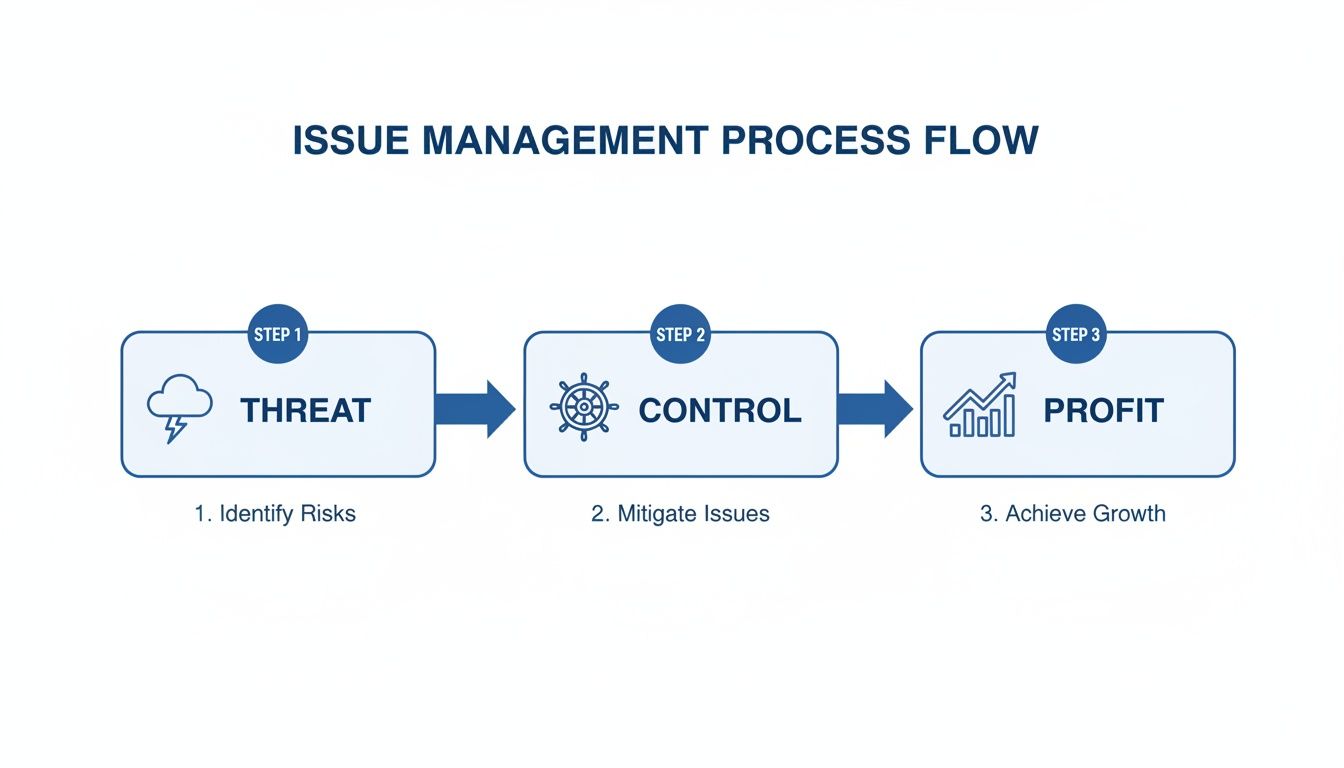
This really brings home the point: by taking control of problems, you steer them away from being project-killers and toward being genuine drivers of growth and learning for the whole team.
Stage 1: Identification and Logging. The whole thing kicks off the second someone spots a problem. This could be a developer finding a nasty bug, a project manager seeing a key deadline is about to be missed, or an account manager getting an earful from an unhappy client. The most important thing here isn’t what the problem is, but that you’ve built a culture where your team feels safe to flag it right away.
A “no-blame” culture is the absolute bedrock of effective issue identification. When people feel safe to raise concerns without getting punished for it, you’ll uncover problems when they are still small and easy to manage.
Once it’s out in the open, the issue needs to be logged in a central spot. We call this an issue log or register. This isn’t just a messy list of notes; it’s a formal record with key details like a unique ID number, a clear description of the problem, the date it was found, and who raised it.
Stage 2: Analysis and Prioritization. Let’s be real: not all issues are created equal. A small typo on an internal memo doesn’t carry the same weight as a server crash that brings the entire team to a halt. This is where you step back to analyze and prioritize, making sure you’re putting your energy where it actually counts. A simple but incredibly powerful tool for this is the impact/urgency matrix. Team leads can use it to quickly bucket each issue:
- High Impact, High Urgency: All hands on deck. These are the showstoppers that halt progress or seriously tick off clients. For example, the client’s e-commerce site is down. Fix this now.
- High Impact, Low Urgency: This is important, but it doesn’t need to be fixed this very second. Plan to tackle it properly. A key feature for the next project phase needs a redesign, for instance.
- Low Impact, High Urgency: These are often annoying little things that can be delegated or fixed quickly without derailing anything major. Think: a broken link on a non-critical page.
- Low Impact, Low Urgency: Stick it on the backlog. These are the “nice-to-fix” items that can be handled whenever there’s a bit of downtime, like updating internal documentation.
Stage 3: Assignment and Action Planning. Okay, so you’ve prioritized the issue. Now it needs an owner. This is the single person who is accountable for seeing it through to the end. They might not do all the work themselves, but they’re the one responsible for coordinating the response, giving updates, and making sure the ball keeps moving. With an owner in place, the next move is to map out a simple, clear action plan. This plan should spell out the specific steps needed to fix the issue, who’s doing what, and some realistic deadlines. No ambiguity.
Stage 4: Monitoring and Tracking. Just because there’s a plan doesn’t mean the issue has vanished. This stage is all about actively keeping an eye on it. The issue owner should be posting regular status updates in the central log to keep all the stakeholders in the loop. Consistent communication is everything here. Regular check-ins stop the issue from stalling out and ensure any new roadblocks get dealt with quickly. That kind of transparency builds a ton of confidence with both your team and your clients, showing them the problem is being handled.
Stage 5: Resolution and Closure. You’ve reached the final stage when the action plan is complete and the issue is resolved. But “done” isn’t just about applying a fix. Real closure involves two final, crucial steps. First, you have to verify the resolution. Did the fix actually work? Has the client confirmed their problem is solved? Once you get the all-clear, the issue can be formally closed out in the log. Second, and this is the part most people skip, you have to capture the lessons learned. What was the root cause of this problem in the first place? How can we stop this kind of thing from happening again? Documenting these insights turns a negative event into a priceless asset, making your processes stronger for every single project that follows.
Issues vs Risks vs Changes: What Project Managers Need to Know
In the fast-paced world of project delivery, words matter. Getting the distinction between an issue, a risk, and a change wrong isn’t just a minor mix-up. It’s a mistake that can mean using the wrong process at the wrong time, leading to project delays and a whole lot of team frustration. Nailing this difference is the bedrock of effective project management.
Let’s think about it in simpler terms, using a house as our project:
- An issue is a problem that’s happening right now. The house is actually on fire. For example, your lead designer calls in sick on the morning of a major client presentation.
- A risk is a problem that might happen in the future. You can smell smoke in the house. For example, you know your lead designer has been feeling unwell and might not be able to work tomorrow.
- A change request is a formal proposal to alter the plan. The client wants to add a new room to the house. For instance, the client suddenly decides they need a video component for a project that was originally scoped for static designs.
Each of these scenarios demands a completely different response. You wouldn’t call the fire department just because you smell smoke, and you definitely wouldn’t start building an extension without approved blueprints.
The critical differences. The real danger kicks in when a team treats everything with the same five-alarm panic or, even worse, ignores potential threats until they become full-blown crises. In professional services, where margins are notoriously tight, this kind of confusion gets expensive, fast. PMI’s research has consistently shown that organizations with mature project management processes can reduce project failure rates from as high as 70% down to around 20%. Meanwhile, 37% of project failures stem from a lack of clear goals and objectives, a problem that proper issue-versus-risk categorization directly addresses, according to analysis from ProProfs Project.
To help draw a clear line in the sand, let’s break down the key differences between these three critical project events.
Comparing Issues, Risks, and Change Requests. The table below breaks down the core attributes of issues, risks, and change requests. Understanding these distinctions helps you and your team deploy the right response every single time, keeping your projects on track and your clients happy.
| Attribute | Issue | Risk | Change Request |
|---|---|---|---|
| Timing | Present (Happening now) | Future (Might happen) | Future (Proposed alteration) |
| Nature | A current problem or roadblock | A potential future problem | A formal proposal to alter scope |
| Response | Reactive: Execute an immediate action plan | Proactive: Create a mitigation or contingency plan | Formal: Follow the change control process |
By categorizing these events correctly, you ensure the right people are involved, the right level of urgency is applied, and the project’s scope and budget remain protected.
Getting this right isn’t just about good project hygiene; it’s about protecting your profitability and reputation.
Why this matters for your firm. When you correctly distinguish between these concepts, you empower your team to apply the right resources at exactly the right time. Strong, proactive risk management can stop many potential problems from ever becoming actual issues, a central part of our approach to programme risk management.
When a real issue does pop up, having a dedicated issue management process means it gets resolved quickly and efficiently, with minimal disruption.
And finally, a formal change control process is your best defence against scope creep. It protects your team from the chaos of unplanned work and safeguards your firm from taking on unprofitable projects. Mastering these three distinct workflows isn’t just a skill; it’s the hallmark of a mature, well-run project delivery function.
Defining roles and building a clear escalation path. A well-designed issue management process is like a finely tuned engine, but it’s completely useless without skilled drivers who know exactly what they’re supposed to do. To keep things running smoothly and solve problems efficiently, you have to clearly define who does what.
Without clear roles, issues get stuck in limbo. Team members aren’t sure who’s supposed to act, leading to that dreaded “I thought you were handling it” conversation. This simple step transforms your process from a set of rules on a page into a living, breathing system that keeps projects moving.

Key roles in issue management. In most consulting or engineering firms, three core roles form the backbone of any effective issue management framework. Each has distinct responsibilities that work together, guiding an issue from the moment it’s spotted to its final resolution.
-
Team Members: These are your front-line issue spotters. They’re responsible for identifying and logging issues the second they pop up. Their job is to get a clear, detailed description of the problem into the central issue log so everyone’s on the same page.
-
Project Manager: Think of the PM as the conductor of the orchestra. They own the whole issue management process. This means analyzing and prioritizing new issues, assigning an owner for each one, and keeping a close eye on the progress toward getting it fixed.
-
Project Sponsor or Client: This is usually a senior leader or your main client contact, and they hold the ultimate authority. They only get pulled in when an issue is big enough to threaten the project’s budget, timeline, or scope. They have the final say to approve major solutions or changes.
By defining these responsibilities, you build clear lines of ownership and accountability directly into your daily operations. This structure is a fundamental part of any solid project manager’s toolkit, which we cover in more detail in our complete project managers checklist.
Building a simple and effective escalation path. So, what happens when an issue is too big for its owner to solve? This is where a clear escalation path is absolutely essential. It’s a pre-defined roadmap that tells everyone what to do when a problem is too big, too expensive, or just too tricky to handle at its current level. An escalation path cuts through the ambiguity and stops issues from languishing. It sets up clear triggers that automatically move a problem up the chain of command, making sure the right people make the right decisions at the right time.
Communication breakdowns are often at the heart of escalation failures. In fact, a staggering 59% of U.S. workers name communication as their team’s biggest obstacle, which is why a pre-defined path removes guesswork and keeps information flowing.
A great escalation path isn’t a sign of failure; it’s a sign of a mature process. It guarantees that critical issues get the visibility and resources they need without any delay.
Think of it as a set of simple “if-then” rules. Here’s a practical example you can adapt for your own firm:
-
Level 1 – Team Member: A team member flags an issue and has 48 hours to try and resolve it on their own. For example, a developer tries to fix a bug they discovered.
-
Level 2 – Project Manager: If the issue isn’t fixed within 48 hours, or if it needs resources beyond the team member’s control (like access to a different system), it’s automatically bumped up to the Project Manager.
-
Level 3 – Project Sponsor: If the PM’s solution will impact the total project budget by more than 10% or delay the final deadline by over a week, they must escalate it to the Project Sponsor for the final green light.
This structured approach acts as a safety net. It ensures no single person becomes a bottleneck and that high-impact decisions are made by those with the authority to make them. For fast-paced agencies and consulting firms, this clarity isn’t just helpful. It’s critical for maintaining momentum and client confidence.
Putting Issue Management to Work Inside Your PSA Platform
Understanding the theory of issue management is one thing. Actually putting it into practice is where you start seeing real results. For many firms, moving away from scattered spreadsheets and chaotic email threads feels like a massive undertaking. But with a modern Professional Services Automation (PSA) platform, it’s not just possible, it’s surprisingly straightforward.
Let’s walk through how a consulting, engineering, or creative firm can build a solid issue management process right inside their core operational tool. This is how you turn abstract concepts into concrete, daily workflows.
Create a central home for all issues. First things first: get rid of all the fragmented tracking systems. The goal is to establish a single, undisputed source of truth where every single issue lives, from the moment it’s spotted to the second it’s resolved. In a PSA like Drum, this is incredibly simple. You can create a dedicated task list or even a specific project phase named “Project Issues” within each project. This simple move immediately gives every problem a designated home, making sure nothing slips through the cracks. It signals to the entire team that logging issues isn’t an afterthought; it’s a core part of how the project is structured.
Build your digital issue log with custom fields. An issue log is only as good as the information it holds. To make your log genuinely useful, you need to track more than just a title. This is where custom fields become your best friend, allowing you to build a detailed, filterable database of every single problem.
Your digital issue log should capture these essential data points:
- Unique ID: An auto-generated number for easy reference.
- Description: A clear, concise summary of what’s gone wrong.
- Priority: Using the impact/urgency matrix (e.g., Critical, High, Medium, Low).
- Owner: The single person accountable for driving the resolution.
- Status: A dropdown menu (e.g., Open, In Progress, Resolved, Closed).
- Due Date: The target date for getting it fixed.
This setup transforms a simple task list into a powerful issue management tool. Just like that, you’ve created a structured, consistent way to log every issue across all your projects.
Link issues for complete context. Now, here’s where a PSA platform really leaves a standalone spreadsheet in the dust. An issue rarely exists in a vacuum; it almost always affects a specific task, a budget line item, or a project milestone. A great PSA lets you link an issue directly to the part of the project it’s messing with.
For example, if a client provides delayed feedback (the issue), you can link that issue directly to the “Design Mockup Review” task in your project plan. This creates an undeniable audit trail, showing exactly how the problem is hitting the project’s timeline and budget. This contextual link is vital for accurate reporting and for having transparent, fact-based conversations with clients about delays. You can learn more about how a PSA connects all these dots in our guide on what is PSA software.
This screenshot from Drum shows how tasks, time, and budget are all managed in one place, providing the perfect foundation for linking issues to their direct impacts.
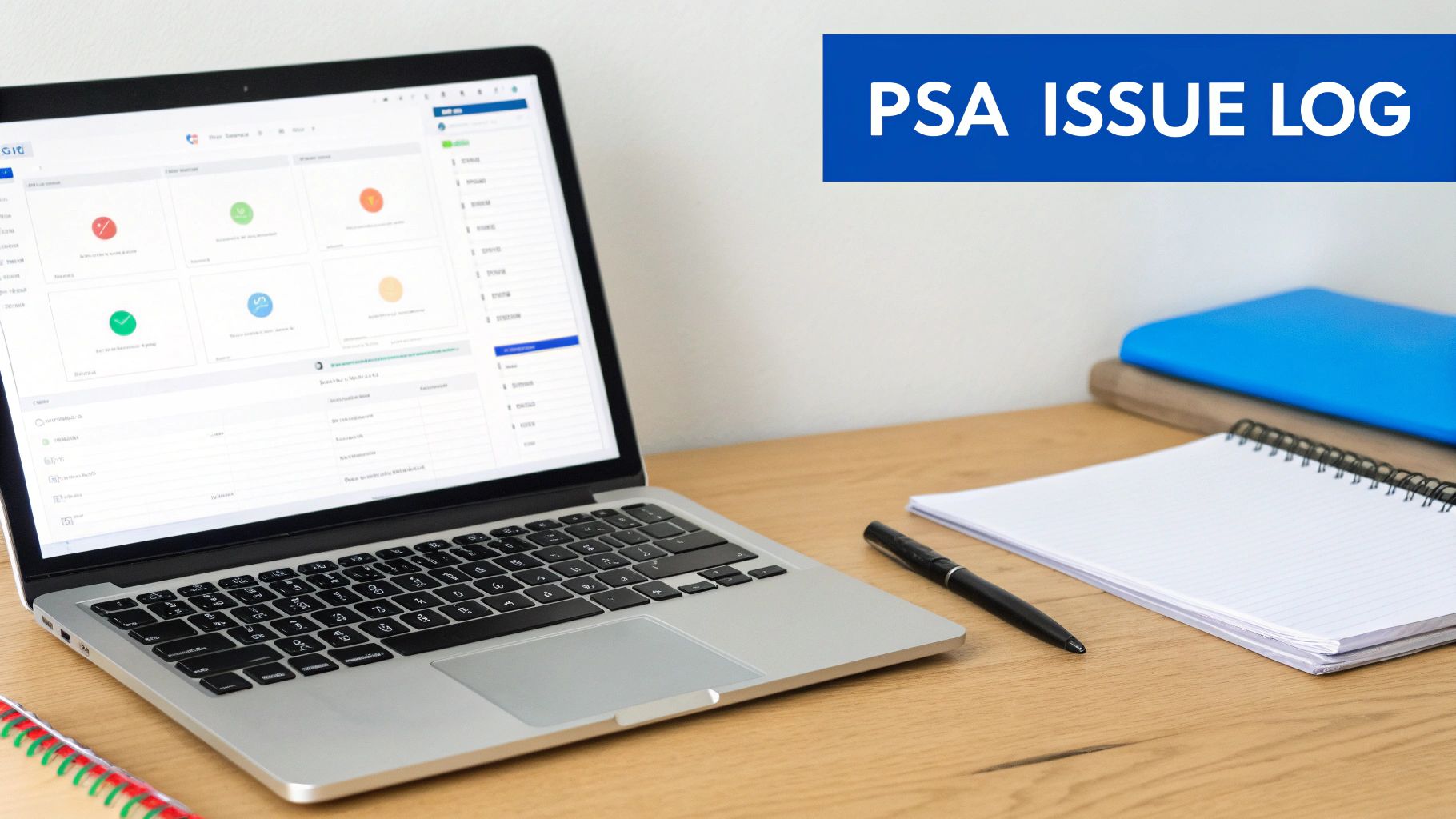
With this unified view, a project manager can instantly see how a new issue might torpedo the team’s workload or project profitability without having to switch between five different tools.
Use dashboards for real-time visibility. Once your issues are logged and linked, the final piece is making them visible. This is where real-time dashboards and reporting come into play. Instead of spending hours manually compiling a status report, you can create an automated “At-Risk Issues” dashboard.
A dashboard isn’t just a report; it’s a living, breathing view of your project’s health. It surfaces problems automatically, allowing managers to focus on solving them rather than finding them.
This report can be set up to automatically pull in any issue that is marked as “High” or “Critical” priority, or any issue that’s blown past its due date. This gives managers and firm leaders immediate, at-a-glance visibility into the most pressing problems across the entire portfolio. They can step in and offer support before a small snag snowballs into a full-blown crisis. The demand for this kind of integrated visibility is driving rapid growth in the PSA market, which is projected to grow from USD 14.46 billion in 2025 to USD 50.51 billion by 2034, as firms increasingly demand real-time project oversight built into their operational tools.
Essential KPIs for Measuring Your Issue Management Success
How can you tell if your issue management process is actually working? Just closing tickets isn’t enough. To get a real sense of the health and efficiency of your system, you need to track Key Performance Indicators (KPIs) that tie your resolution efforts directly to project health and business outcomes.
When you move beyond simple counts, you start to spot trends, sniff out bottlenecks, and make decisions based on data, not just gut feelings. The right metrics transform your issue log from a glorified to-do list into a powerful tool for continuous improvement.
Key metrics for tracking performance. To get a clear picture of how effective your process really is, focus on a few critical KPIs. Each one tells a unique story about your team’s performance, the stability of your projects, and the very real financial impact of problems left to fester.
Here are four essential KPIs to start tracking:
- Average Resolution Time: This is the clock-watcher. It measures the average time from when an issue is first logged to when it’s fully resolved and closed. If this number is consistently high or creeping upwards, it might be a sign that your team is stretched too thin or that the issues you’re facing are more complex than you first thought.
- Issue Recurrence Rate: This tracks how often the same (or frustratingly similar) issues pop up across different projects. A high recurrence rate is a massive red flag. It points to deeper, systemic problems that need to be tackled at the root cause, not just patched over.
- Number of Issues Escalated: This KPI counts the percentage of issues that have to be bumped up the chain to senior management or the project sponsor. A rising rate could mean your team members don’t have the authority or resources they need to solve problems on their own.
- Impact on Project Budget: This is where the rubber meets the road. It quantifies the real cost of issues by tracking unbillable hours and direct expenses spent on resolution. It’s the most direct way to show leadership the financial upside of a rock-solid issue management process.
Tracking the right KPIs turns issue management from a reactive chore into a proactive strategy. You stop just fighting fires and start fireproofing your projects for the future.
Turning data into actionable insights. Collecting this data is just the first step; the real value is in what you do with it. For instance, if you notice the Average Resolution Time for design-related issues is getting longer, it’s a cue to dig in. Are your issue owners overloaded? Are the initial creative briefs so vague they cause delays?
Likewise, a high Issue Recurrence Rate for a specific type of problem, say client communication mishaps, tells you it’s time for a process tweak or some focused team training. These metrics give you the hard evidence needed to justify improvements and, just as importantly, show their impact over time. PMI’s 2025 Pulse of the Profession report found that project professionals with high business acumen achieve 27% lower failure rates, largely because they measure more of what matters, tracking an average of 9.1 success factors per project compared to just 6.3 for others.
This is where a PSA platform becomes your secret weapon. Instead of manually crunching numbers in a spreadsheet, tools like Drum can automate the tracking of these KPIs. By setting up custom reports and dashboards, firm leaders get a real-time view of issue trends. This empowers them to make faster, more informed decisions that protect both project profitability and client happiness.
Even with a solid plan, jumping into a structured issue management process is going to bring up some questions. That’s perfectly normal. Getting ahead of these common uncertainties will build your team’s confidence and make for a much smoother rollout.
Let’s tackle some of the most frequent questions that project managers and firm owners ask when they start formalizing their approach to issue management.
What is the most common mistake in issue management? The single biggest mistake is ignoring the small problems. It’s incredibly tempting to think, “It’s just a minor hiccup, we’ll sort it out later.” But small, unresolved issues rarely stay small.
They have a nasty habit of festering, sometimes combining with other minor problems, until they erupt into a full-blown crisis that demands urgent, expensive attention. Think of it like a tiny leak in a pipe. You can ignore it for a while, but eventually, that drip is going to cause serious water damage.
The key is to build a process that treats every identified issue with respect. Log it immediately so its potential impact can be properly assessed before it gets a chance to grow.
How can I get my team to consistently log issues? This one is less about the tools you use and more about the culture you build. Teams often hesitate to log issues for two main reasons: they’re afraid of being blamed for the problem, or the process is just too complicated and time-consuming.
The solution is to address both head-on.
First, you have to actively foster a blame-free culture. Leaders need to consistently frame issue reporting as a positive act that helps the team, not as a way to point fingers. Make a point to publicly thank team members who flag problems early.
When your team sees that raising an issue leads to collaborative problem-solving instead of punishment, they will be far more likely to participate.
Second, make the process ridiculously easy. Use a simple form in your PSA platform with only the essential fields. The fewer clicks it takes to log a problem, the more likely your team will actually do it.
Can issue management be applied to small projects? Absolutely. Issue management isn’t some rigid, all-or-nothing system reserved for massive, multi-year projects. The principles scale down beautifully. For a small, quick project, you obviously don’t need a complex escalation path or detailed KPI dashboards.
Instead, you can use a simplified, lightweight version:
- A simple issue log (even a dedicated task list in your project tool will do).
- A single, designated issue owner (often just the project lead).
- A quick daily or weekly check-in to review any open items.
The core principles—identify, log, own, and resolve—are exactly the same. The goal is simply to maintain visibility and accountability, no matter how big or small the project is.
Ready to stop juggling spreadsheets and start managing issues in a single, connected system?
Drum gives you the tools to log, track, and resolve issues while keeping a real-time eye on your project budgets and timelines.
See how it works and start your free 14-day trial and discover a better way to run your studio.