
 Pipeline & Proposals
 Project Management
 Resource Planning
 Time & Costs
 WIP & Invoicing
 Commercial Reporting
 Consulting Engineers
 Architects
 Town Planners
 Building Designers
7 Quotation Templates for Professional Services (Ready to Use)

Ben Walker
Written for Drum
In This Article
7 Quotation Templates for Professional Services
Sending a professional, clear, and compelling quote can be the difference between winning a new client and getting lost in their inbox. But starting from scratch every time is a surefire way to introduce errors, waste valuable hours, and project an inconsistent brand image. That’s where a solid quotation template comes in handy. Think of it not just as a form to fill out, but as a repeatable system for success. According to Flowcase, professional services firms with polished, consistent proposals typically see win rates in the 35-45% range, well above the B2B average. A well-designed template acts as a powerful sales tool, communicating your value and professionalism long before the project even begins.
In this guide, we’ll walk you through seven fantastic options, from simple downloadable files to integrated software solutions that can transform your workflow. We’ll provide a helpful look into each sample of a quotation template, showing you not just what they look like, but how you can use them strategically to close deals faster. You will see annotated examples, key fields to include, and pricing recommendations for services like consulting, architecture, and marketing.
We’ve included direct links and screenshots for each platform, including PandaDoc, HubSpot, and Xero, so you can see exactly how they work. Let’s find the perfect fit to simplify your process from proposal to payment.
1. Sales & Proposals — Supercharge Your Sales and Proposals
For professional services firms looking to upgrade their quoting process from a manual, error-prone task to a strategic sales function, Drum’s Sales & Proposals platform is an exceptional, integrated solution. It’s designed not just to create documents, but to build a repeatable system that ensures consistency, accuracy, and brand integrity across every client interaction. This platform stands out by deeply integrating proposal generation with project management and financials, turning a simple quote into the first step of a smooth project lifecycle.
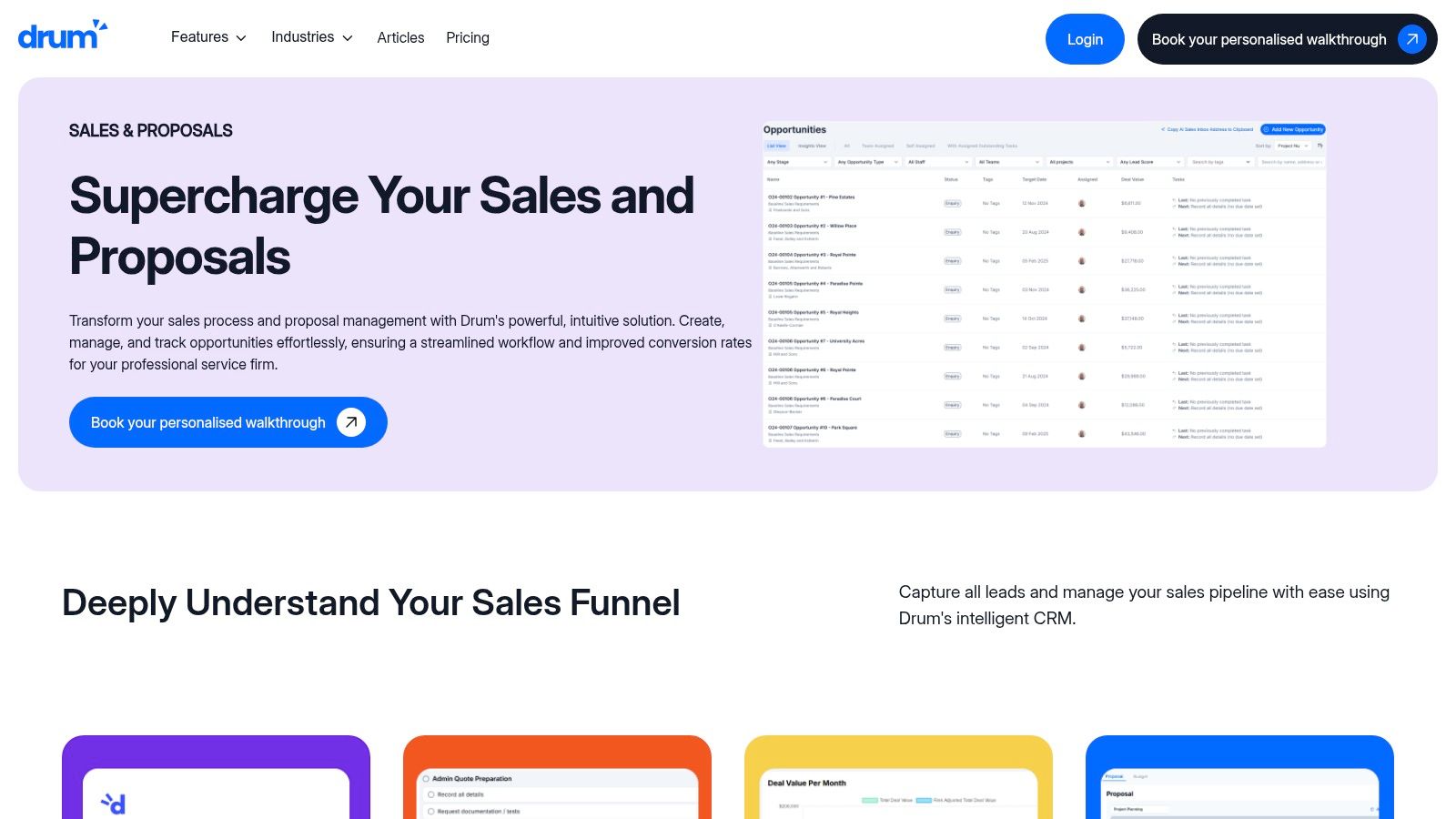
Unlike standalone template builders, Drum’s power lies in its native connection to a complete Professional Services Automation (PSA) ecosystem. This means the sample of a quotation template you develop isn’t just a static document; it’s a dynamic tool that pulls from and pushes to other critical business functions like resource planning, time tracking, and invoicing. The PSA market itself is projected to reach USD 16.61 billion in 2026, a clear signal that integrated systems are becoming the standard for service-based firms.
The Power of an Integrated System. Drum’s core advantage is its template-driven workflow combined with dynamic document generation. This approach solves a common pain point for consulting, engineering, and creative firms: maintaining quality and consistency at scale.
- Template-Driven Consistency: Imagine setting up a master template with your company’s branding, legal terms, and pre-approved service descriptions. This ensures that every team member, from senior partners to new associates, produces a high-quality, on-brand proposal every time.
- Dynamic Word Generation: The platform automatically populates your template with client-specific details, project scope, and pricing, generating a polished Microsoft Word document in moments. This eliminates tedious manual formatting and the risk of copy-paste errors, dramatically speeding up turnaround time.
- Smooth Project Handoff: Once a client signs off, the approved quotation data flows directly into a new project within Drum. Line items from the quote become project phases or tasks, budgets are set, and invoicing schedules are established without any manual data re-entry. It’s an easy transition from sale to execution.
Key Takeaway: Drum transforms the quotation process into a core part of your operational workflow. It ensures that the promises made during the sales cycle are accurately reflected in project execution and financial tracking, bridging the gap between sales and delivery. For a closer look at crafting compelling proposals, you can learn more about how to write a consulting proposal that wins business.
Notable Features and Use Cases
| Feature | Description | Best For |
|---|---|---|
| Integrated Pricing Tools | Build complex, multi-phase fee structures with fixed fees, hourly rates, or retainers. Present multiple options to clients (e.g., Good/Better/Best). | Consulting engineers and architects who need to quote for multi-stage projects with variable fee types. |
| Template Library | Create and store multiple quotation templates for different service lines, client types, or project complexities. | Marketing agencies that offer a diverse range of services, from social media retainers to one-off web design projects. |
| End-to-End Workflow | The platform connects opportunities, proposals, projects, time tracking, and invoicing in a single, unified system. | Any professional services firm looking to reduce administrative overhead and gain a holistic view of project profitability from bid to final invoice. |
Website: https://getdrum.com/features/sales-and-proposals/
The Best Third-Party Quotation Templates and Tools
2. PandaDoc.
PandaDoc elevates the simple quote from a static document to an interactive, trackable part of your sales workflow. It’s more than just a place to find a sample of a quotation template; it’s a comprehensive platform designed for teams that need control over the entire document lifecycle, from creation and sending to e-signature and payment collection. This makes it an excellent choice for service-based businesses like marketing agencies or consulting firms looking to speed up and professionalize their sales process.
What makes PandaDoc so friendly is its deep integration with CRM and payment systems. With 91% of companies with 10 or more employees now using a CRM, this kind of native connectivity is increasingly important. For example, instead of manually copying client data from your HubSpot or Salesforce account, you can connect them and automatically populate quotes with accurate, up-to-date information. This not only saves time but drastically reduces the chance of costly manual errors.
Key Features and Strategic Benefits. The platform’s strength lies in its automation and analytics capabilities. When you send a quote, you aren’t just sending an email with a PDF attachment. You’re sending a trackable, interactive web document.
- Real-Time Analytics: Get a notification the moment a client opens your quote. You can see how many times they viewed it and even which sections they spent the most time on. This is incredibly useful. For instance, if they keep looking at the pricing table, you know that’s the area to focus on in your follow-up call.
- Integrated eSignatures: Clients can accept and sign your quote directly within the document on any device, eliminating friction and speeding up the approval process. No more printing, signing, and scanning!
- Product Catalog Integration: For businesses with standard services or products, the Quote Builder can pull from a pre-loaded catalog. This means your pricing and descriptions are always consistent, whether you’re quoting a “Basic SEO Package” or an “Advanced Web Development” project.
Pricing and Access. PandaDoc operates on a subscription model. While they offer a free plan for simple e-signatures, access to the advanced quote features, CRM integrations, and analytics requires a paid plan. Their “Business” plan is a popular starting point for teams wanting the full suite of quote management tools.
Website: https://www.pandadoc.com/price-quote-template/
3. HubSpot.
HubSpot provides a straightforward and highly accessible entry point for businesses needing a professional sample of a quotation template without the complexity of a full-fledged software platform. It offers a free, downloadable bundle of quote templates in familiar formats like Microsoft Word and PDF. This approach is perfect for small businesses, freelancers, or teams just starting to formalize their sales process who need a clean, reliable document they can brand and deploy immediately.
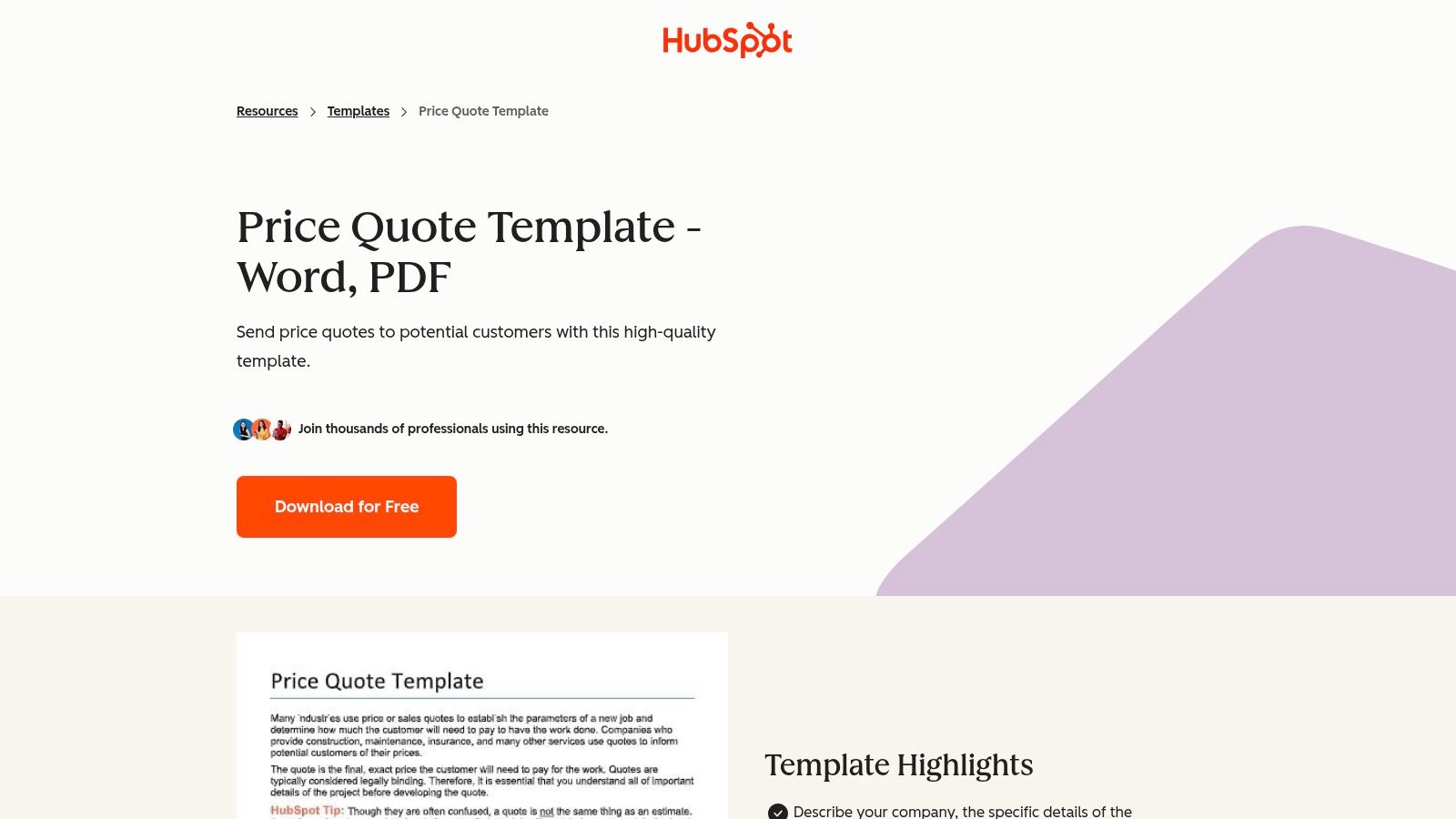
What makes HubSpot’s offering so valuable is its simplicity and integration within a broader ecosystem of free business resources. This means the template is designed with best practices in mind, featuring all the essential fields like quote numbers, issue and expiration dates, and a clear, itemized pricing table.
Key Features and Strategic Benefits. The strategic advantage of using HubSpot’s templates lies in their zero-barrier accessibility and ease of use. You don’t need to sign up for a complex tool or learn a new interface; you can simply download the file, add your logo, and start populating it with your project details.
- Instantly Usable Formats: The templates are provided in Word and PDF, formats that require no special software beyond what most businesses already use. For example, a freelance writer can download the Word doc, add their logo and contact info, fill in the project details for a blog post package, and email it as a PDF in under 10 minutes.
- Structured for Clarity: The layout is professionally structured to include all critical information, ensuring you don’t forget key details like payment terms or contact information, which helps prevent future misunderstandings.
- Part of a Larger Resource Library: HubSpot offers a wide range of free templates for invoices, business plans, and marketing proposals, allowing you to maintain brand consistency across all your business documents.
Pricing and Access. HubSpot’s quotation templates are completely free. They are offered as a helpful resource. There are no subscriptions or hidden costs to download and use these templates, making them an excellent, risk-free resource for any business.
Website: https://www.hubspot.com/resources/templates/price-quote
4. Xero.
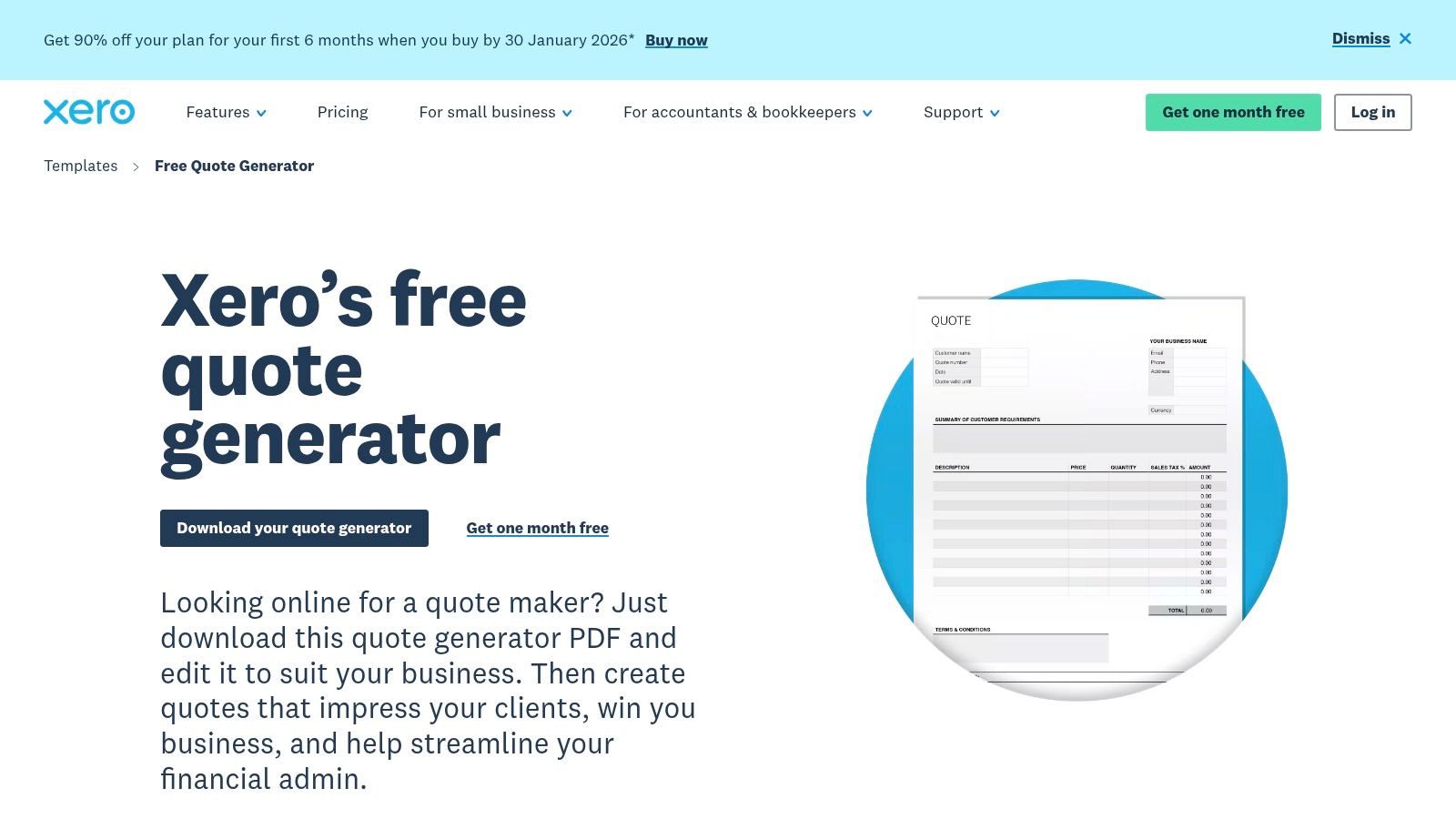
Xero brings its deep accounting expertise into the quoting process, offering a straightforward path for small businesses and freelancers to create clean, professional quotes. Instead of a complex document management system, Xero provides a free quote generator and a downloadable sample of a quotation template. This approach is ideal for businesses that need a quick, no-fuss solution for generating quotes that can easily transition into invoices within the Xero ecosystem.
What makes Xero a practical choice is its focus on the financial workflow. The platform understands that a quote is often the first step in a longer accounting journey. By providing a template that is fully compatible with its accounting software, Xero helps businesses maintain consistency from the initial price estimate all the way through to final payment reconciliation, reducing administrative work and potential data entry errors.
Key Features and Strategic Benefits. Xero’s strength is its simplicity and integration with core accounting functions. It prioritizes accuracy and efficiency for business owners who manage their own finances, making the quote-to-cash cycle smoother.
- Automated Calculations: The quote generator automatically calculates subtotals, taxes, and totals as you add line items. This simple feature is a significant time-saver and minimizes the risk of embarrassing and costly math errors.
- Quote-to-Invoice Conversion: For Xero users, the most powerful benefit is the ability to convert an accepted quote into an invoice with a single click. Imagine a landscape designer sends a quote for a garden project. Once the client accepts, one click turns that quote into an invoice ready to be paid, no retyping required.
- Professional Branding: The templates are easily customizable with your company logo and business details, allowing you to produce a branded, professional-looking document without any design skills.
Pricing and Access. Xero offers its quote generator and a downloadable PDF template for free through its US template hub. To access the downloadable template, you need to provide your email address. While these tools are free, using the full power of features like quote-to-invoice conversion and comprehensive financial tracking requires a paid Xero subscription plan.
Website: https://www.xero.com/us/templates/quote-generator/
5. QuickBooks.
For small businesses already managing their finances within the Intuit ecosystem, QuickBooks Online provides a direct bridge between quoting and accounting. Rather than being a standalone proposal tool, it integrates quoting (called “estimates” in the platform) directly into your financial workflow. This makes it an ideal choice for service providers, contractors, and small firms who want to create a professional sample of a quotation template that flows directly into invoicing and payment processing without needing a separate subscription.
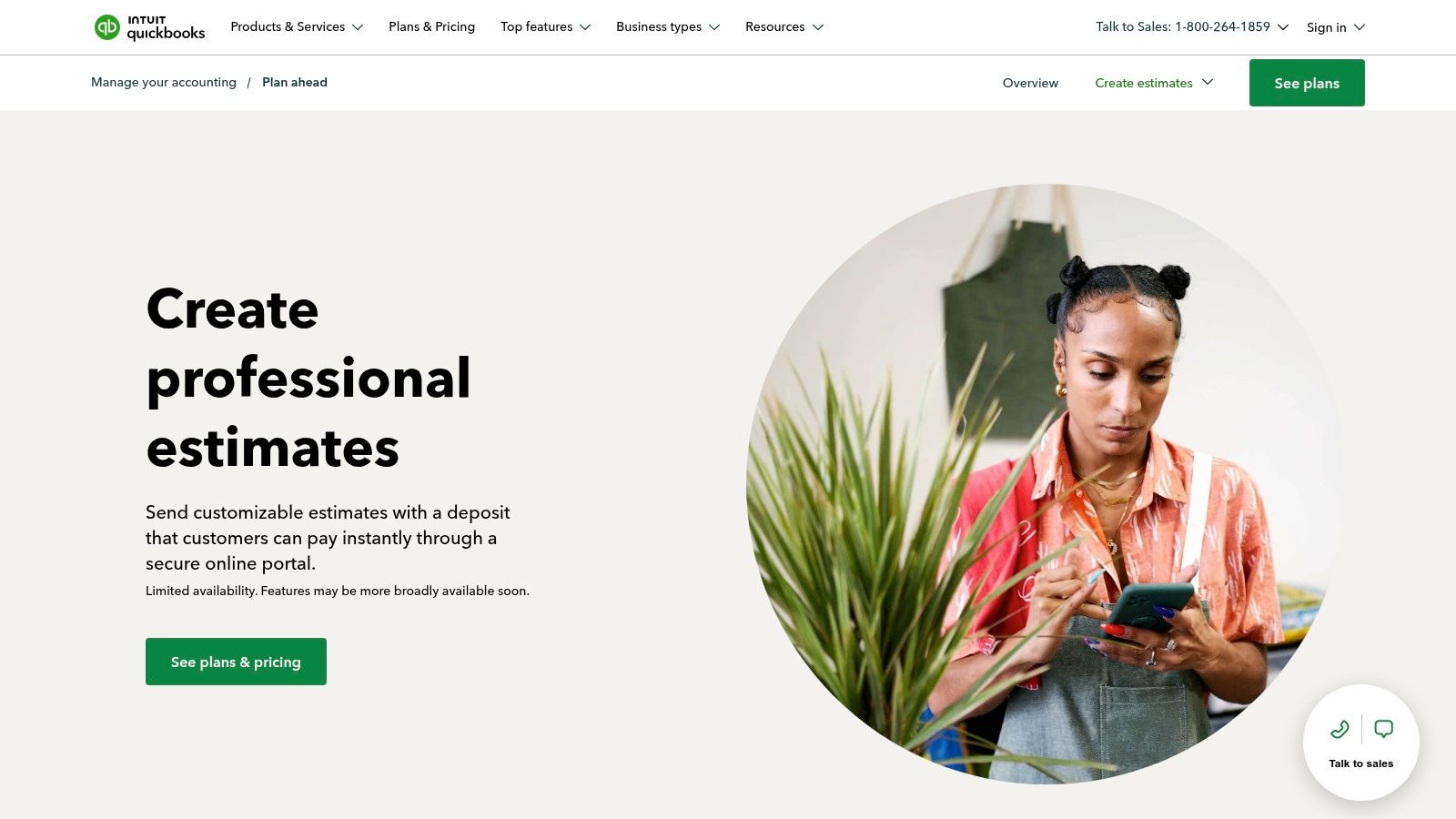
What makes QuickBooks stand out is its function as a financial hub. Creating a quote isn’t an isolated sales activity; it’s the first step in the revenue cycle. Once a client approves an estimate online, you can convert it into an invoice with a single click. This tight integration ensures that data is consistent from the initial price quote to the final payment, eliminating duplicate data entry and minimizing the risk of billing errors.
Key Features and Strategic Benefits. The platform’s core strength is its end-to-end financial management, turning a simple quote into a trigger for your entire accounting process. This creates a highly efficient system for managing cash flow.
- Direct Conversion to Invoice: The one-click conversion from an accepted estimate to an invoice is a massive time-saver. Let’s say a home contractor sends an estimate for a kitchen remodel. When the homeowner approves it, the contractor can instantly generate the invoice for the deposit. This speeds up your billing process and helps you get paid faster. For a detailed guide on this process, you can find more information about invoicing in QuickBooks Online.
- Integrated Online Payments: Clients can approve quotes and even pay a deposit directly from the estimate via a secure portal. This reduces friction and improves your cash flow by securing commitment upfront.
- Customization and Branding: You can easily add your company logo, customize terms and conditions, and apply discounts or request deposits, ensuring your quotes look professional and align with your brand identity.
Pricing and Access. QuickBooks Online is a subscription-based service with several tiers (e.g., Simple Start, Essentials, Plus). The ability to create and send estimates is available in most plans, but features like progress invoicing and advanced customization are typically found in the “Plus” and “Advanced” tiers. It’s best suited for US-based businesses deeply integrated into the QuickBooks ecosystem.
Website: https://quickbooks.intuit.com/accounting/estimates-proposals/
6. Billdu.
Billdu strikes a balance between traditional, downloadable templates and modern, app-based quote management. It caters directly to freelancers, contractors, and small businesses that value flexibility and simplicity. Instead of locking users into a single ecosystem, Billdu offers a variety of downloadable templates in formats like Word, Excel, and Google Docs, making it a highly practical starting point for anyone looking for a straightforward sample of a quotation template.
What makes Billdu a great entry point is its growth-oriented approach. You can start with a free, static Word template, and as your business grows, you can transition to its online quote generator or mobile app without a steep learning curve. This provides a clear upgrade path from manual document creation to a more efficient system for sending, tracking, and managing quotes on the go, which is ideal for professionals who are often out of the office.
Key Features and Strategic Benefits. Billdu’s core strength is its accessibility and practicality, offering tools that solve immediate needs while providing a path to greater efficiency. It’s less about complex integrations and more about getting a professional quote to a client quickly.
- Multiple Formats: Download a template in the format you already use every day, whether it’s Microsoft Office or Google Workspace. This eliminates the need to learn new software just to create a quote.
- Free Online Quote Generator: For those who want a bit more structure than a blank template, the online generator guides you through the process, ensuring you include all essential fields before generating a polished PDF.
- Mobile App for Quoting on the Go: The app allows you to create and send quotes directly from your phone. For example, a photographer could meet with a client, discuss a wedding package, and send them a professional quote from their phone before even leaving the coffee shop. This is a crucial feature for contractors, consultants, and service professionals who work on-site.
Pricing and Access. The downloadable quote templates (Word, Excel, Google Docs/Sheets, PDF) are completely free. Billdu’s online quote generator is also free to use. For advanced features like quote tracking, client management, and converting quotes to invoices, you will need a subscription to the Billdu app, which offers a 30-day free trial to test its full capabilities.
Website: https://www.billdu.com/quote-template/
7. FreshBooks.
FreshBooks is a well-known name in small business accounting, and its approach to quotations is built on accessibility and integration. It provides a straightforward starting point for freelancers and small firms looking for a no-cost, professional sample of a quotation template. Unlike comprehensive platforms, FreshBooks offers downloadable templates in universally compatible formats like Word, Excel, and PDF, allowing for quick, offline customization before you even consider their software.
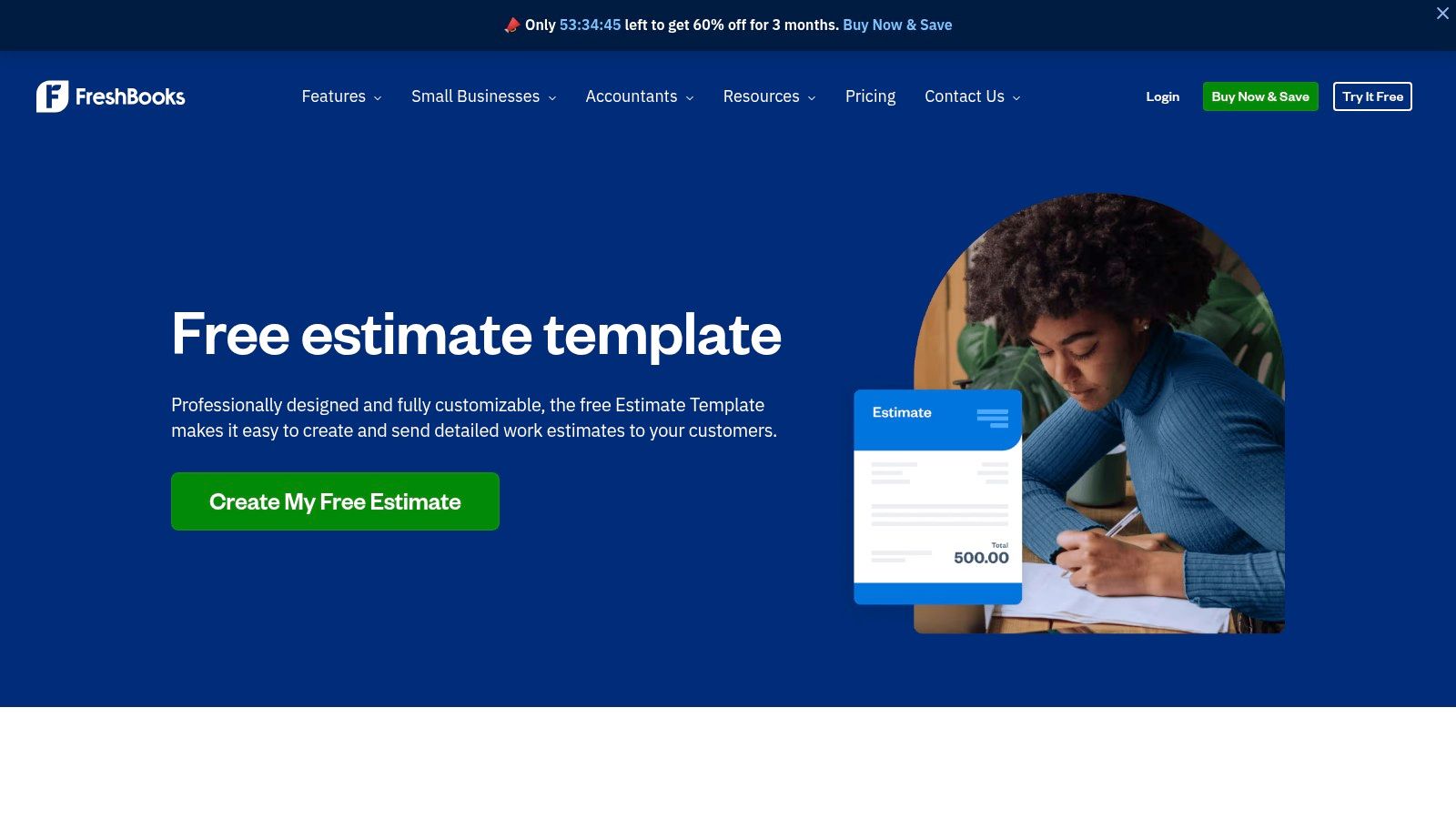
The real strategic value of FreshBooks lies in its dual-offering. You can start with a simple, free template to get a quote out the door today. When your business grows and manual tracking becomes cumbersome, FreshBooks provides a natural upgrade path to its full-fledged invoicing and accounting software, where you can create, send, and track quotes that easily convert into invoices.
Key Features and Strategic Benefits. FreshBooks focuses on making the initial stages of financial management as frictionless as possible. The templates are clean, professional, and contain all the essential fields without overwhelming a new business owner.
- Multi-Format Downloads: Offering templates in Word, Excel, Google Docs, and PDF ensures anyone can access and edit them, regardless of their software preferences. This flexibility is a key advantage for quick adoption.
- Integrated Workflow Path: The platform is designed to grow with you. After using a free template, moving into the FreshBooks app allows you to connect quoting directly to invoicing, expense tracking, and time tracking, creating a unified financial ecosystem.
- Simplified Customization: The templates are designed to be easily branded. For instance, a graphic designer can quickly download the Word template, pop in their logo, adjust the colors to match their brand palette, and have a personalized quote ready to go. It’s professional without needing professional design skills.
Pricing and Access. The downloadable quotation templates from FreshBooks are completely free. You can visit their site and download the files you need without creating an account or providing payment information. To use the integrated quote creation and management tools within the FreshBooks platform, you will need a paid subscription, which comes in several tiers designed for different business sizes.
Website: https://www.freshbooks.com/estimate-templates
Top 7 Quotation Template Comparison
| Solution | Implementation complexity 🔄 | Resource requirements ⚡ | Expected outcomes 📊 | Ideal use cases 💡 | Key advantages ⭐ |
|---|---|---|---|---|---|
| Sales & Proposals — Drum | Moderate 🔄 — template & pricing-rule setup required | Drum PSA subscription + admin configuration time ⚡ | Faster proposal→project flow; fewer quoting errors 📊 | Professional services firms needing end-to-end project & finance flow 💡 | ⭐ Template-driven docs; Word generation; built-in pricing; accounting integrations |
| PandaDoc | Moderate 🔄 — configure Quote Builder and templates | Subscription; CRM & product catalog connections ⚡ | End-to-end e-sign, approvals, analytics for deal tracking 📊 | Sales teams wanting analytics and CRM-integrated quoting 💡 | ⭐ Rich templates; e-sign; analytics; strong CRM mappings |
| HubSpot (template) | Low 🔄 — download and brand a static file | None for template; basic editing time ⚡ | Instant branded static quotes; no automation or tracking 📊 | Teams needing a free starter quote without a quoting system 💡 | ⭐ Zero-cost; familiar Word/PDF formats; quick to use |
| Xero (quote generator) | Low-to-moderate 🔄 — request template, edit in PDF/generator | Free template; best value with Xero subscription ⚡ | Automated calculations; smoother quote→invoice when using Xero 📊 | Users who will convert quotes to invoices in Xero 💡 | ⭐ Free generator; built-in path to Xero invoicing |
| QuickBooks (estimates) | Low-to-moderate 🔄 — customize templates; test availability | QuickBooks subscription for full features; possible rollout limits ⚡ | Integrated estimates→invoices; online deposits to accelerate cash 📊 | US small businesses needing accounting+payments in one tool 💡 | ⭐ Tight accounting/payment integration; deposit & conversion features |
| Billdu | Low 🔄 — download templates or use lightweight app | Free downloads; optional app subscription for automation ⚡ | Flexible file formats and simple online quote management 📊 | Freelancers/small teams needing multiple file formats 💡 | ⭐ Multiple formats (Word/Excel/Google/PDF); online quote maker |
| FreshBooks | Low 🔄 — use downloadable templates or in-app estimates | Free templates; FreshBooks subscription for integrated workflows ⚡ | Multi-format templates and upgrade path to invoicing within FreshBooks 📊 | Small businesses wanting easy templates with invoicing option 💡 | ⭐ Multi-format downloads; simple path to integrated invoicing |
From Template to Triumph: Choosing the Right Tool for Your Business
We’ve explored a diverse range of quotation tools, from dedicated proposal software like PandaDoc to integrated accounting platforms such as Xero and QuickBooks. Each offers a unique approach to crafting the perfect professional quote, underscoring a crucial point: a great quotation is far more than a price list. It’s your first tangible promise to a client, a strategic document that sets expectations, builds trust, and lays the foundation for a successful project.
The journey from a blank page to a signed contract is filled with opportunities to simplify your process, improve accuracy, and present your business in the best possible light. As we’ve seen, the right sample of a quotation template isn’t just about design; it’s a reflection of your operational efficiency and professional credibility.
Synthesizing Your Options. Choosing the right tool requires an honest look at your business’s current and future needs. Your decision should be guided by your specific workflow, team size, and growth ambitions.
Here’s a friendly recap to guide your selection process:
- For Simplicity and Speed: Tools like Billdu and FreshBooks are excellent for freelancers and small businesses who need to create clean, professional quotes quickly without a steep learning curve.
- For Sales and Marketing Integration: If your quoting process is deeply tied to your CRM and sales pipeline, HubSpot offers a powerful, integrated solution to track deals from lead to close.
- For Accounting-Centric Workflows: Businesses that prioritize smooth financial management will find QuickBooks and Xero invaluable. Their ability to convert quotes to invoices with one click saves significant administrative time.
- For Advanced Features and Client Experience: When you need document tracking, e-signatures, and a polished, interactive client experience, a dedicated proposal tool like PandaDoc stands out as a market leader.
Key Takeaways and Actionable Next Steps. Ultimately, the goal is to bridge the gap between sales and project delivery. Research from Loopio shows that companies using structured proposal processes achieve win rates up to 21% higher than those without, so the template you choose has a direct impact on revenue. A winning quote doesn’t just secure a new client; it ensures the project starts on the right foot, with clear scope, terms, and financial understanding. A well-chosen tool eliminates the friction in this handoff, preventing critical details from getting lost in translation.
Before you commit to a platform, we suggest taking these steps:
- Map Your Current Process: Identify your biggest pain points. Is it the time spent creating quotes? Is it tracking their status? Or is it the manual data entry required to start a project after a quote is approved?
- Define Your Must-Haves: List the non-negotiable features you need. This could be anything from multi-currency support and project-based pricing to integration with your existing accounting software.
- Start with a Trial: Nearly every tool we’ve discussed offers a free trial. Use this opportunity to create a real-world sample of a quotation template for your business and send it internally to see how it looks and feels.
As IONOS notes in their template guide, a consistent, well-branded quote builds credibility long before the first meeting. By moving beyond a simple template and embracing a tool that enhances your entire workflow, you transform your quoting process from a necessary administrative task into a powerful strategic advantage. This shift not only helps you win more business but also sets the stage for more profitable and successful project delivery.
Ready to connect your proposals directly to project management and profitability? Drum is an all-in-one platform built for professional services firms that connects quoting with project planning, time tracking, and invoicing. Start your free trial of Drum today and discover how a truly connected workflow can transform your business.
Ready to connect your proposals directly to project management and profitability?
Drum is an all-in-one platform built for professional services firms that seamlessly integrates quoting with project planning, time tracking, and invoicing.
Start your free 14-day trial and discover how a truly connected workflow can transform your business.